Confirming Valid VAT Numbers
The purpose of this SOP is to show the process on how to confirm VAT numbers
Overview#
Purpose: The purpose of this SOP is to show the process on how to confirm VAT numbers from customers who wants to be our trade partners.
Scope: This procedure applies to Operations, developer (who will do Magento Backend and Xero), Sales and Accounts
Responsibility: It is the responsibility of each Accounts department, Accountant and management to ensure the process set out in this procedure is followed.
Objective: To show the step by step process on how to validate VAT numbers from customers
Procedure#
(If the process outlined below does not validate the VAT number you can ask the customer to email a current copy of their VAT certificate, prior to zero-rating the invoice).
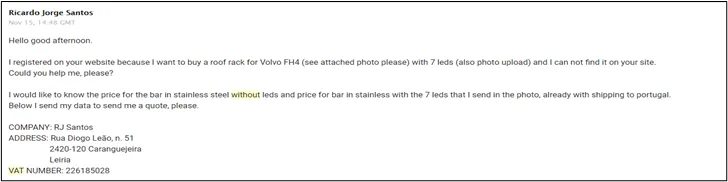
Here is an example email where you would be required to check out the VAT number. A customer from Portugal looking to provide a VAT number & order without VAT
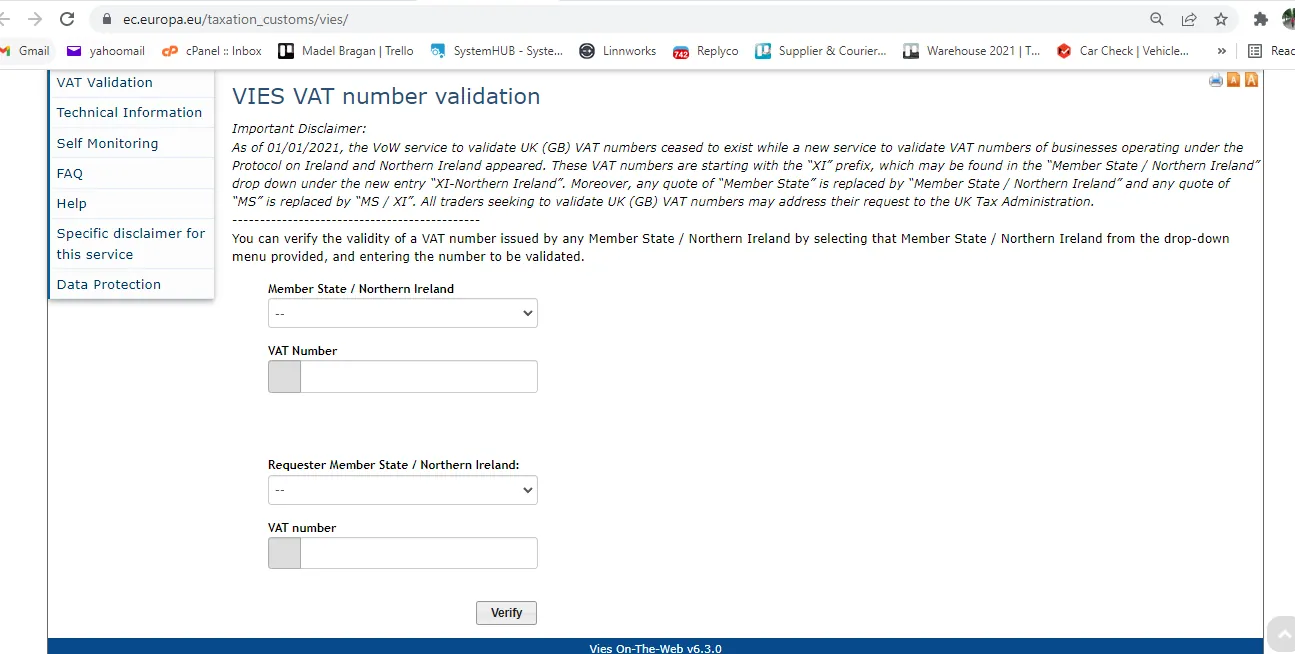
- Go to Vies Website. In the Member State/Northern Ireland, select the country of origin of the customer and the type his VAT Number. Then click verify.
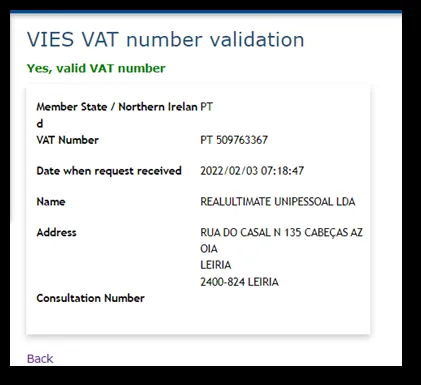
- If VAT number is valid, you should see this result. Then compare the name and address that appears here to the name and address that is found on their Business Certificate. It should match. Put an internal note to the Replyco email and tag management so they will be aware that the customer has been checked and verified in VIES.
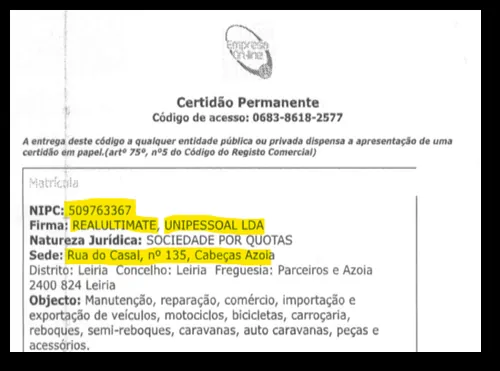
- If the VAT is valid, you can proceed and give the customer the 0% VAT prices. If invalid, take a snip of showing that it is invalid and send to customer and request to clarify their VAT Number.
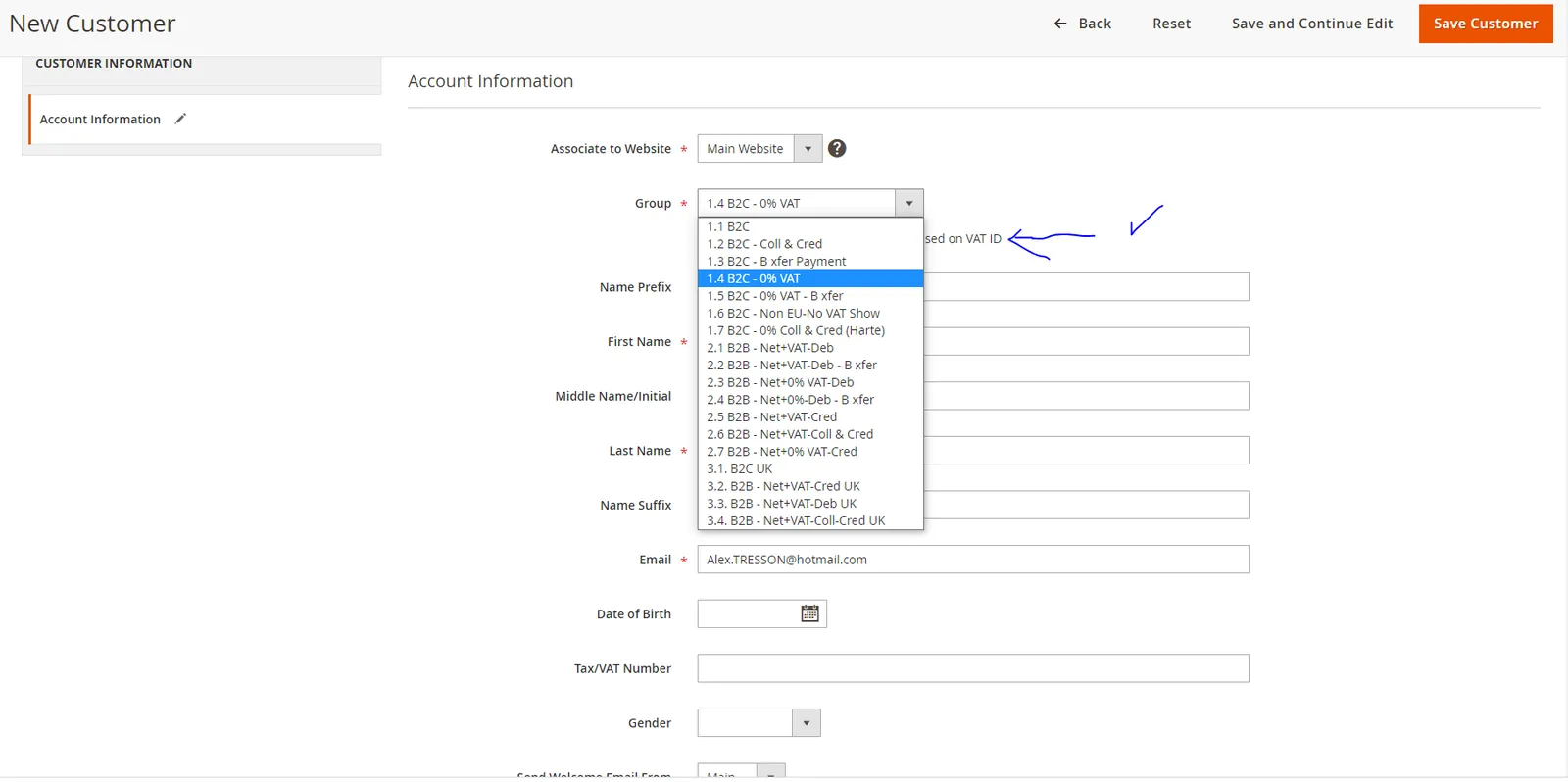
IMPORTANT - After VAT number has been Validated - customer should be added to Magento customer Group 1.4 / 1.5 or id B2B 2.3 or 2.5 - Please confirm with management.
Video & Media#
Notes#
This section is important so Adhoc points and issues can be logged. Also, Q&A can be logged for suggestions for potential issues encountered. Also, log important notes needed for this system. Additional Notes:
If the VAT is valid, you can proceed and give the customer the 0% VAT prices. If invalid, take a snip of showing that it is invalid and send to customer and request to clarify their VAT Number.
Potential Issues:
1 - ISSUE ENCOUNTERED: Stuck on Loading RESOLUTION: Refresh Browser
2 - ISSUE ENCOUNTERED: Broken Links RESOLUTION: Get the external link as this will allow other people to access the SOP without the need for login credentials and avoid broken links.