Stripe Payment and Refund and Chargebacks or Payment Disputes
Companies of all sizes and from around the world use Stripe to accept multiple
Overview#
Purpose: Companies of all sizes and from around the world use Stripe to accept multiple payment methods and simplify global operations. Stripe Payment & Subscriptions for Magento allows Bragan to accept popular currencies and credit card types like VISA, MasterCard, American Express, Discover, JCB, and Diners Club. Other payment methods are supported such as Bancontact, Giropay, iDEAL, SEPA Direct Debit, SOFORT, Multibanco, Przelewy24 (P24), EPS, AliPay, even Bitcoin, directly on their Magneto store with Stripe API. The extension helps UK and Ireland customers create and manage subscription products and enjoy a payment process with advanced security, smart payment processing, and fraud protection.
Scope: This SOP applies to Operations Team and Accounts. This procedure covers the use of Stripe dashboard to process refunds to UK & IRL customer. Other International customers should make payment by Paypal or Bank transfer.
Responsibility: It is the responsibility of the account personnel to process refunds to customers.
CARDHOLDER: The person who owns a credit card
MERCHANT: The business owner (Bragan)
ACQUIRER: A bank that processes credit card payments on behalf of the merchant and routes them through the card networks (such as Visa or Mastercard) to the issuing bank. Sometimes acquirers may also partner with a third party to help process payments.
ISSUING BANK: The bank that extends credit and issues cards to consumers on behalf of the card networks.
Objective: To streamline refund processing To integrate credit card payment to our Magento store

Procedure#
Payment#
Unlike the old process wherein you need to create payment in order to accept payments on Stripe, the new process is there is no need to create payment since payment automatically comes in to our account.
Refunds#
Once the refund request is approved by management, accounts will be tag to process the refund. If the payment is done through stripe, follow the process below on how to process the refund.
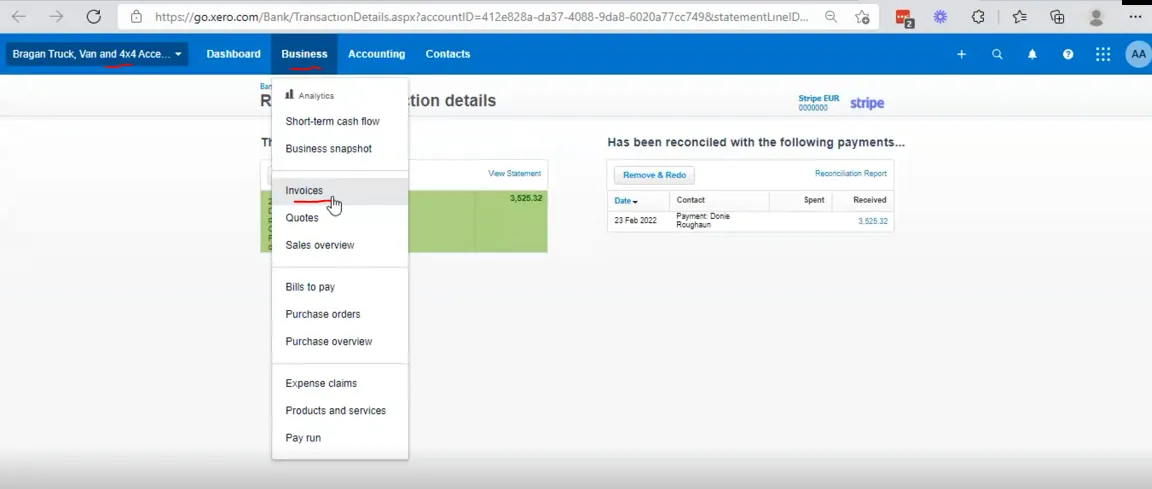
- Log in Xero (confirm you are logged in to the correct company), select Business and from the dropdown menu select invoices. There are two companies in Xero, the Bragan Trading Services (BTS) and Bragan Truck Van and 4x4 Accessories. For orders made from Magento always select the Bragan Truck company. For eBay order refund please refer to this SOP. For PayPal refund refer to this SOP.
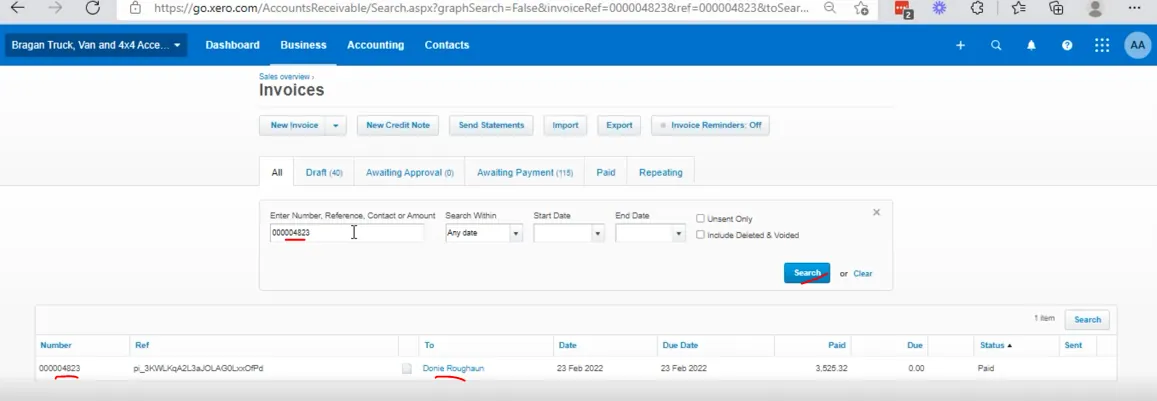
- Find the relevant invoices by searching the Order Number. Once the order appears, click on the customer name to open the invoice.
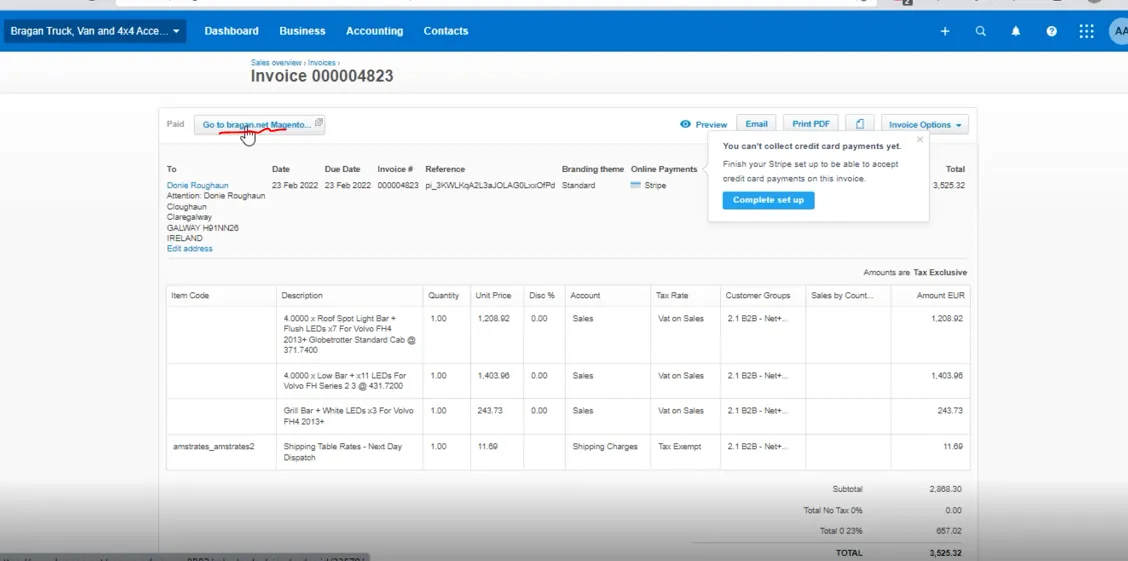
- Once you open the invoice, click on Go to bragan.net Magento button. This will bring you directly to Magento Back End. image.png
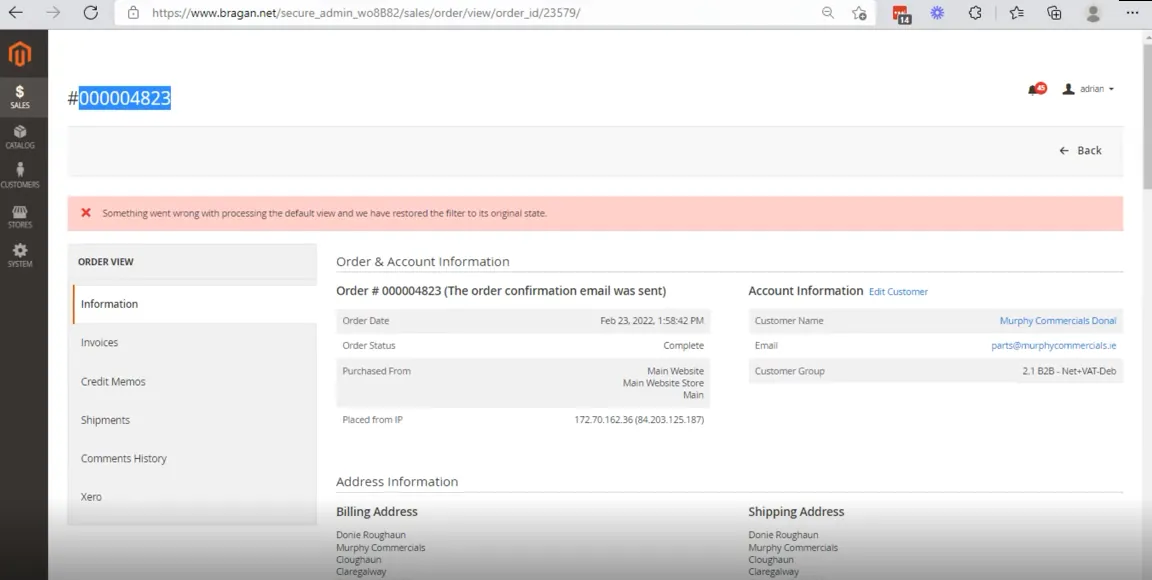
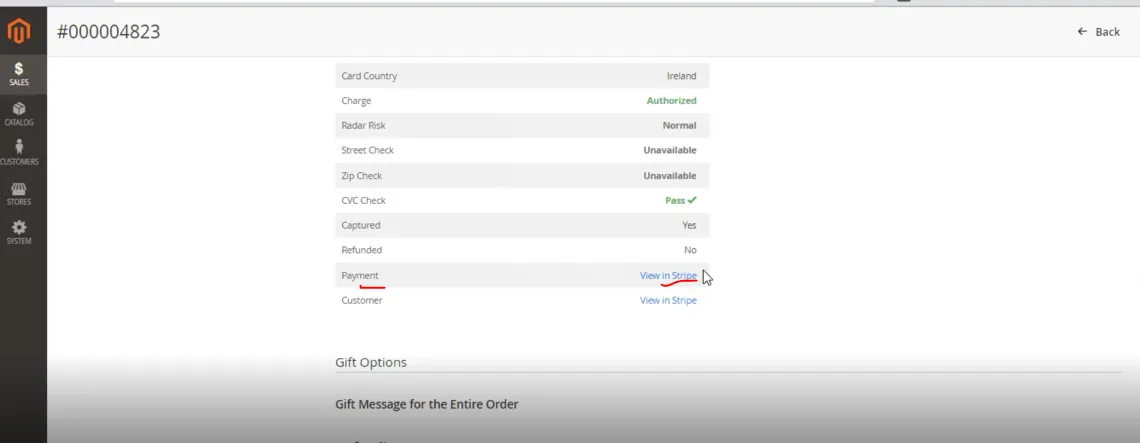
- You can now see the order details in Magento. Scroll down and look at Payment and you can see a link to View in Stripe (see Figure 5) This will bring you to the precise transaction that you wish to check/refund and removes any opportunity for error. If the payment is not made through Stripe then do not proceed to next step, like if it is paid through paypal then follow the SOP on how to process refund for PayPal. Click on the link and this will bring you direct to our Stripe Account.
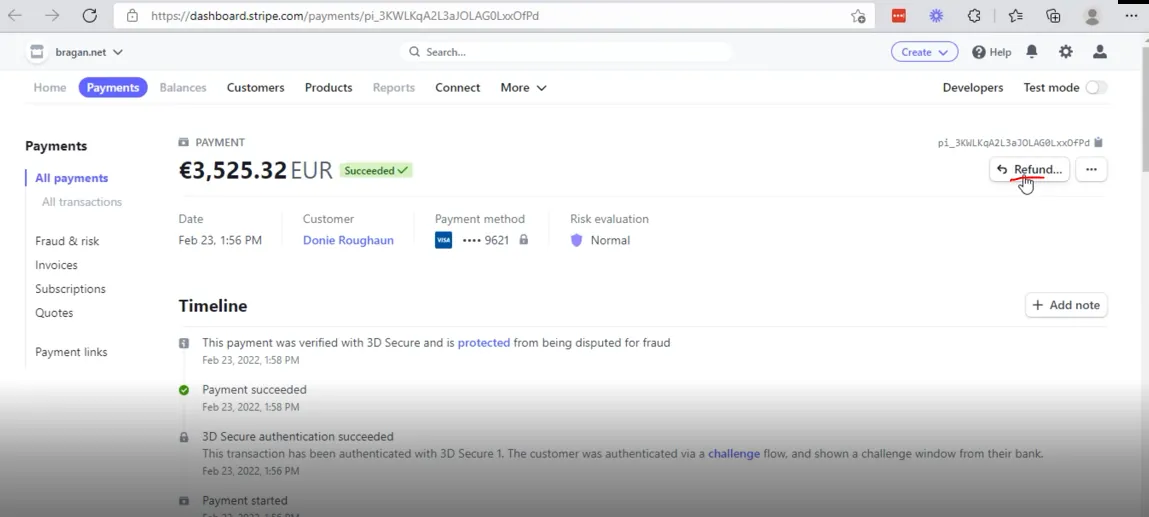
- Once in Stripe dashboard, click on the Refund button.
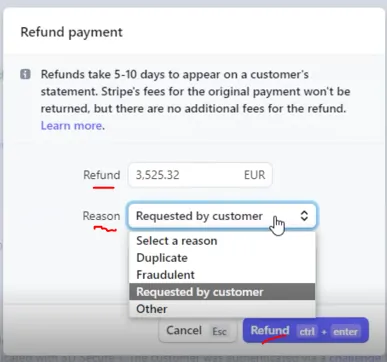
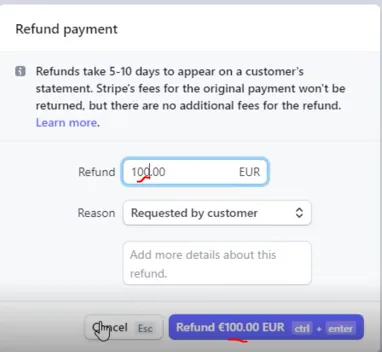
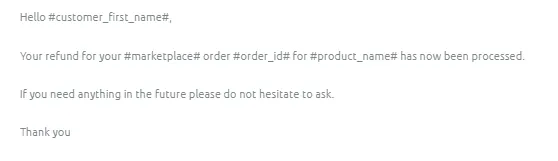
- Type the refund amount. If it is full refund then there is no need to edit the amount but for partial refunds (see Figure 8) make sure to put the correct amount. Select the reason for the refund then click on Refund. The refund is now process and you can update the customer through email using Macro 207.
Chargebacks -#
Argue case and provide supporting documents, eg snips of correspondence with the customer and explanation/final argument.
Eg "Please see attached correspondence with the customer. They were very happy with the product, however, they had technical challenges in wiring it. We sent installation and fitting guidance and recommended the use of a professional auto- electrician, if required."
Notes#
This section is important so Adhoc points and issues can be logged. Also, Q&A can be logged for suggestions for potential issues encountered. Also, log important notes needed for this system. Potential Issues:
1 - ISSUE ENCOUNTERED: Stuck on Loading RESOLUTION: Refresh Browser
2 - ISSUE ENCOUNTERED: Broken Links RESOLUTION: Get the external link as this will allow other people to access the SOP without the need for login credentials and avoid broken links.