eBay - Create out of stock link SOP
When an item is out of stock, we want customers to be able to get notified once the
Overview#
Purpose: When an item is out of stock, we want customers to be able to get notified once the item comes back into stock.
Scope: Create links for specific items to be added to the watch list.
Responsibility: It is the customer service representative’s responsibility to create the link.
Objective: Customers are to be notified on eBay when the item comes back into stock.

Link Creation#
Visit www.linnworks.net and LOGIN using the USER and PASS from team members. Click “Inventory” then “My Inventory”.
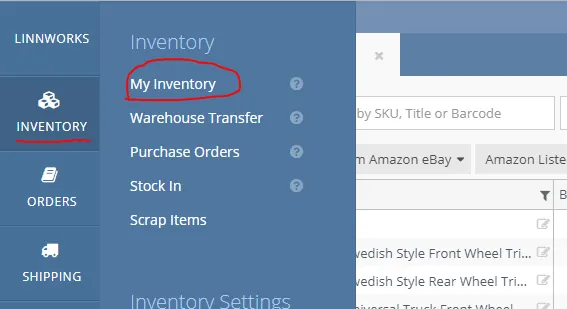
Make sure that your linnworks account has “EBAY0” tab to proceed.
- If no EBAY0 tab. Follow the steps below
- Add new Tab
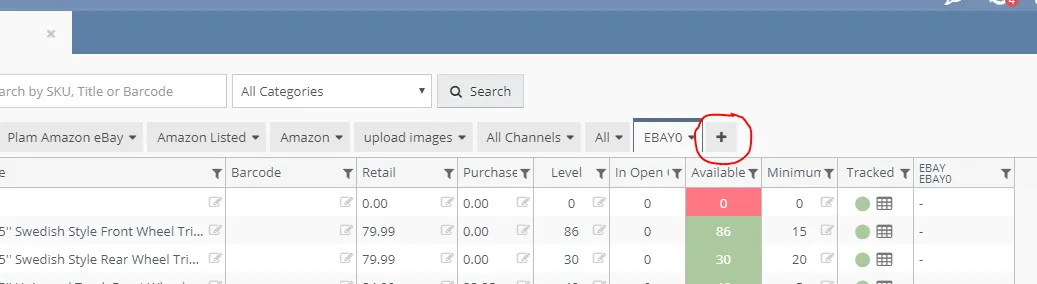
i
- Name this “EBAY0” and add Channel “EBAY:EBAY0”
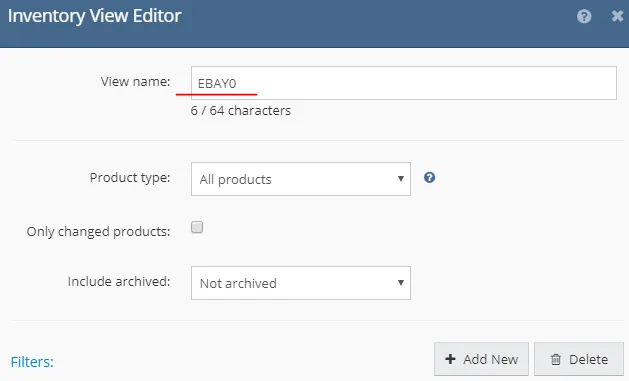
ii
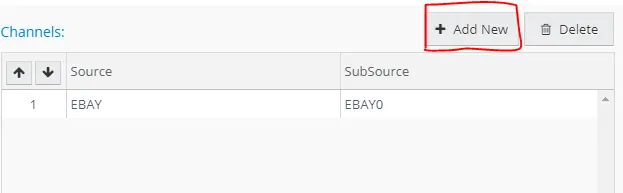
iii
- Example: BRA31312SL-BLACK
- Search the SKU above in the text box.
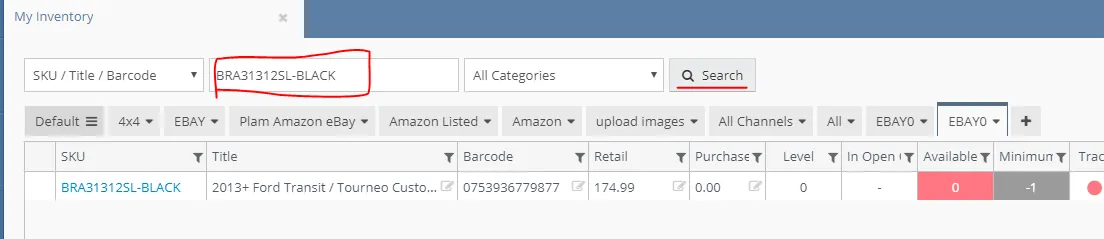
i
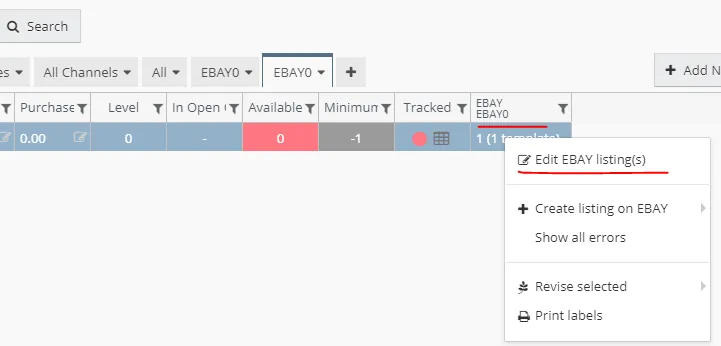
- On the right side column right-click “EBAYEBAY0” and click “Edit EBAY listing(s)”.
- Look for the one that has a template (Configurator).
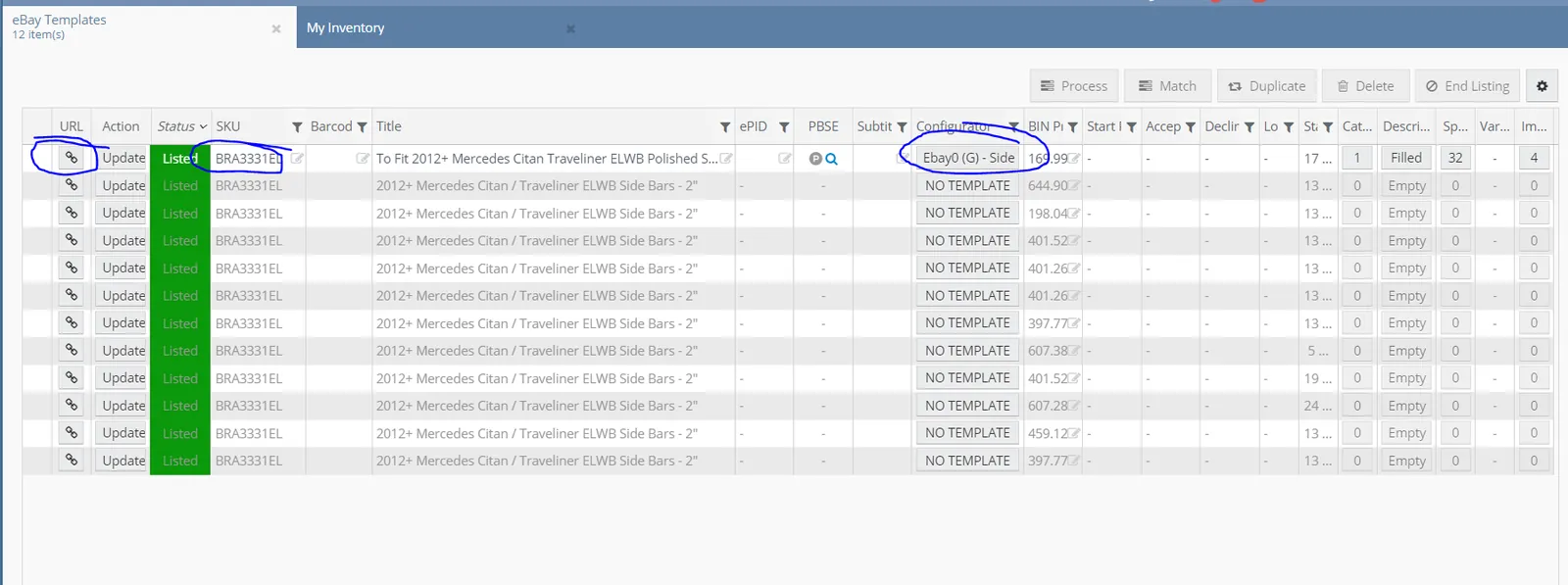
- Click the URL icon on the right side. This will automatically open a new tab with the eBay listing.
Video & Media#
Notes#
This section is important so Adhoc points and issues can be logged. Also, Q&A can be logged for suggestions for potential issues encountered. Also, log important notes needed for this system. Additional Notes:
The Procedure needs a Linnworks Login, if you still don't have it, please inform the management. Added is an updated process on how to get website links from linnworks. "Add important notes here"
Potential Issues:
1 - ISSUE ENCOUNTERED: Stuck on Loading
RESOLUTION: Refresh Browser
2 - ISSUE ENCOUNTERED: Broken Links
RESOLUTION: Get the external link as this will allow other people to access the SOP without the need for login credentials and avoid broken links.
3 - ISSUE ENCOUNTERED: "Type Text Here"
RESOLUTION: "Type Text Here"