eBay - Defects SOP
Find out what open defects we have against our account on eBay.
Overview#
Purpose: Find out what open defects we have against our account on eBay.
Scope: Applies to all assigned Bragan customer service representatives.
Responsibility: It is the customer service representatives’ job to understand the defects on eBay and how to deal with them.
Objective: The objective is to get the defects removed once they have been investigated.

Defects#
Log onto the eBay site – hover over my eBay > click Selling >Scroll down click Seller Level
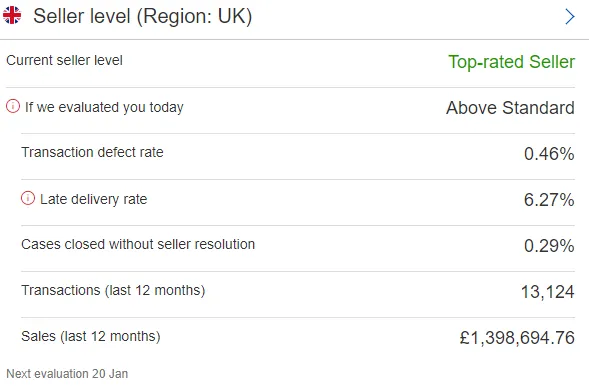
On the next page click the dropdown like shown - & click Get Full Report
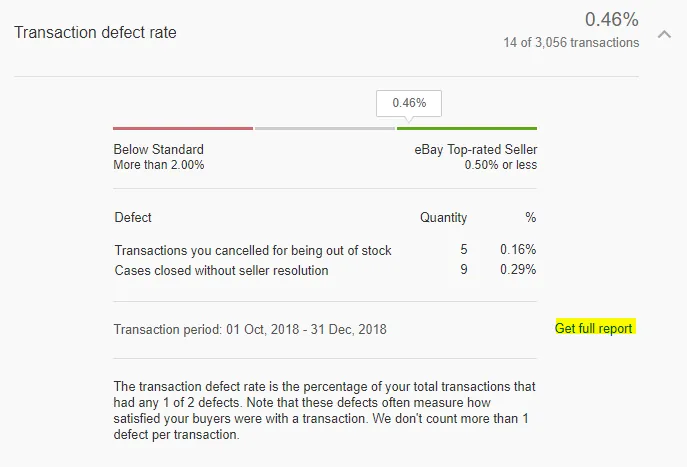
When you click this – this will show the case defects we have and the reason. The two reasons being either
- Transactions canceled for being out of stock – Outside 30day eBay refund
- Cases closed without seller resolution – Return request or cases escalated to eBay
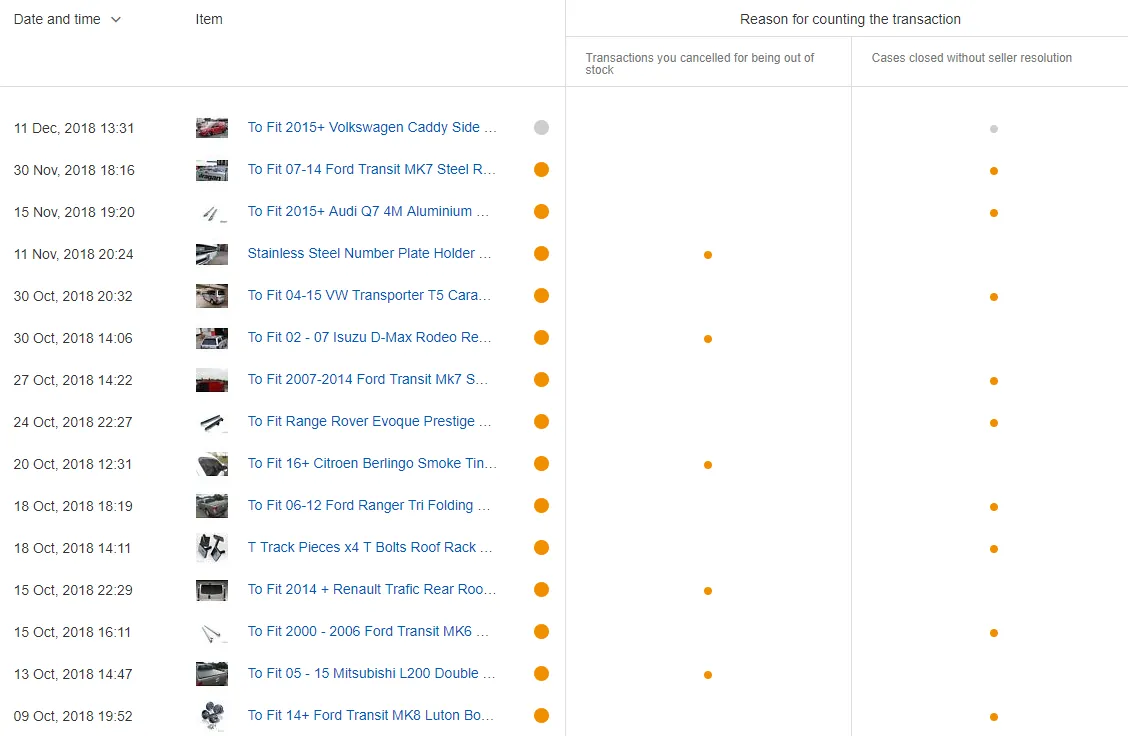
From this, you can see that the transactions on the left are defects for Out of stock (now this can happen if you select out of stock when canceling an order or when you fully refund an eBay order which is outside 30 days and there is no return request open for this. Therefore, following the process is vital so that we keep this defect rate as low as possible (these potentially could be removed by calling eBay concierge but avoid it happening in the first place – don’t create work that doesn’t need to be created)
The others – you can investigate them in more detail and try and argue a case for removal
Notes#
It is strongly advised to add any Tips, Suggestions, Questions and Answers, Potential Issues with Solutions, Notes, etc. to this section.