Fastway Manifest Download
The purpose of this SOP is to give an idea about Fastway Manifest Download.
Overview#
Purpose: The purpose of this SOP is to give an idea about Fastway Manifest Download.
Scope: This applies to customer service representative staff and all Bragan personnel.
Responsibility: It is the responsibility of all staff to follow the standard operating procedure of Fastway Manifest Download.
Objective: The objective of this procedure is:
- to guide employees about Fastway Manifest Download.
Fastway
Previous Manifest Download
If you require the previous Fastway manifests to check individual label tracking numbers ( the view shipped will only show the Master) follow the below.
Step 1
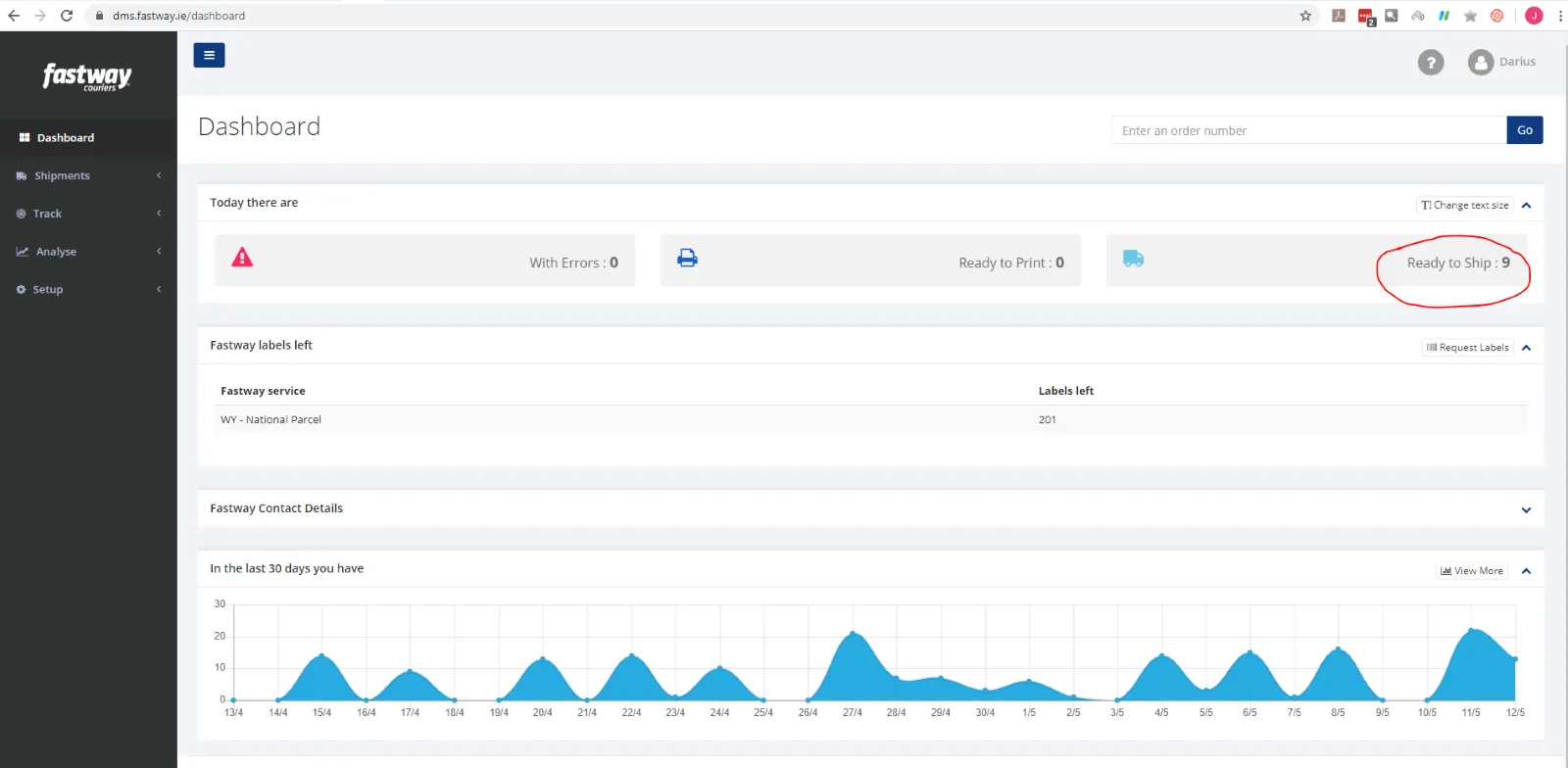
Open Fastway Dashboard – Fig.1
Select Ready to Ship
Step 2
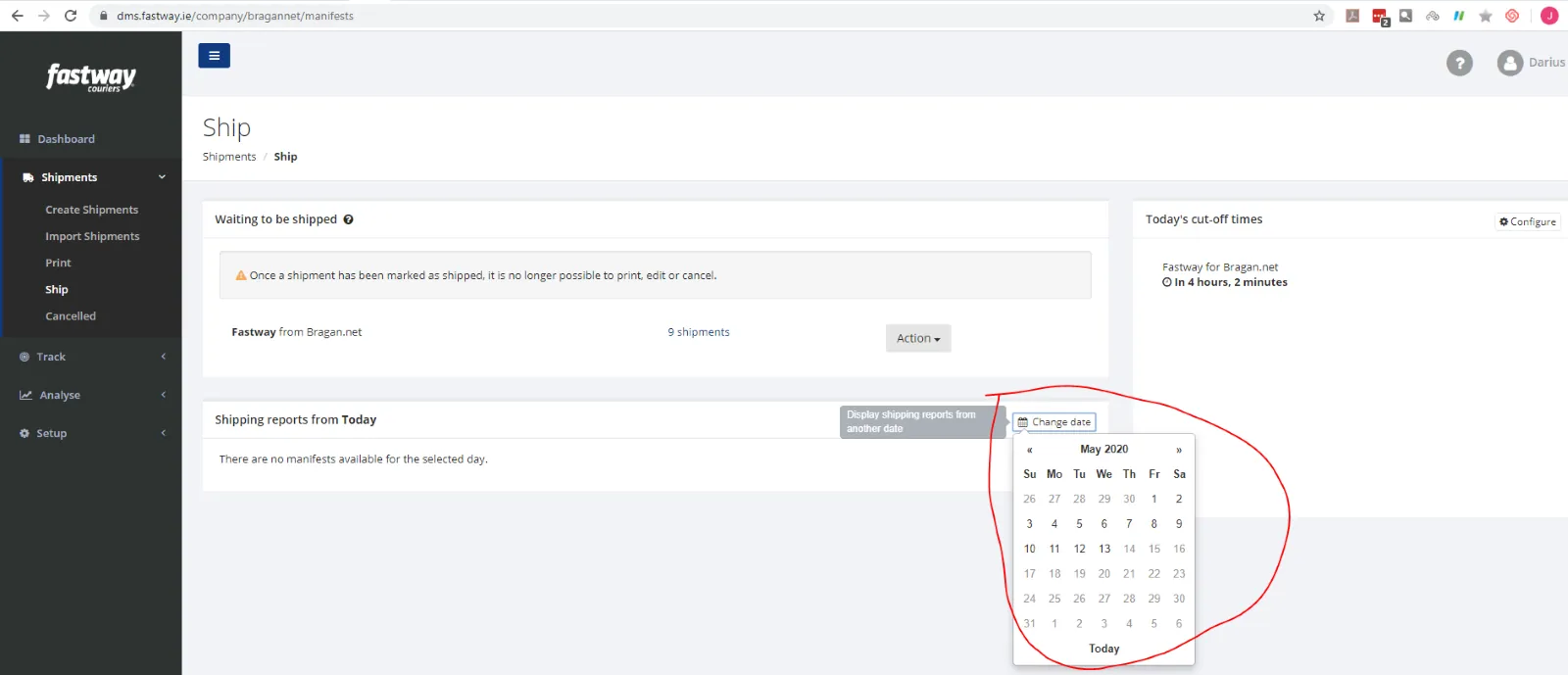
Then select Change date and select date the Manifest date required – Fig2
Step 3
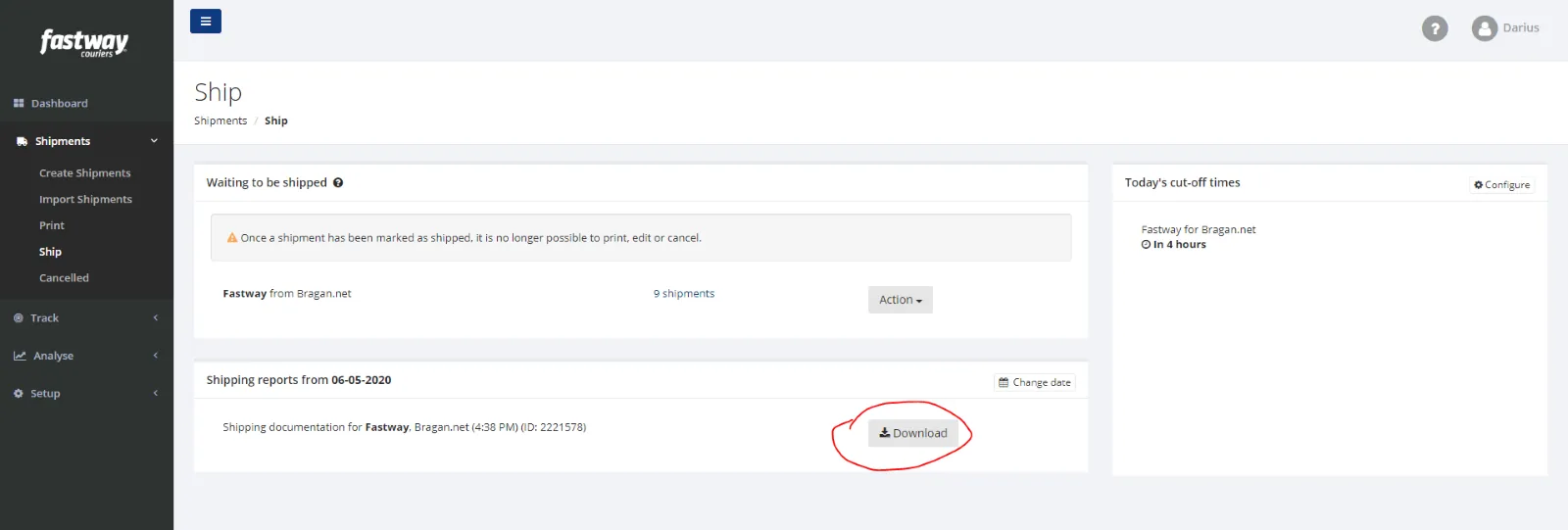
Select Download – Fig 3
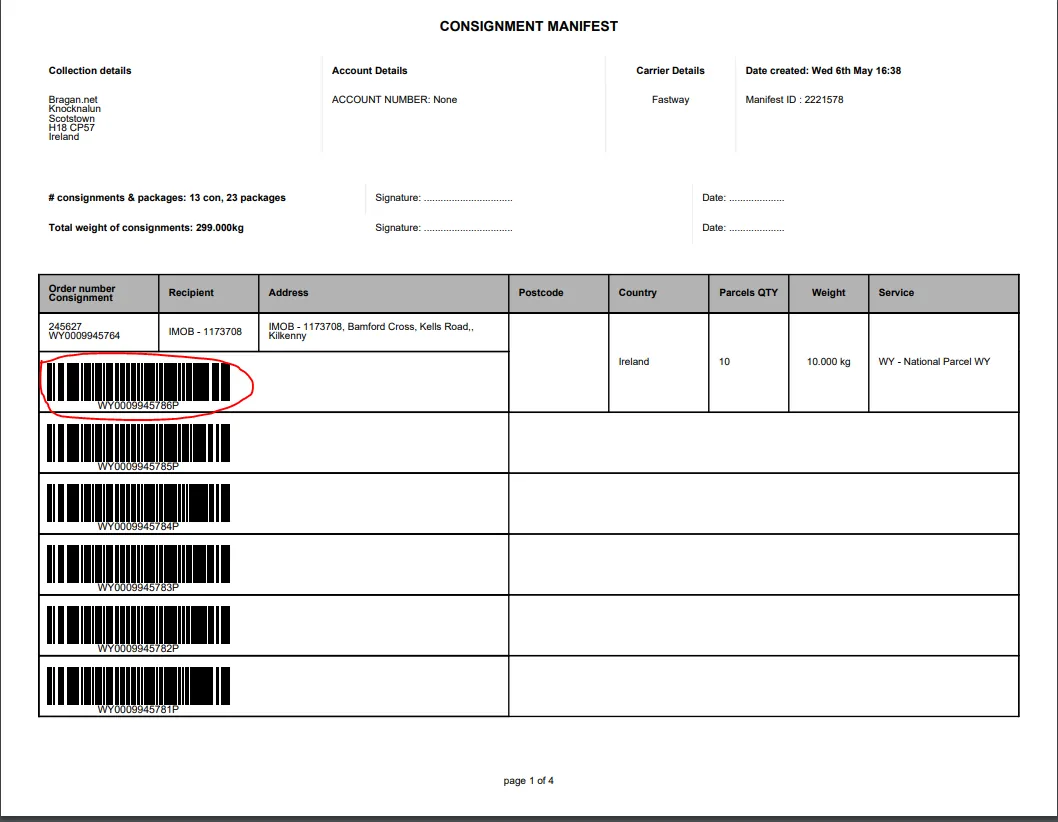
This will now give you the Consignment Manifest, detailing all label tracking numbers.
Updated – Nick – 13/05/2020
Notes#
This document is very important to all Bragan personnel and customer service representative because this gives an idea about Fastway Manifest Download.
This section is important so Adhoc points and issues can be logged. Also, Q&A can be logged for suggestions for potential issues encountered. Also, log important notes needed for this system. Additional Notes:
The agent suggesting the update should be the one to carry through the edit. The suggestions for edit should be confirmed in real-time in the group and for the card to be cleared the same day.
Creating a new version will break the link for systems that are linked to training/onboarding Trello Cards. This will also affect the systems linked to some email macros. Do not create a new version this will overpopulate the SystemHub. Editing the current system is the best practice to avoid potential issues.
Potential Issues:
1 - ISSUE ENCOUNTERED: Stuck on Loading
RESOLUTION: Refresh Browser
2 - ISSUE ENCOUNTERED: Broken Links
RESOLUTION: Get the external link as this will allow other people to access the SOP without the need for login credentials and avoid broken links.