Fastway Previous Manifest Download
The purpose of this SOP is to give an idea about Fastway Previous Manifest
Overview#
Purpose: The purpose of this SOP is to give an idea about Fastway Previous Manifest Download.
Scope: This applies to customer service representative staff and all staff personnel who is in charge of this process.
Responsibility: It is the responsibility of all staff to follow the standard operating procedure of Fastway Previous Manifest Download.
Objective: The objective of this procedure is:
- to guide employees about Fastway Previous Manifest Download.
Fastway
Previous Manifest Download
If you require previous Fastway manifests to check individual label tracking numbers ( the view shipped will only show the Master) follow the below
Step 1
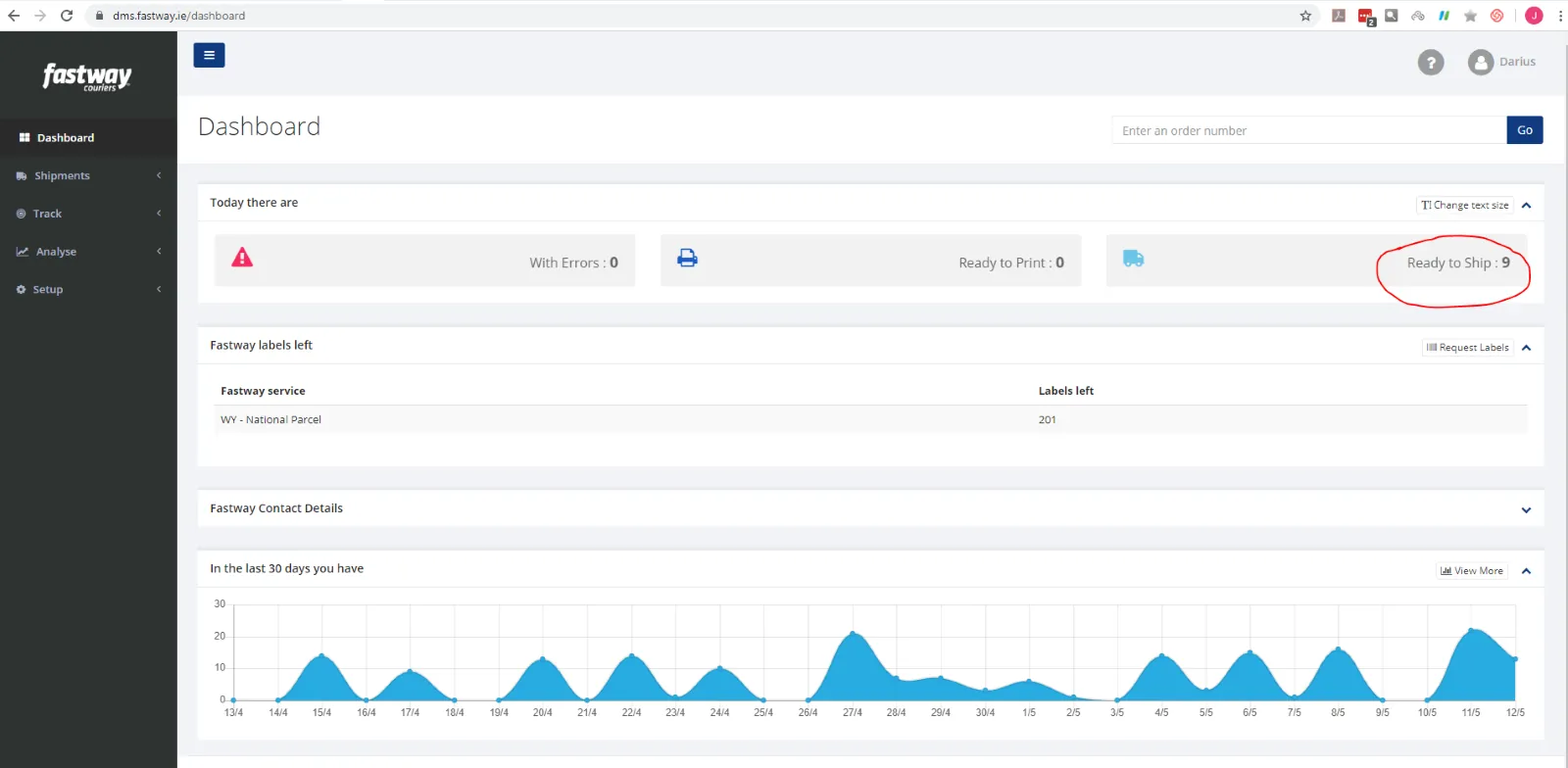
Open Fastway Dashboard – Fig.1
Select Ready to Ship
Step 2
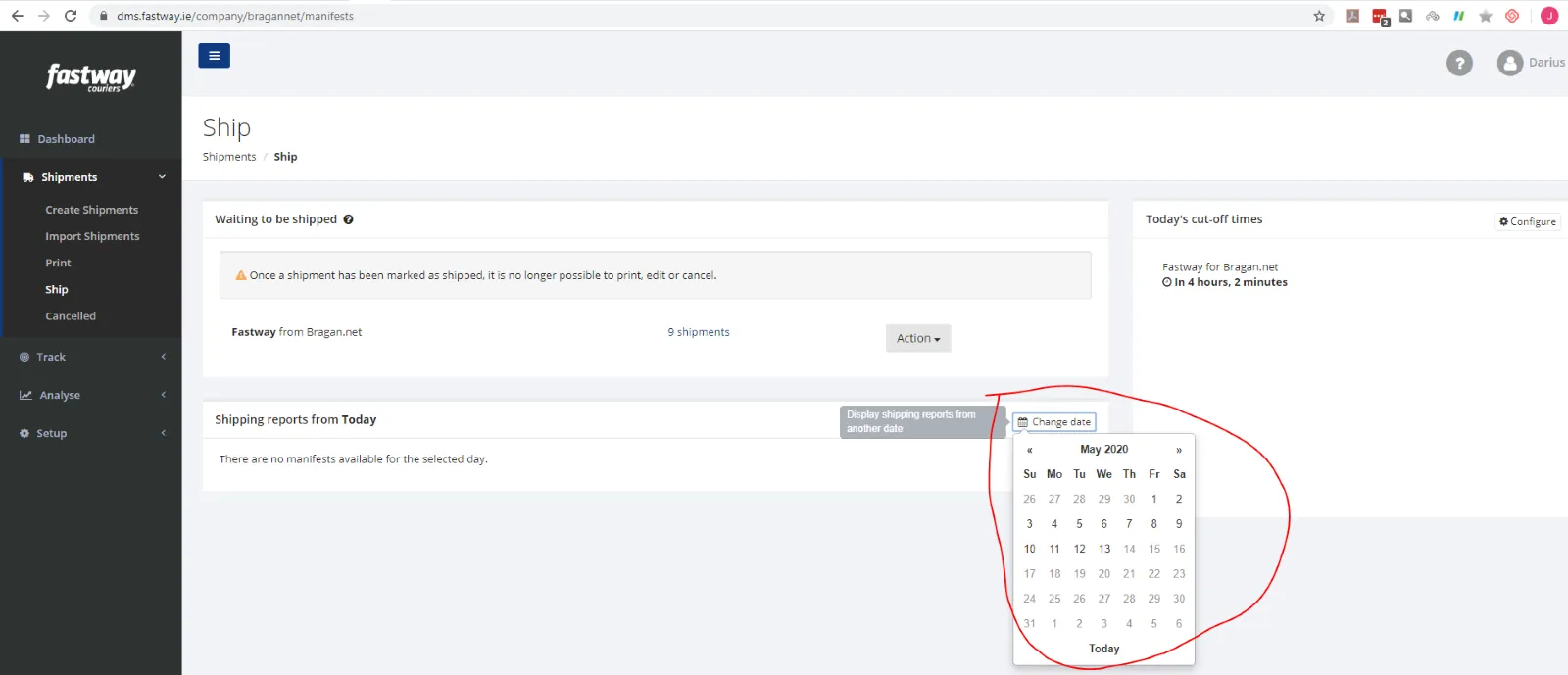
Then select Change date and select date the Manifest date required – Fig2
Step 3
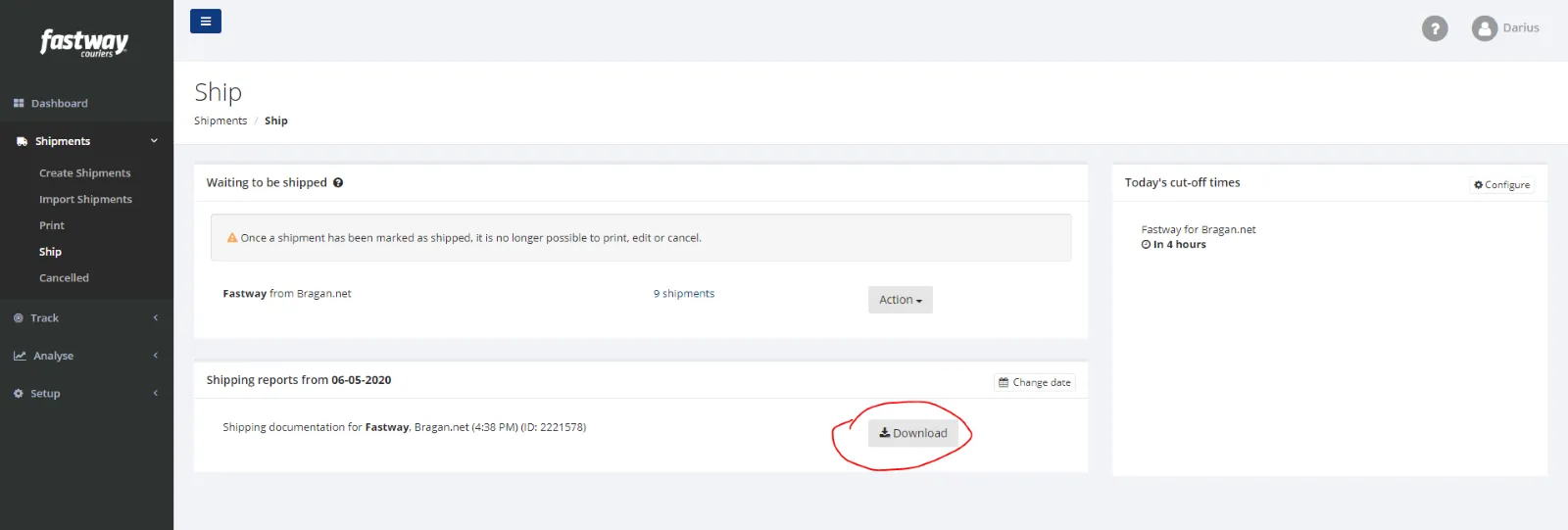
Select Download – Fig 3
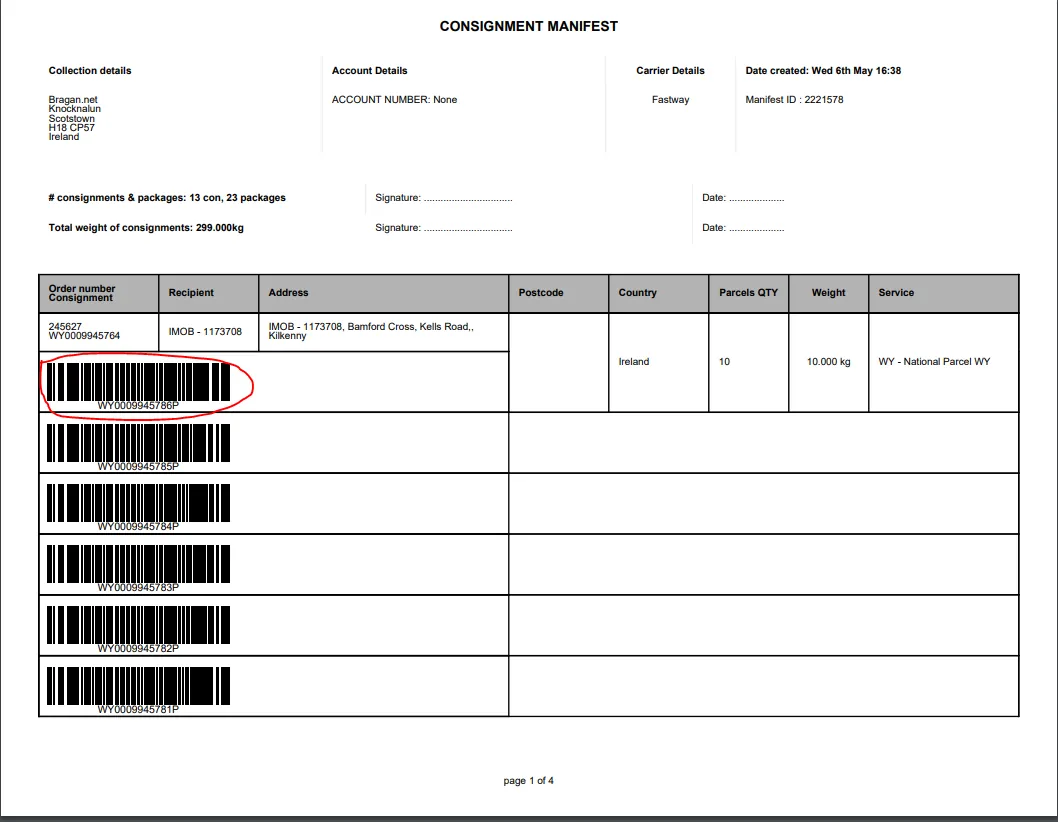
This will now give you the Consignment Manifest, detailing all label tracking numbers
Updated – Nick – 13/05/2020
Notes#
This section is important so Adhoc points and issues can be logged. Also, Q&A can be logged for suggestions for potential issues encountered. Also, log important notes needed for this system. Additional Notes:
This document is very important because this gives an idea about Fastway Previous Manifest Download.
Potential Issues:
1 - ISSUE ENCOUNTERED: Stuck on Loading
RESOLUTION: Refresh Browser
2 - ISSUE ENCOUNTERED: Broken Links
RESOLUTION: Get the external link as this will allow other people to access the SOP without the need for login credentials and avoid broken links.