Handling Customer Invoice Request through Linnworks (eBay Customer)
A copy of the invoice is automatically sent to the customer through email when the
Overview#
Purpose: A copy of the invoice is automatically sent to the customer through email when the item has been dispatched. Sometimes the customer do not receive the invoice, probably because they use different email address or other reasons. This SOP will serve as guide on how to send invoice to eBay customers.
Scope: This process applies to all Customer Service members (Team PH & Team IRL) and Accounts.
Responsibility: It is the responsibility customer service representative to follow the standard operating procedure in sending invoice requests to eBay customers.
Objective: The objective of this procedure is:
- to guide employees on how to handle sending invoice requests to eBay customers.
Handling Invoice Request
Process#
Notes:
Process below are the old system for handling customer invoice request. Will only use for special cases. But due to new eBay regulation about their VAT process, this is now the preferred method of sending invoice for eBay customers.
These invoices are eBay cash sales and won't have their own accounts on Xero, they will come under the one account - eBay and are not easily sourced on the eBay customer ledger.
For the preferred way of Handling Customer Invoice Request for other customers like in Magento & Amazon, follow this SOP.
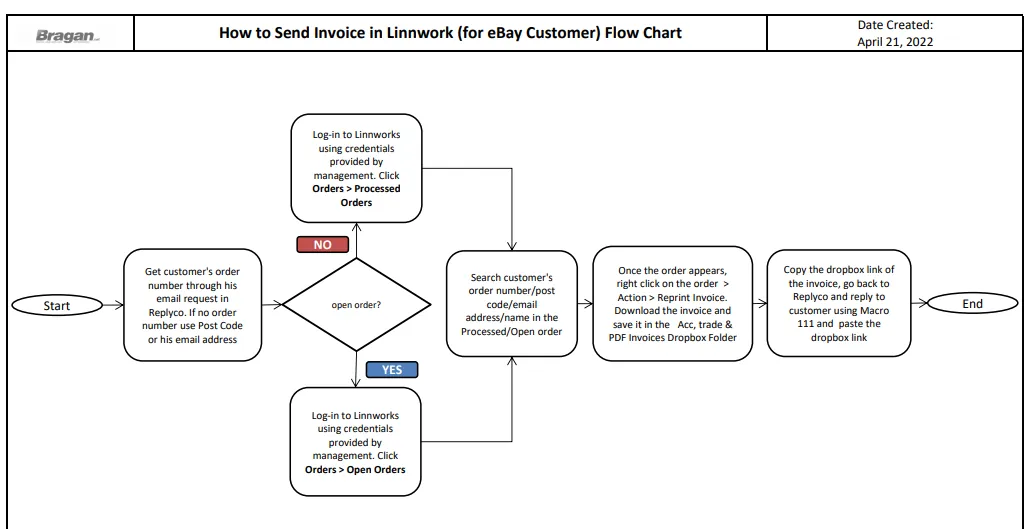
Sending Invoice from Linnworks (Processed Order)#
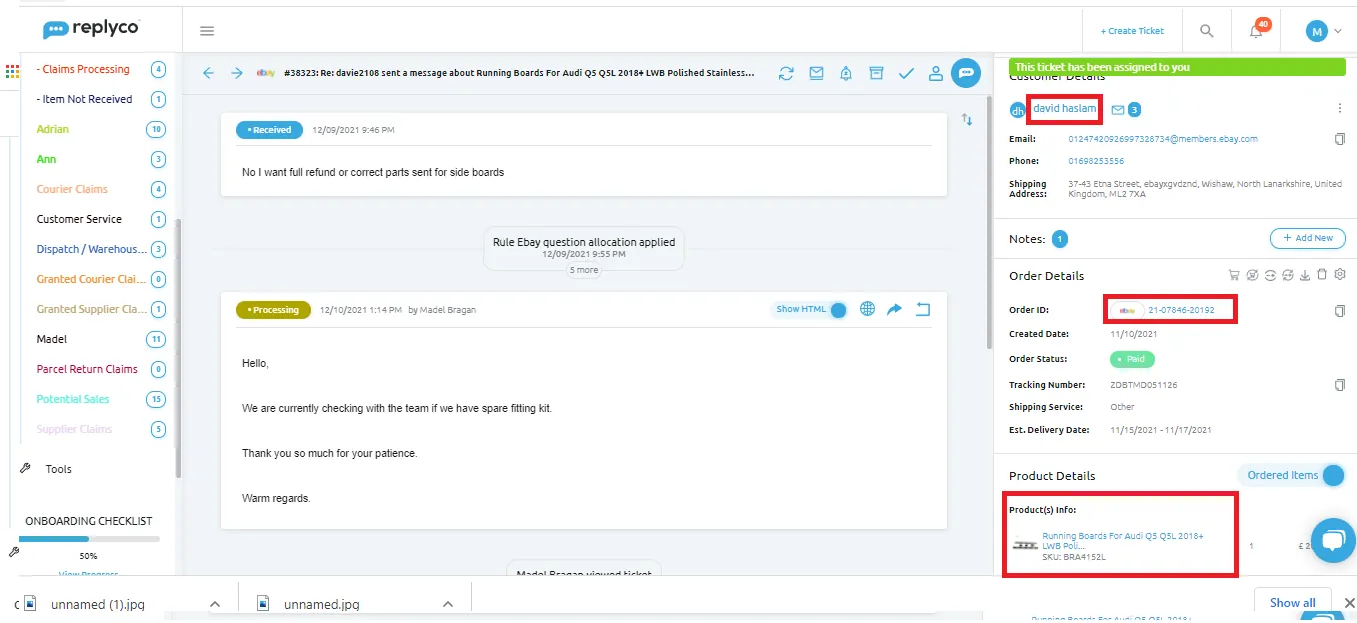
- Get the customer’s order number. Ensure that you have the correct order number for the invoice he is asking for. Check if it matches the date or the item he mentioned
and the name. For eBay, you may check the item listing or the order number below it
- see fig below.
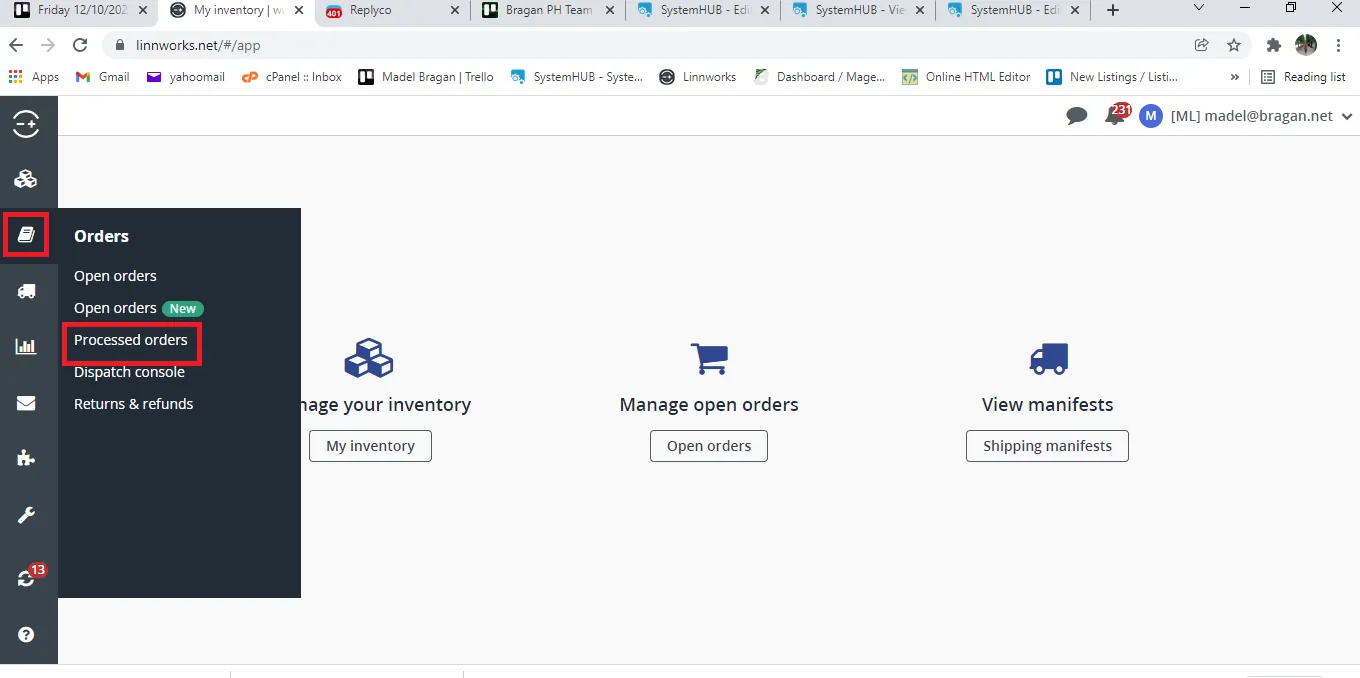
- Log-in to Linnworks using the credentials given by management. Click on Orders and select Processed Orders.
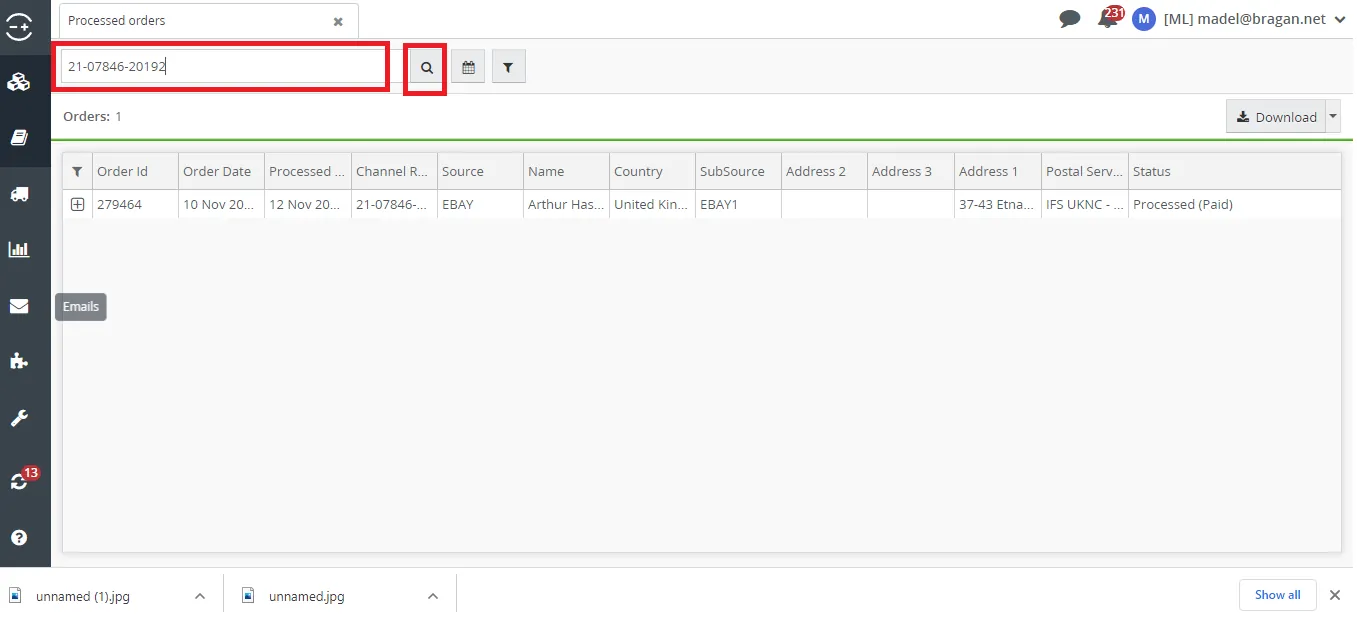
- Search the eBay Order Number on Linnworks. Still, ensure that it matches the customer’s info. You can double click on the Order ID to check the full details.
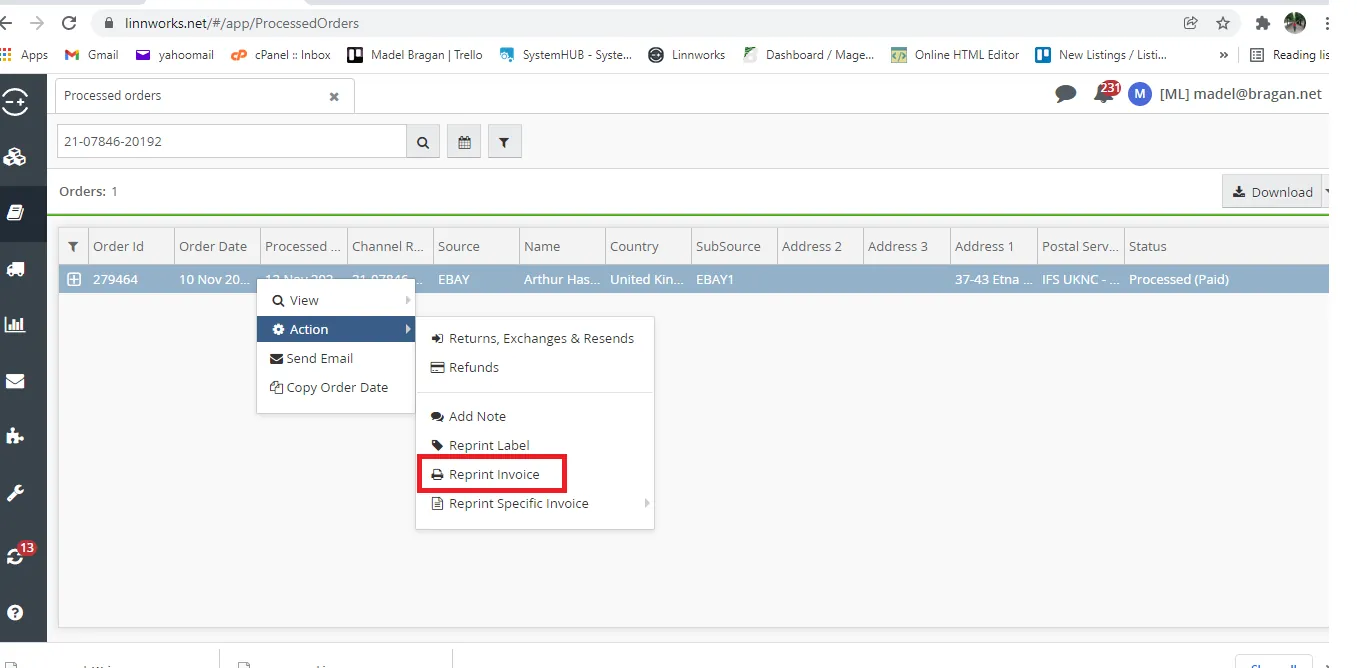
- Hover your mouse to the customer’s order and do right-click. Go to Action > Reprint Invoice. See Fig below.
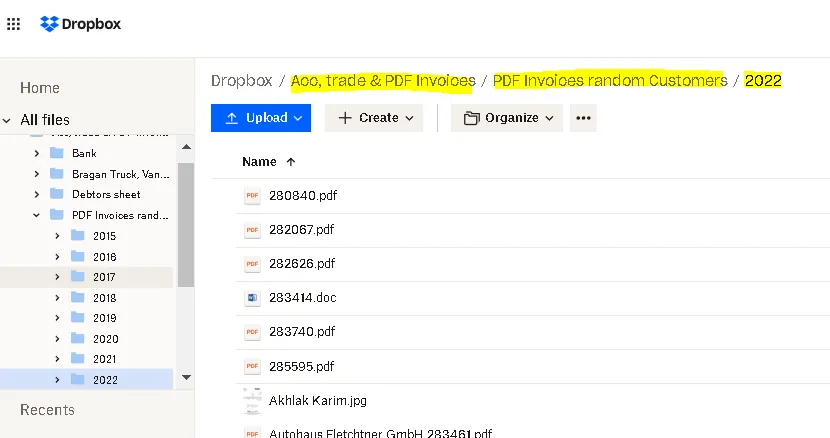
- Save Invoice to Acc, trade & PDF Invoices Dropbox Folder. Path is Acc, trade & PDF Invoices > PDF Invoices random Customers > Year to date. Filename should be the Linnworks Order Number. (Nothing business-related should be saved anywhere except Dropbox folders with shared access to IRL.)
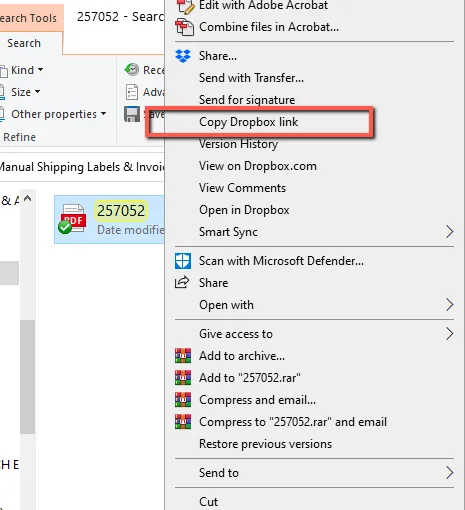
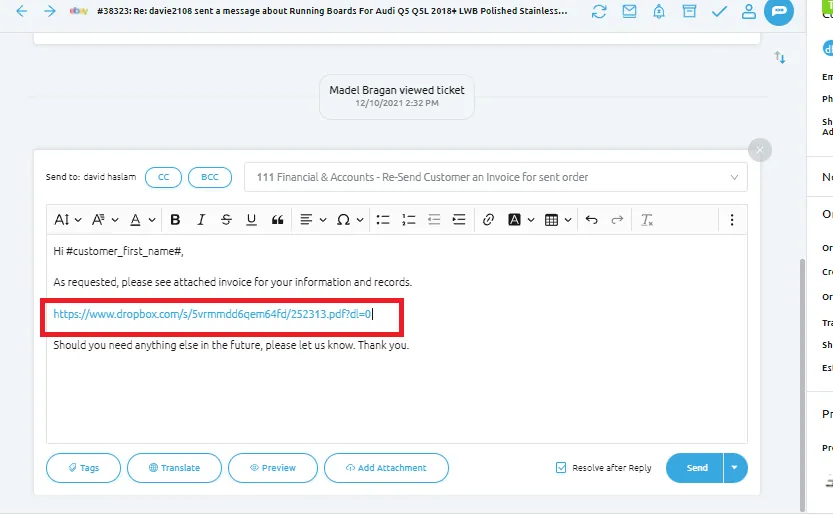
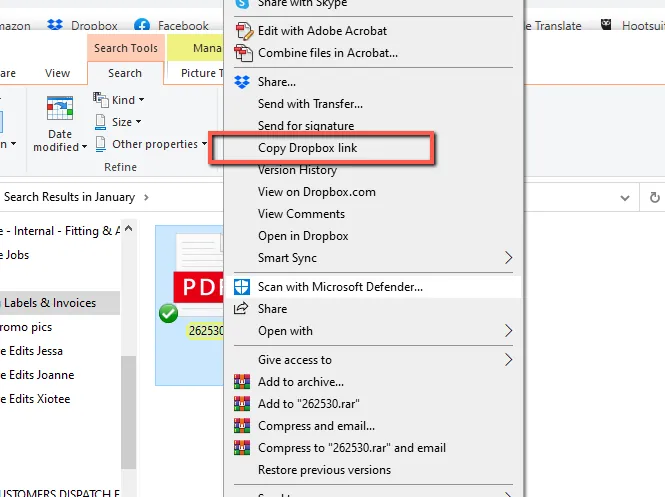
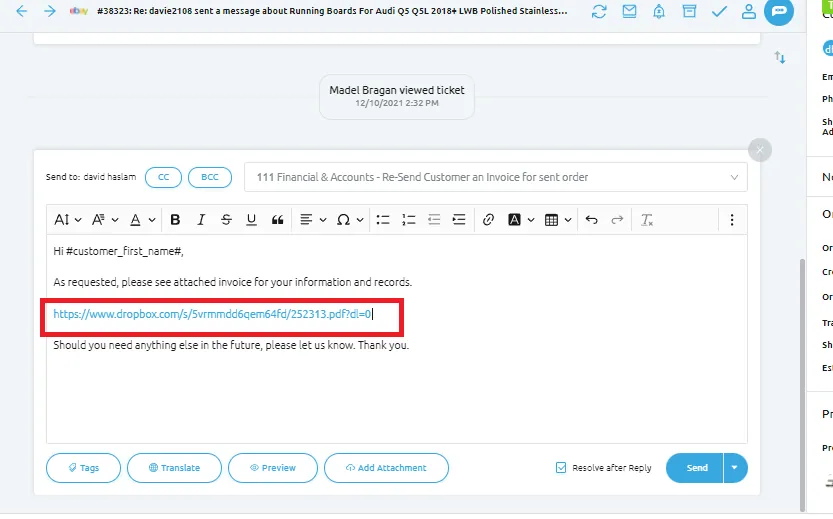
- Get the Dropbox shared link and use Macro 111 to reply to customer.
Sending Invoice from Linnworks (Open Order)#
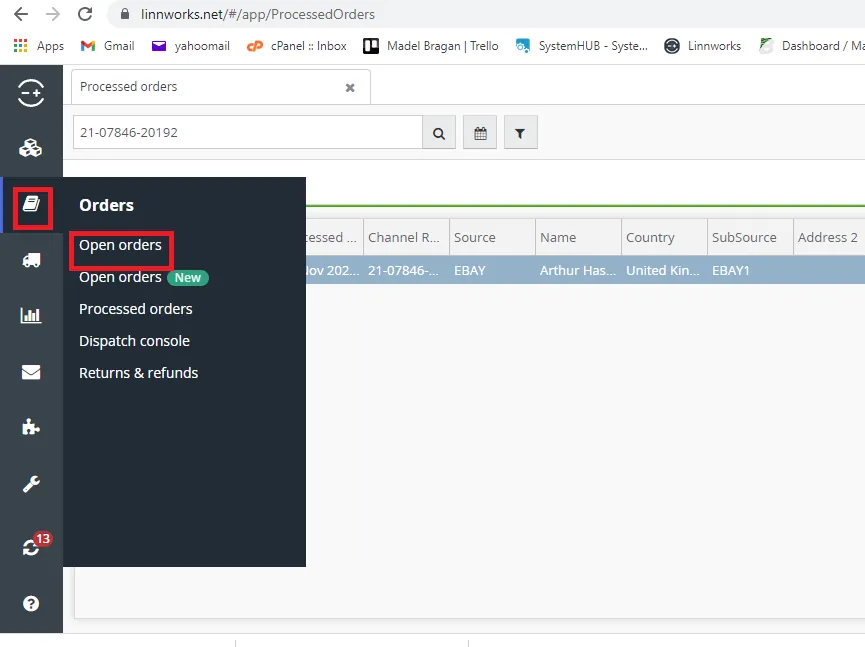
- Search for the open order on Linnworks. Go to Orders then select Open Orders.
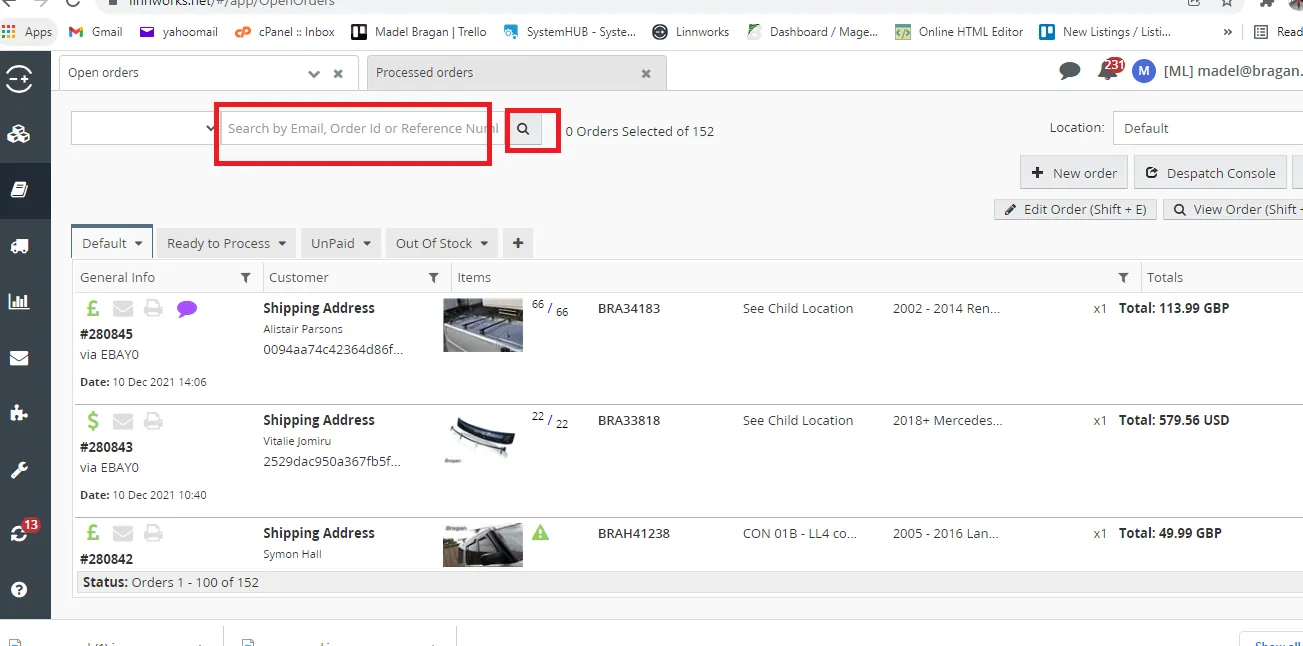
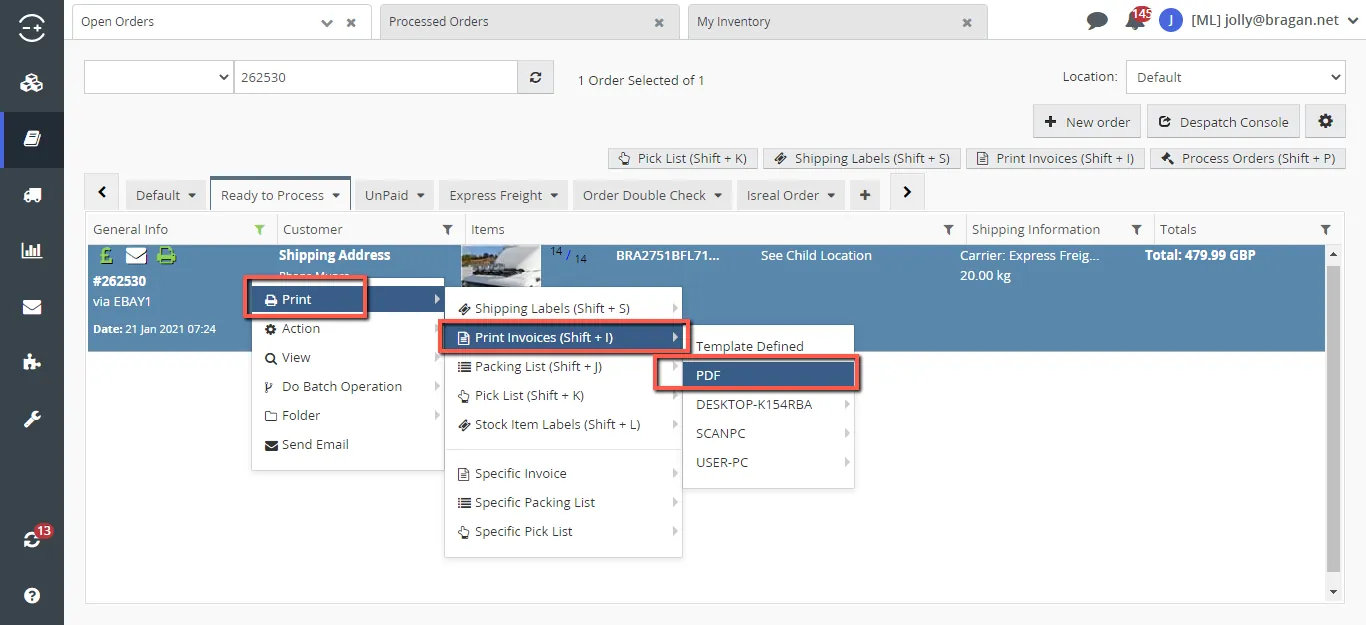
- Search the Order Number then do Right Click>Print>Print Invoices>PDF
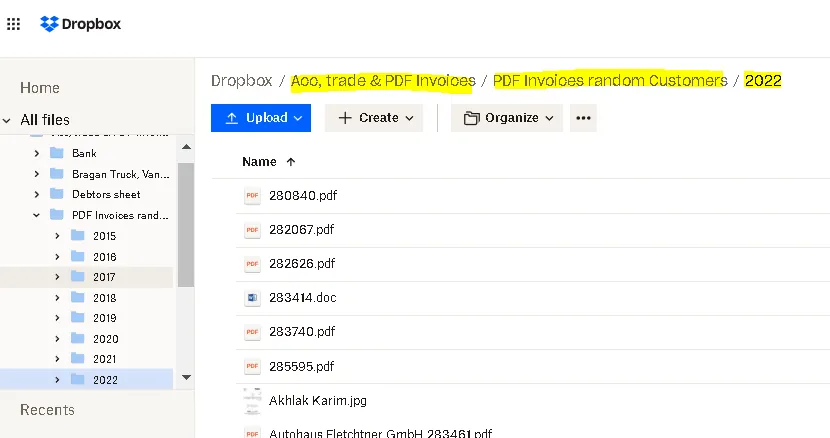
- Save Invoice to Acc, trade & PDF Invoices Dropbox Folder. Path is Acc, trade & PDF Invoices > PDF Invoices random Customers > Year to date. Filename should be the Linnworks Order Number. (Nothing business-related should be saved anywhere except Dropbox folders with shared access to IRL.)
- Get the Dropbox shared link and use Macro 111 to reply to customer.
Sending Invoice from Linnworks (Change Information)#
For customers requesting a copy of their invoice and wants different billing information on it or with no VAT, please see the process below.
For Processed Orders – You need to request this from Accounts Team and provide the information the customer wants to put on their invoice.
For Open Orders – You can just edit the information. Ensure to put back the original information after printing the invoice. Follow the steps below.
- Edit the open order. Right Click > Action > Edit Order (see diagram below). Or simply press Shift+E.
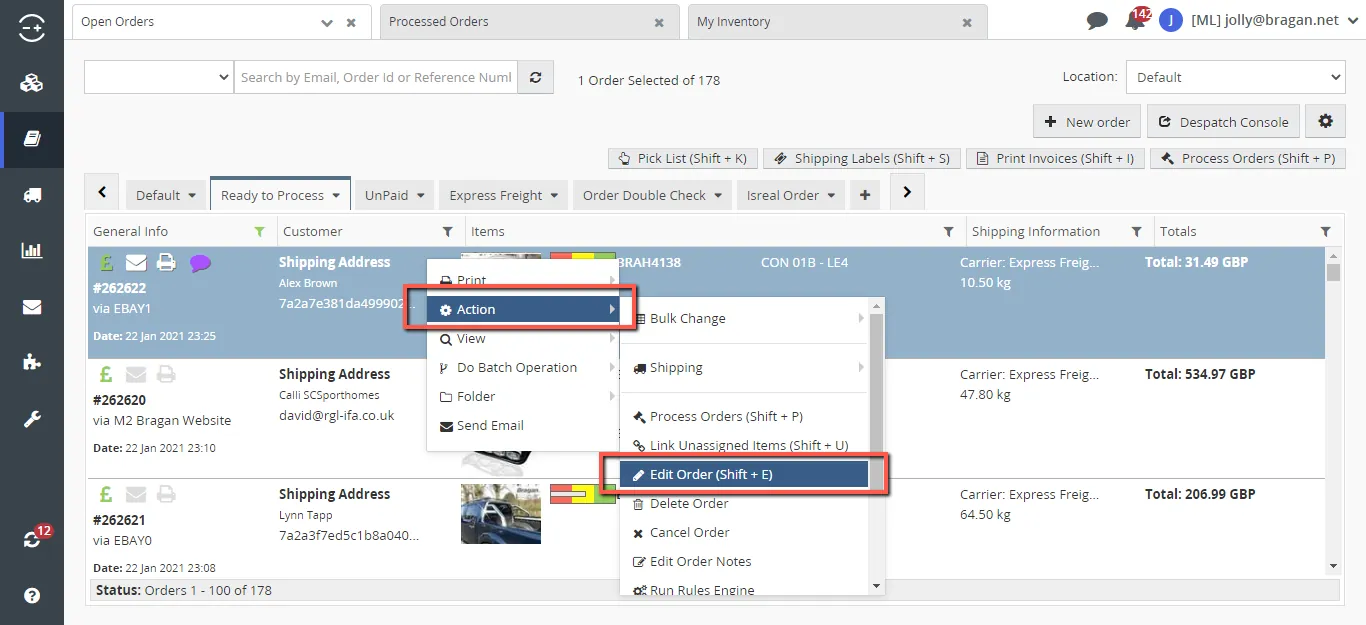
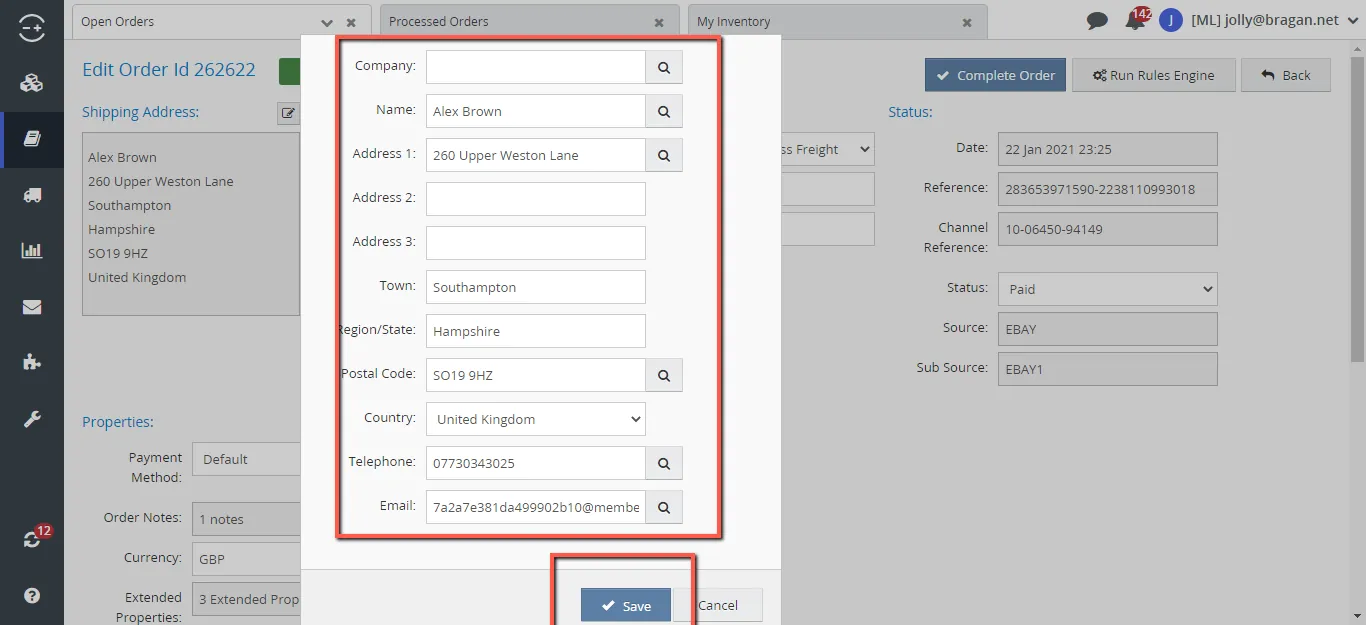
- Copy the information under the Shipping Address field. Paste it in your note to ensure that this will not be lost as you need to put it back after. To edit the information, click the Pencil Icon on the top right corner of the Shipping Address box.
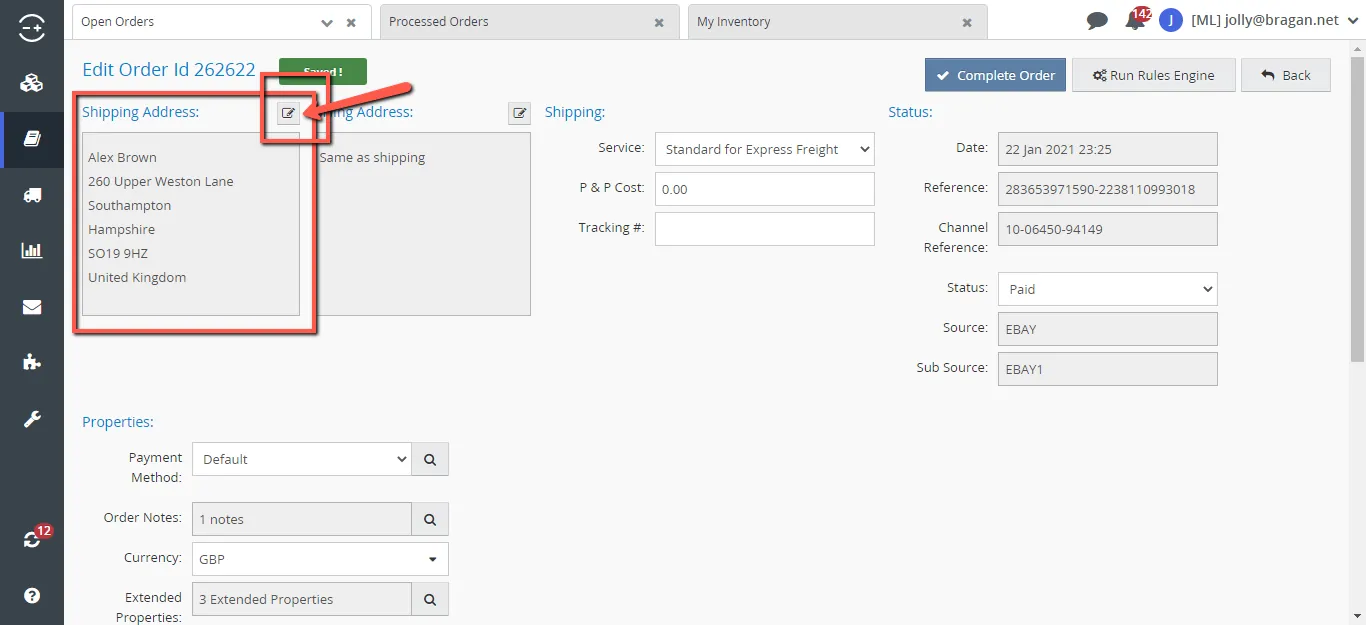
- Supply necessary information that was provided by the customer and hit Save.
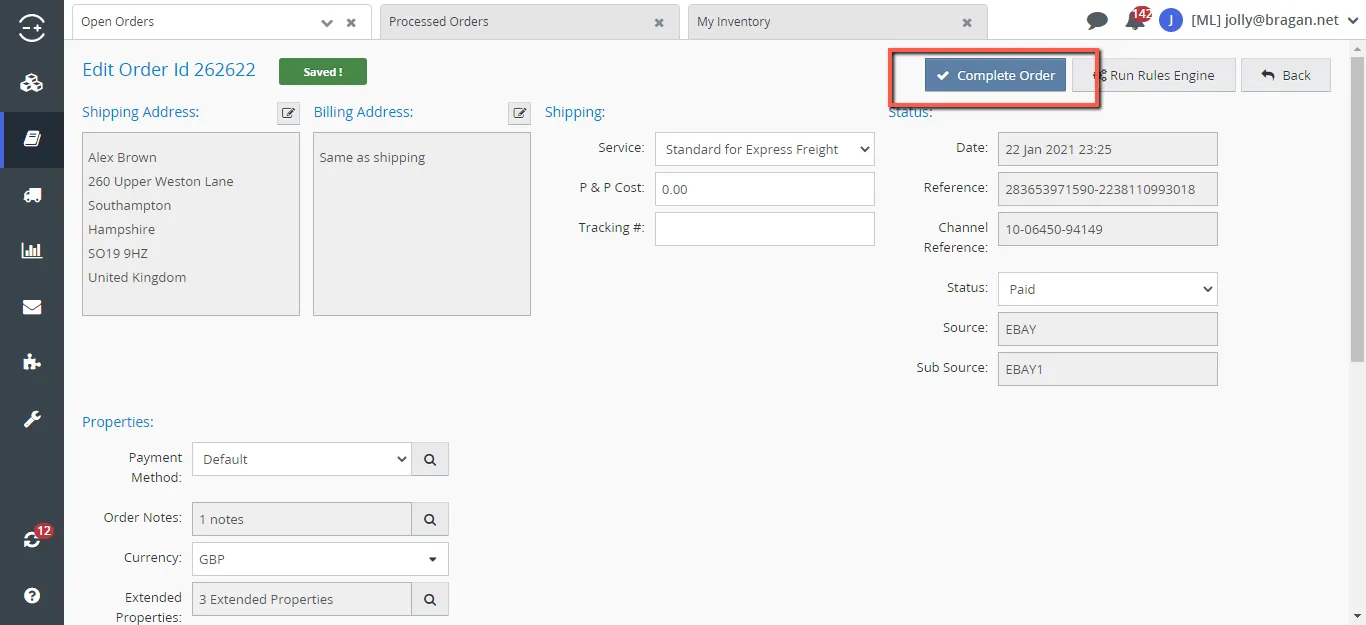
- Click the Complete order to save the new information supplied.
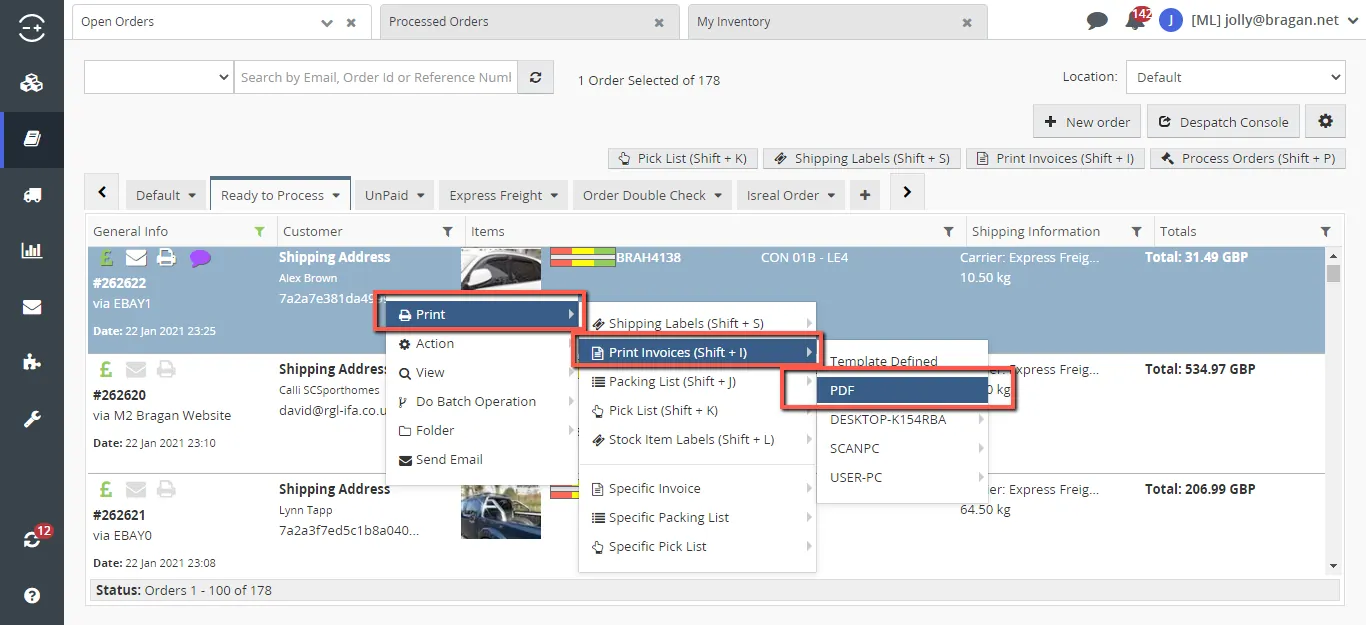
- To print a new invoice with the new details supplied do Right Click>Print>Print Invoices>PDF
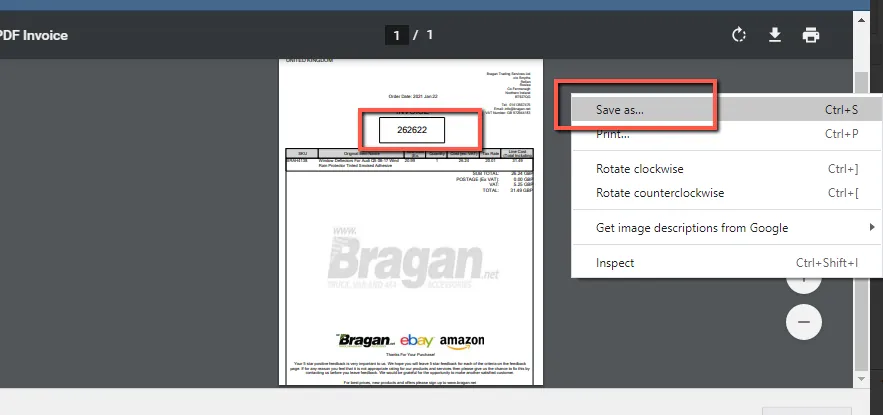
- Save Invoice to Acc, trade & PDF Invoices Dropbox Folder. Path is Acc, trade & PDF Invoices > PDF Invoices random Customers > Year to date. Filename should be the Linnworks Order Number. (Nothing business-related should be saved anywhere except Dropbox folders with shared access to IRL.)
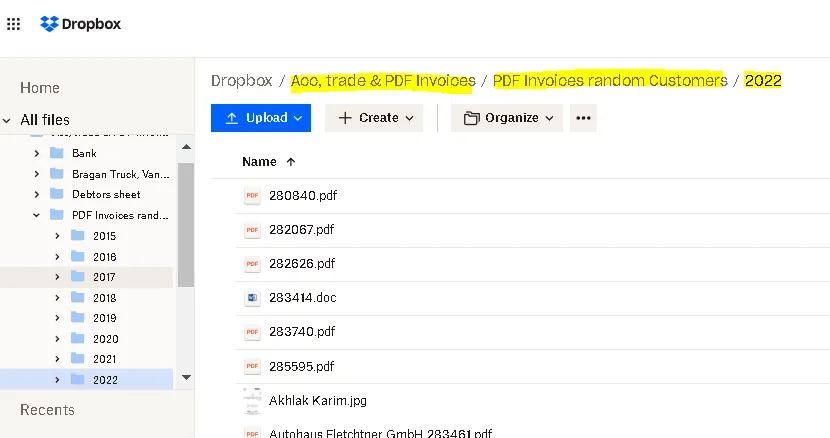
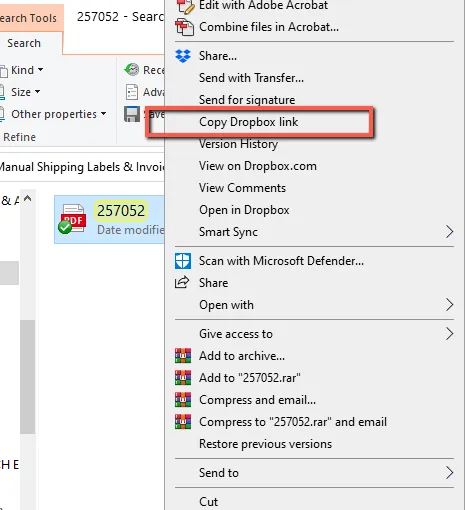
- Get the Dropbox shared link and use Macro 111 to reply to customers.
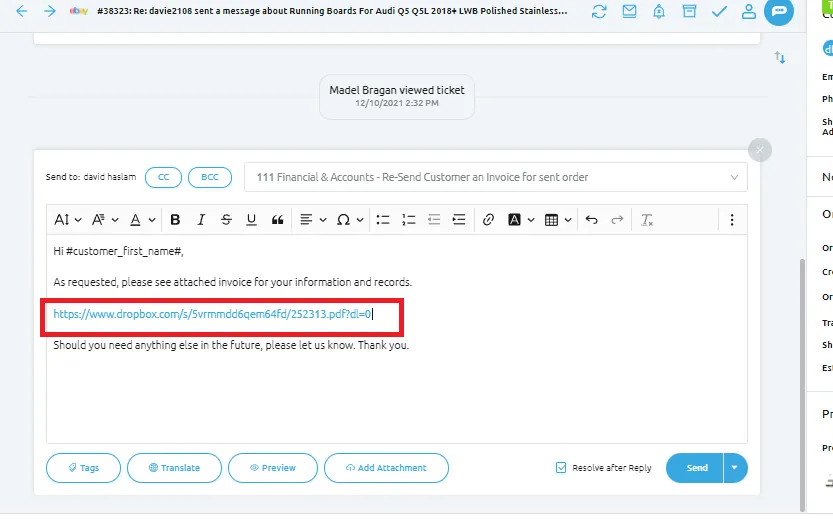
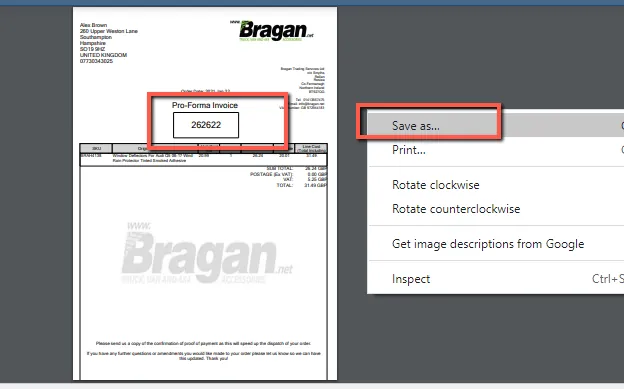
For customers requesting to resend a Proforma Invoice – please see the process below.
- Right Click>Print>Specific Invoice>Proforma – Bragan Trading>PDF.
Note:
Proforma – Bragan Trading – choose this if the order is in GBP Proforma – Bragan Transport – choose this if the order is in EURO
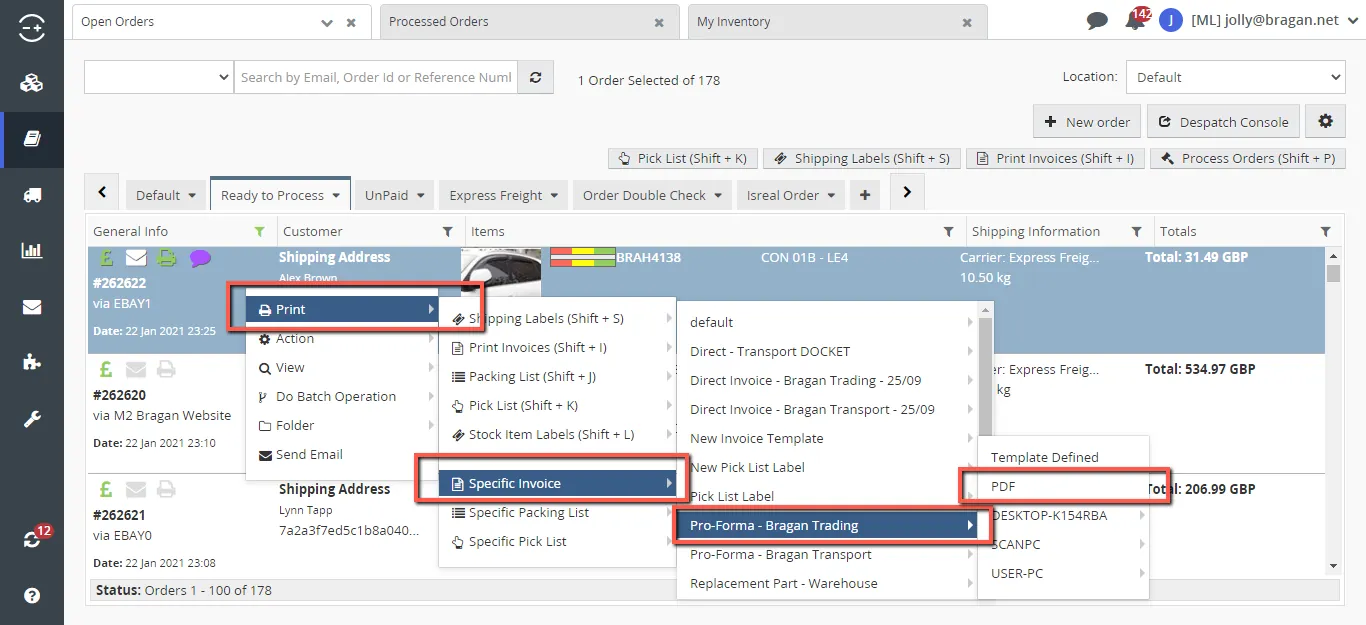
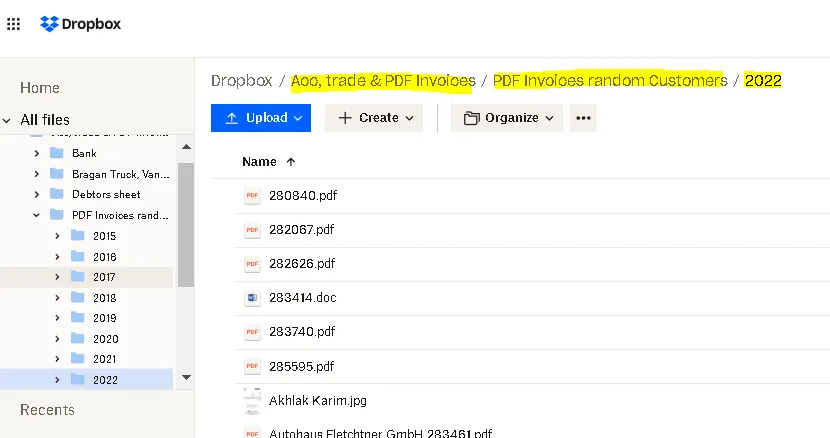
- Save Invoice to Acc, trade & PDF Invoices Dropbox Folder. Path is Acc, trade & PDF Invoices > PDF Invoices random Customers > Year to date. Filename should be the Linnworks Order Number. (Nothing business-related should be saved anywhere except Dropbox folders with shared access to IRL.)
- Get the Dropbox link and provide it to the customer.
Video & Media#
🎥 Video-20240429 115503-Meeting-Recording-Linworks-Training 🎥 How to send an Invoice 🎥 Sending Invoice
Notes#
This section is important so Adhoc points and issues can be logged. Also, Q&A can be logged for suggestions for potential issues encountered. Also, log important notes needed for this system. Additional Notes:
We can send external invoice after purchase without issue in eBay. After the purchase has happened, Ebay is less strict. Before the purchase they will kick us off if external links are given
Magento (Bragan website) orders are direct feed to Xero so you can easily see the invoice.
For eBay and Amazon, the invoice needs to be pushed from Greenback software so that the invoice will show in xero. This is done weekly by accounts.
For eBay customers, if they provided their email address where you should send the invoice, do not mention on your reply that the invoice was sent to his email address. Just simply say invoice has been sent.
Do not request for customer’s contact information or provide our contact information on eBay. Transaction should not be taken outside eBay. If customer insist for our contact information, please advise them to see the Seller Business Information.
This process is the preferred method for eBay customers requesting for invoice due to the new regulation of eBay about VAT.
Potential Issues:
1 - ISSUE ENCOUNTERED: Stuck on Loading
RESOLUTION: Refresh Browser
2 - ISSUE ENCOUNTERED: Broken Links
RESOLUTION: Get the external link as this will allow other people to access the SOP without the need for login credentials and avoid broken links.
3 - ISSUE ENCOUNTERED: Dropbox deleted folders
RESOLUTION: Utilize Dropbox in the web browser instead of Dropbox in desktop to secure that dropbox links will not be deleted for future reference.
Attachments#
How_to_Send_Invoice_in_Linn… 16/12/2025