Handling Email Request to Return or Swap an Item
This SOP aims to ensure that the returns are logged accordingly on our file to
Overview#
Purpose: This SOP aims to ensure that the returns are logged accordingly on our file to prevent loss in company revenue. This also ensures that the customers are kept up to date with the status of their return and are treated in a timely manner to prevent dissatisfied customers.
Scope: This process applies to both Team PH and Team IRL Customer Service Team.
Responsibility: It is the responsibility of both Team PH and Team IRL Customer Service Team to know how to handle returns email request.
Objective: The objective of this procedure is:
- to guide employees on how to handle returns email request.
Process Flow#
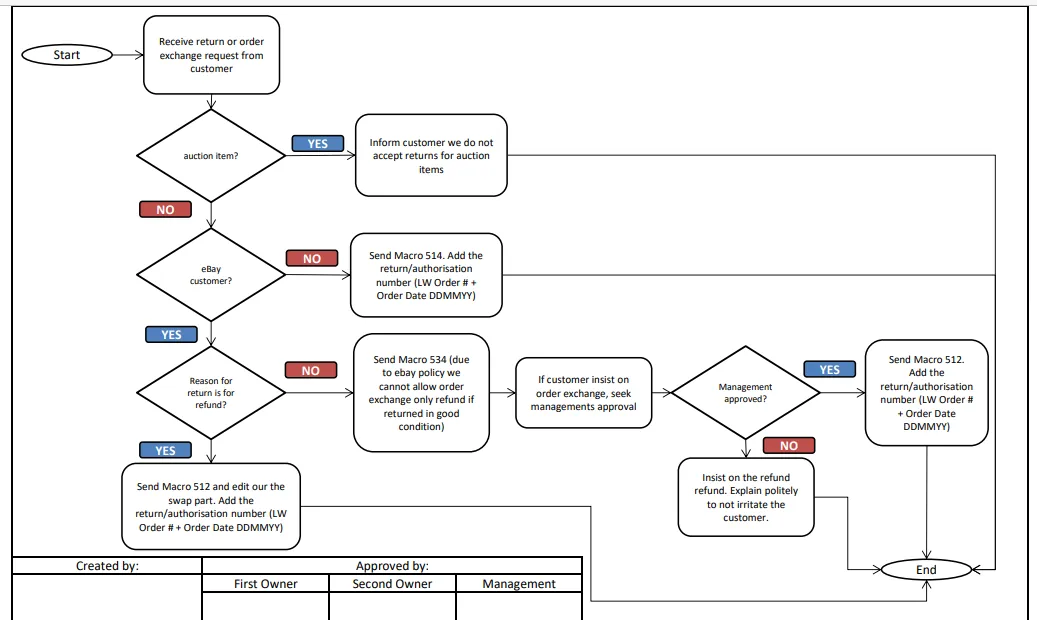
Procedure#
All returns must be pre approved by management before any macros are sent
eBay Returns Process
When a customer opens a return on eBay a system message will come through. (See
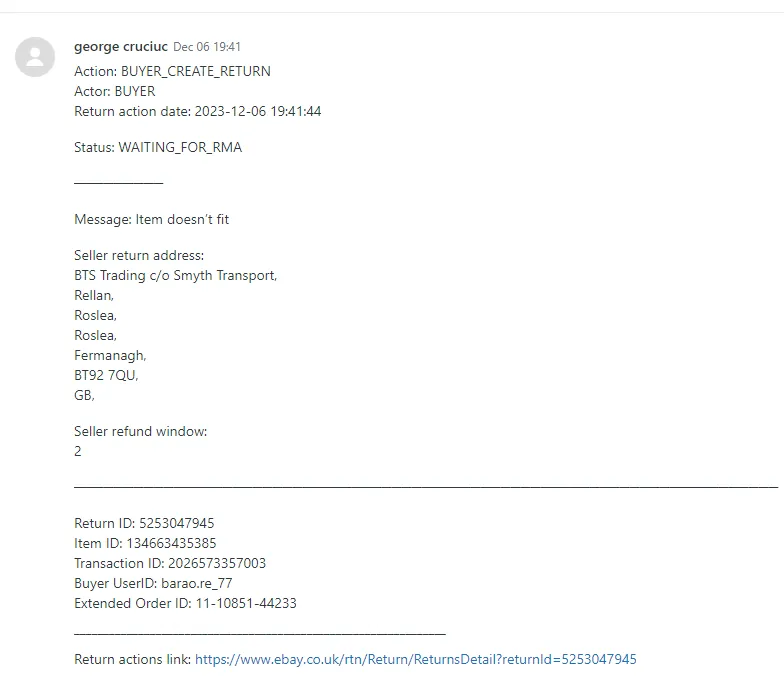
Do not reply to this ticket. Instead you must reply through eBay.
Use Macro 514 on the ticket to get the message to reply to the customer with. (See
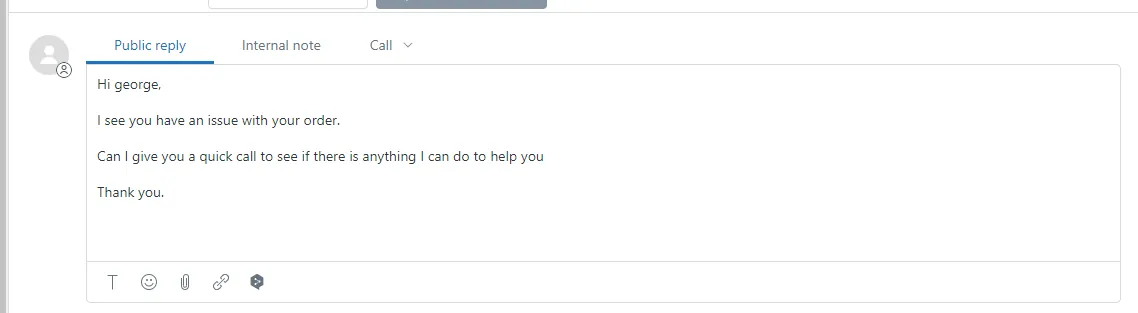
You will then need to go onto the relevant eBay account and go to Seller Account > Orders > Returns. Then look for the correct eBay Buyer ID. (See Figure 1.3)
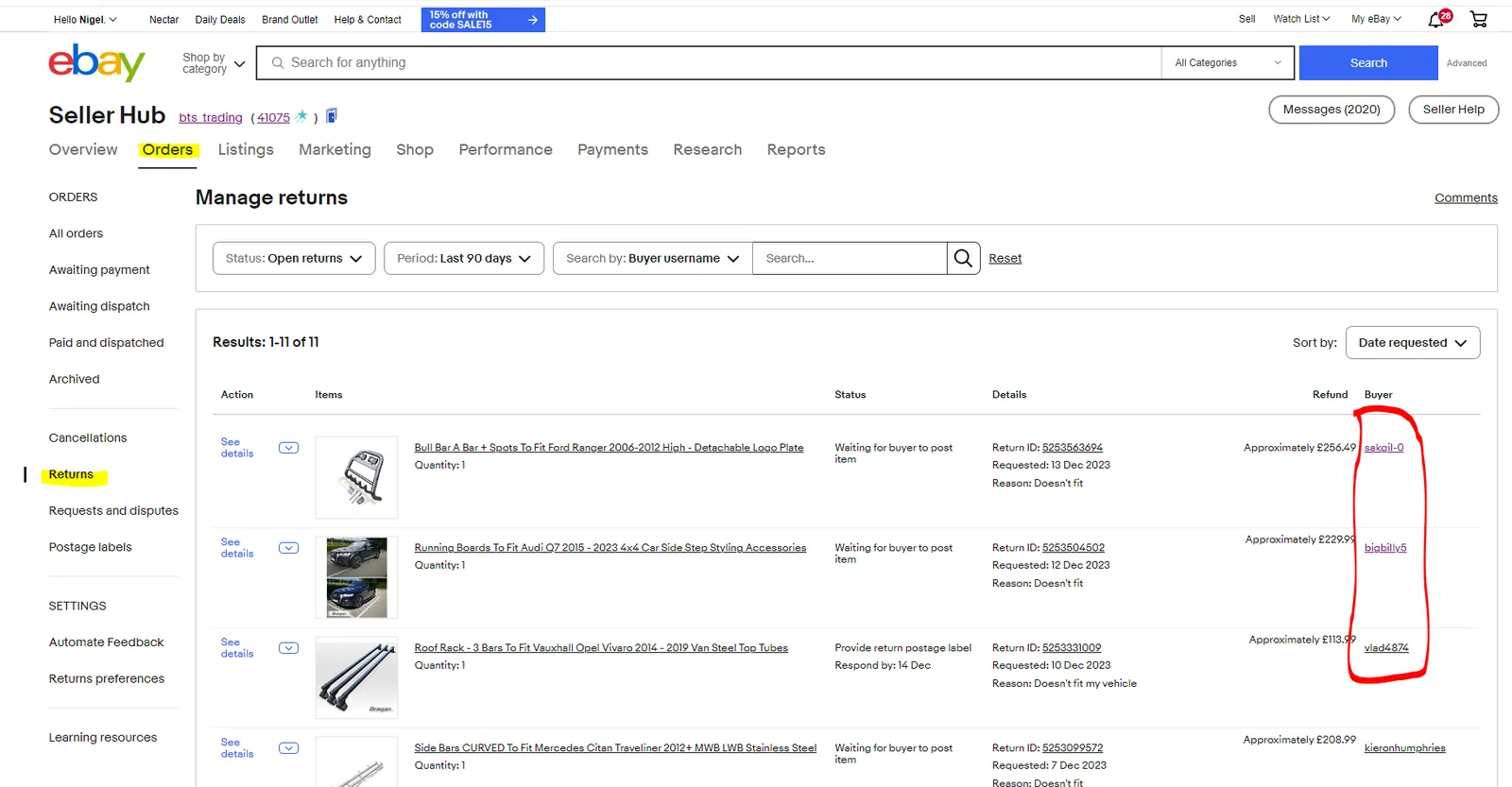
You will then click on contact buyer and copy and paste the macro on the zendesk ticket into the buyer message on eBay and send. (See Figure 1.4)
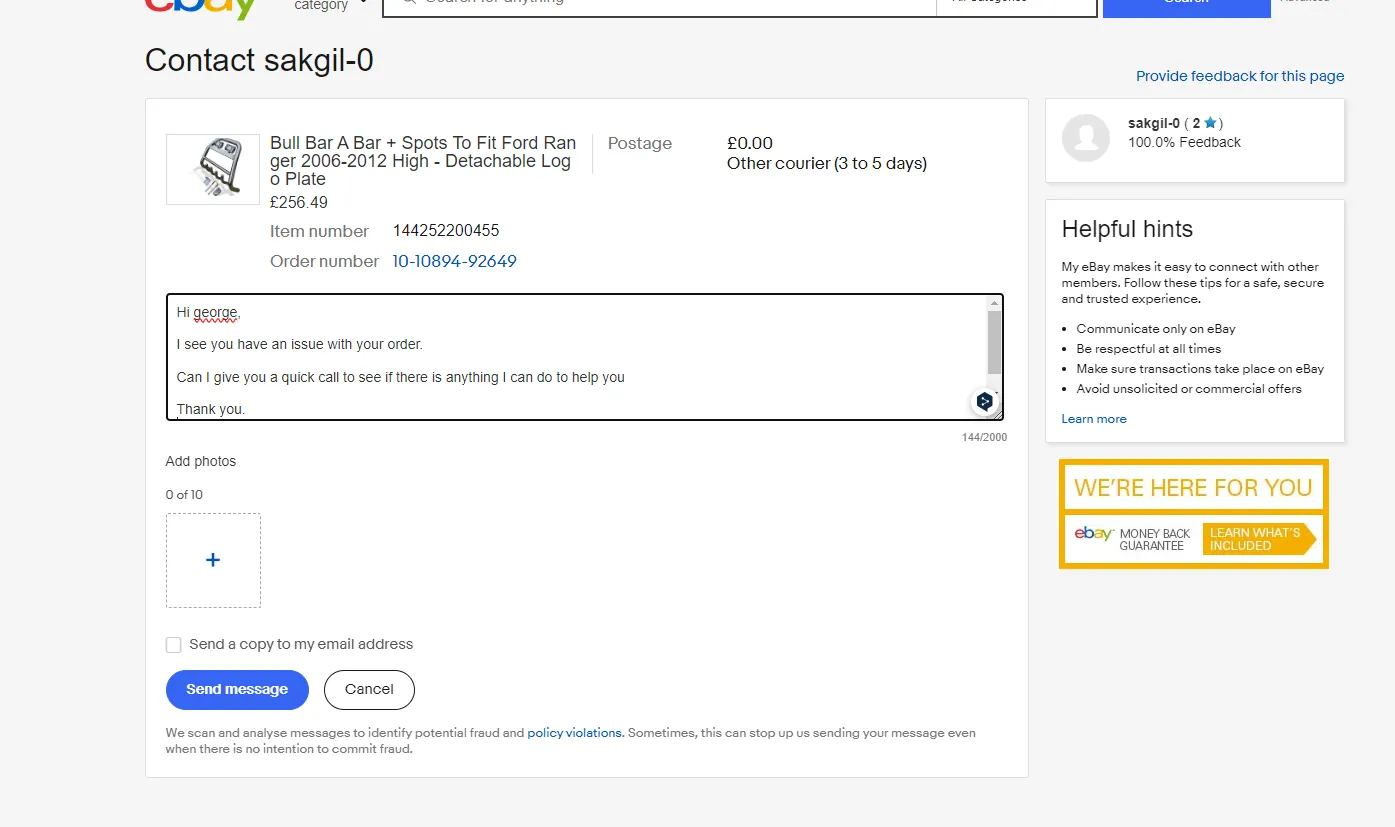
Please Note - This process must also be followed for a cancellation request
Website Returns Process
- If a customer requests to return an item because they ordered incorrectly or they won't be needing the item anymore for an exchange. Send Macro 005 - This Macro is only applicable to WEBSITE customers as eBay do not allow item exchanges.
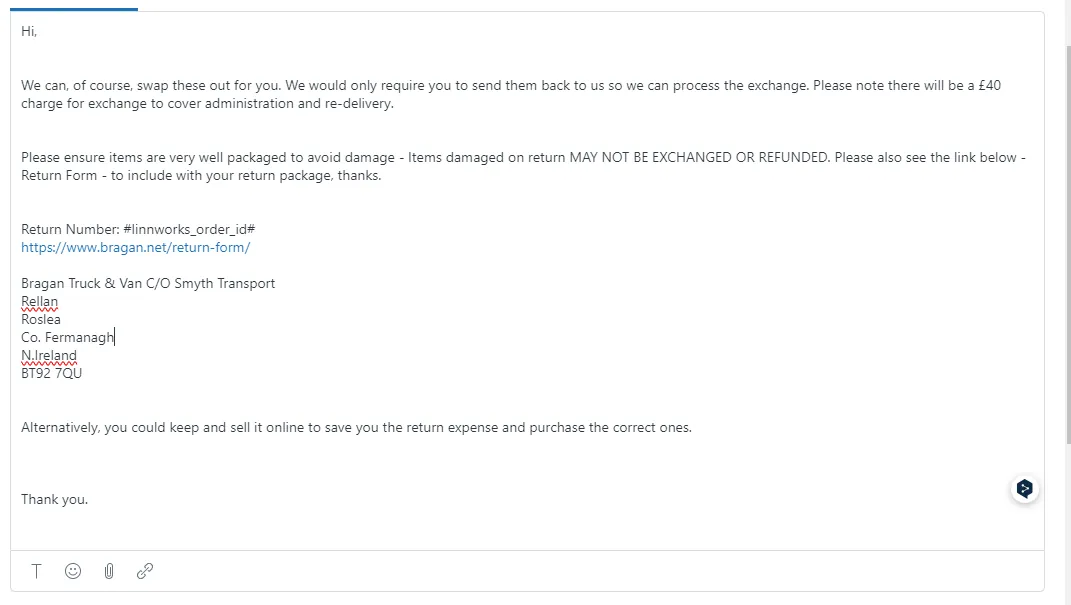
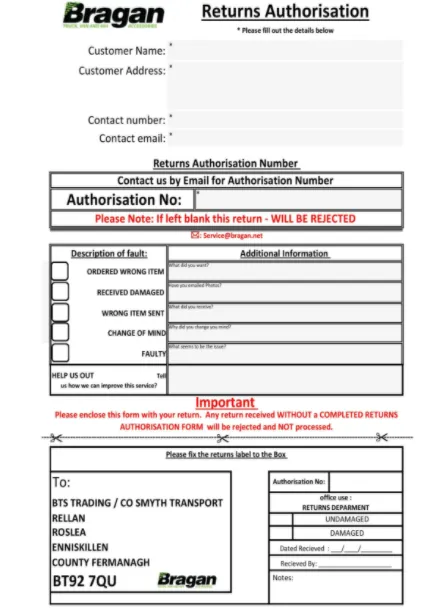
Return Form
- If customer just want a refund and do not want to swap an item, then edit the macro and remove the swap part. Edit it to suit the need of the customer.
- For eBay customers requesting to swap an item, it is ideal to inform customer that due to eBay policy we do not encourage swapping the item. Please send Macro 534.
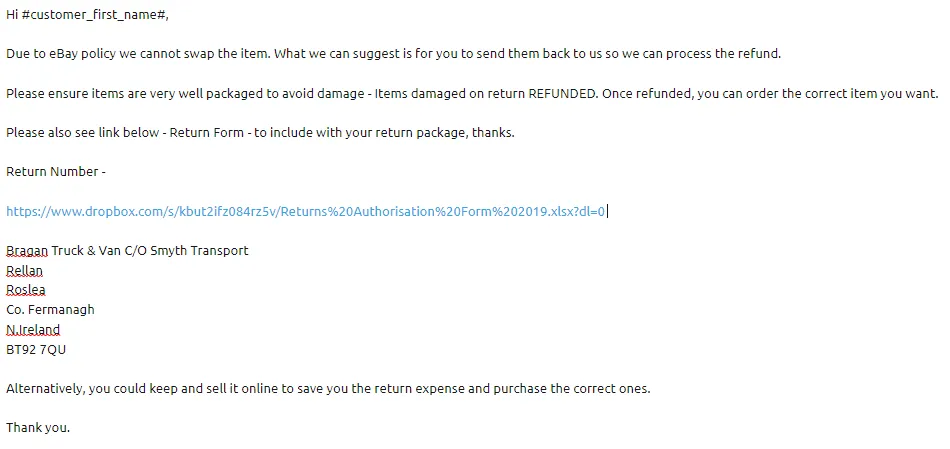
MACRO 534 CONTENT
Important Note:
If there is a request from customer to return auction item, inform customer that we do not accept returns of auction items.
If customer request for a collection since they do not want to pay the return cost, make sure to ask first management's approval. If approved then follow this SOP on how to arrange collection.
If customer ordered incorrectly and wants to return the item so he can order the correct one, make sure also to include the link of the correct item in the macro so customer will know what to re-order.
- Make sure that before sending the Macros (512, 514 or 534), you put the Return Number which is the same to the Authorisation Number found in the Return Form. The return number is just the Linnworks Order Number.
- Once the customer informed that they already sent the item back to us make sure to label it as -Check Returns. And to proceed to checking the returned item after 3 days if from (UK & IRL) or 5-7 days if from international customer. Please see this SOP on how to check returned items.
Notes#
This section is important so Adhoc points and issues can be logged. Also, Q&A can be logged for suggestions for potential issues encountered. Also, log important notes needed for this system. Additional Notes:
If there is a request from customer to return auction item, inform customer that we do not accept returns of auction items.
Potential Issues:
1 - ISSUE ENCOUNTERED: Stuck on Loading
RESOLUTION: Refresh Browser
2 - ISSUE ENCOUNTERED: Broken Links
RESOLUTION: Get the external link as this will allow other people to access the SOP without the need for login credentials and avoid broken links.
Attachments#
Handling_Email_Request_to_R… 16/12/2025