Handling Shipment Tracking Queries
The 'Tracking Information' is normally sent to the customer’s email address upon
Overview#
Purpose: The 'Tracking Information' is normally sent to the customer’s email address upon item dispatch. However, we may still receive emails from customers requesting for shipment status of their order. There are different scenarios you may encounter in handling tracking queries. This document aims to help on how to deal with them efficiently and effectively.
Scope: This applies to all assigned Bragan customer service representatives.
Responsibility: It is the responsibility of all staff to follow the standard operating procedure of handling tracking queries.
Objective: The objective of this procedure is:
- to guide new and current CSR employees on how to deal with different scenarios may encounter in handling tracking queries.
Courier Table#
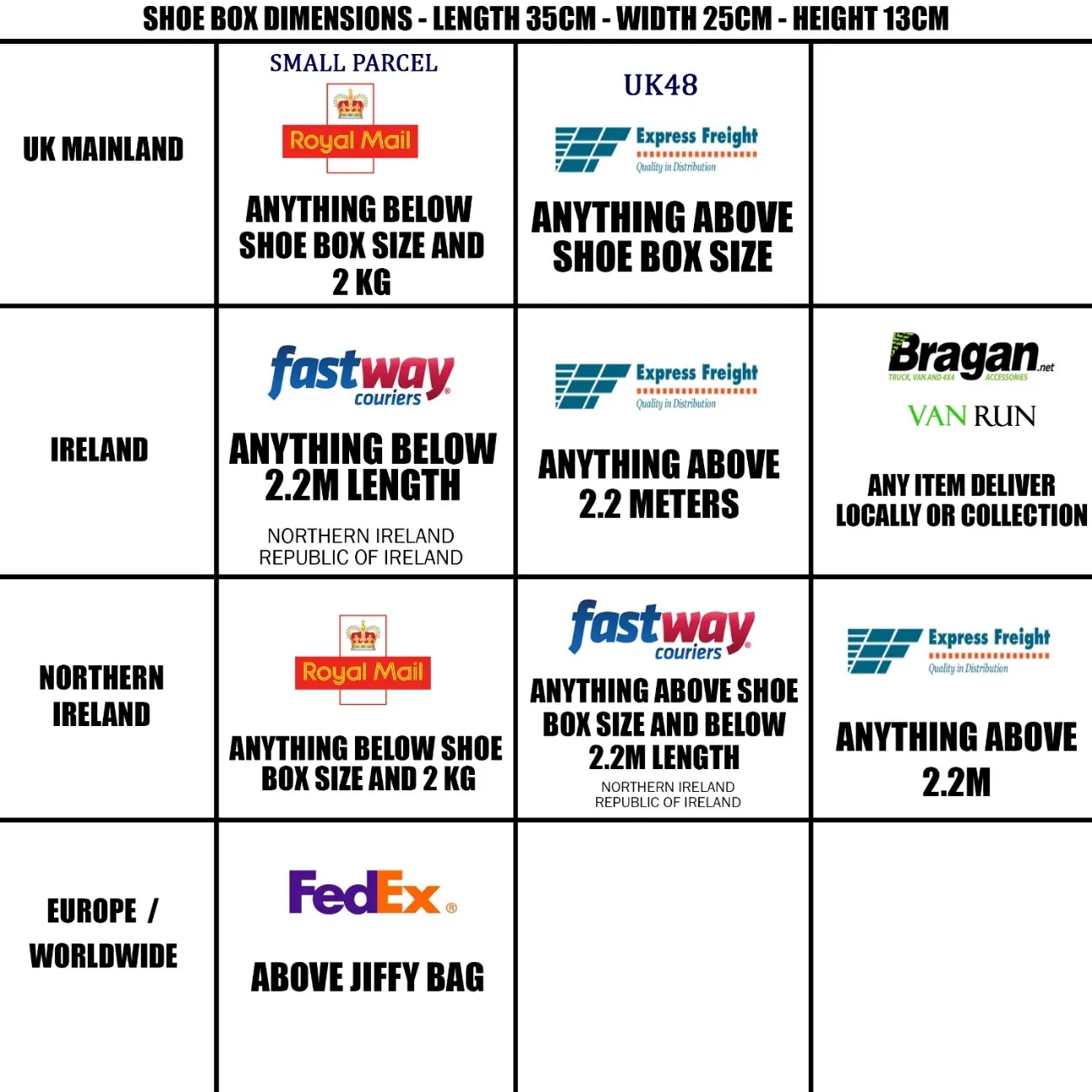
Please see the courier table below to show the courier we work with per location (subject to change).
Macros#
Macro Commonly Used for Tracking Queries
These are the macro that you may commonly use for handling this type of query. Familiarize yourself with these macros for work efficiency.
Macro 008 Tracking Query Emails within Delivery Time Frame
This macro is used when a customer is asking about the whereabouts of the order shipment. Ensure to check the status first before sending the details to the customer.
Macro 409.1 Tracking shows delivered but not received (Express Freight)
(Express Freight) This macro is used when a customer is asking for the shipment status but shows delivered.
Macro 010 Tracking shows delivered but Customer not received (Other Courier)
(Other Courier) This macro is used when a customer is asking for the shipment status but shows delivered.
Macro 009 Tracking Query Late Delivery / Delayed Time Frame.
This macro is used when a customer is asking about the whereabouts of the order shipment. These are the orders that have been shipped but the customer still has not received them after 2-3 working days. The tracking will only show Added on System / In Warehouse / Out for Delivery and it has been on this status for more than 2-3 working days.
Macro 409.3 Royal Mail – Delay
RM 48 sometimes does not generate a tracking number. Use this macro if the customer still has not received their order within 2-3 working days.
Macro 040 Courier Issue - Arrived Damaged / Courier Delivered Damaged Item.
Macro 013 Courier Issue - Item Lost / Damaged In Stock - Sending Replacement.
These macros are used when the customer’s order was damaged or lost in transit and we have the item in stock to send as a replacement. This is also used as an alibi for any delays in sending out their order.
Macro 015 Courier Issue - Lost/Damaged - OUT OF STOCK - Offer Alternative as Replacement.
This macro is used when the customer’s order was damaged or lost in transit and we cannot send out a replacement as the item is out of stock but we have
something similar to offer. This is also used as an alibi for customers who managed to order even the item is out of stock.
Macro 014 Courier Issue - Lost/Damaged - OUT OF STOCK (Customer prefers Refund or Wait for Replacement)
This macro is used when the customer’s order was damaged or lost in transit and we cannot send out a replacement as the item is out of stock. This is also used as an alibi for customers who managed to order even the item is out of stock.
Macro 024 Shipment Update – For Courier Use
This is used to make contact with the courier to get more information about the status of the shipment.
Macro 021 Courier Unable to Deliver - CONTACT FEDEX
This macro is used when contacting customers as the courier is having difficulty delivering their order due to a number of reasons including an address query, nobody home to receive the parcel or a delivery refusal.
Key Points:
Normally, delivery would only take 2-3 working days (UK and Ireland) and 5-7 working days (International) from the day of dispatch. You can edit the macro to suit the customer’s queries. If you have suggestions or need to edit on macro, please request approval from Team IRL before doing so.
Express Freight#
Express Freight
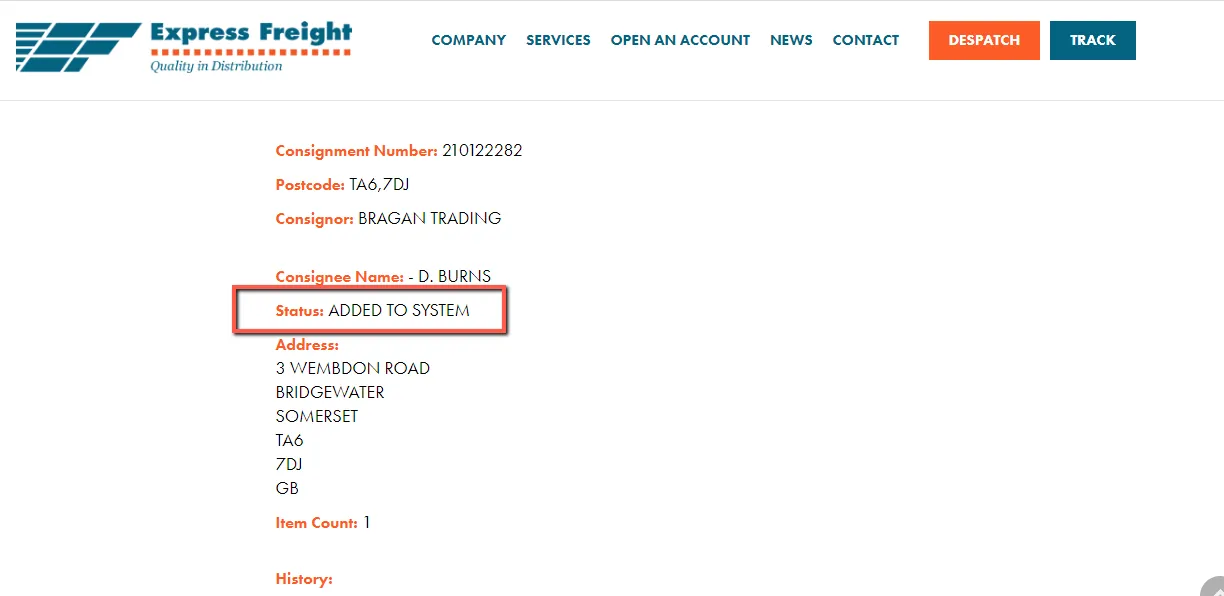
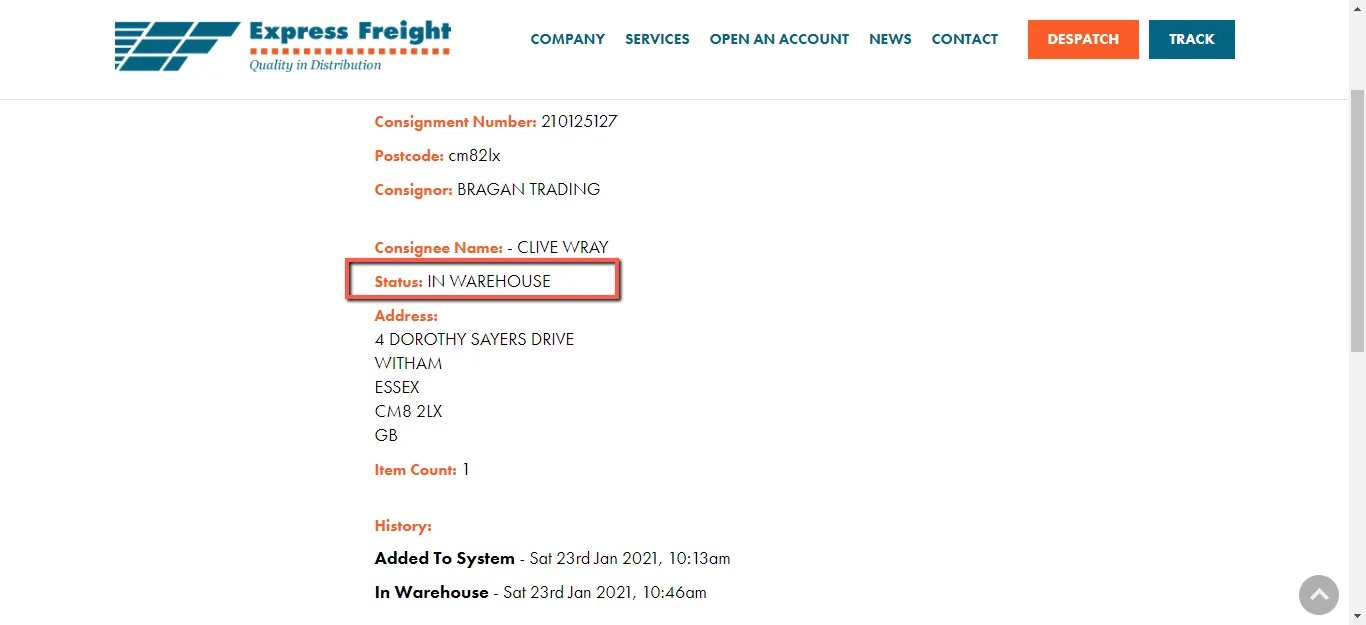
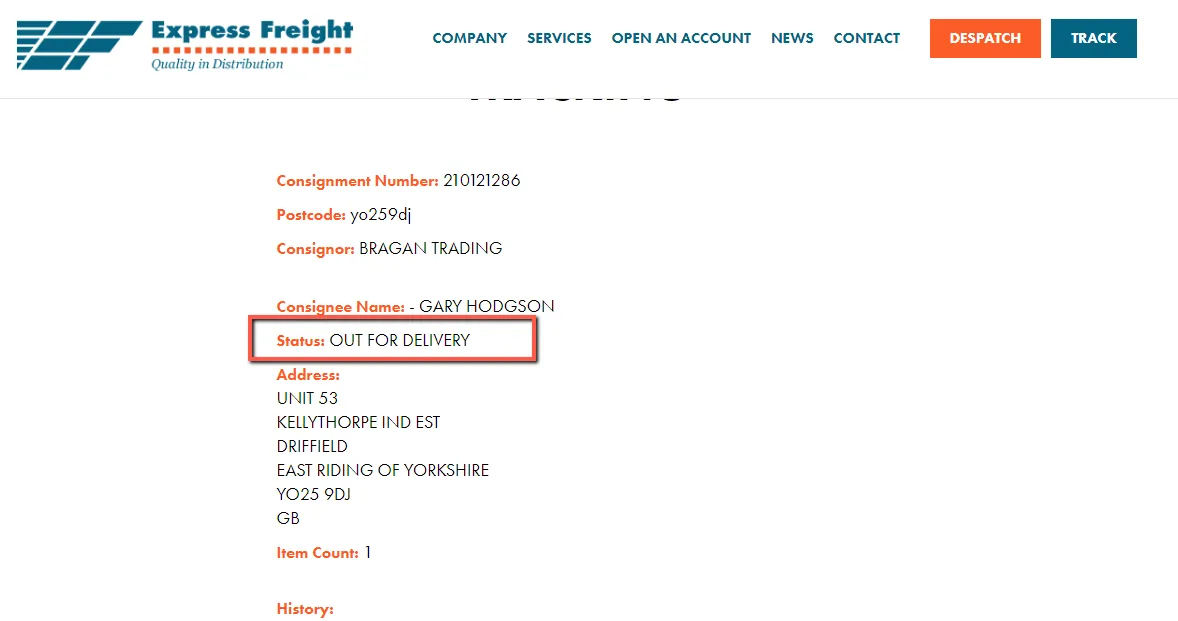
We use Express Freight for UK deliveries for parcels that are above shoe box size and for Ireland for parcels that are above 2.2 meters. Tracking information on the Express Freight website would only show you the following status.
Added on System
In Warehouse
Out for Delivery
Delivered
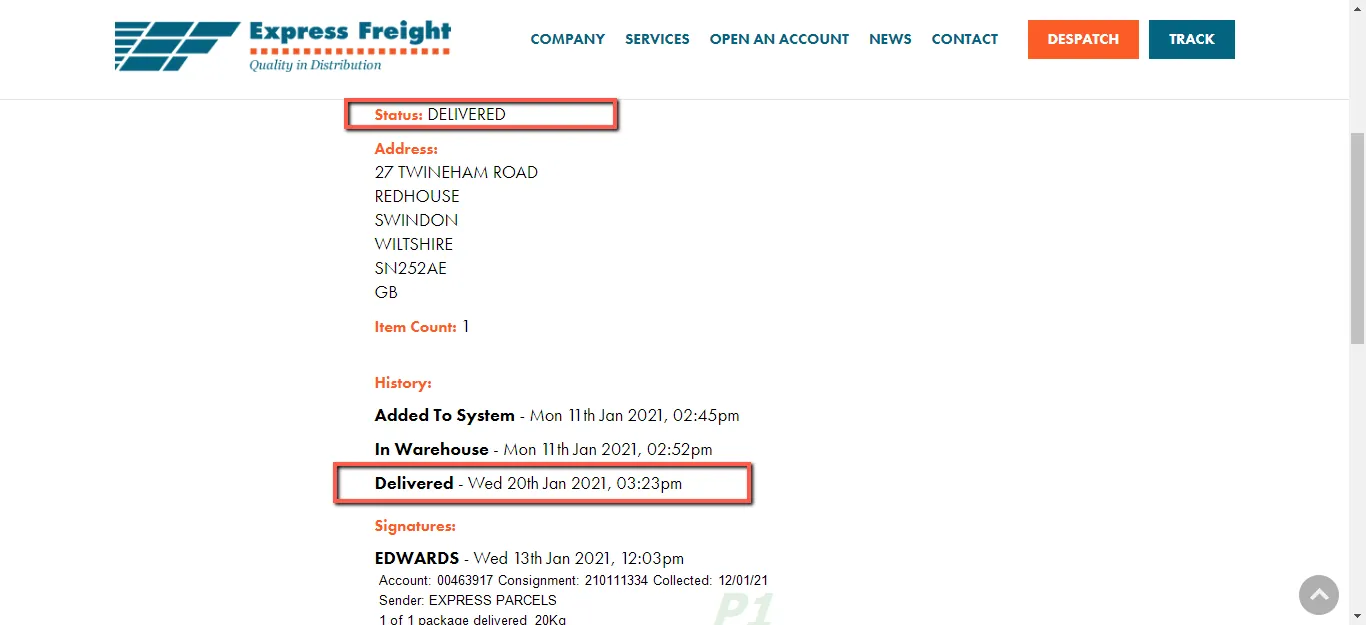
Checking Shipment Status (Shipment still within the delivery timeframe).
Check the customer’s order details. The courier service and tracking information can be found on the oFlow.io tab (right side). If the information on oFlow.io does not correspond to the recent order, you have to search for the order manually on Linnworks.
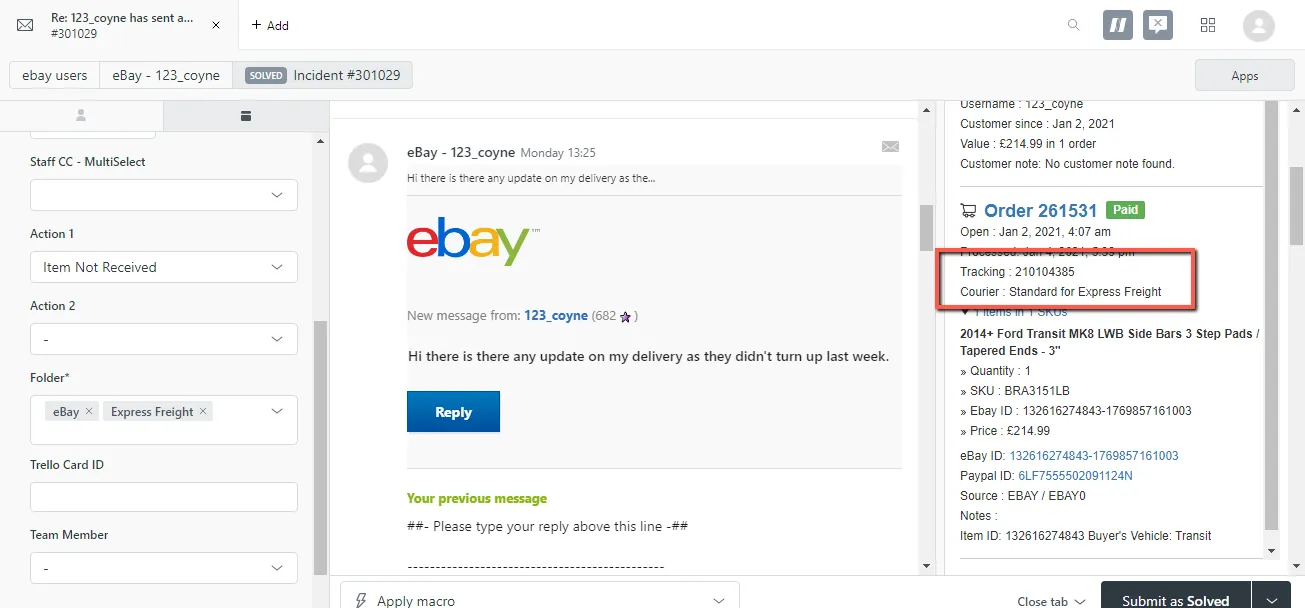
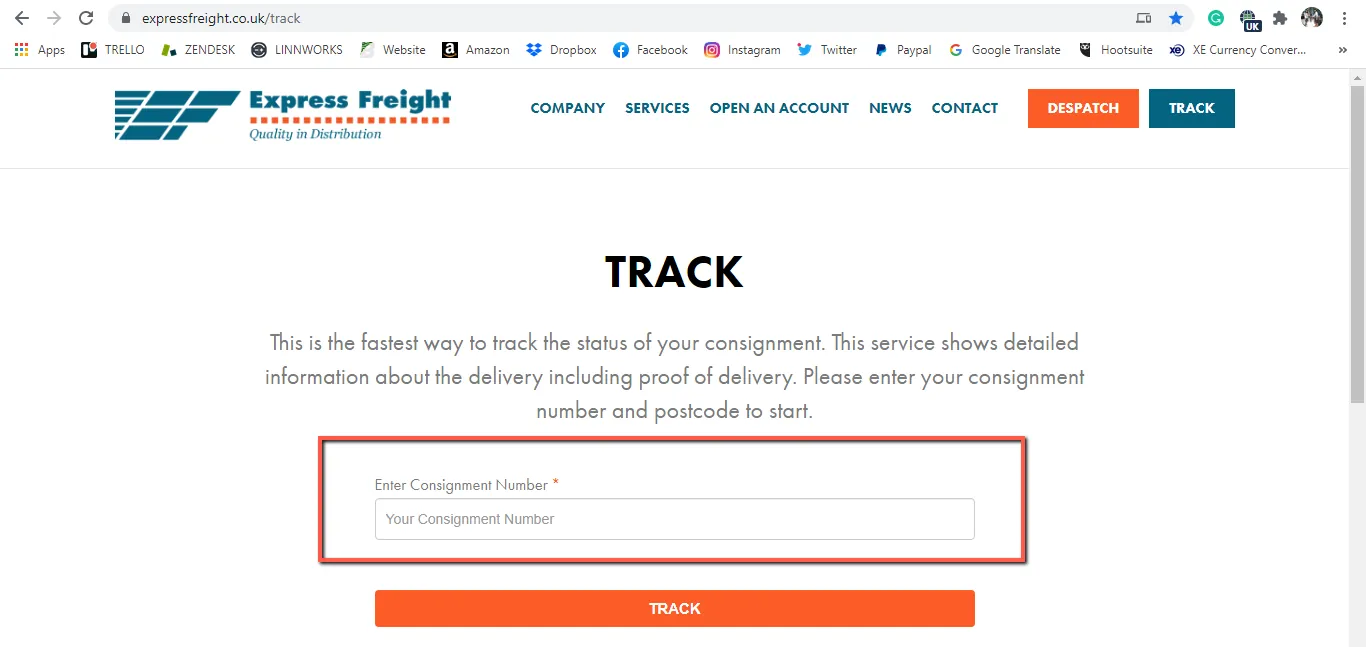
Get the tracking number and go to the Express Freight tracking website → www.expressfreight.co.uk and enter the tracking number on the field below.
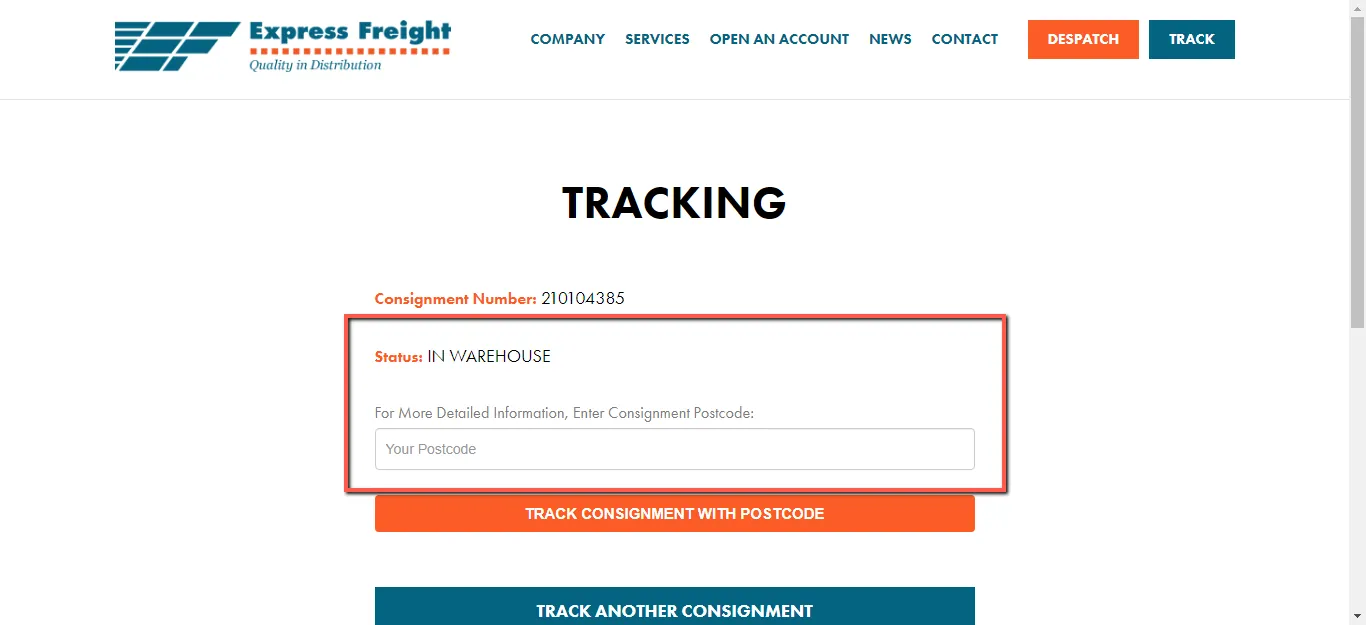
This will require the customer’s postcode to get more details. Get the customer’s postcode from Linnworks order details.
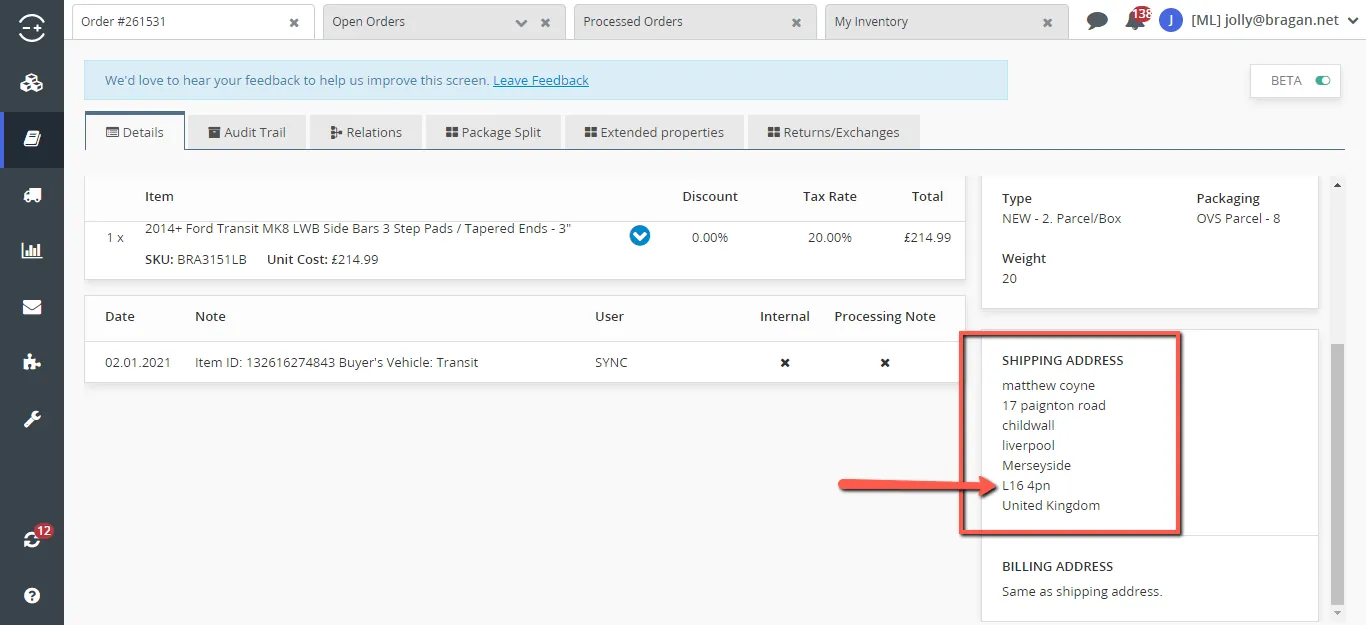
Reply to customer’s email using Macro 409.
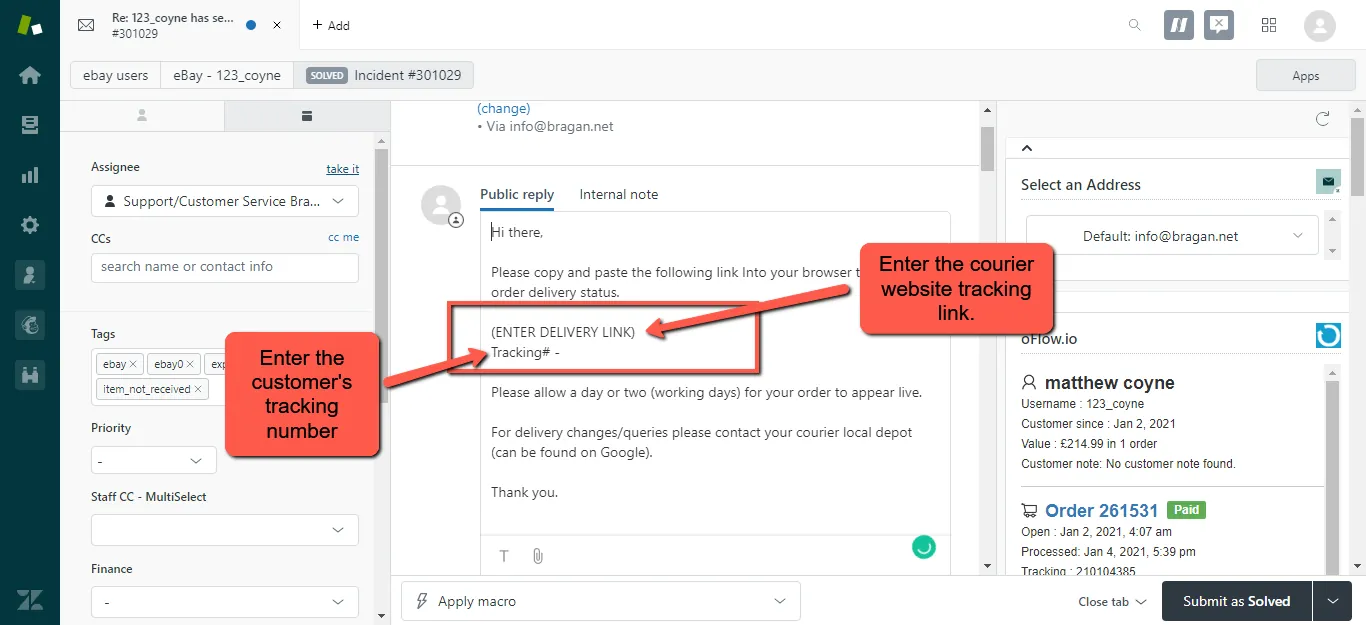
Note: You may remove the statement “Please allow a day or two (working days) for your order to appear live.” if the shipment is already in progress.
Checking Shipment Status (Shipment past the delivery timeframe).
These are the orders that have been shipped but the customer still has not received them after 2-3 working days. When tracking shows Added on System / In Warehouse / Out for Delivery and it has been on this status for more than 2-3 working days, identify what went wrong.
Step 1 – Check the order Audit Trail if it has Tag 1 (which means the order was sent). If so, proceed to Step 2.
Step 2 – Contact Express Freight to get a status update. You may use Macro 409.2 – or edit the content depending on the scenario and information you require.
These are the Express Freight contact person.
Robin Carson [email protected]
Paula Blaney [email protected]
Kyle Crutchley [email protected]
Christina Lappin [email protected]
Gary Millar [email protected]
Brendan Mcmullan [email protected]
Step 3 – If the courier says they have no scans of the parcel, confirm with the Warehouse Team if the order was sent or not. Always use the format below for Warehouse Team to easily check this for you.
Order# - Pack date – Courier – Customer’s Name
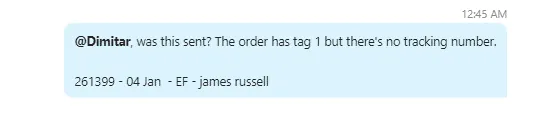
When the Warehouse Team confirmed that this was sent but the courier says they have no scans of this – push the courier to search for this.
While you are still investigating this, reply to the customer using Macro 024.
Checking Shipment Status (Tracking shows delivered but the customer has not received this).
These are the orders show delivered on tracking but the customer has not received this. The process is pretty much the same above. However, there’s no need to check this with the Warehouse Team. You will have to use Macro 409.1 for your response.
Please ensure that the customer has checked this with their neighbor or if they recognized the signature on the Proof of Delivery. Report this to the courier so they will conduct an investigation/search of the parcel.
Follow up with the courier daily for an update and ensure to notify the customer of the progress of the search. If the search turns out to be lost, notify another Team Member (whoever was assigned for the claim) to submit a courier claim for this.
Prior to informing the customer of the outcome of the search of their parcel – please ensure the following action has been taken. Ensure to add these as an internal comment for Team IRL approval if we are to proceed with replacement or refund.
✓ Confirm if they recognized the signature on POD
✓ Have them check with their neighbor if someone has received the parcel for them.
✓ Outcome of the search.
✓ Claim has been sent?
✓ Order number
✓ Item
Reply to the customer as per Team IRL advice.
Fastway#

Fastway
We use Fastway for ROI deliveries for parcels that are anything above shoebox size and below 2.2-meter length. The below figure is an example of Fastway Tracking. In some cases, there is more status information depending on the issue/delays it encounters such as routing issues during transit.
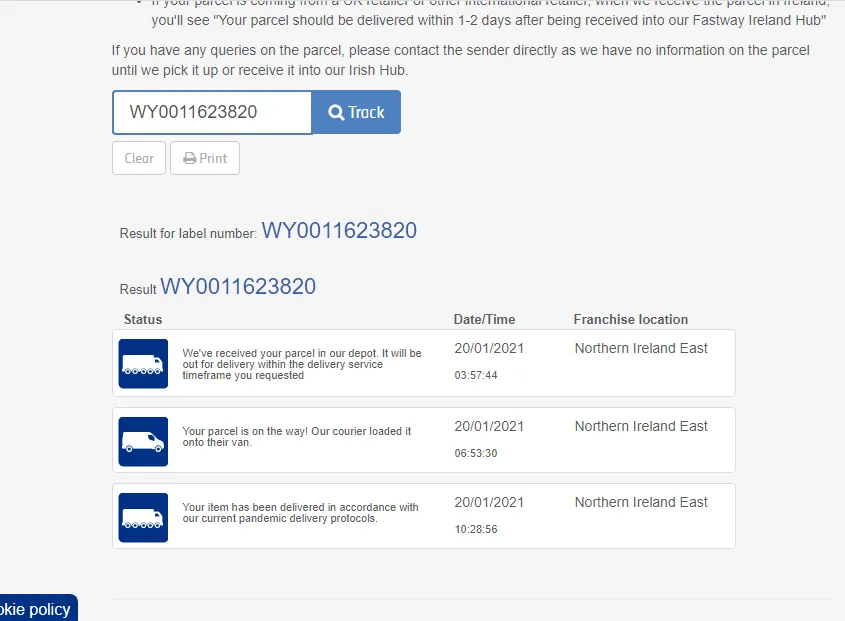
Checking Shipment Status
See the guide below on how to track shipment through Fastway.
Check the customer’s order details. The courier service and tracking information can be found on the oFlow.io tab (right side). If the information on oFlow.io does not correspond to the recent order, you have to search for the order manually on Linnworks.
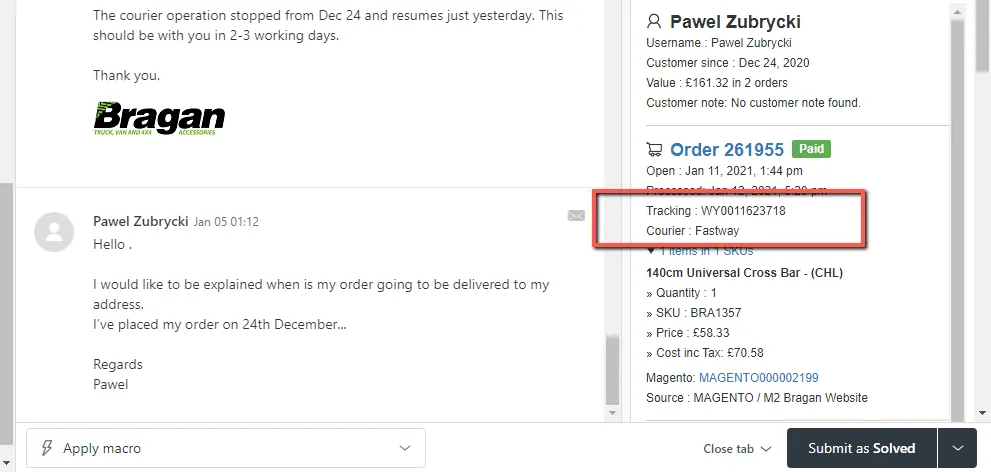
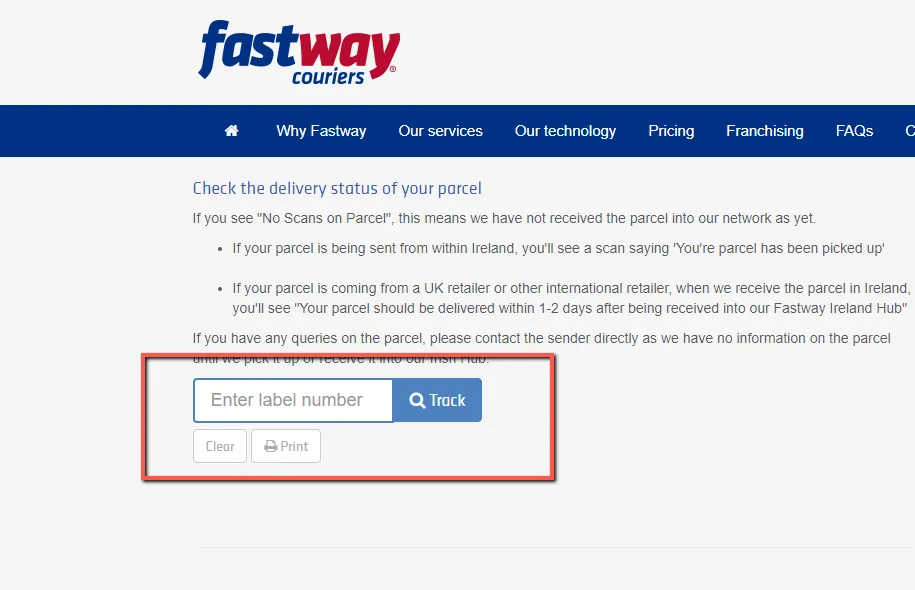
Get the tracking number and go to Fastway tracking website → www.fastway.ie and enter the tracking number on the field below and hit Search.
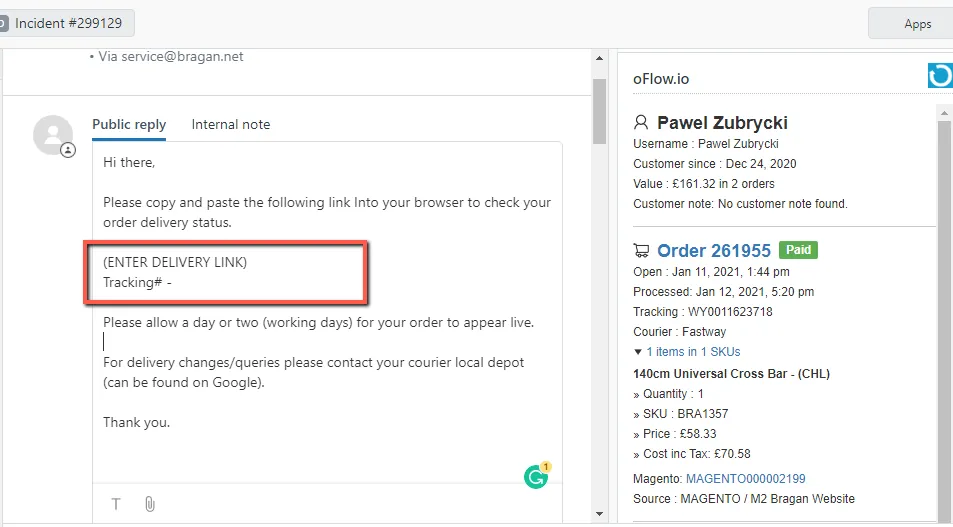
Reply to customer’s email using Macro 409 and supply the necessary information.
For orders that do not generate a Tracking number, please see the process below.
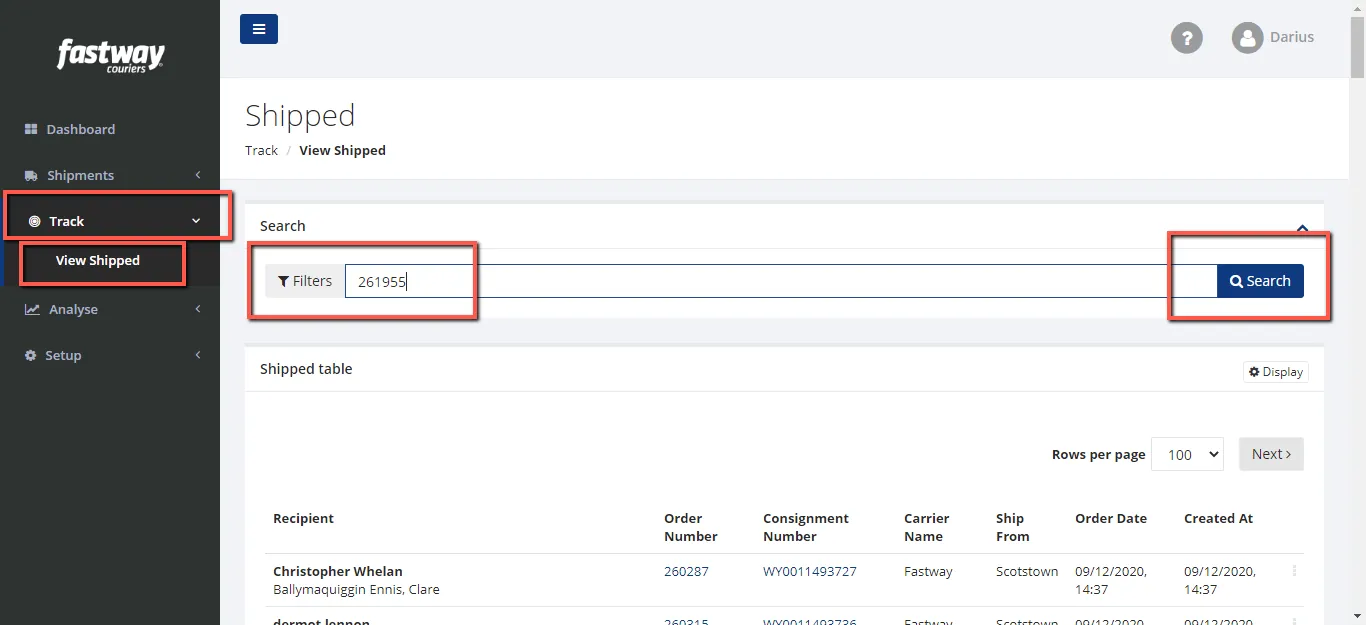
Sign in to Fastway Dashboard dms.fastway.ie. Request credentials from Team IRL.
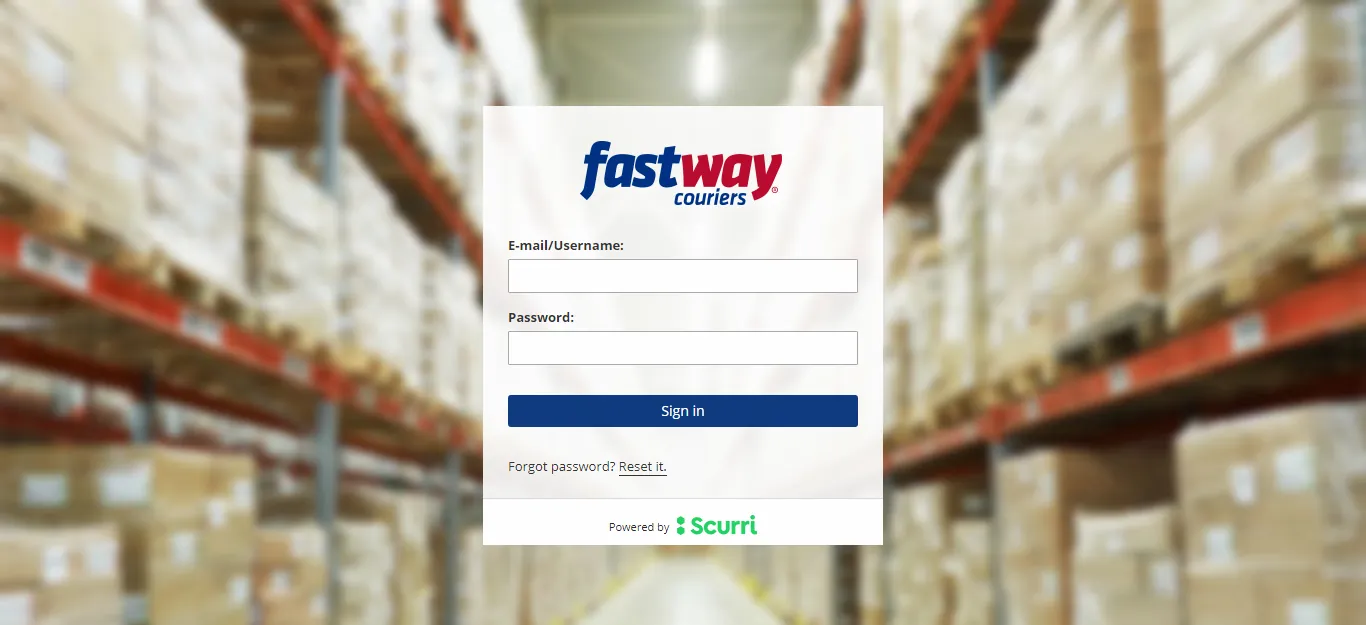
After logging in click on Track>View Shipped>Enter Order number>Search.
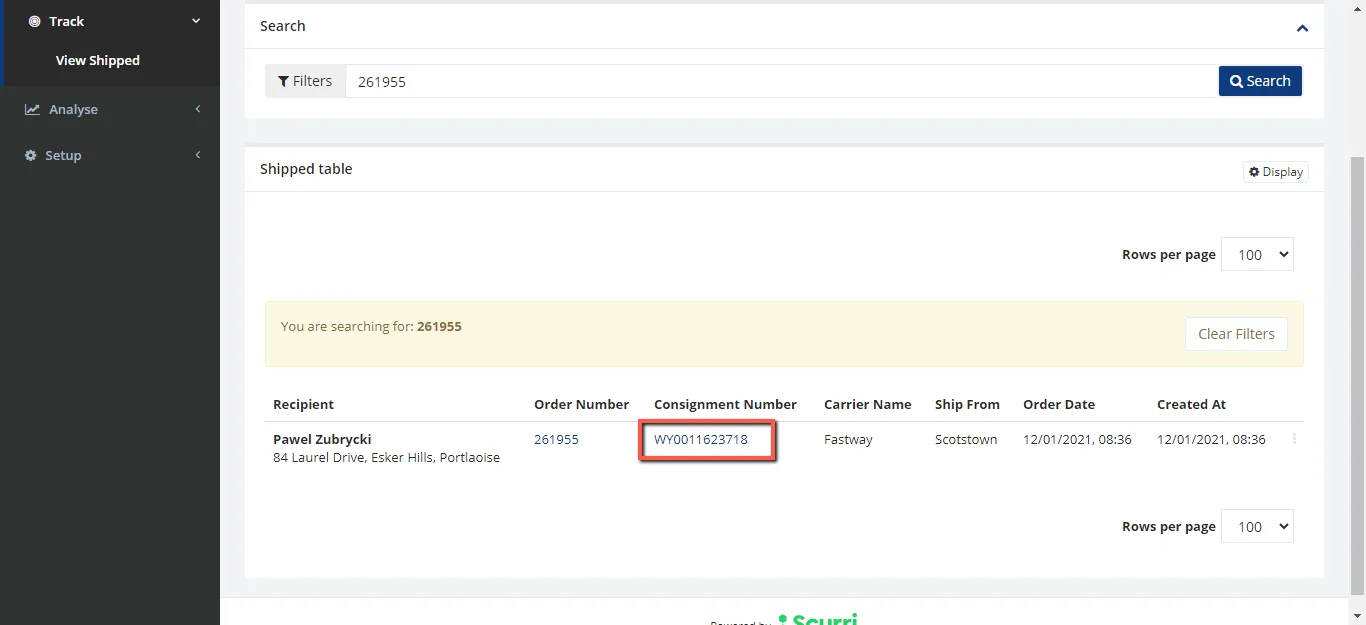
Copy Tracking number and search it on Fastway Website Tracking.
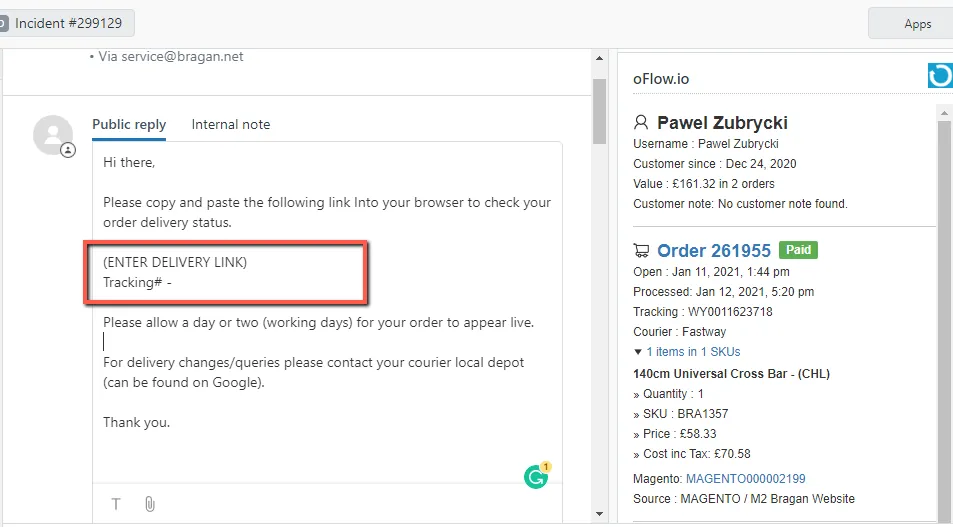
Reply to customer’s email using Macro 409 and supply the necessary information.
Checking Shipment Status (with shipment issues)
The action that needs to be taken for the lost shipment, shipment within the delivery timeframe, and late delivery is similar to Express Freight. For shipment issues, emails must be sent to the following emails below.
colm.jameson@@fastway.ie
FedEx#

FedEx
This is the courier we use for all International shipments.
Checking Shipment Status
See the guide below on how to track shipment through FedEx.
Check the customer’s order details. The courier service and tracking information can be found on the oFlow.io tab (right side). If the information on oFlow.io does not correspond to the recent order, you have to search for the order manually on Linnworks.
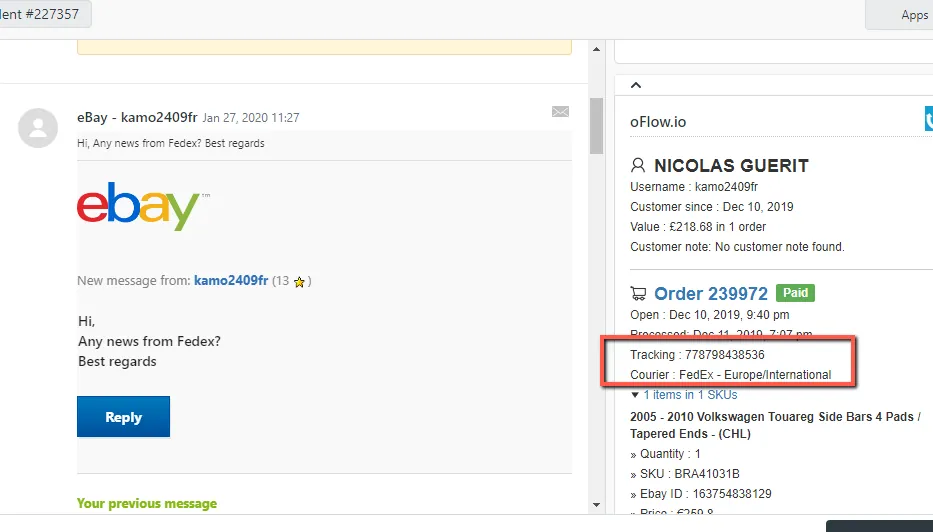
Get the tracking number and go to FedEx tracking website → home.html and enter the tracking number on the field below and hit Track.
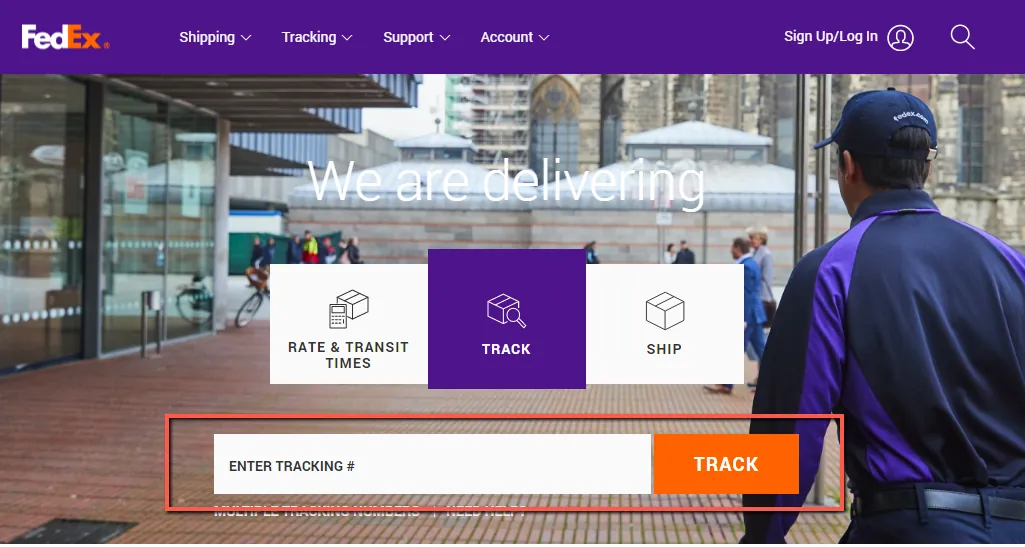
Reply to customer’s email using Macro 409 and supply the necessary information.
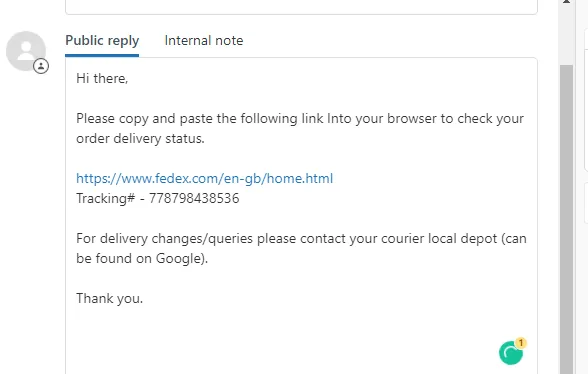
Checking Shipment Status (with shipment issues)
The action that needs to be taken for the lost shipment, shipment within the delivery timeframe, and late delivery is similar to Express Freight. For shipment issues, emails must be sent to the following emails below.
[email protected] and CC [email protected]
Royal Mail#
Royal Mail
This is the courier we use for all shipments below shoe box size and 2KG.
Checking Shipment Status
See the guide below on how to track shipment through FedEx.
Check the customer’s order details. The courier service and tracking information can be found on the oFlow.io tab (right side). If the information on oFlow.io does not correspond to the recent order, you have to search for the order manually on Linnworks.
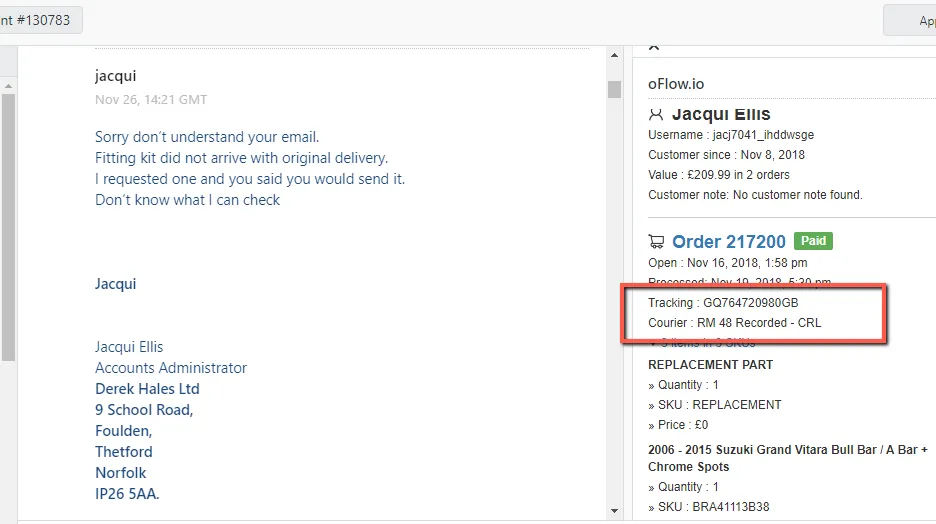
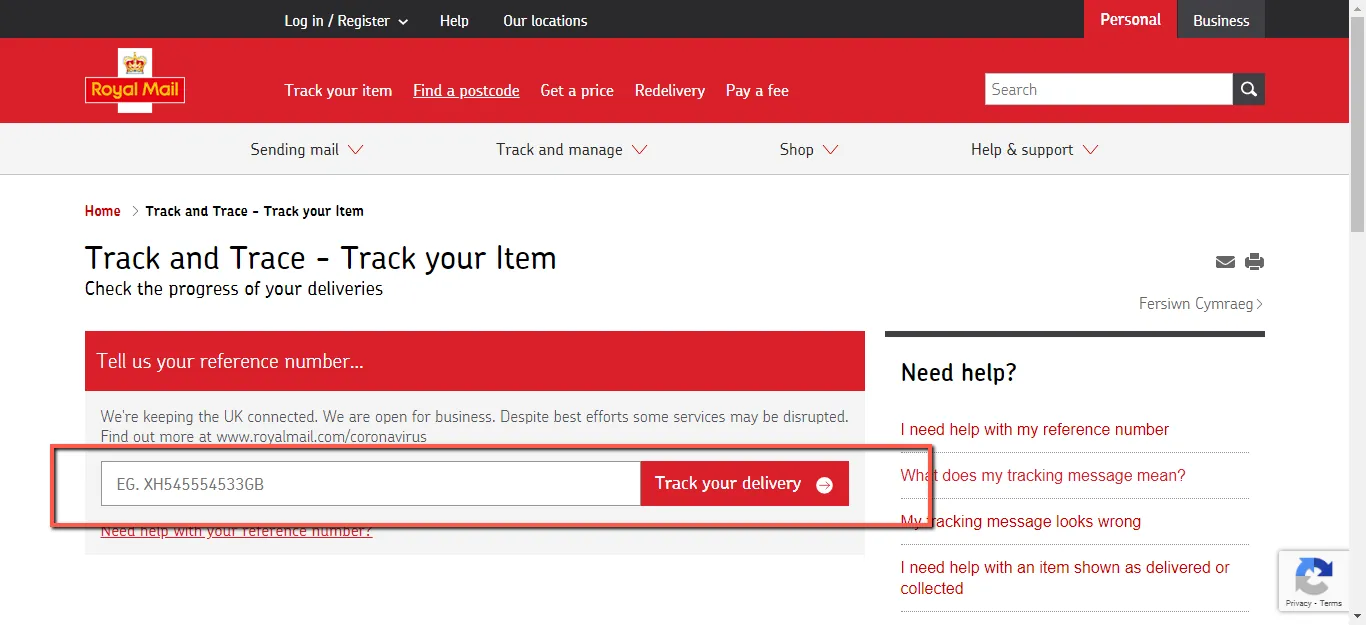
Get the tracking number and go to the Royal Mail tracking website → www.royalmail.com and enter the tracking number on the field below and hit Track your delivery.
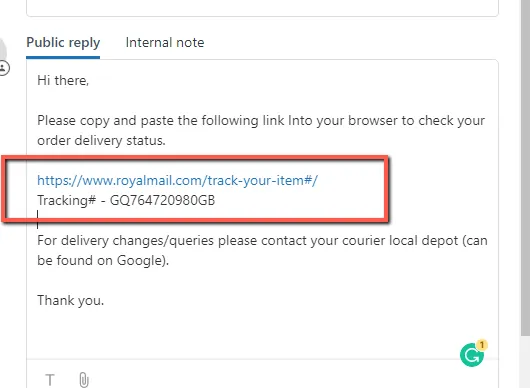
Reply to customer’s email using Macro 409 and supply the necessary information.
Checking Shipment Status (with shipment issues)
Unfortunately, we do not have direct contact with Royal Mail. There may be options on their website and call them but got no luck so far. The delivery with Royal Mail normally takes 2- 3 working days. In any case that the customer contacted us looking for their order, use macro 409.3. If the customer can’t still find their parcel after checking at the local depot or with their neighbor, check with Team IRL if we should proceed with the replacement.
Notes#
Key Points:
Normally, delivery would only take 2-3 working days (UK and Ireland) and 5-7 working days (International) from the day of dispatch. You can edit the macro to suit the customer’s queries. If you have suggestions or need to edit on macro, please request approval from Team IRL before doing so.
*Purposed, Scope, Responsibility, and Objective were added by the uploader temporarily. May still need some updates/revision by the owner.
This section is important so Adhoc points and issues can be logged. Also, Q&A can be logged for suggestions for potential issues encountered. Also, log important notes needed for this system. Additional Notes:
The agent suggesting the update should be the one to carry through the edit. The suggestions for edit should be confirmed in real-time in the group and for the card to be cleared the same day. Creating a new version will break the link for systems that are linked to training/onboarding Trello Cards. This will also affect the systems linked to some email macros. Do not create a new version this will overpopulate the SystemHub. Editing the current system is the best practice to avoid potential issues.
Potential Issues:
1 - ISSUE ENCOUNTERED: Stuck on Loading
RESOLUTION: Refresh Browser
2 - ISSUE ENCOUNTERED: Broken Links
RESOLUTION: Get the external link as this will allow other people to access the SOP without the need for login credentials and avoid broken links.