Handling Tracking Query
The 'Tracking Information' is normally sent to the customer’s email address upon
Overview#
Purpose: The 'Tracking Information' is normally sent to the customer’s email address upon item dispatch. However, we may still receive emails from customers requesting for shipment status of their order. There are different scenarios you may encounter in handling tracking queries. This document aims to help on how to deal with them efficiently and effectively.
Scope: This applies to all assigned Bragan customer service representatives.
Responsibility: It is the responsibility of all staff to follow the standard operating procedure of handling tracking queries.
Objective: The objective of this procedure is:
- to guide new and current CSR employees on how to deal with different scenarios may encounter in handling tracking queries.
Handling tracking query
Courier Table#
Please see courier table below to show the courier we work with per location (subject to change).
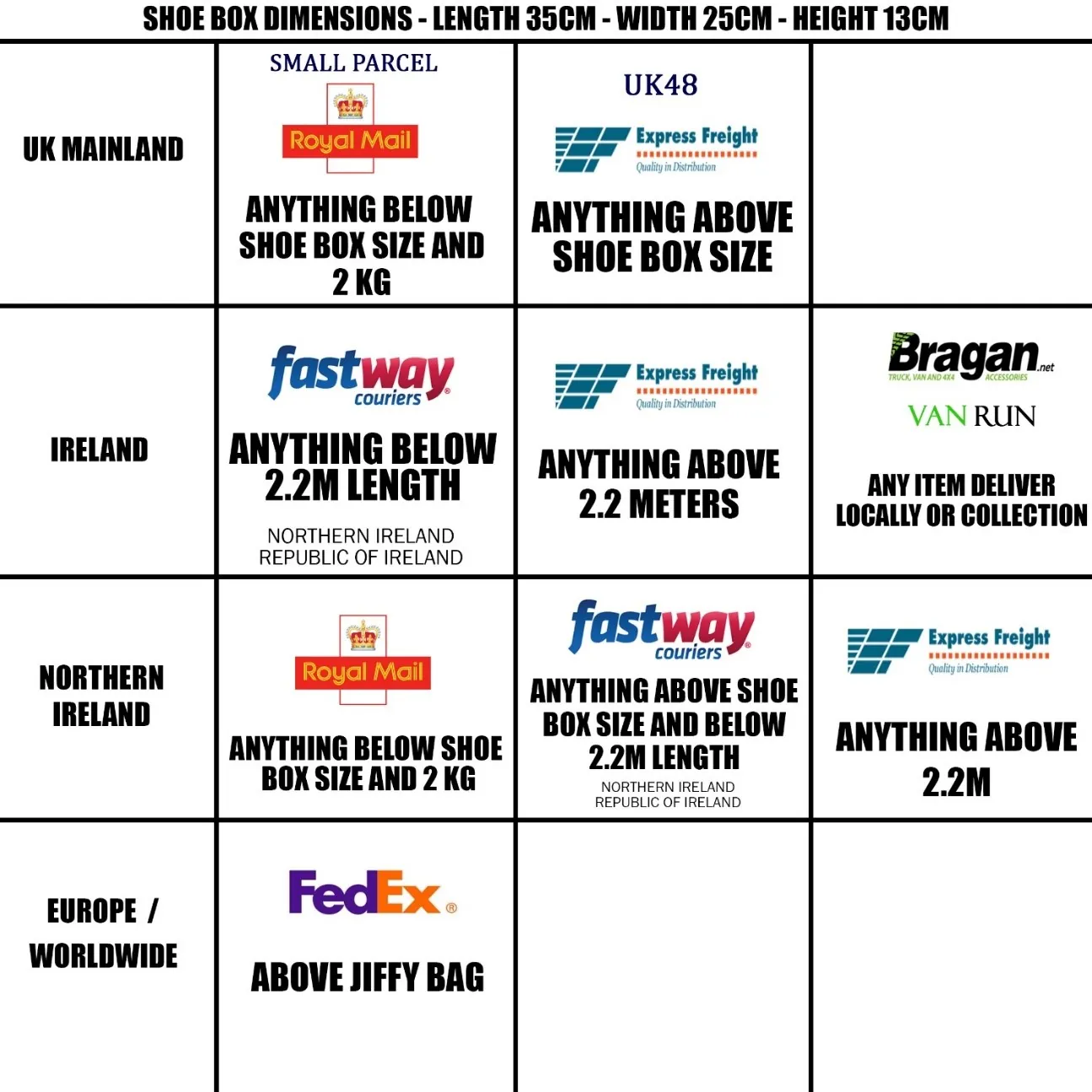
Note: Royal Mail is not currently used.
Dispatch and Delivery Time#
DPD - next day delivery - i.e. Dispatched Monday - Out for Delivery Tuesday
IFS/FedEx - 48hrs (2 working days)- i.e. Dispatched Monday - Out for Delivery Wednesday
FedEx - FedEx international delivery times can vary - 7-10 working days.
Note:
Next day dispatch does not mean next day delivery. The standard is to one day dispatch. (Weekends are not counted).
Normally, delivery would only take 2-3 working days (UK and Ireland) and 5-7 working days (International) from the day of dispatch.
Macro Commonly Used for Tracking Queries#
These are the macro that you may commonly use for handling this type of query. Familiarize yourself with these macros for work efficiency.
Macro 008 - Tracking Delivery Query Enquiries Emails - Where is my order / item - used when customers are asking for the delivery status of their orders
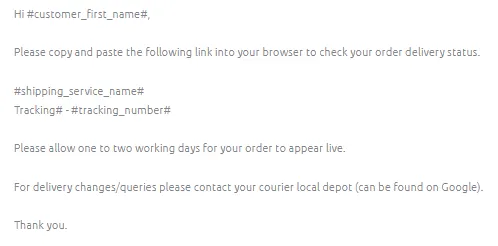
Macro 010 - Delivery Issues / Tracking Enquiries - Tracking shows delivered but customer not received lost - send this when after you track the item it shows that the item was already delivered.
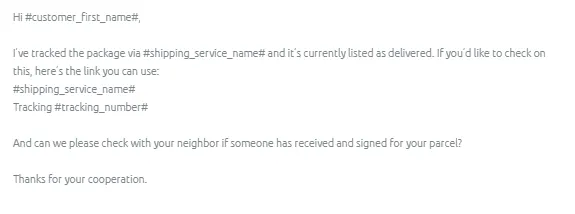
Macro 009 - Delivery Issues / Tracking Enquiries - Late Delivery Tracking Query (Delayed Time frame) - send this when tracking status is delayed and showed no change in status for more than 2-3 working days.
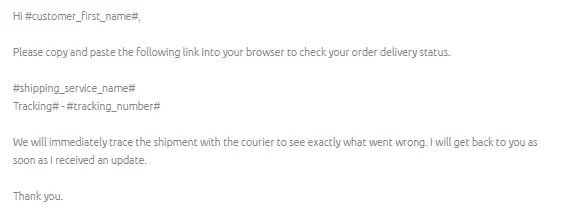
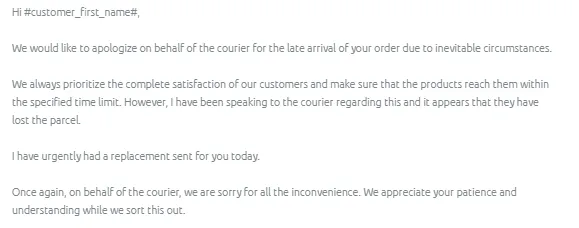
Macro 013 Delivery Issues / Tracking Enquiries - Courier Issue - Item Lost / Damaged - Sending Replacement - This macro is used when the customer’s order was damaged or lost in transit and we have the item in stock to send as a replacement. This is also used as an alibi for any delays in sending out their order.
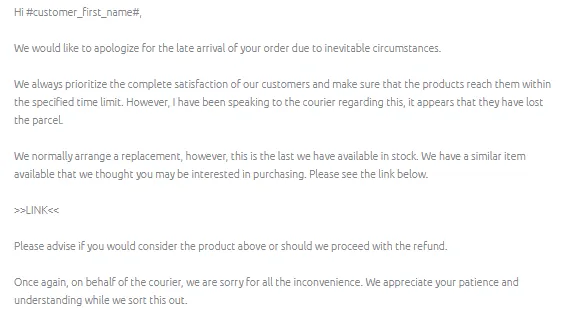
Macro 015 Delivery Issues / Tracking Enquiries - Courier Issue - Lost Damaged - Out of Stock - offer alternative item as replacement - This macro is used when the
customer’s order was damaged or lost in transit and we cannot send out a replacement as the item is out of stock but we have something similar to offer. This is also used as an alibi for customers who managed to order even the item is out of stock.
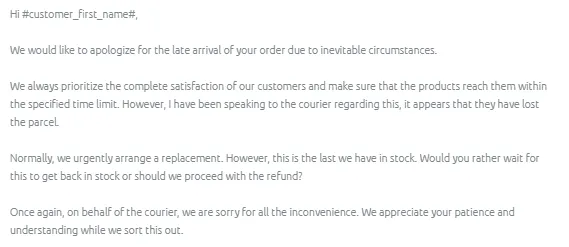
Macro 014 Delivery Issues / Tracking Enquiries - Courier Issue - Lost Damaged - Out of Stock (Customer prefer Refund or Wait for Replacement?) -This macro is used when the customer’s order was damaged or lost in transit and we cannot send out a replacement as the item is out of stock. This is also used as an alibi for customers who managed to order even the item is out of stock.
Macro 024 Delivery Issues / Tracking Enquiries - Shipment Update – For Courier Use - requesting delivery update from courier – For Courier Use - This is used to make contact with the courier to get more information about the status of the shipment.
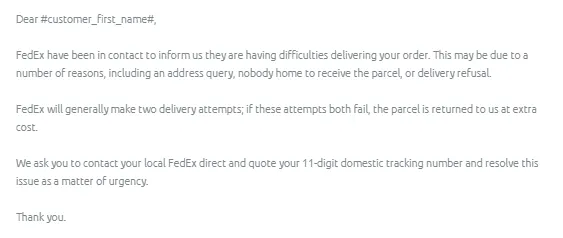
Macro 021 Delivery Issues / Tracking Enquiries - CONTACT FEDEX Courier Unable to Deliver -This macro is used when contacting customers as the courier is having difficulty delivering their order due to a number of reasons including an address query, nobody home to receive the parcel, or delivery refusal.
General Process for Checking Shipment Status (within delivery time frame)
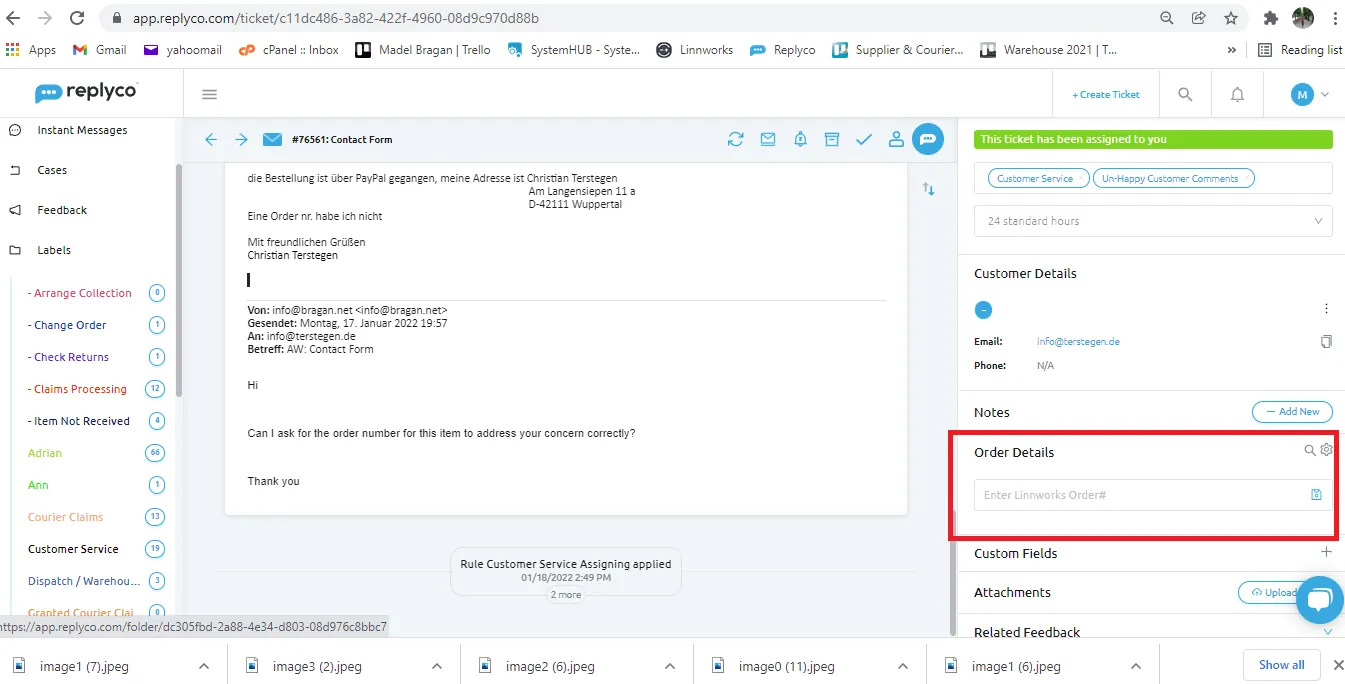
- Check the customer’s order details. The courier service and tracking information can be found on the Order Details (right side). If the information on Order Details does not correspond to the recent order or there is no tracking details, you have to search for the order manually on Linnworks. You can use the Order ID in searching in LW.
Note:
Double check if the item tracking number that appeared is not for the previous order of the customer
Read the email message carefully so you will have an idea on the item he is inquiring about and if it matches the details in the Order Detail section
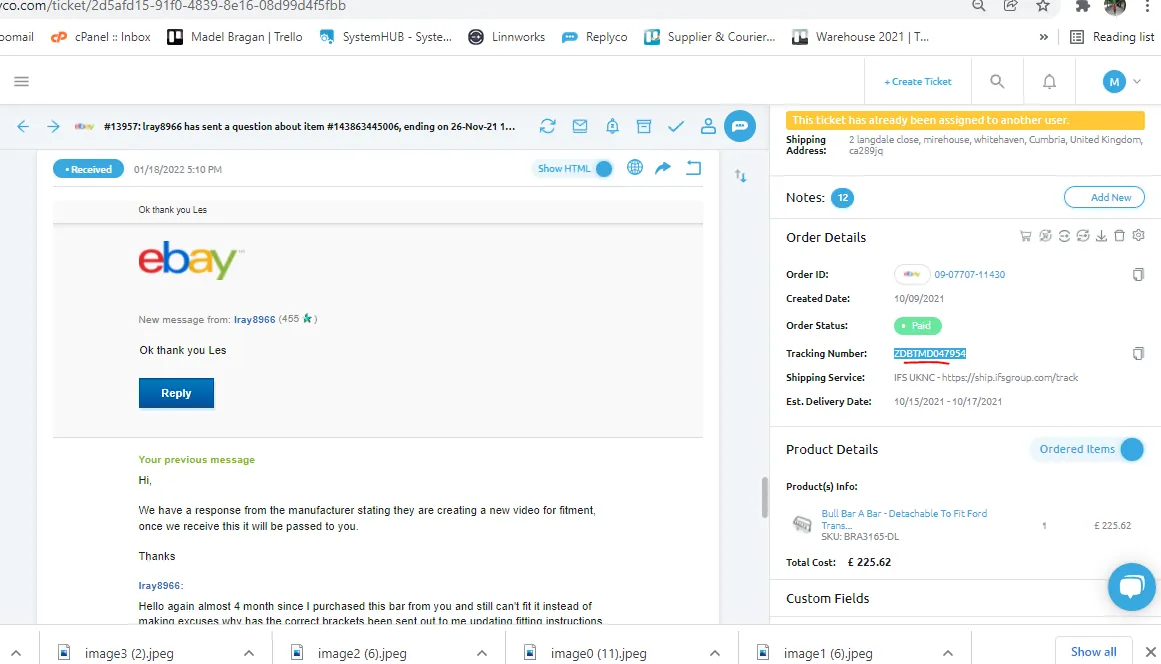
For Replyco
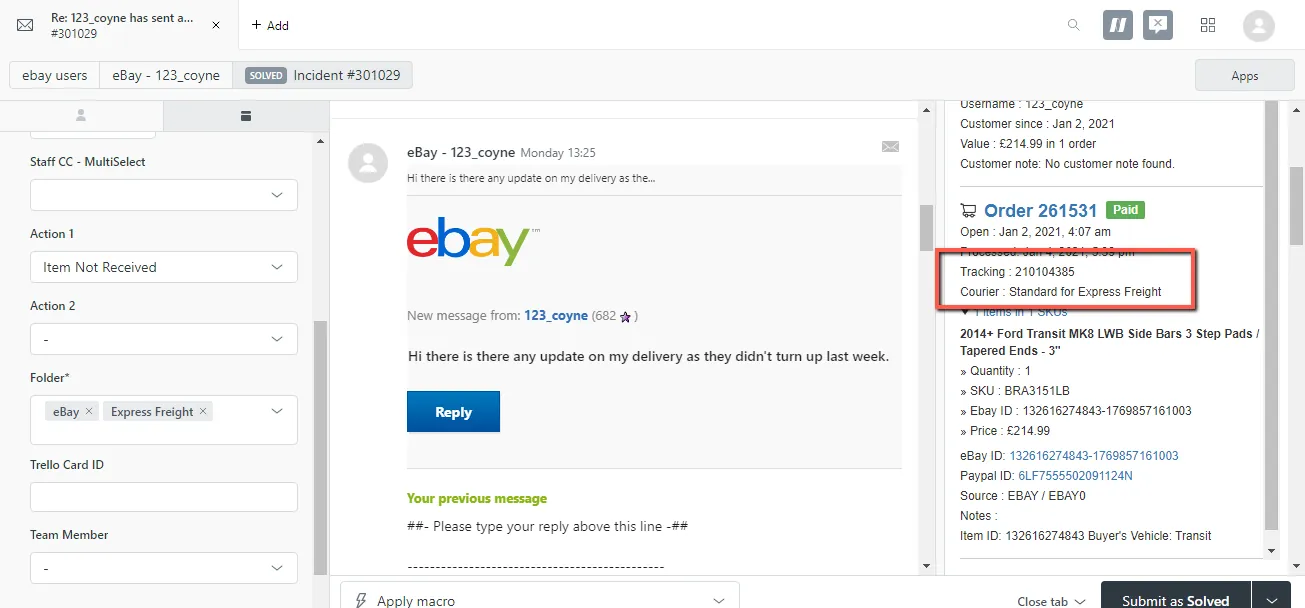
For Zendesk
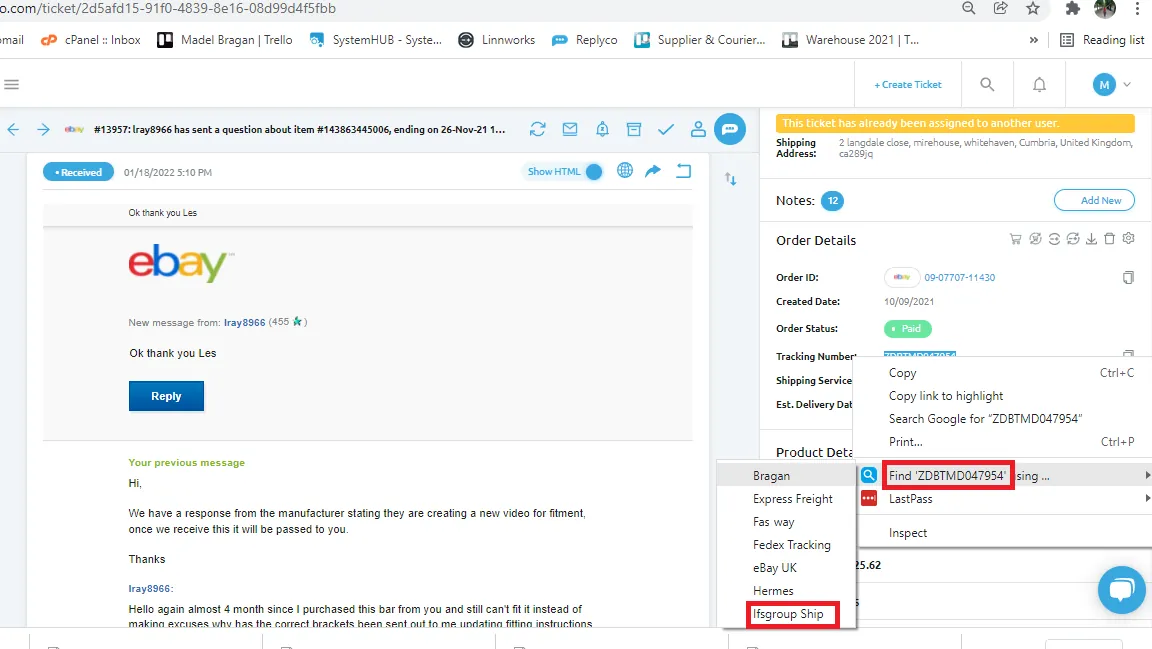
- If tracking number is found in the order details section, you can use the Selection Context Search - Right Click Chrome Extension to easily track the item. See SOP on how to install this. If this is already installed, highlight the tracking number then right click on it. Select Find "tracking number" using then select the courier. If courier is IFS then click on IFS. This will automatically bring you to the tracking website of the courier. (See Figure below)
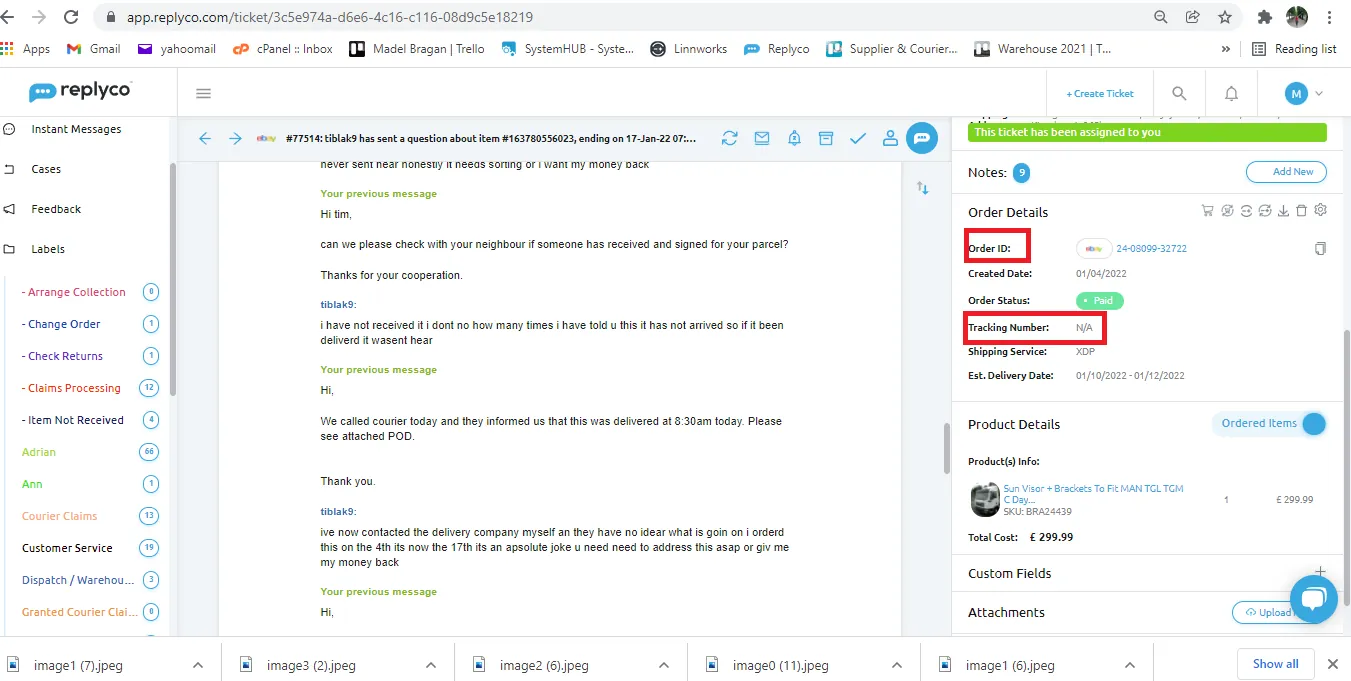
- In cases wherein the tracking number is not found in the Order Details, you can use the Order ID in searching the order in Linnworks.
- In cases wherein there is no information in the Order Detail Section, try using the email address in searching for the order in Linnworks, if nothing appears then try searching using the name of the customer, if still cannot be found. Reply to the customer and ask for his Order ID or postcode. Once the customer replies for the needed details, use it to search his order in Linnworks.
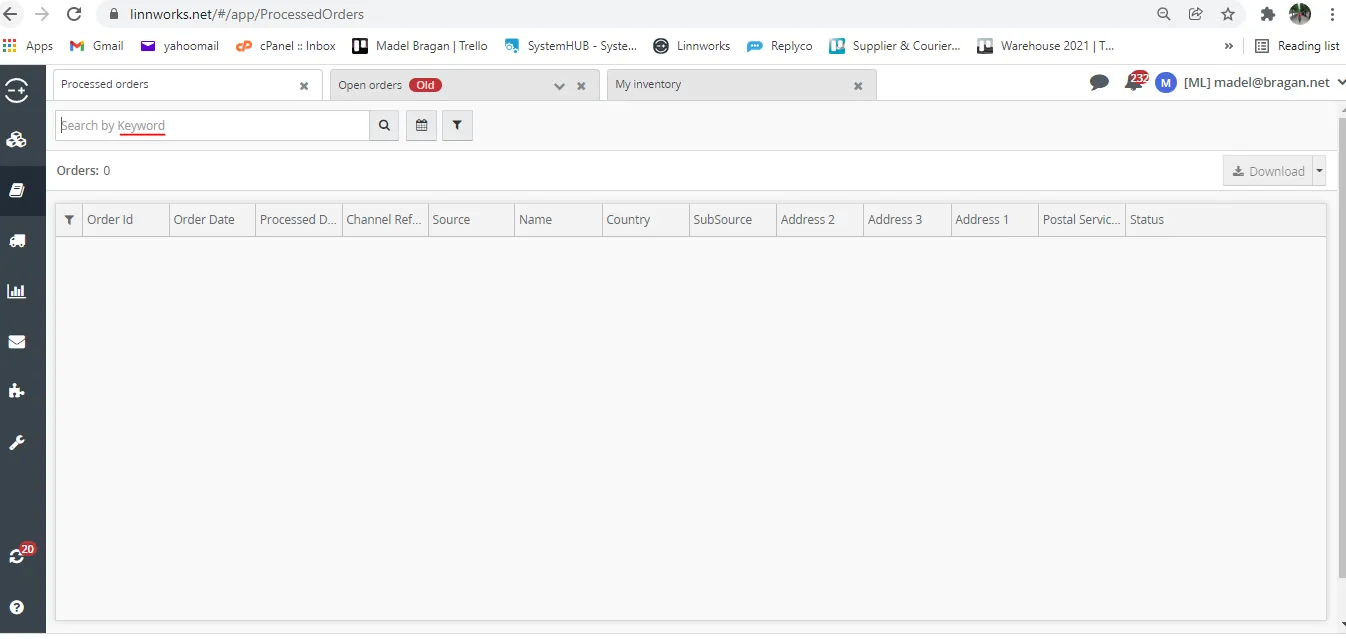
- Use the Order ID/Email/Postcode/Name in searching for the order in Linnworks. Go to Orders > Processed Orders or If not found in processed orders then in Open Orders. If the order appears, double click on it to open.
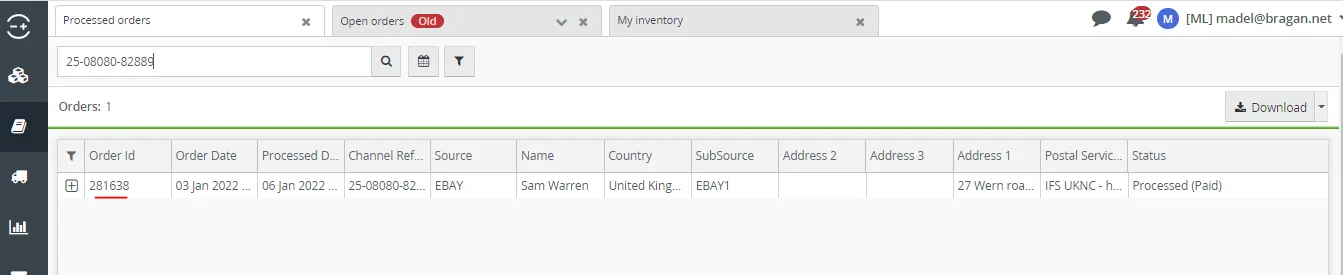
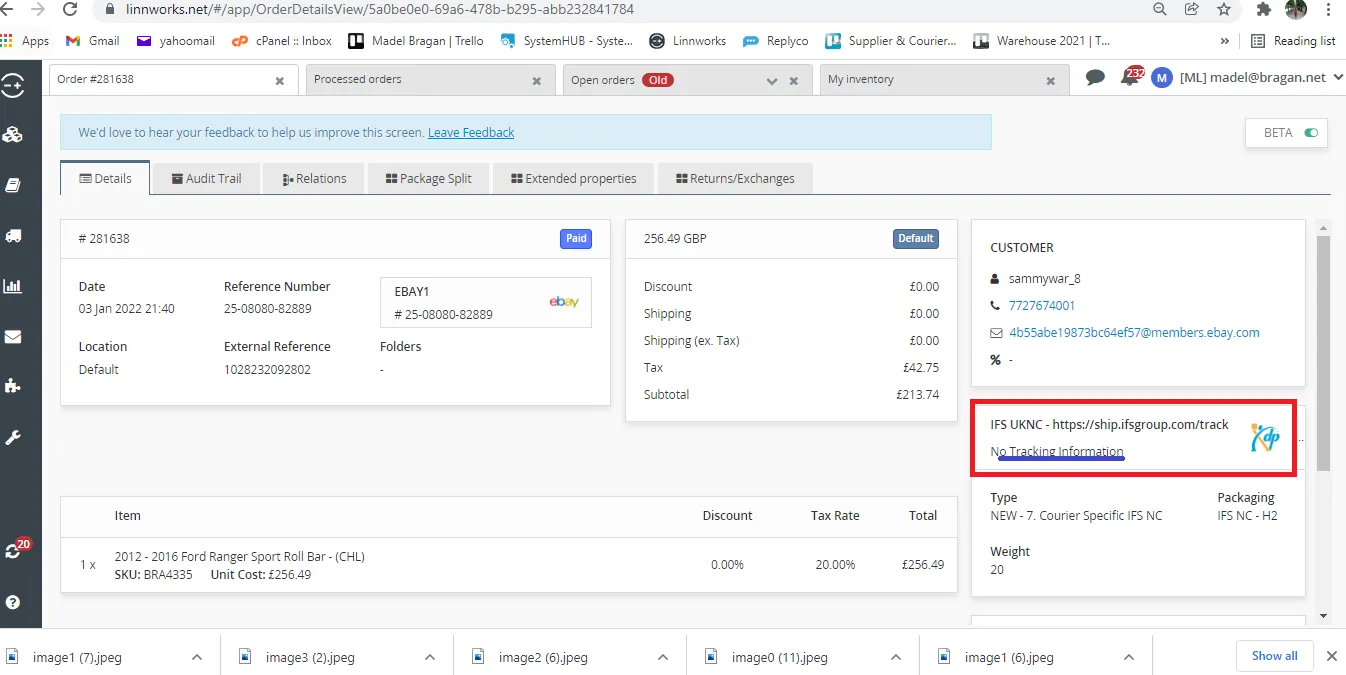
- Tracking Information can be found at the right side. Tracking Number is usually shown below the courier (blue underline). If tracking number is shown. Highlight it and right click using again the Selection Context Search - Right Click Chrome Extension. But if the tracking number is not found. Follow the SOP on How to Get Tracking Numbers for Orders that do not Generate Tracking Numbers.
- Once you have the tracking details, reply to the customer using Macro 008. Make sure that you insert the link for the tracking details. Put the shipping service and the tracking number.
Macro 008 Content
General Process for tracking showed delivered but customer did not receive the item
- If tracking details shows that the item was now delivered, reply to the customer using Macro 010.
Macro 010 Content
- If customer respond that he did not receive the item and he already checked with the neighbors, forward his email query to courier and request for Proof of Delivery (POD). Then update customer that you are requesting for the POD with courier.
Note: Make sure to forward customer query to courier in real time in order to resolve the issue faster. We want to avoid the customer to get irate and open a case in our sales channels (eBay & Amazon) and leaving negative reviews.
- Once the courier provide the POD, forward it to customer so he can check the signature of the receiver.
- If customer did not recognize the signature in the POD and claims that he still did not found the parcel, report this to courier so they can conduct an investigation or search for the item. Follow up with the courier daily for an update and ensure to notify the customer of the progress of the search. If the courier feedback is taking too long then call courier for update.
- If courier cannot provide any more update after 2 days and the parcel seems to be lost, process courier claim (see SOP here).
- If customer gets irate already and open a case or might leave negative feedback, tag management and ask for advice, if to refund while the investigation or claim process is still on going or to wait for the claim to be granted.
Note:
For lost items, the preferred way is to refund the customer. Replacement is not advisable since there is a probability that it will be lost again. But for regular customers, we can make and exception and can arrange replacement as long as it is approved by management.
If courier ask for description of the item, send the website link of the main item so courier can visually see approximate size and shape of the item, you can also send package information found in the postage definition tab in Linnworks.
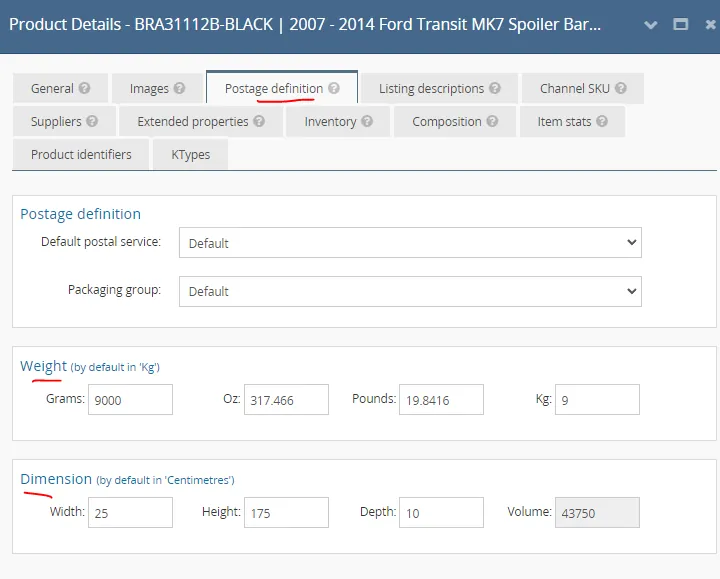
If courier wants to know how the item was packed or wrapped, please refer to this SOP on Picking - Packing - Wrapping Process Section 3.3 to see some Packing Images. Section 6 of the SOP also gives the link to some videos on how the items were wrapped or just click here to see the videos.
General Process for Tracking Delayed Shipment (Shipment past the delivery timeframe) - item is out of stock
- There are instances wherein the customer will manage to order even if the item is out of stock. Therefore the order won't be processed. Most of the time warehouse will be able to detect this when doing order processing for the day. They will alert the CS in Order Processing Skype Group that the item is out of stock and need to inform customer. If detected early please use Macro 011 Delivery Issues / Tracking Enquiries - Undespatch Order Due to Out Of Stock.
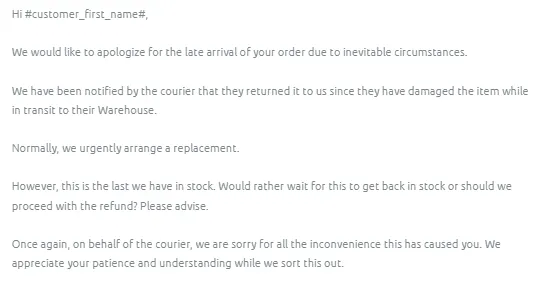
Macro 011 Content
- But there are instances (unforeseen circumstances) wherein the customer is not informed and will now email where is his order. And when you check it in Linnworks it is still in Open Order. For cases like this send Macro 014.
Important Note: Do not admit fault, it is easier to appease customer when we blame the courier.
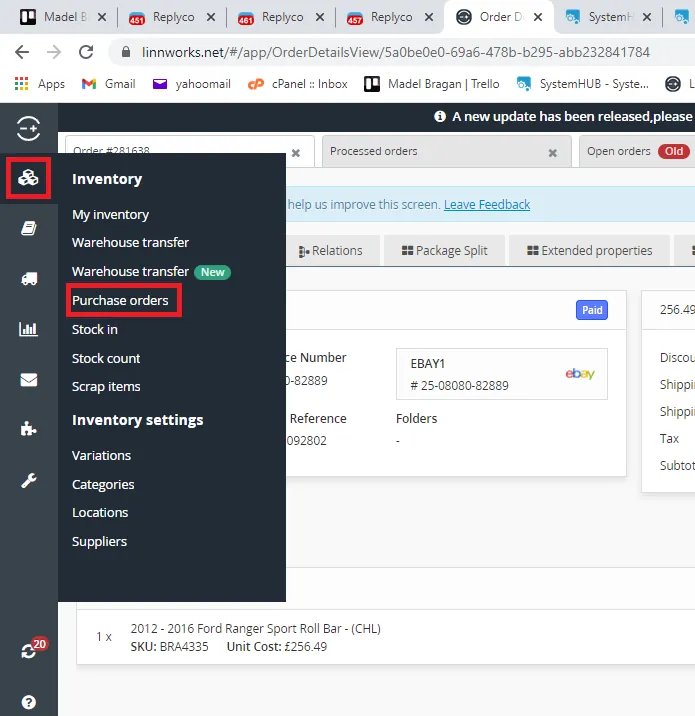
- While waiting for customer's feedback, you can check if you have incoming stock for the item. This way when customer reply and asked when will this item be back on stock you can provide feedback. To check if there is an incoming stock follow these steps:
3.1 Go to Linnworks > Inventory > Purchase Orders
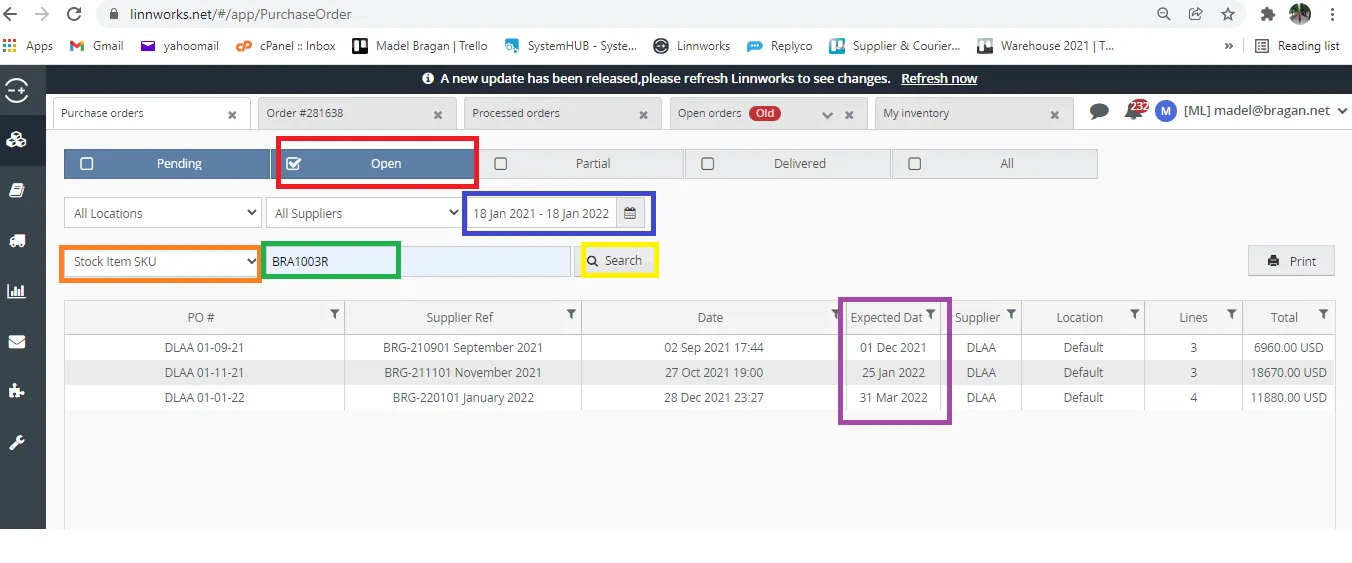
3.2 Click on Open (red box), for the PO date range (blue box) make it one year, for example if today is January 18, 2022 then choose start date as January 18, 2021. Choose Stock Item SKU (orange box) then type in the SKU number of the item you want to check (green box) then click Search. You can see now if there is an incoming stock or not, you will now have an idea of the expected arrival date. If you cannot see an incoming, you can confirm with Procurement in the skype group Bragan-Procurement. Item might be discontinued that is why there is no incoming.
- If customer replies and chose to wait for the stock then just leave his order in Linnworks, do not cancel it. Then acknowledge customers email.
- If customer chose refund, cancel the order in Linnworks (See this SOP on how to cancel orders). Inform the Order Processing group in Bragan - Order Processing Skype Group. Tag the email to Accounts and add label -Arrange Refund and the name of the account personnel in-charge. In the notes, add the refund amount and the reason for the refund. Accounts will be the one to reply to the customer once he processed the refund.
General Process for Tracking Delayed Shipment (Shipment past the delivery timeframe) - WH delay not sent on time (Item in Stock)
- For cases wherein you check the order in Linnworks and the item is still an Open Order for more than a day and audit trail shows no tag1 or picklist printed inquire warehouse about the status in Order Processing Skype Group. Format should be:
Inquiry - Order# – Courier – Customer’s Name - Ticket Number
- If the delay is because of WH or cause is on our side (please note in this case item is in stock), send Macro 013 to customer. We are still blaming the courier to easily appease customer. Remember not to admit fault.
Macro 013 Content
- There are instances when the customer paid the extra 9.99 for next day dispatch, and they would ask for the refund since it was delayed. You can tag management for approval of refund.
General Process for Tracking Delayed Shipment (Shipment past the delivery timeframe) - Courier Delay
- If tracking details showed delayed delivery or there is no update on status for the past days send Macro 009 to customer.
Macro 009 Content
- Forward the customer query email to courier and ask for an update on the status. Subject Line of the Email Should Include the Tracking Number.
- Follow up with the courier daily for an update and ensure to notify the customer of the progress of the search. If the courier feedback is taking too long then call courier for update.
- If courier cannot provide any more update after 2 days and the parcel seems to be lost, process courier claim (see SOP here).
- If customer gets irate already and open a case or might leave negative feedback, tag management and ask for advice, if to refund while the investigation or claim process is still on going or to wait for the claim to be granted.
Note:
For lost items, the preferred way is to refund the customer. Replacement is not advisable since there is a probability that it will be lost again. But for regular customers, we can make and exception and can arrange replacement as long as it is approved by management.
If courier ask for description of the item, send the website link of the main item so courier can visually see approximate size and shape of the item, you can also send package information found in the postage definition tab in Linnworks.
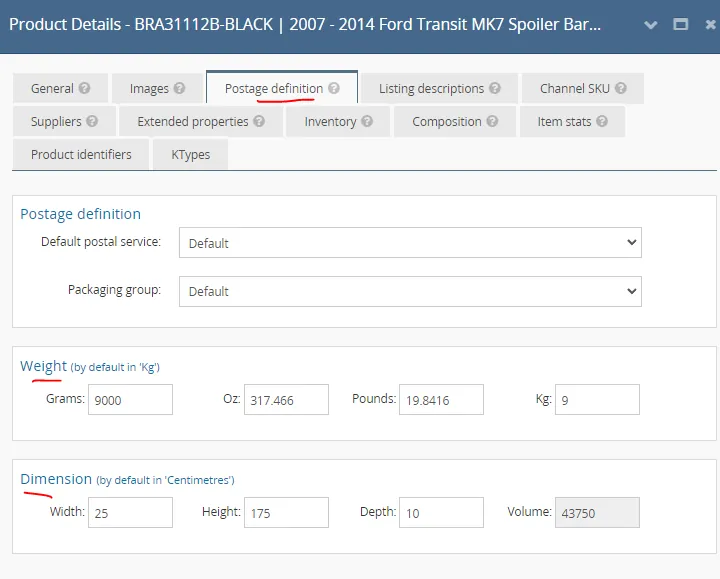
If courier wants to know how the item was packed or wrapped, please refer to this SOP on Picking - Packing - Wrapping Process Section 3.3 to see some Packing Images. Section 6 of the SOP also gives the link to some videos on how the items were wrapped or just click here to see the videos.
Carded Items#
If tracking shows that the item was Carded because customer was not at home during delivery inform customer that he needs to contact local courier depot to arrange for the redelivery. Make sure to include tracking details. Use Macro 022. Just edit the name of the courier since in the macro it is IFS. If courier is Fastway then replace it with Fastway.
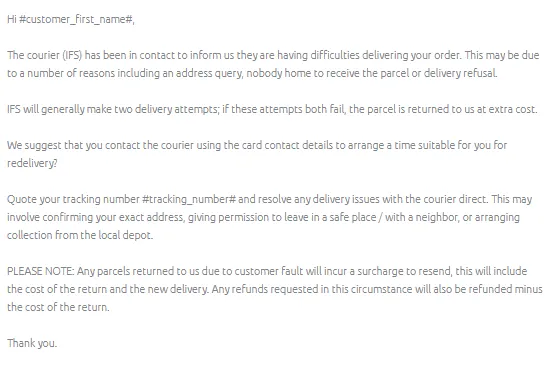
Macro 022 Content
Courier Overview#
Express Freight
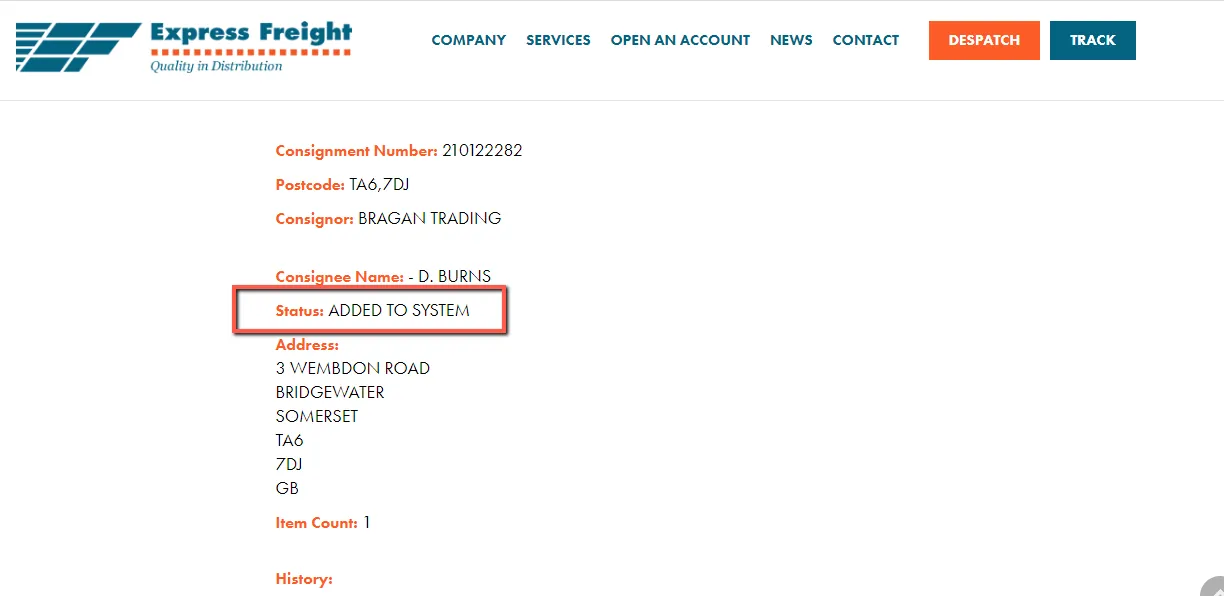
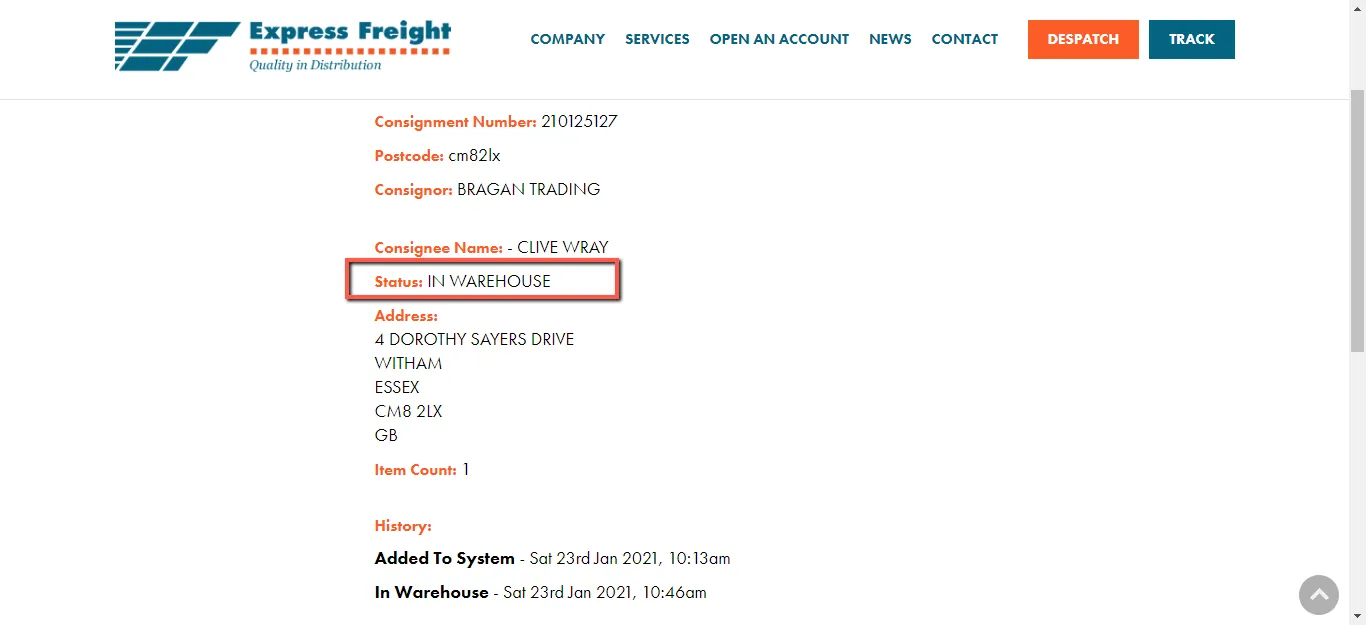
We use Express Freight for UK deliveries for parcels that are above shoebox size and for Ireland for parcels that are above 2.2 meters. Tracking information on the Express Freight website would only show you the following status.
Added on System
In Warehouse
Out for Delivery
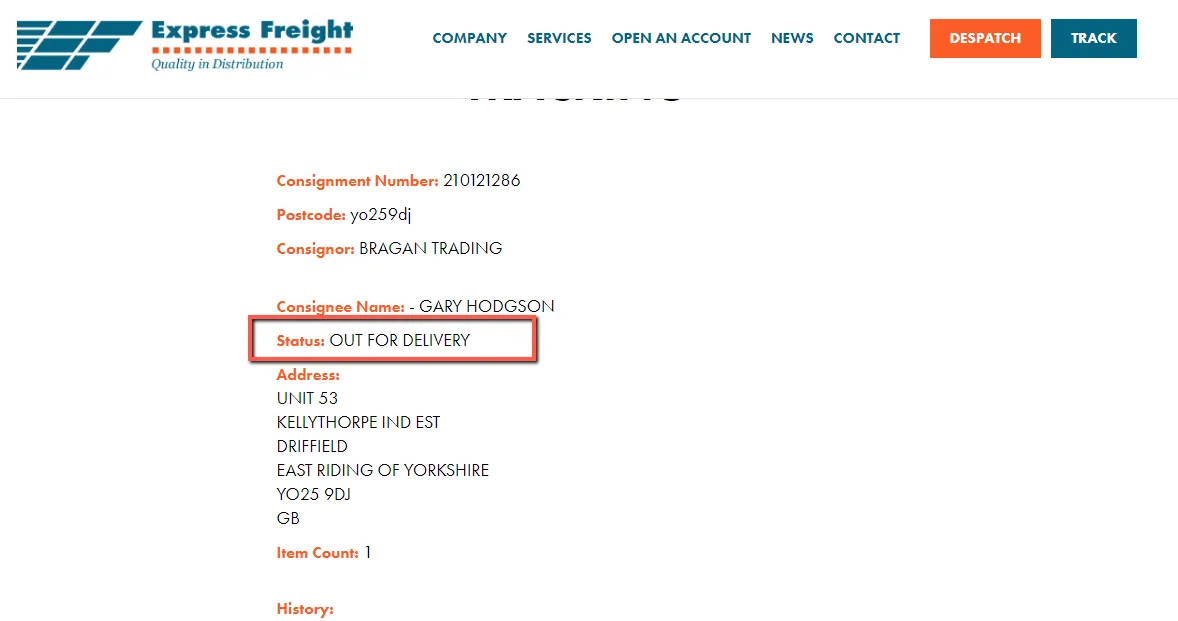
Delivered
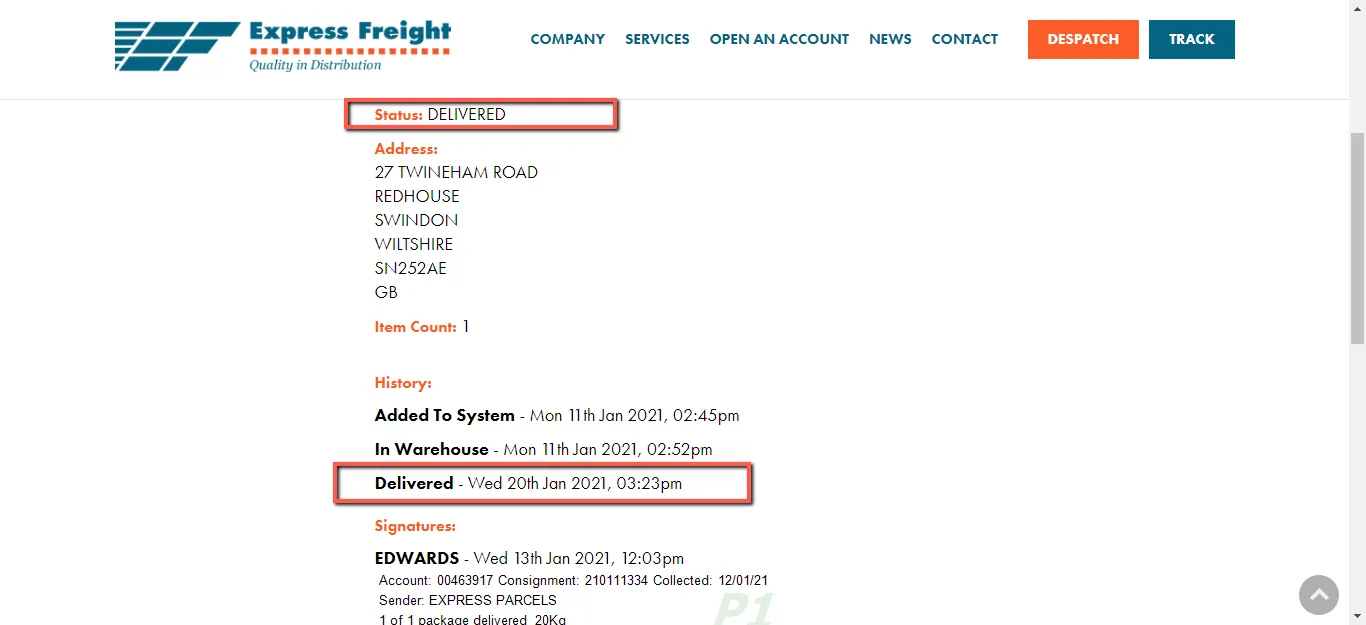
Fastway#

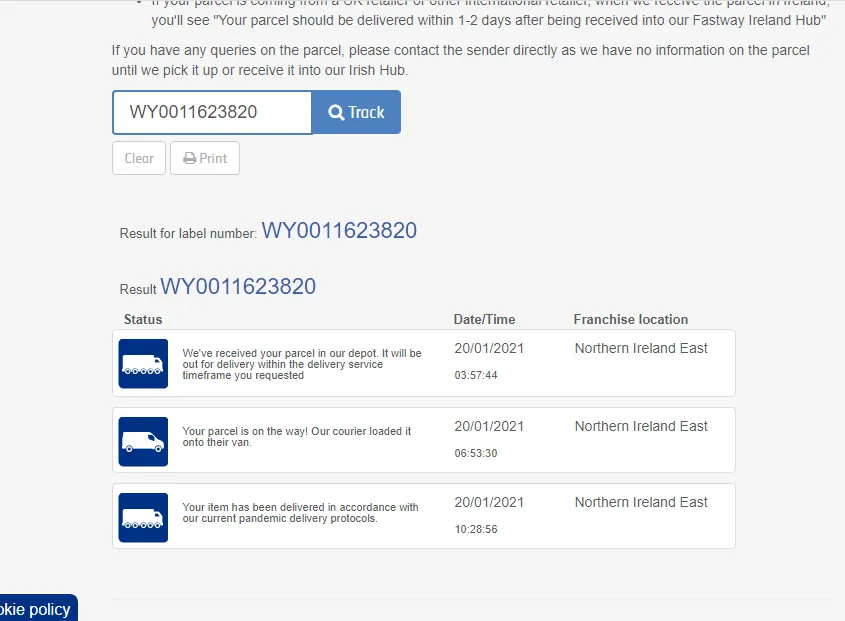
We use Fastway for ROI deliveries for parcels that are anything above shoebox size and below 2.2-meter length. The below figure is an example of Fastway Tracking. In some cases, there is more status information depending on the issue/delays it encounters such as routing issues during transit.
Notes#
Key Points:
Normally, delivery would only take 2-3 working days (UK and Ireland) and 5-7 working days (International) from the day of dispatch.
You can edit the macro to suit the customer’s queries.
If you have suggestions or need to edit on macro, please request approval from Team IRL before doing so.
This section is important so Adhoc points and issues can be logged. Also, Q&A can be logged for suggestions for potential issues encountered. Also, log important notes needed for this system. Additional Notes:
The agent suggesting the update should be the one to carry through the edit.
The suggestions for edit should be confirmed in real-time in the group and for the card to be cleared the same day. Creating a new version will break the link for systems that are linked to training/onboarding Trello Cards. This will also affect the systems linked to some email macros. Do not create a new version this will overpopulate the SystemHub. Editing the current system is the best practice to avoid potential issues. Customer service number of FedEx - 03456070809
Potential Issues:
1 - ISSUE ENCOUNTERED: Stuck on Loading
RESOLUTION: Refresh Browser
2 - ISSUE ENCOUNTERED: Broken Links
RESOLUTION: Get the external link as this will allow other people to access the SOP without the need for login credentials and avoid broken links.