How to Check on Returned Items
This SOP aims to ensure that the returns are logged accordingly on our file to
Overview#
Purpose: This SOP aims to ensure that the returns are logged accordingly on our file to prevent loss in company revenue. This also ensures that the customers are kept up to date with the status of their return and are treated in a timely manner to prevent dissatisfied customers.
Scope: This process applies to both Team PH and Team IRL Customer Service Team.
Responsibility: It is the responsibility of both Team PH and Team IRL Customer Service Team to know how to handle returns emails.
Objective: The objective of this procedure is:
- to guide employees on how to handle returns email.
Process Flow#
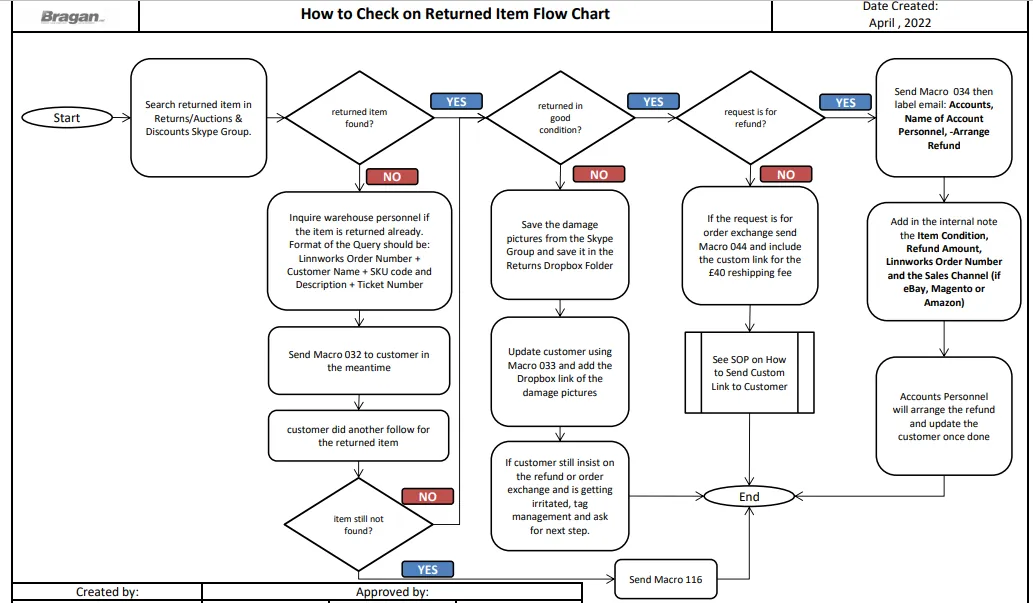
Procedure#
There are different scenarios wherein you will need to check returned items from customers, some of these are as follows:
Customer returned the item because he ordered incorrectly and wants a refund
Customer returned the item so he can swap it with another item
We arranged collection of the item from the customer due to warehouse mistake or item issue (supplier issues)
When customer therefore asked for the status of the returned item follow the steps below. Make sure to label the email as -Check Returns.
Check Returned Item in Skype Group#
It is our Warehouse Team who does the scanning of returned items. They will check if the returned item is in good condition or not. Please see this SOP if you want to know how the warehouse team do this.
- Get the order number or the SKU code of the item and search it in the Returns / Auctions & Discounts Skype Group. Just click on the search button (magnifying glass) and then type the SKU code or the order number or customer name.
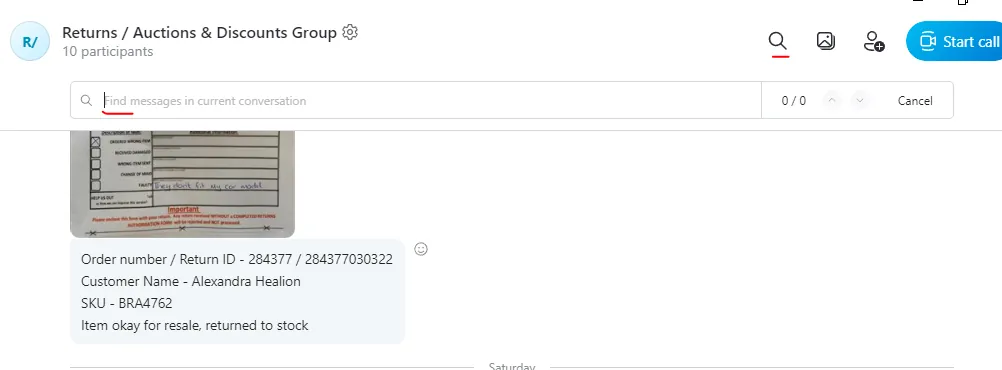
- If the item is not yet found in the skype group, tag warehouse personnel and inquire if they already received the item. Format of the query should include the following:
Linnworks Order Number + Customer Name + SKU code and Description + Ticket Number
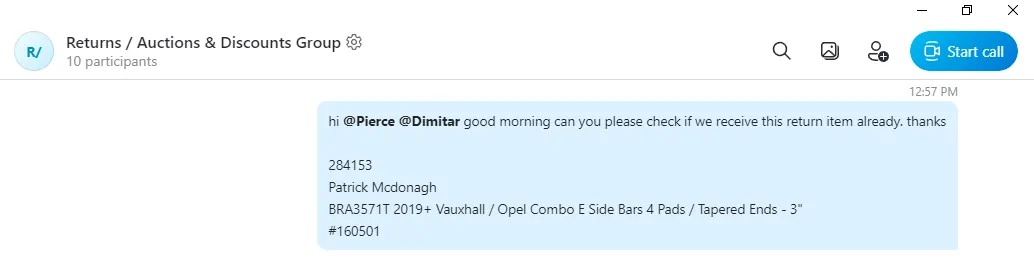
-
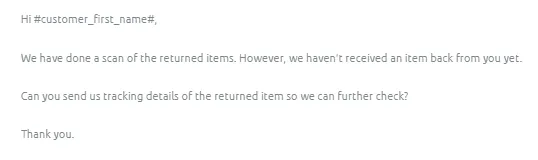
While waiting for warehouse feedback, reply to the customer query using Macro
-
If after some time customer did a follow-up and we still haven't receive the return item, send Macro 116 to customer.
Item Returned in Good Condition#
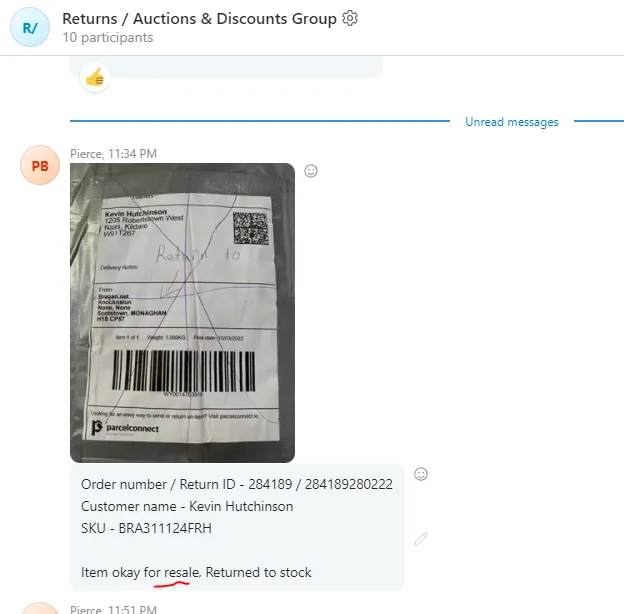
- If after searching you see that the item was returned in good condition - meaning item is ok for resale and will be returned to inventory (See Figure 5) then update the customer.
- If the customer returned the item for a refund the update the customer by sending Macro 034.
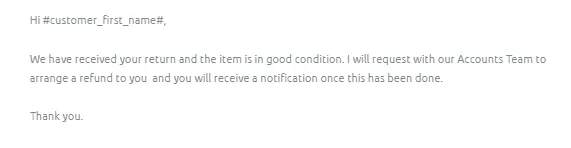
Then label the email with the following:
-Arrange Refund Accounts Name of the Accounts Personnel
Then tag accounts personnel in the internal note and include the following:
Item Condition Refund Amount Linnworks Order Number Sales Channel (if eBay, Magento, Amazon)
- If customer returned the item in order to swap or exchange it with another item, then update the customer by sending Macro 044 that contains the generated link for the £40 charge for exchange to cover administration and re-delivery (as stated in Macro 512 & 514). Use the custom SKU and send the link in order for customer to pay for the charge. See this SOP on how to generate this link.
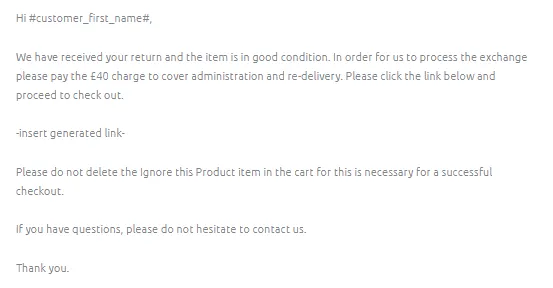
Macro 044 Content
Item Returned Damaged#
- However, if the returned item was damaged, download the pictures sent from the Skype group and save it in the Returns Dropbox Folder. Ask management to give you access to this folder.
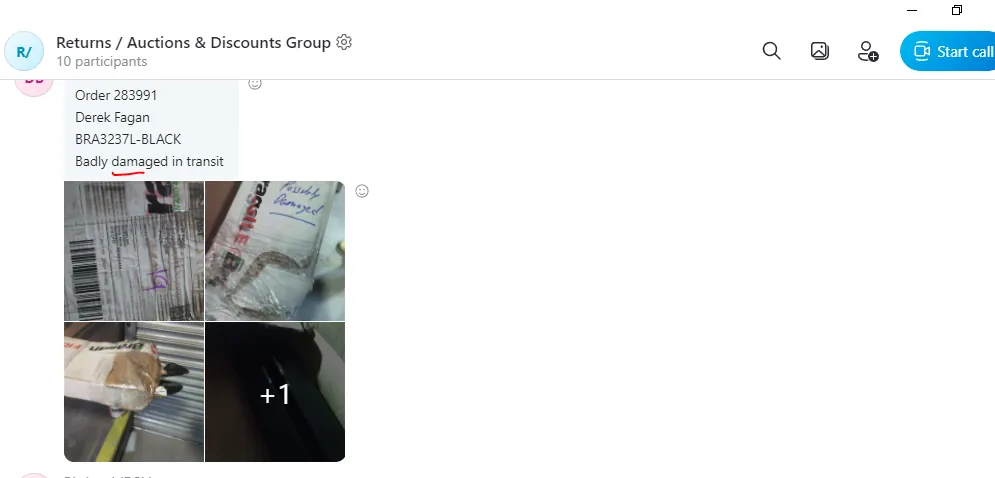
Make sure to make a folder for each year then for each month and a new folder for every damaged return. Filename should be the Linnworks Order Number then the name of the customer.
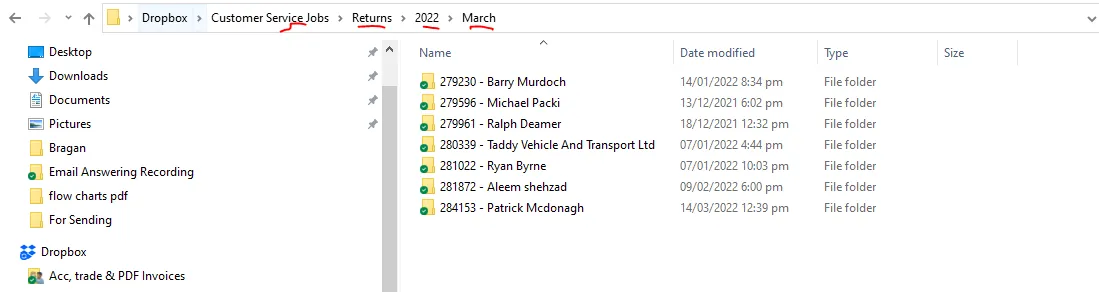
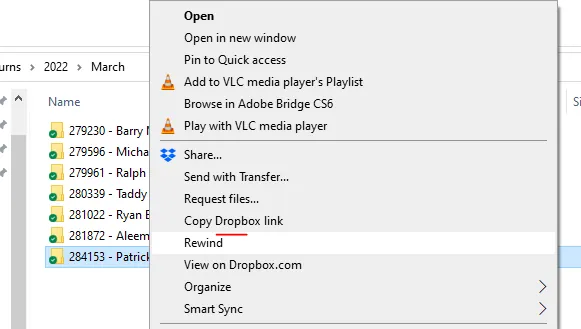
- Then update the customer using Macro 033. Copy the Dropbox link where you saved the damaged item and paste it in the macro.
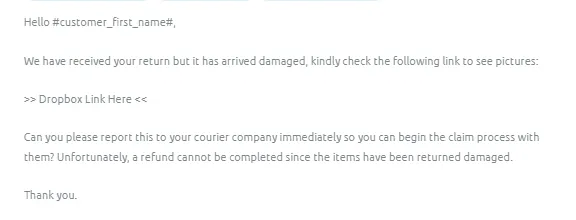
- Most of the time when you send that a refund or exchanged won't be processed because item was returned damaged, the customer will contest and will still insist on his refund or item exchange. If this is the case, tag management and ask advice for next step.
- For items wherein we were the one to arrange the collection, please process courier claim. Follow this SOP for the steps in courier claim. Ask management if still to proceed with the refund or exchange. Then update the customer depending on managements decision.
Notes#
This section is important so Adhoc points and issues can be logged. Also, Q&A can be logged for suggestions for potential issues encountered. Also, log important notes needed for this system. Additional Notes:
If there is a request from customer to return auction item, inform customer that we do not accept returns of auction items.
Potential Issues:
1 - ISSUE ENCOUNTERED: Stuck on Loading
RESOLUTION: Refresh Browser
2 - ISSUE ENCOUNTERED: Broken Links
RESOLUTION: Get the external link as this will allow other people to access the SOP without the need for login credentials and avoid broken links.
Attachments#
How_to_Check_on_Returned_It… 16/12/2025