How to Get an eBay Link for Out of Stock Items
The purpose of this SOP is to give an idea of how to get an eBay link for out-of-
Overview#
Purpose: The purpose of this SOP is to give an idea of how to get an eBay link for out-of- stock items.
Scope: This applies to customer service representative staff and all staff that answer the company phones.
Responsibility: It is the responsibility of all staff to follow the standard operating procedure of getting an eBay link for out-of-stock items.
Objective: The objective of this procedure is:
- to guide employees on how to to do call forwarding via phone.
Process Flow#
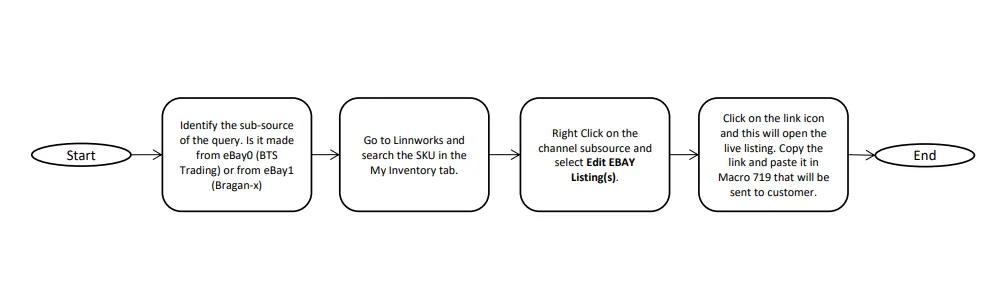
Procedure#
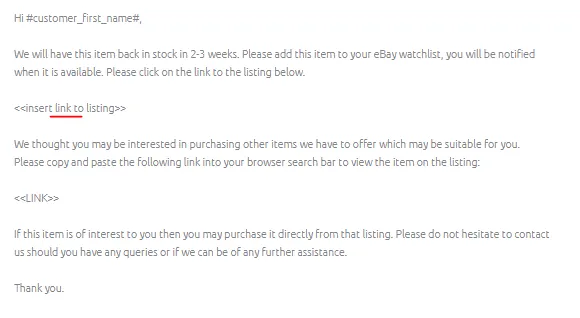
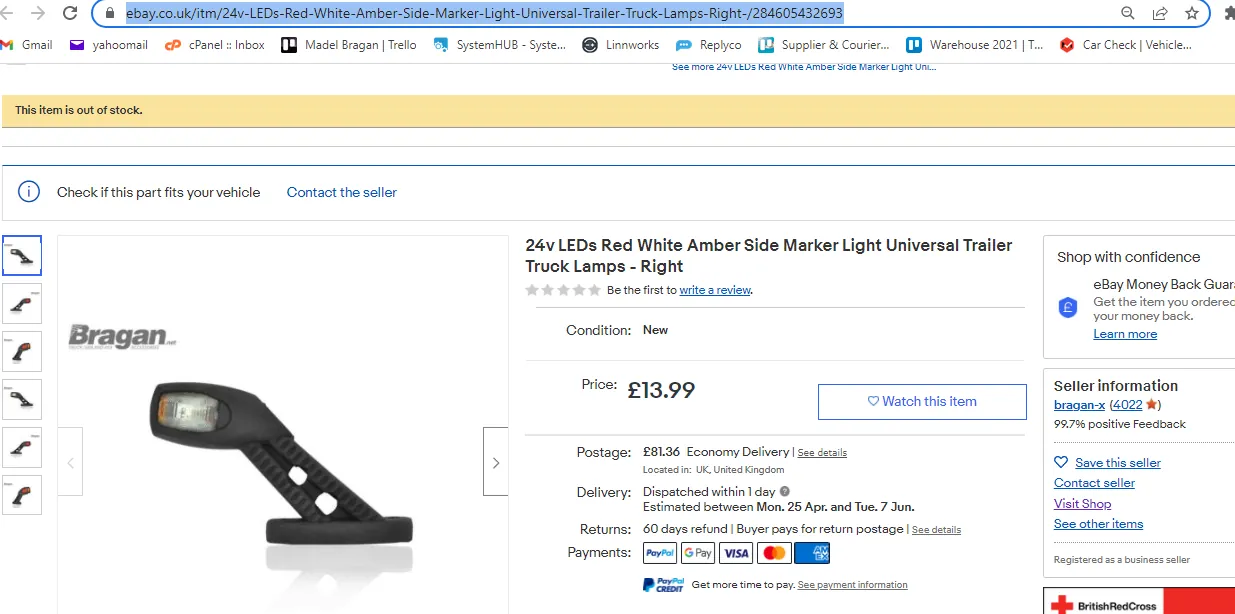
There are scenarios a customer is looking for an item which happens to be out of stock. We advised them to add this to their eBay watch-list so they will be notified when it is available using Macro 719. In this Macro you will need to insert the link to the eBay listing. However, the item will not be searchable on eBay if this is out of stock (See Figure 2). The process below will show you how to get the link so you can send them to the customer.
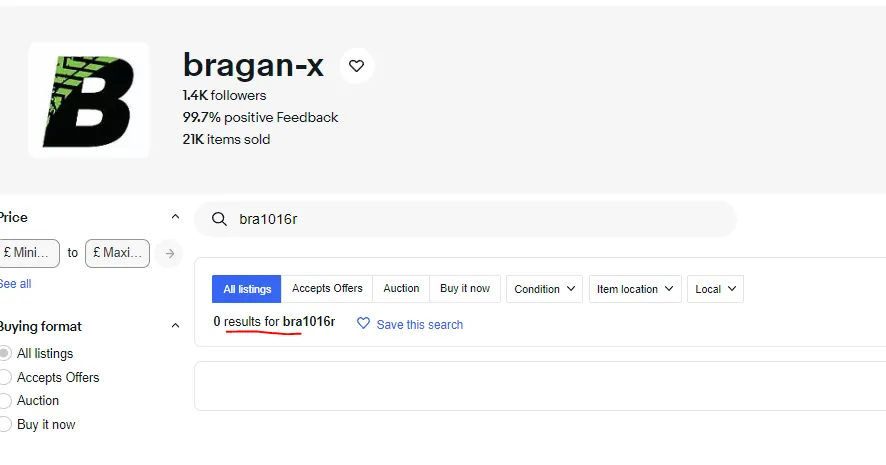
Example, you want to get the eBay link of BRA1016R - 24v Red / White LED Side Marker Stalk Lamps - Right - CHL
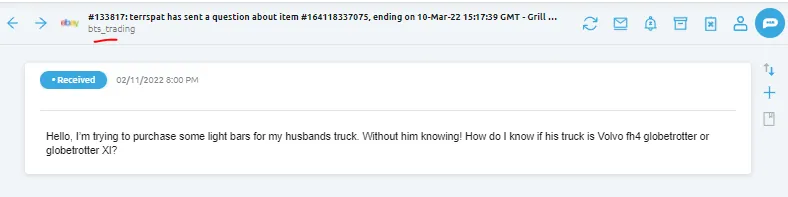
- Identify the sub-source of the query. Is the query from eBay0 or from eBay1.
Note:
eBay0 - BTS Trading
eBay1 - Bragan-x
- Go to Linnworks and search the SKU in My Inventory Tab

- Look for the item eBay Listing Template which is on the same row.
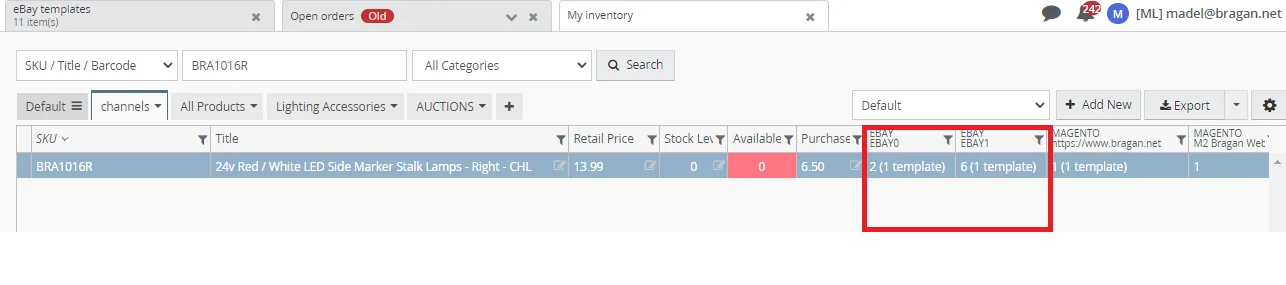
- Choose the correct sub-source if eBay0 or eBay1 listing template. Hover your mouse to the listing template and do right-click to show you the option of Edit eBay
Listing.
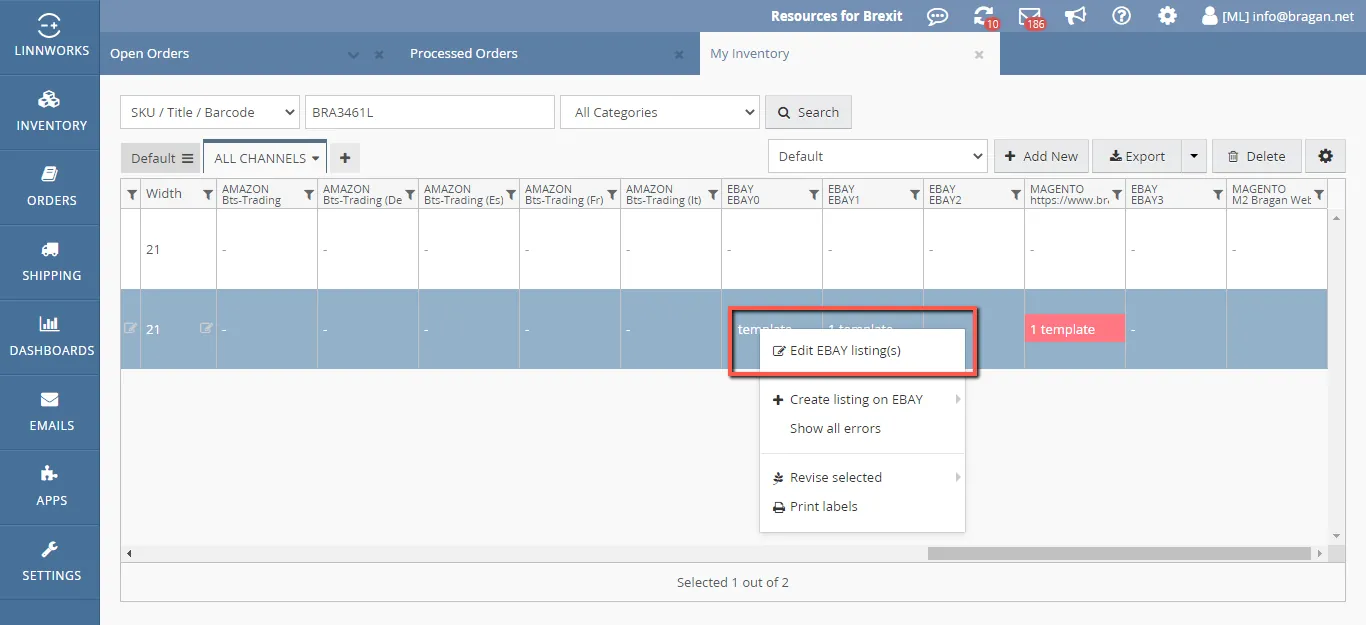
- Click the Edit eBay Listing button and it will direct you to eBay Templates. In this tab, it will show you all the listing template we have for this item (listing for the different country).
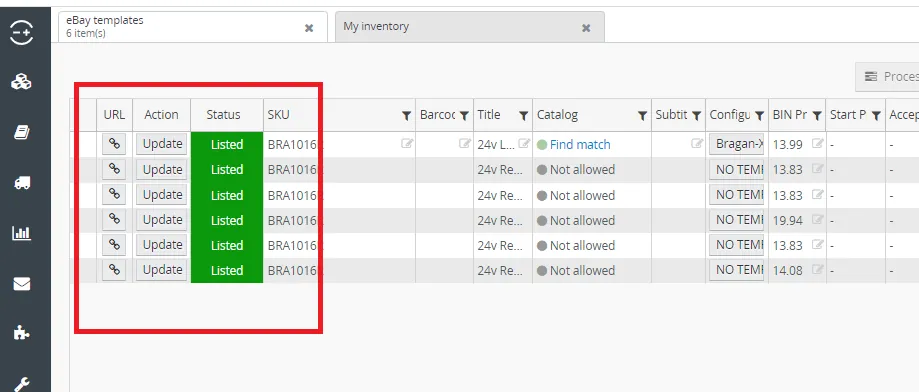
- Click the LINK ICON so you can get the item eBay listing. This will bring you to the live listing.
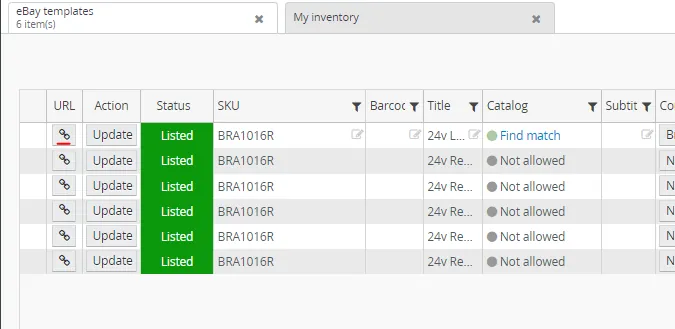
- Copy the link and add this to Macro 719 that you are going to send to the customer.
Video & Media#
🎥 Getting eBay Link of the listing 🎥 How to get eBay link from out of Stock Item
Notes#
This section is important so Adhoc points and issues can be logged. Also, Q&A can be logged for suggestions for potential issues encountered. Also, log important notes needed for this system. Additional Notes:
Make sure to identify the correct sub-source so you can give the correct link to customer.
Potential Issues:
1 - ISSUE ENCOUNTERED: Stuck on Loading
RESOLUTION: Refresh Browser
2 - ISSUE ENCOUNTERED: Broken Links
RESOLUTION: Get the external link as this will allow other people to access the SOP without the need for login credentials and avoid broken links.
Attachments#
How_to_Get_an_eBay_Link_for… 16/12/2025