How to Report Dispatch Mistake
The purpose of this document is to guide customer service agents when and how to
Overview#
Purpose: The purpose of this document is to guide customer service agents when and how to create a warehouse dispatch mistake.
Scope: This SOP covers the process on how to report warehouse dispatch mistakes.
Responsibility: It is the responsibility of the customer service agent to report warehouse dispatch mistakes.
Objective: The objective of the procedure is:
- to have a standard process on when and how to report warehouse dispatch mistakes
Procedure#
When a customer complains about a wrong item being sent like the label is different to what he ordered (different SKU, different item name) or there are missing items or components, the first thing to do is to investigate first. Always ask for pictures first if customer did not send one. Use Macro 421 to obtain necessary information. DO NOT immediately create a dispatch mistake card. But you can label the email as Dispatch/Warehouse Mistake. You can remove this later if after investigation it is not a warehouse mistake.
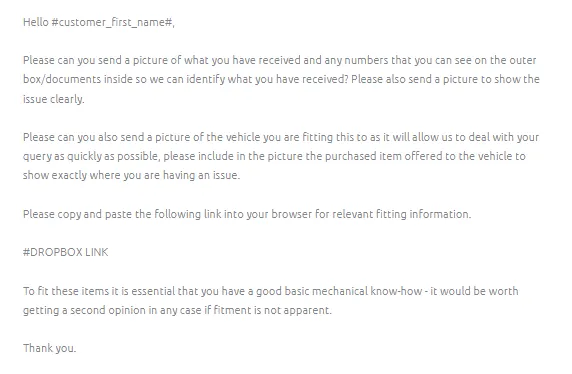
How to Investigate#
Case 1: Customer Receives an Item with Different SKU to What Was Ordered
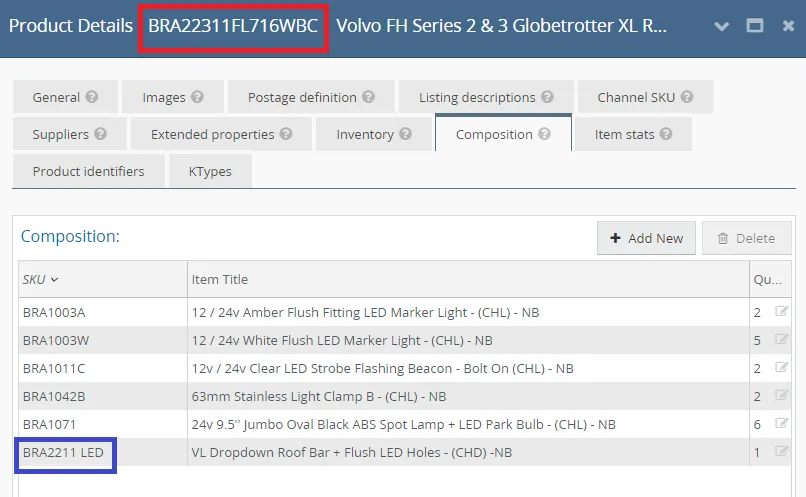
- Assess the pictures received from the customer. Check the labels. Copy the SKU of the item he ordered and search it in LW and check the composition tab, see if the composite is the same to the SKU that he received.
For example: Customer ordered BRA22311FL716WBC and he receives an item with label BRA2211 LED, if you check LW you can see that this is the same bars. BRA2211 LED is a child item of the product he ordered. You can therefore reply to the customer that the two are the same and also send the fitting guide.
There is no need to report this as dispatch mistake.
If customer replies that the item do not fit even with the given fitting instruction, this is a different case and you need to follow this SOP on Handling Fitment Issue.
- However, if after checking Linnworks and you see that the item delivered is really different to what was ordered then you can go proceed and create Dispatch Mistake. See section below for the process.
Case 2: Missing Items/Parts
- Follow first the SOP on Handling Missing Item then proceed to creating Dispatch Mistake trello card if proven that there are really missing components/parts.
Reporting Dispatch Mistake#
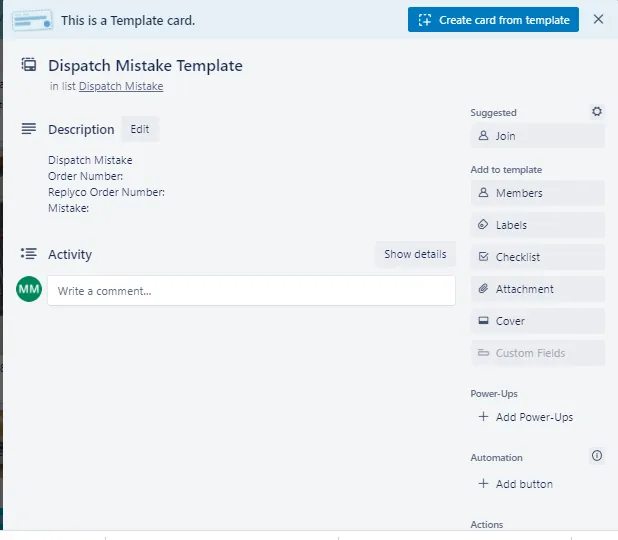
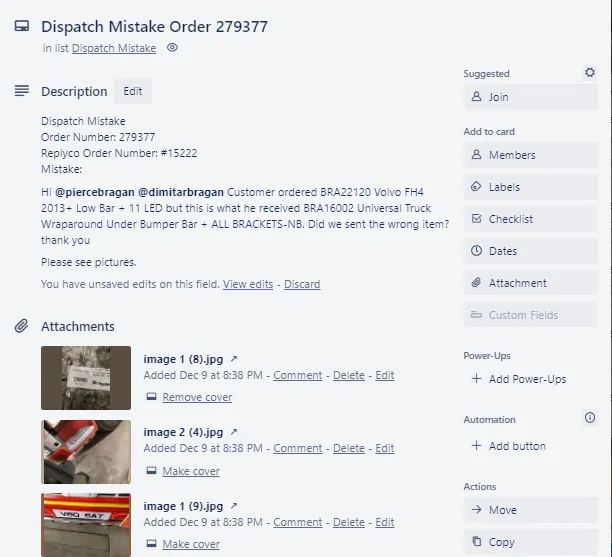
- Copy the template card for Dispatch Mistake. Then populate the card with the required information. See Figure 2 & 3.
- Post details of the dispatch mistake in the Supplier Claims/Courier Claims Skype Group, make sure to tag Warehouse personnel. Message should include the following:
LW Order Number + Ticket Number + "Dispatch Mistake" + details of the mistake (include here the SKU and item description) + trello card link
Note: This should be posted in real time. This means that when you receive the email and suspect it for a dispatch mistake report it immediately (create the trello card and post it to skype group).
- Fill-out the Dispatch and Office Mistake file saved in this Dispatch Mistake Dropbox folder. See attachment for sample format. Please request management to invite you to this folder. Choose the correct year, create one if its the new year, select the correct month, choose File Folder and then select the correct week for the file and input the mistake here. Create a new file per week.
Note:
For a proven warehouse/dispatch mistake you can offer partial 5% refund to customer to keep the item (Macro 1017) and you can also add if they would consider keeping it and selling it locally or to have it checked if it can be altered to fit their vehicle. If customer won't accept the 5% refund try to ask management's permission to offer a 10% refund just to keep the item.
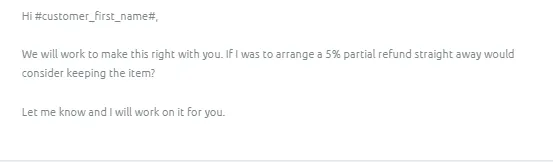
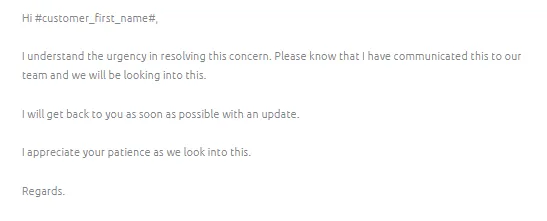
If customer won’t accept these partial refunds, confirm with management to arrange collection (see SOP here). Then arrange replacement (see SOP here) once returned and checked by WH (returned item should be in good condition). In the meantime you can send Macro 1001 while waiting for management's decision.
Notes#
This section is important so Adhoc points and issues can be logged. Also, Q&A can be logged for suggestions for potential issues encountered. Also, log important notes needed for this system. Additional Notes:
Make sure to investigate first the issue before creating the Dispatch Mistake. Dispatch mistakes should be created and posted in real time
Potential Issues:
1 - ISSUE ENCOUNTERED: Stuck on Loading
RESOLUTION: Refresh Browser
2 - ISSUE ENCOUNTERED: Broken Links
RESOLUTION: Get the external link as this will allow other people to access the SOP without the need for login credentials and avoid broken links.
Attachments#
Dispatch_and_Office_Mistake… 03/04/2026