How to Request for New Listing, Listing Updates and Create an SKU
The purpose of this document is to outline to customer service staff on how to
Overview#
Purpose: The purpose of this document is to outline to customer service staff on how to properly request to update a listings, create an SKU and request for a new listing to the Listing team.
Scope: This procedure applies to all Customer Service Personnel.
Responsibility: It is the responsibility of each employee to ensure the process set out in this procedure is followed.
Objective: The objective of this procedure is:
to guide customer service staff on how to request to update a listings, create an SKU and request for a new listing to the Listing team.
Procedure#
There are many cases that the customer service agent needs to request to update the website listing to the listing team. Cases are the following:
Listing description update Year in the listing update Title update Image update Item Specific update Ktypes vehicle compatibilities update Add a note in the listing update. Update dimension listing (for cases wherein the given dimension image is incorrect) And sometimes customer service requests to create an SKU for a new item that is still not in Linnworks. Sometimes need to request for a new listing for customer.
How to Request for Listing Update#
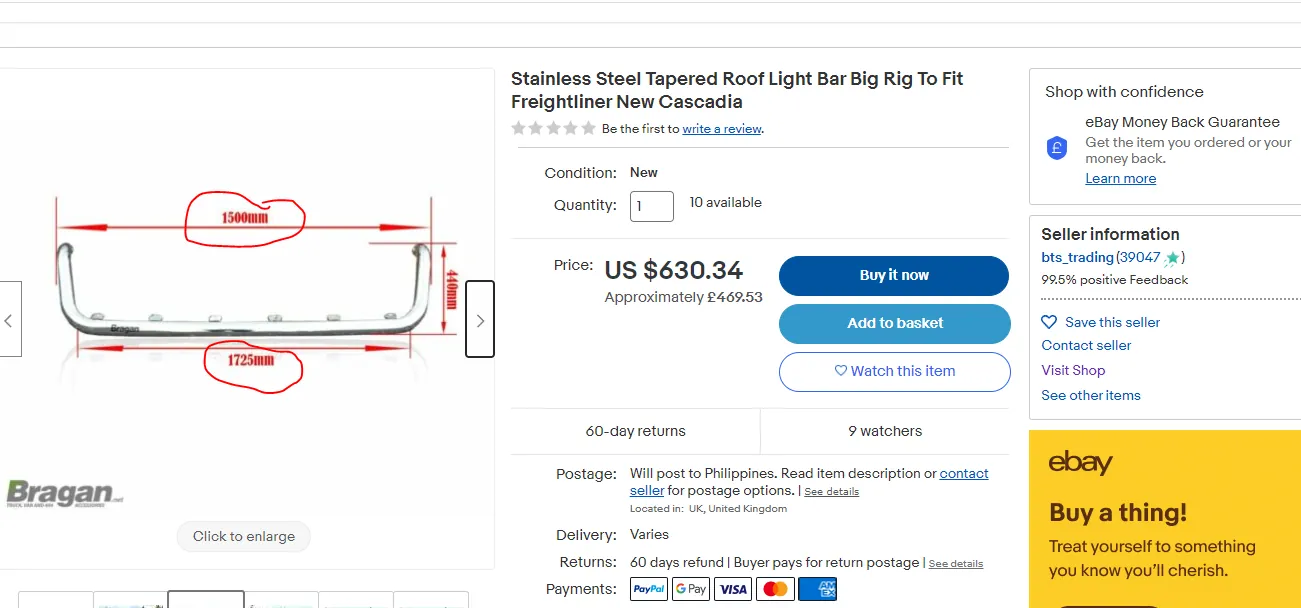
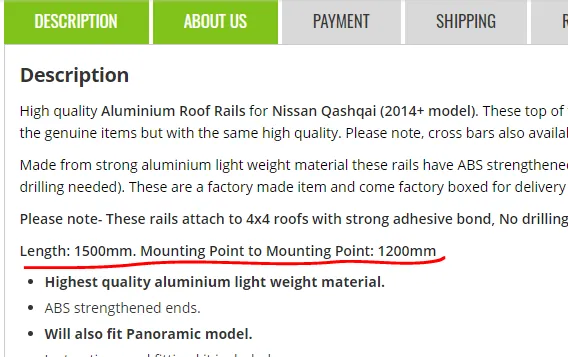
- For straightforward/minor updates, example the dimension image is obviously incorrect - the shorter side has the longer measurement (see Figure 1) you can directly tag the lister to verify then update the listing. Post your request in the Bragan New Listings / Listing Changes Skype Group.
| request + SKU + item description + snip of the | |
|---|---|
| listing that needs to update (if applicable) + link to listing (if applicable) + ticket | |
| number |
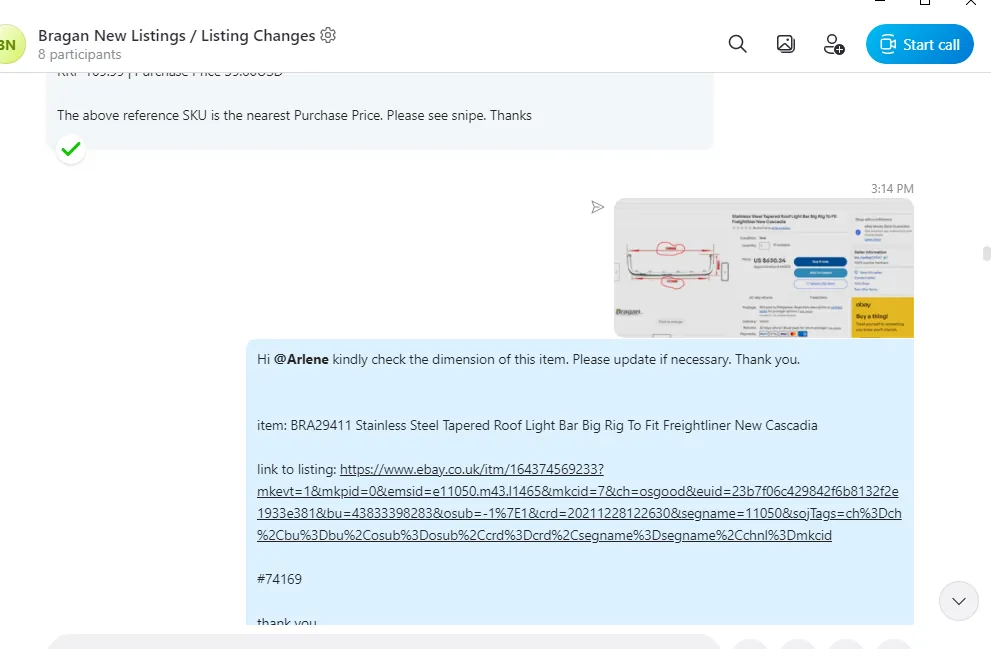
- For critical/major updates confirm first with management or the supplier (like year update - need suppliers confirmation). Once approved, send the request to the Bragan New Listings / Listing Changes Skype Group (same format as above)
Note:
Listing update request should be done in real time to prevent other future customer to experience the same issue or ask the same query about the listing.
For the year update in the listing, the supplier should already confirm before requesting it to the Listing Team.
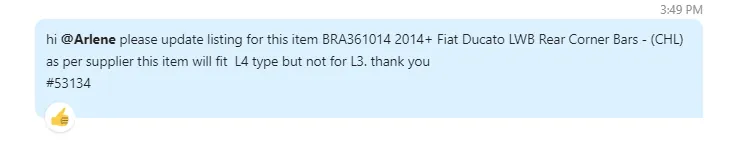
Same for adding note request to add in the listing description, it should be approved 1st by the management or supplier. See sample below:
How to Request to for New Listing (no SKU items)#
This is usually when spare parts/pieces are needed to be listed in order for the customer to buy them.
- To send a request to create an SKU, you should inquire to the warehouse for the picture of item, stock level and location before requesting to listing team. See SOP on how to do warehouse queries.
Note:
Sometimes, customers will give picture of the spare pieces, you can also give this picture to the listing team. In fact, it is better if you can request the picture from the customer, you can say that we need it so we can provide the correct item.
All spare pieces for roof rails, running board nameplates and brackets should be listed in Magento only (not in ebay0 and ebay1). These items are purposely removed from eBay channels.
-
Once warehouse team provides the picture, stock level and location, you can then post your request in the Bragan New Listings / Listing Changes Skype Group
-
After sending the request to the listing team, the person in charge of to process acknowledge your request, creates a Trello card task, and will process the request. For new listings, the listing team will send you the website link that you will give to the customer if it is already finished. Do follow-up when necessary.
How to Request to for New Listing (with SKU items)#
This is in cases wherein the item is a CHD and needs to be listed live. To know about CHD, CHL items see this SOP. Or the item is listed to website but not yet in either one of the eBay channels. You can request listing team to list the item also in eBay.
- For cases wherein it is already listed to one channel and you only need it to be listed to another, there is no need to request for stock level, location, picture to WH since these are already provided (take note it is already listed to one channel). You can directly request this to the listing team. Just state which channel you want it listed.
Note:
All spare pieces for roof rails, running board nameplates and brackets should be listed in Magento only (not in ebay0 and ebay1). These items are purposely removed from eBay channels.
- For CHD item, you can check if pictures, stock level and location are already available. If not then request it to WH. Once you have all the details then request to listing team.
- After sending the request to the listing team, the person in charge of to process acknowledge your request, creates a Trello card task, and will process the request. For new listings, the listing team will send you the website link that you will give to the customer if it is already finished. Do follow-up when necessary.
Parts of a listing on website:
Title
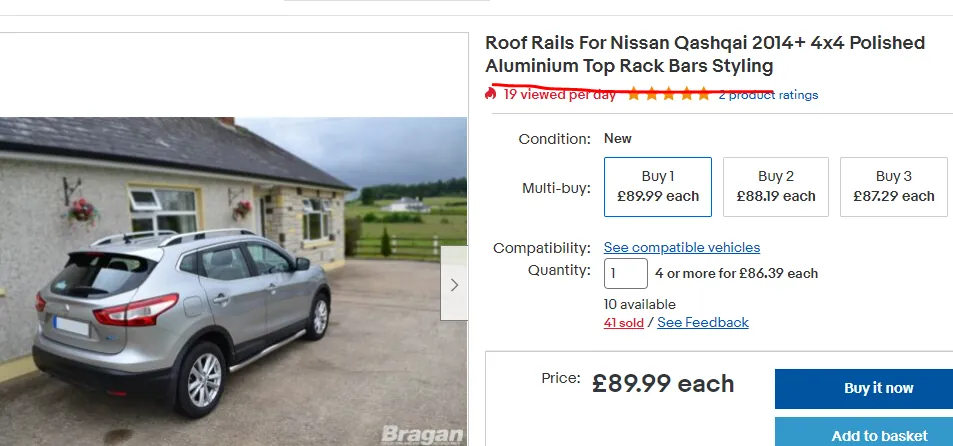
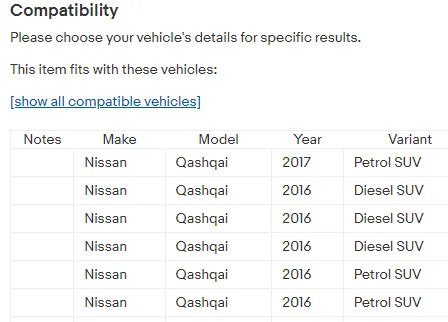
Ktype Compatibility
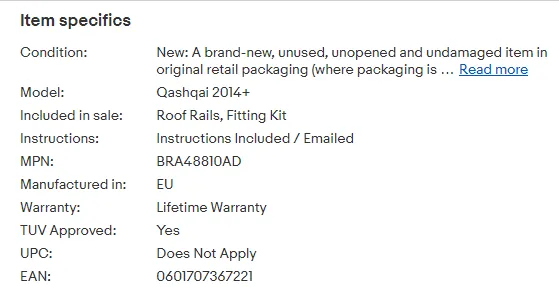
Item Specifics
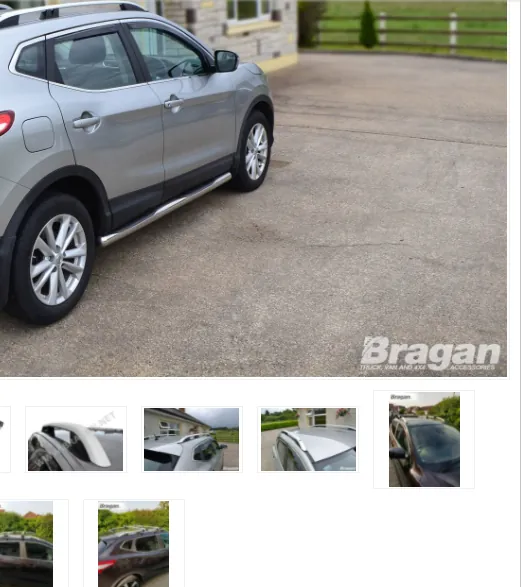
Images
Description
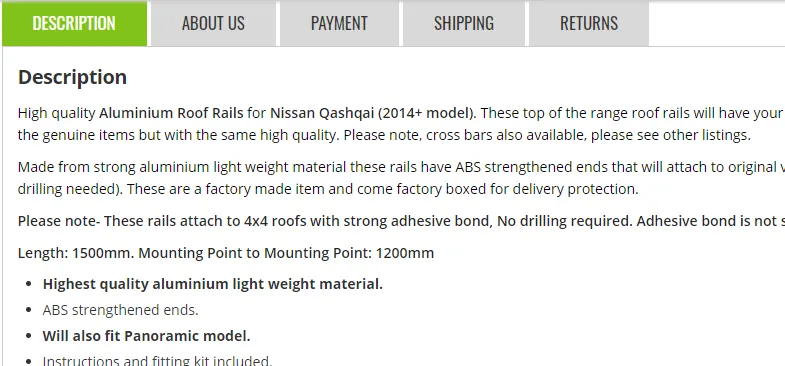
Dimension in the description
Notes#
This section is important so Adhoc points and issues can be logged. Also, Q&A can be logged for suggestions for potential issues encountered. Also, log important notes needed for this system. Additional Notes:
All spare pieces for roof rails, running board nameplates and brackets should be listed in Magento only (not in ebay0 and ebay1). These items are purposely removed from eBay channels.
Potential Issues:
1 - ISSUE ENCOUNTERED: Stuck on Loading
RESOLUTION: Refresh Browser
2 - ISSUE ENCOUNTERED: Broken Links
RESOLUTION: Get the external link as this will allow other people to access the SOP without the need for login credentials and avoid broken links.
3 - ISSUE ENCOUNTERED: "Type Text Here"
RESOLUTION: "Type Text Here"