Intercompany transactions
Intercompany accounting is a set of procedures used by a Bragan company to
Overview#
Purpose: Intercompany accounting is a set of procedures used by a Bragan company to recognize transactions occurring between its Bragan Truck, Van and 4x4 Accessories(Bragan4x4) and Bragan Trading Services (BTS). For example, if BTS purchases stock to Bragan4x4 the transaction occurred internally. Intercompany transactions can be flagged in an organization's Xero at the point of origination so that they can be automatically backed out when the consolidated financial statements are prepared. Intercompany accounting can be one of the key bottlenecks in the process of closing the books, and so should be a focus of management attention to find ways to streamline the process.
Scope: This procedure applies to Accounts Department. This SOP covers intercompany transactions invoicing of stocks, intercompany transactions of stock payment and intercompany transaction account reconciliation.
Responsibility: It is the responsibility of Accounts Team to collaborate with the Operations and Procurement to ensure the process set out in this procedure is followed. Confirmed Supplier Order shall be check by the Procurement. Confirmation with the management must be taken into consideration.
Objective: The objective of this procedure is:
- To recognize purchases and stocks in books of Bragan Trading
- To record intercompany payments on the invoice of stocks paid to Bragan 4x4 by BTS
- To arrive at account reconciliation on books of Bragan Trading and Braga 4x4

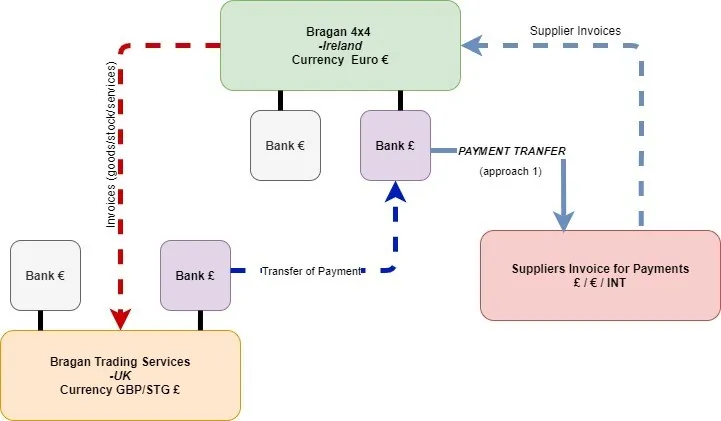
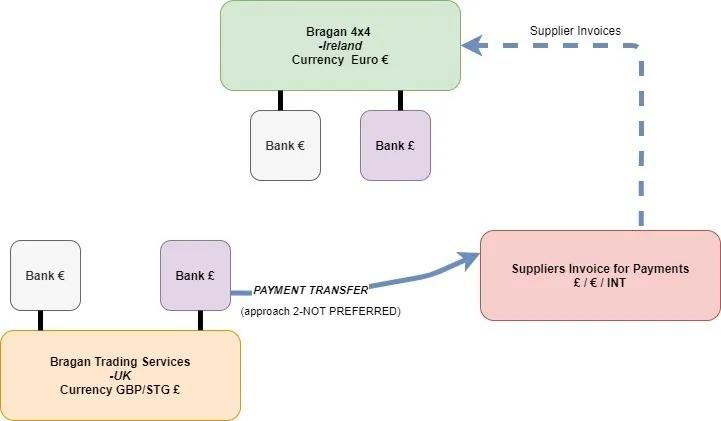
Bragan4x4 and BTS shared only one physical warehouse location. For stock control and intercompany transactions Monthly regular invoicing and intercompany payment, the transfer must recognize in their books of accounts. Bragan 4x4 is the Ireland registered company and our main company. They recognize in their books most of the expense---Operation Expenses, Payroll (warehouse and PH wages), Cost of Goods sold, Overhead Cost, Vehicle Expenses, Tax , Insurance etc. Each company (Bragan4x4 and BTS) have respective banks accounts one in GBP/STG and one in EUR. RED ARROW- This indicates invoices made by Bragan 4x4 for the goods (usually stock) /services recognizing intercompany Sales BLUE ARROW- BTS will make payment for these invoices to Bragan4x4. In some cases, Supplier payments (other than its trade euro currency) will invoice the main company—Bragan4x4 (LIGHT BLUE DOTTED ARROW). As seen in approach 1, These invoices shall be paid from Bragan4x4 Bank account in GBP/STG (£) through Transfermate (STRONG LIGHT BLUE ARROW).
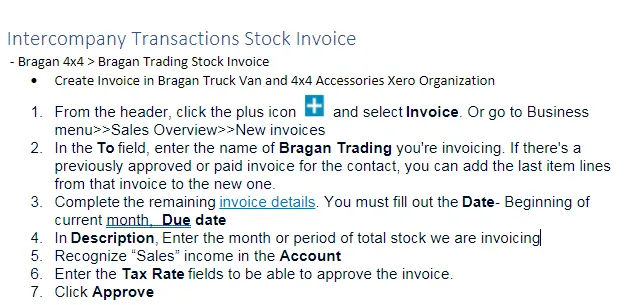
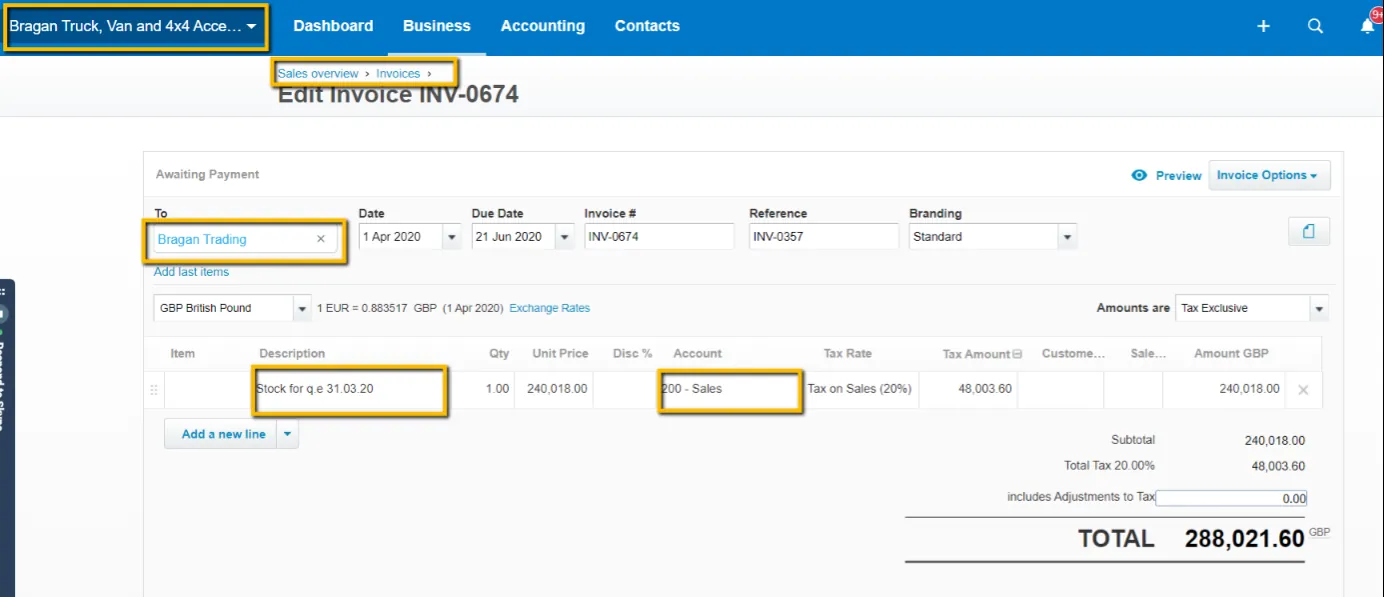
Intercompany Transactions Stock Invoice
- Bragan 4x4 > Bragan Trading Stock Invoice
Create Invoice in Bragan Truck Van and 4x4 Accessories Xero Organization
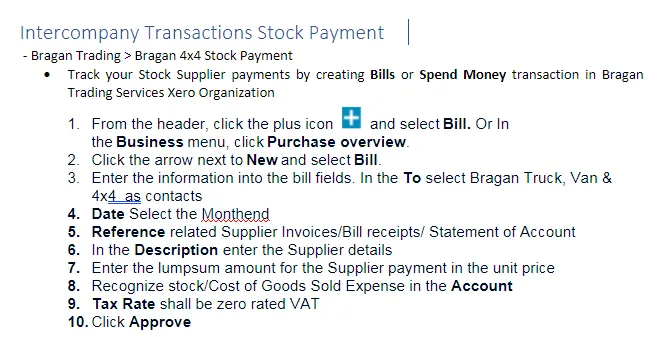
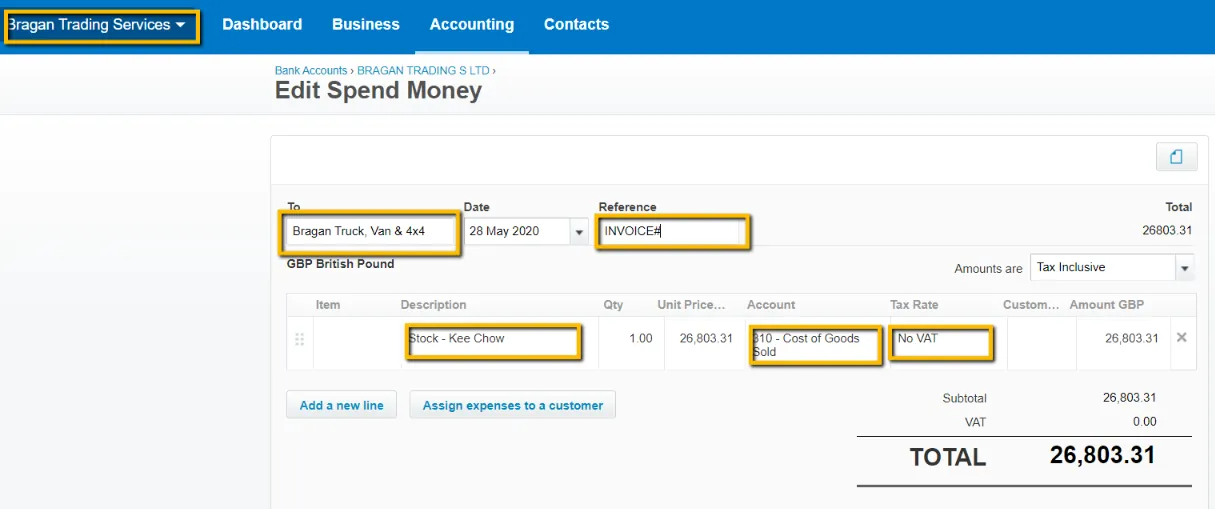
Intercompany Transactions
- Bragan Trading / Bragan 4x4 Accounts Reconciliation
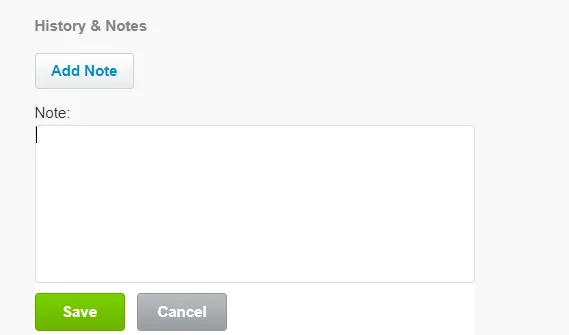
In some cases we resort to approach 2 to pay Bragan 4x4 Supplier Invoices through transfermate using BTS GBP(£) Bank Account. This NOT our preferred way, thus resulting to account reconciliation. When approach 2 happens, both the invoice and payment needs a reference note. Put comment in beneficiary note in Transfermate for the invoice the payment is applied to. And the reference should also be put in the Description Field in the Xero invoice (Bragan4x4) and Xero Bills (Bragan Trading) Add Comment/ Note- The invoice payment applied to can also be indicated by adding note in the invoice/bills.
Procurement Confirmed Orders#
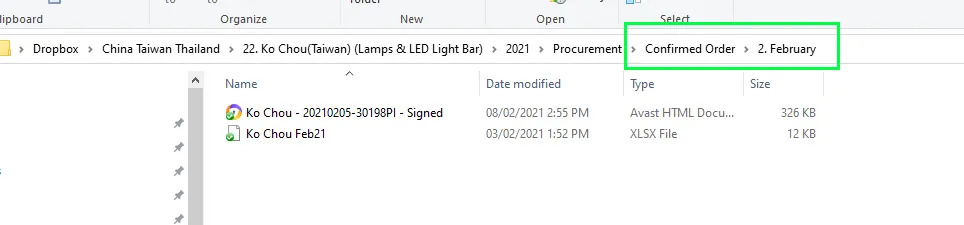
You can secure access to the data in Supplier Procurement & Products>>Select the Supplier folder>>Year(period)>>Confirmed Order Folder>>Month
Xero to Xero Network Key#
Each Xero organisation has a unique and private network key. When you give an organisation your network key, for example Bragan 4x4 send BTS a Xero to Xero sales invoice, it's automatically created as a draft bill in BTS organisation. Add the account code and make any other changes, then approve the bill You can only receive bills through the Xero to Xero network that don't have tax adjustments or credit notes. You can't receive credit notes or any other types of transactions.
To send your network key to another Xero organisation:
Click the organisation name, then select Settings.
- Under Features, click Xero To Xero.
- Click Send Xero Network Invite.
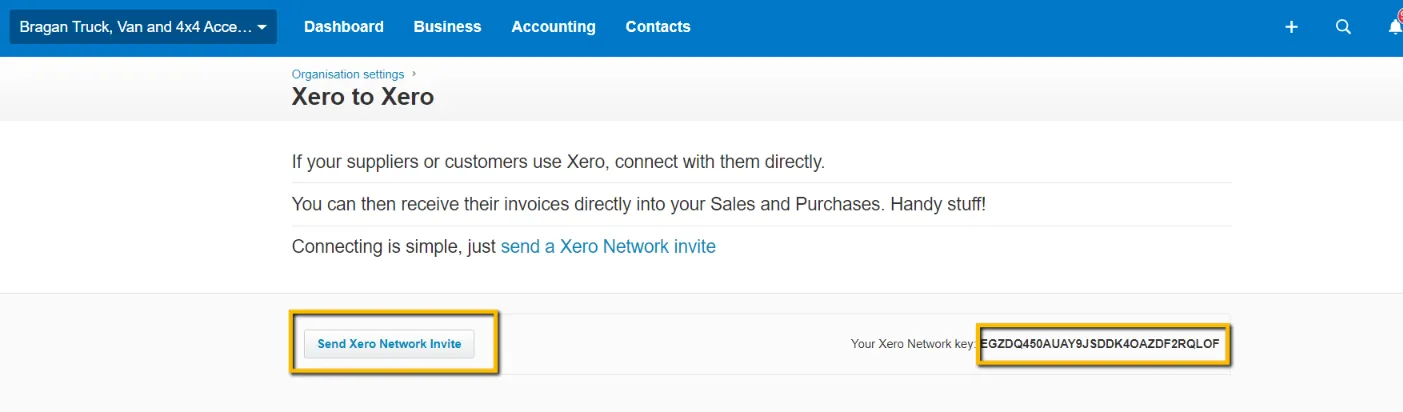
- Enter the email address of the organization you want to receive Xero invoices from.
- Click Send.
Notes#
This section is important so Adhoc points and issues can be logged. Also, Q&A can be logged for suggestions for potential issues encountered. Also, log important notes needed for this system. Additional Notes:
This document is important because this gives an idea about the procedure of Intercompany transactions.
Potential Issues:
1 - ISSUE ENCOUNTERED: Stuck on Loading
RESOLUTION: Refresh Browser
2 - ISSUE ENCOUNTERED: Broken Links
RESOLUTION: Get the external link as this will allow other people to access the SOP without the need for login credentials and avoid broken links.