Order Double Check Sending Email
This task is done to minimize possible issues on orders.
Order Double Check – Sending Email#
Overview#
Purpose: This task is done to minimize possible issues on orders. Customer ordered incorrect item is very common. To minimize this, we have identified items that are commonly been associated with this issues and contact the customer to confirm if they had double-checked their order. The purpose of this document is to show the proper process of double-checking orders by sending emails.
Scope: Applies to assigned Bragan CS personnel.
Responsibility: It is the responsibility of each employee to ensure the process set out in this procedure is followed.
Objective: The objective of this procedure is:
to standardize the process of double-checking orders by sending emails.
(Bragan logo will always remain on top as standard.)
Process#
An automated email is sent to customers who have ordered these specified items commonly ordered incorrectly. See the example email below sent to a customer.
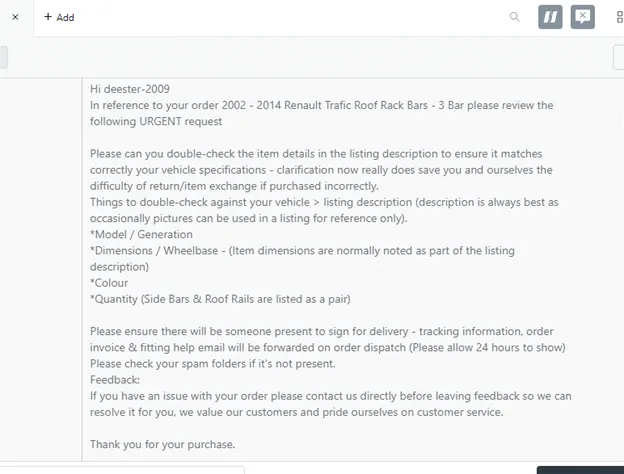
As of the moment, these are the items that are commonly ordered incorrectly by customers. These may change depending on the issues that may arise in the long run.
Tonneau Covers Wheel Trim Covers Side Bars Roof Rails
The customer is from Israel – Israel is very strict about the product being delivered to their country. Custom and Duties fees are normally expensive. We have to inform the customer about this and may have to edit the invoice to show a lower amount so they will be charged less on custom. You will have to put the order on hold and notify Team IRL on the group.
You will need to create an Order Double Check Tab on your LW to view these orders.
Here are the steps on how to do this:
1.) Create a view Tab on Linnworks with the following filter criteria.
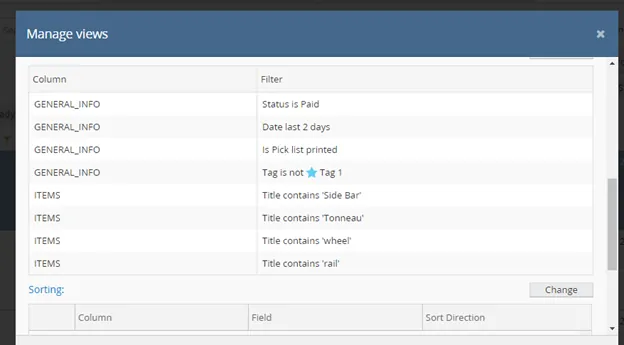
This will give you result of orders that meets the items required, order that has a picklist printed but not sent yet (Tag 1).
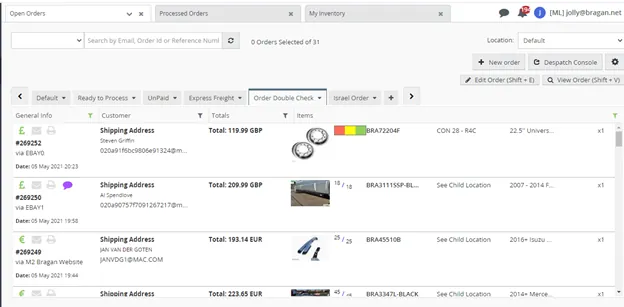
You will have to check each order which customers who have not replied yet to the order double-check email. You will need to call them using the phone number on file.
You can use marked information in the picture below in searching in Zendesk if they have replied to the email or not.
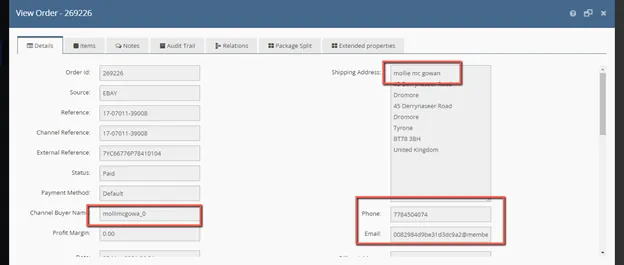
Note: No need to contact Order from Trade customers or Replacement orders.If there’s no answer on call – You will have to send them an email using Macro 528.1
For orders from Israel, there should be another view tab to filter orders coming in from Israel.
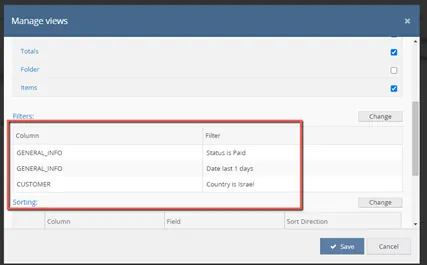
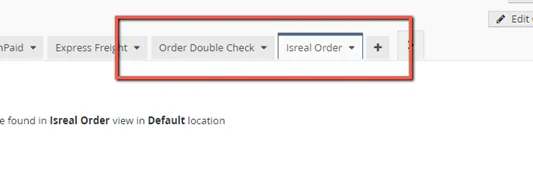
This criteria/conditions are set only once. You will have to view each tab daily at the specified time to see orders that need to be contacted. This will automatically filter the orders that meet the criteria/conditions set.
2.) Get the customer’s email address.
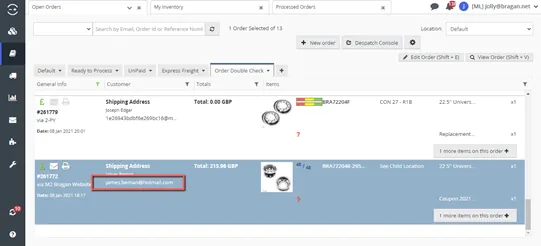
3.) Go to Zendesk +Add > New Ticket
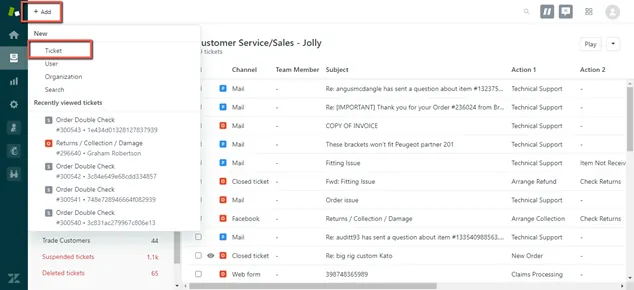
4.) Paste the customer’s email address on the Requester Field and use the following Macro.
Macro 528.1 for No reply/No answer
Macro 528.2 for Israel Orders
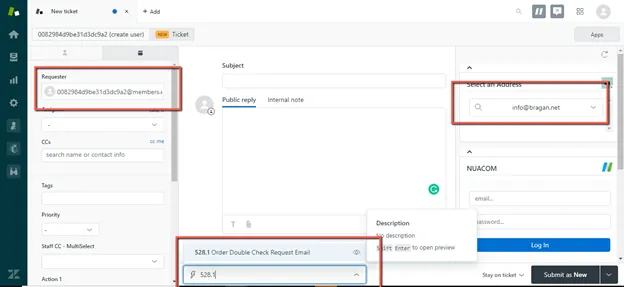
5.) For Magento orders, ensure to change the address on the right pane to [email protected]
For eBay orders, ensure to leave it as [email protected]
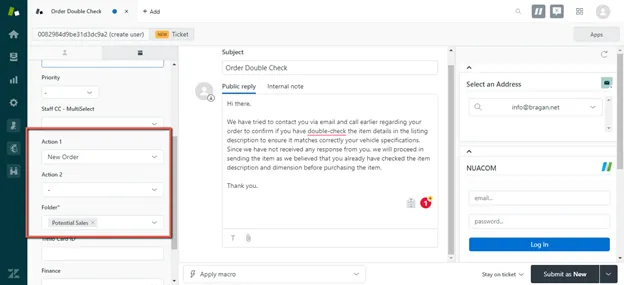
6.) Assign appropriate folder and submit as solved.
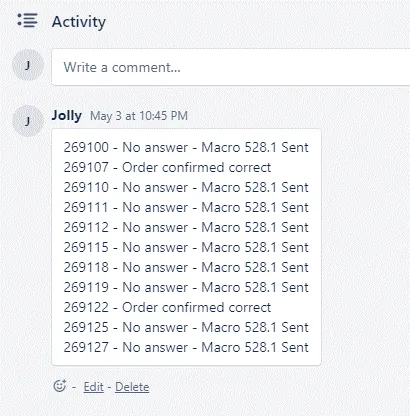
7.) Ensure to have a file of all the order numbers and what was action taken. Ensure to add these files to your Daily task card.
For customers who respond/confirmed that their order is correct, you use Macro 528.3 as a reply. If vehicle information has been provided, ensure to check that this matches the listing.
“Hi, this is (Name) from Bragan. I am calling regarding your order for (Item) on eBay/Website. Since we have not received any reply from you we have decided to call to confirm if you have double-checked the item you have ordered are indeed correct for your vehicle before we send them out?”