Product Requested
Product Requested is designed to grow our Company's product variations and ensure
Overview#
Purpose: Product Requested is designed to grow our Company's product variations and ensure to gain repeat customers and most important is being recommended to others by the word of mouth and reviews.
Scope: The SOP applies to Team IRL, Trainees, and Team PH. All will have reference to the Tasks and steps for completing them.
Responsibility: It is the responsibility of each one of us to represent Bragan. Often you will be the first contact a Customer has and you will never get a second chance at this. You should think of each action as if it were coming from your pocket!
Objective: The Objective of the Product Requested SOP is to format procedures and examples to gather important data such as product item, description, and product supplier.
Process Flow#
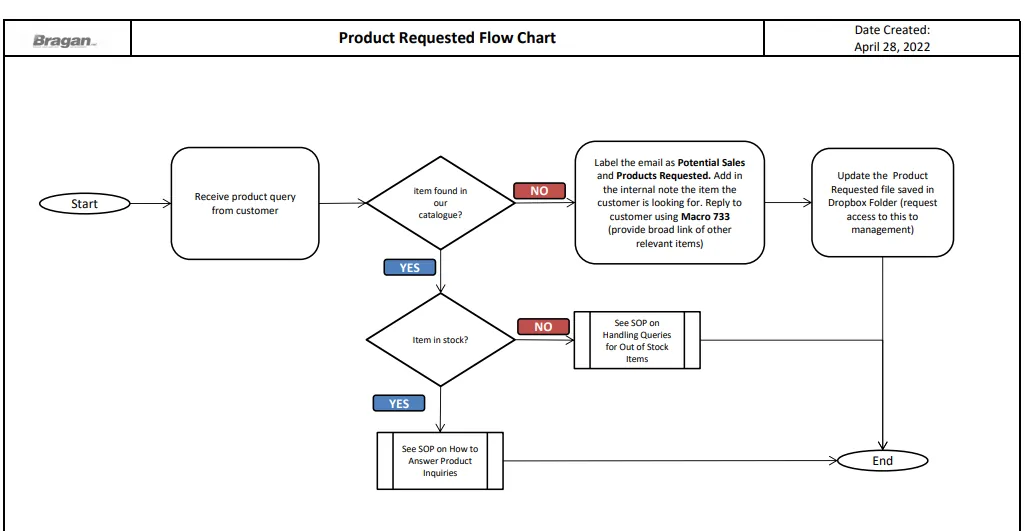
Procedure#
- Once you receive a product query from a customer and upon checking the item is not yet in our product catalogue label the email as Potential Sales and Products Requested.
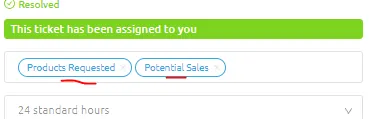
Add also in the internal note what item the customer is looking for. Internal note is the one highlighted in light blue
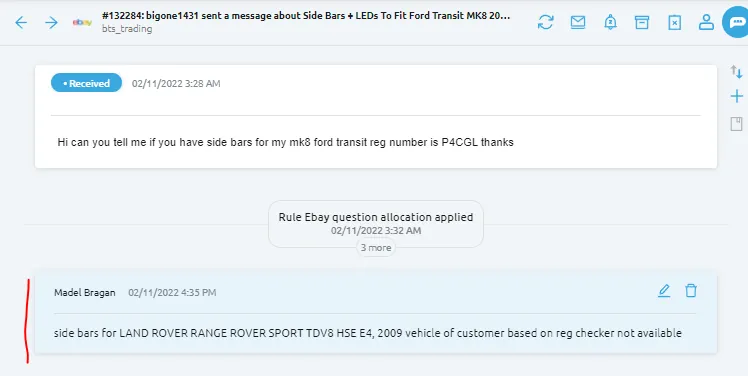
- Update the customer by sending Macro 733. Make sure to provide a broad link of all items available for his vehicle. But if customers vehicle is also not available in our catalogue then there is no need to send a link. Edit the macro to suit customers needs.
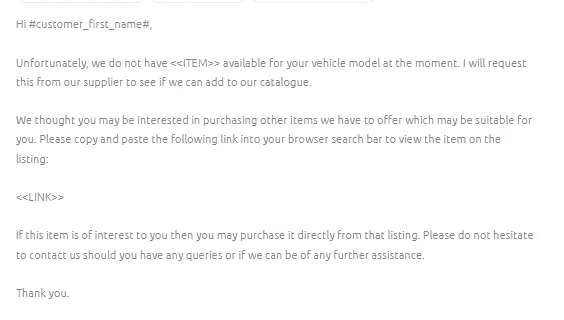
Macro 733 Content
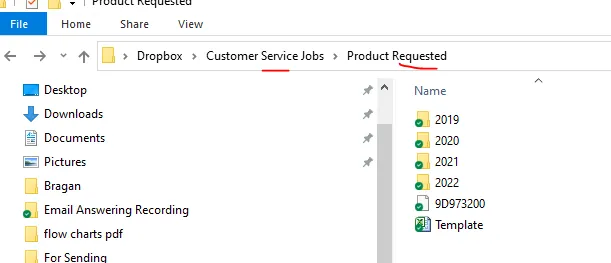
- Go to the Product Requested Dropbox Folder and log the item in the Product Requested Excel File. Request access to this folder to management. Template of the Product Requested file can be downloaded in the attachment section and it can also be found in the Product Requested Dropbox Folder.
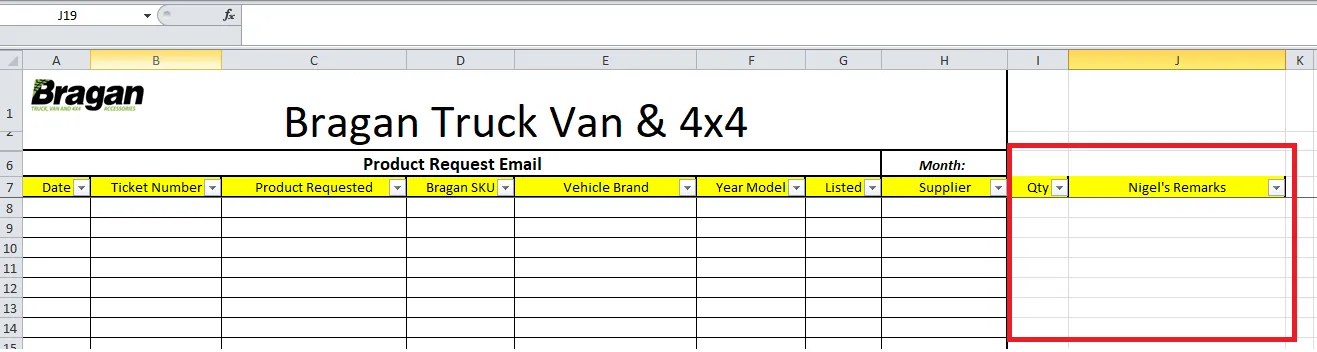
- Fill out the file except for the last two columns (Qty and Nigel's Remark). For the Bragan SKU there is no need to fill this one since item is not yet in our catalogue.
For the supplier, you will put here the possible supplier that can supply the item. For example the item we requested is a bonnet guard for a Honda CRV 2017+, you can check in Linnworks the nearest item (same item for same make of vehicle) like bonnet guard for Honda CRV but with different year or bonnet guard for Honda but different model (depends on what is available in Linnworks). Get the supplier of this item and this is the one you will put in the Supplier Column.
Note: the above is an example only, we actually have a bonnet guard for Honda CRV 2017+ in our catalogue. This is just to show how to search for possible suppliers.
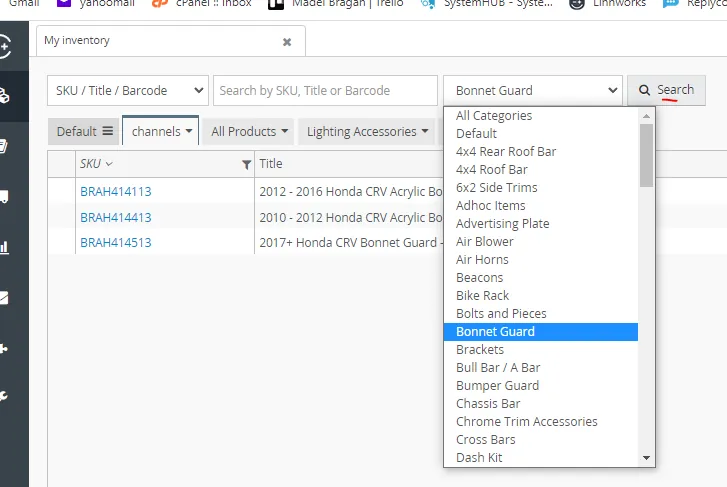
- To search for the possible supplier of an item in Linnworks, you can search by categories like if you are looking for bonnet guards then choose from the dropdown menu and select bonnet guard then click search.
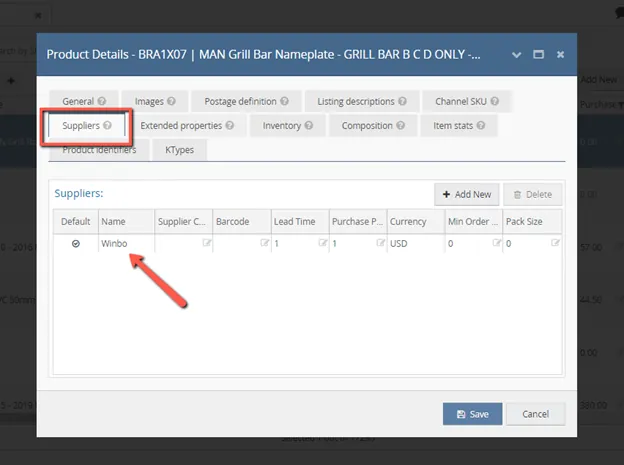
All bonnet guard items will now appear, click the nearest item to open the Product Details Screen, go to Suppliers Tab and you can see now the supplier.
Notes#
This section is important so Adhoc points and issues can be logged. Also, Q&A can be logged for suggestions for potential issues encountered. Also, log important notes needed for this system. Additional Notes:
The Purpose of Product Requested is to look after our customers needs, by doing this we will be able to identify if there is a demand in the market and thus be able to identify what products to order from our suppliers.
Potential Issues:
1 - ISSUE ENCOUNTERED: Stuck on Loading
RESOLUTION: Refresh Browser
2 - ISSUE ENCOUNTERED: Broken Links
RESOLUTION: Get the external link as this will allow other people to access the SOP without the need for login credentials and avoid broken links.
Attachments#
Product_Requested_Flow_Cha… 16/12/2025
Product_Requested_Template… 16/12/2025