Sending Double Check Order Email
This task is done to minimize possible issues on orders.
Overview#
Purpose: This task is done to minimize possible issues on orders. Customer ordered incorrect item is very common. To minimize this, we have identified items that are commonly been associated with this issues and contact the customer to confirm if they had double-checked their order. The purpose of this document is to show the proper process of double-checking orders by sending emails.
Scope: This applies to customer service representative staff and all staff personnel who is in charge of this process.
Responsibility: It is the responsibility of all staff to follow the standard operating procedure of Order Double Check Email.
Objective: The objective of this procedure is:
- to guide employees about the process of Order Double Check Email.
Process Flow#
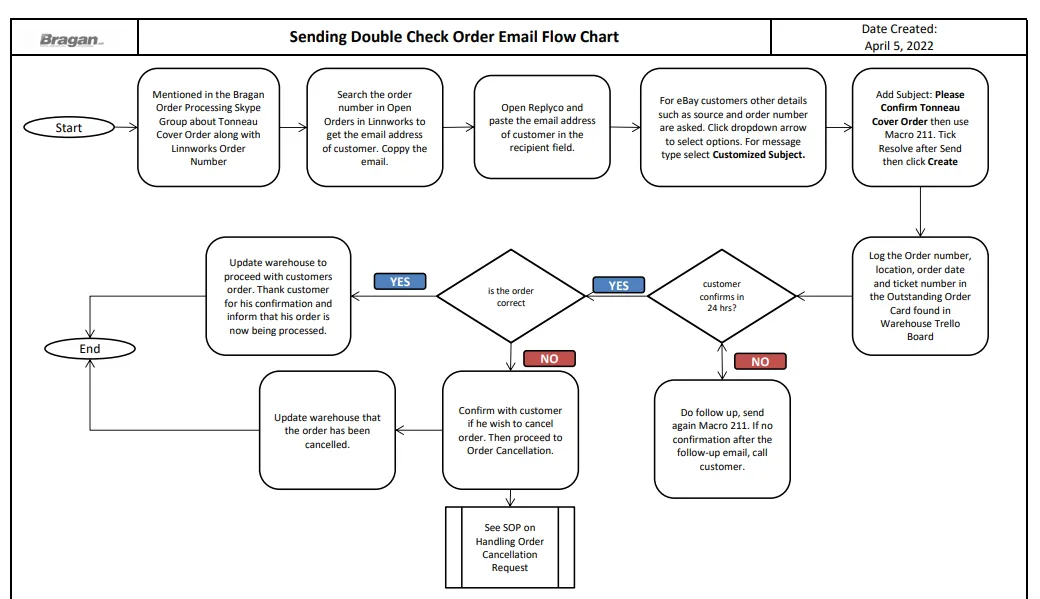
Procedure#
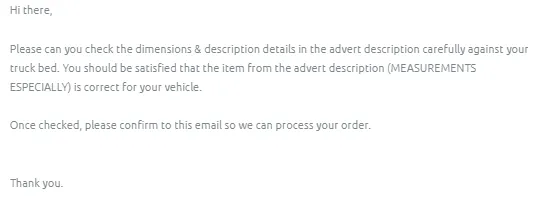
All customers that ordered tonneau covers should be sent an order double check email, this is because there are already many cases where customer ordered the wrong cover only because they did not check the listing description properly, especially the measurement.
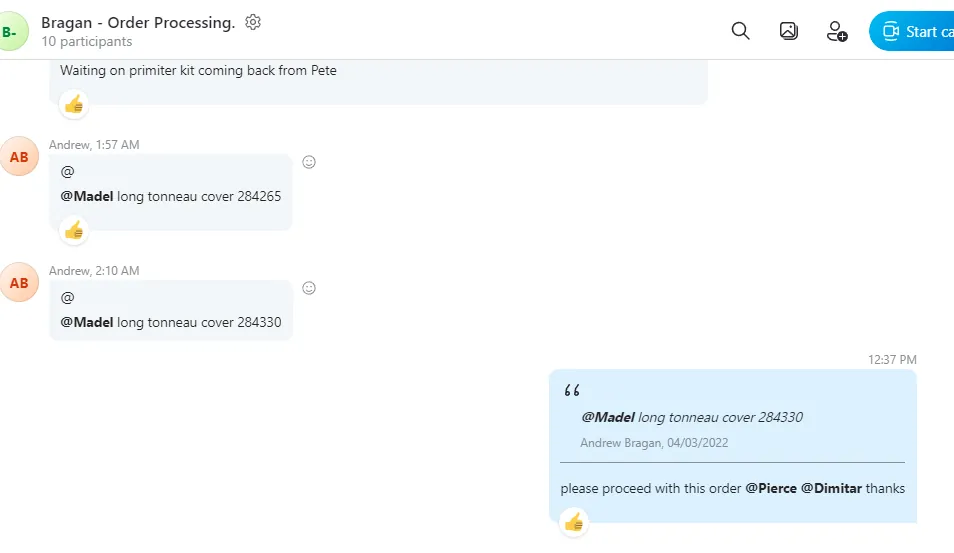
- If there are orders for tonneau covers that enter the system, warehouse will tag the customer service (CS) agent in the Bragan - Order Processing Skype Group and will also give the order number of the tonneau cover.
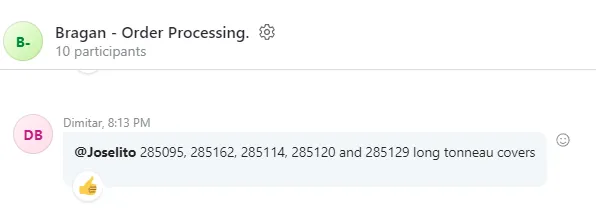
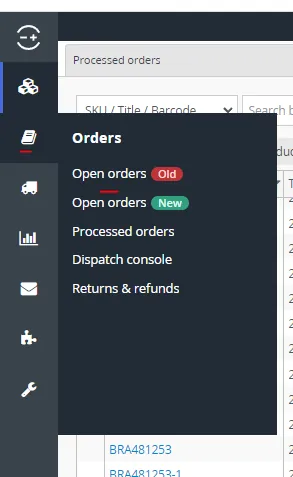
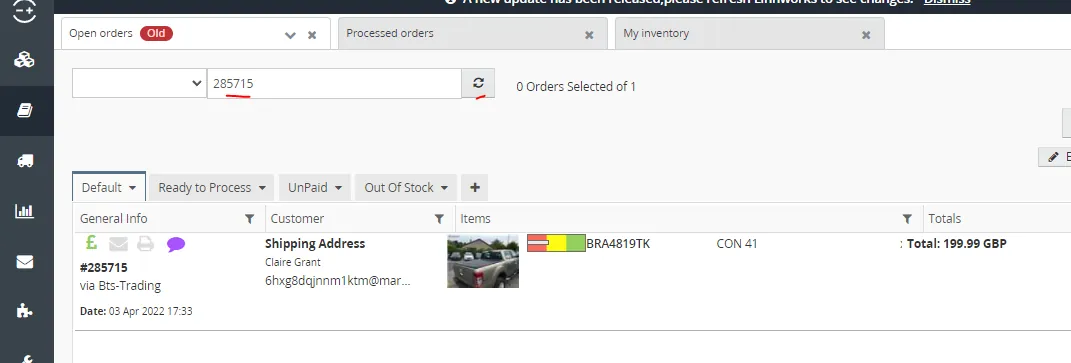
- CS agent will then copy the order number and search it in Open Orders in Linnworks.
Double click on the order that appear to open the order details.
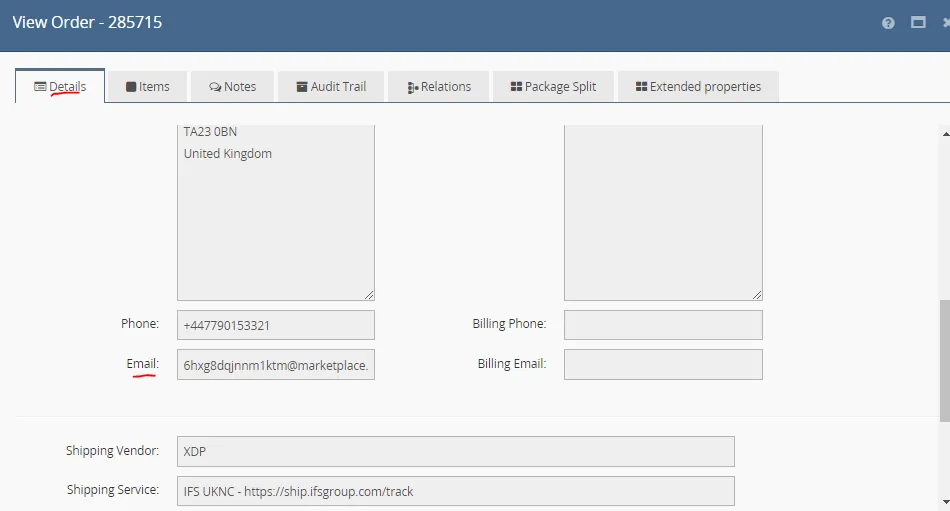
- In the Details Tab, scroll down to get the email address of the customer. Copy the email.
- Open Replyco (use credentials provided by management) and create a ticket

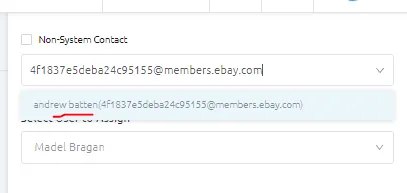
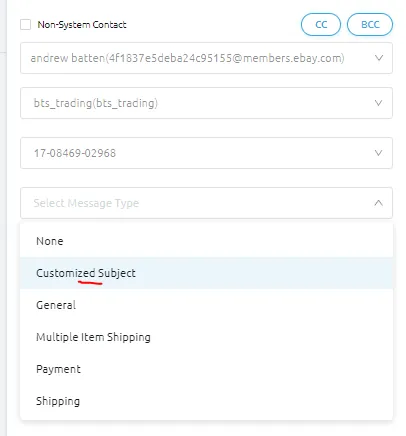
- Paste the copied email address in the recipient. Once you paste their email address, a contact option will appear, make sure to select it (see Figure 6). For eBay customers, once you select it, more details will be required, just click the dropdown arrows to select the details (Figure 7).
For the Select Order, if the customer has two or more orders, there would be multiple order numbers that would appear here, make sure to select the correct order number, go back to Linnworks to verify if necessary.
For the Message type, just select Customized Subject.
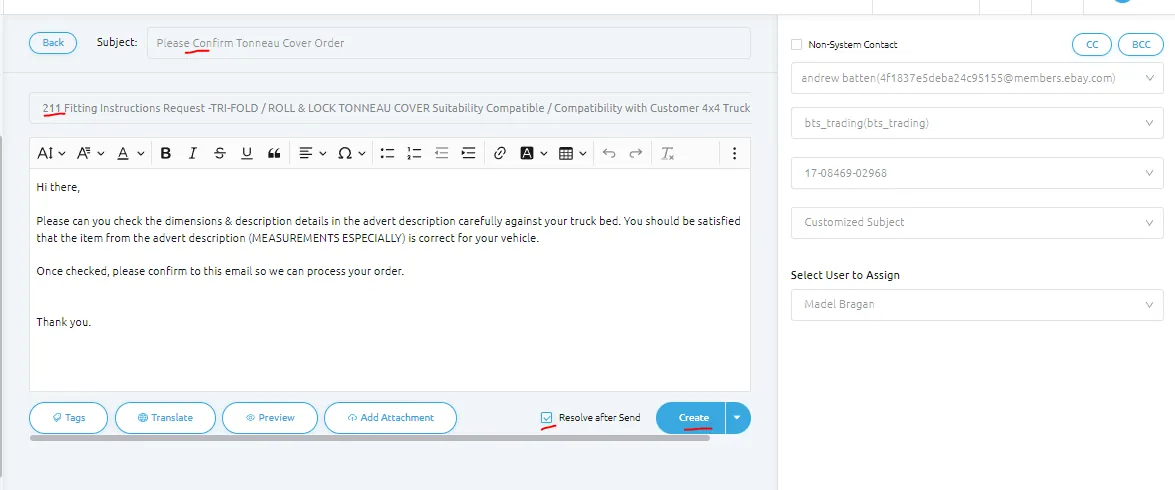
- For the Subject just use Please Confirm Tonneau Cover Order and then use Macro 211. Tick the Resolve after Send box and then click Create.
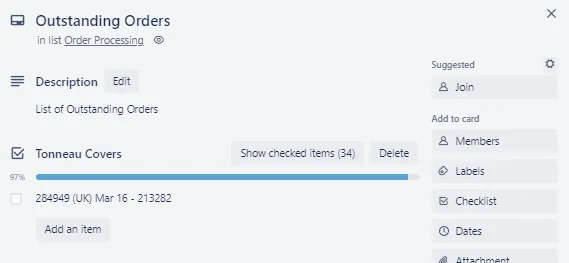
- Note the ticket number, put it in the Outstanding Orders card in Warehouse Trello Board. Follow the format, it should include the Linnworks Order number, location, date ordered and then the ticket number. See Figure below. This is to make sure that this item will be dispatched in timely manner, you need to do follow-up if customer will not reply in 24 hours.
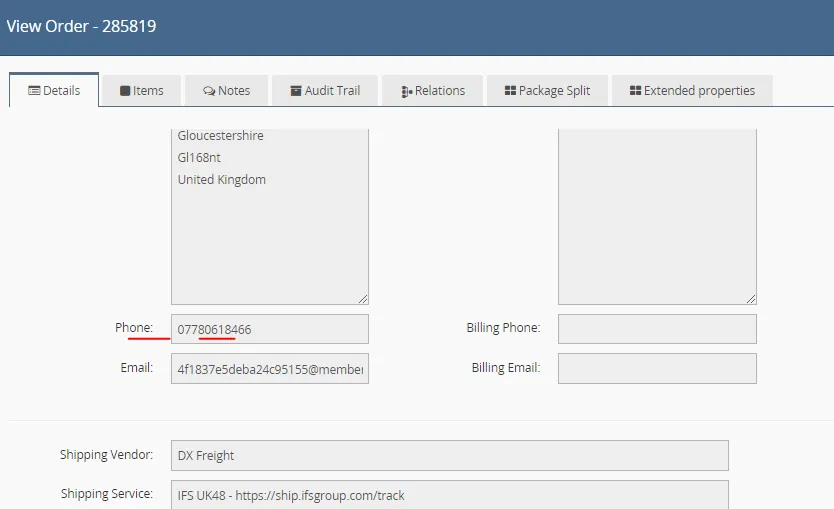
- if customer still won't confirm to the follow-up email then call the customer. You can get the telephone number in Linnworks just above the email address. See SOP on handling phone calls to know how to do outgoing calls. If customer did not answer on the first call, try again later. It should be 3 calls over the space of the day for tonneau cover confirmation.
Important Note:
If this is an Amazon Order and customer is not responsive within the day, cancel the order. Follow this SOP on Order Cancellation. Make sure to update customer through email even if customer is unresponsive.
- Once the customer confirms his order, update warehouse group to proceed with the order in the Bragan - Order Processing Skype Group. Reply also to the customer, thanking him for his confirmation and inform that we will process now his order.
- If customer informed that the item is incorrect and won't fit his vehicle then inform customer that we can cancel the order. Wait for customers confirmation to cancel the order then proceed once he agrees. Follow this SOP on how to cancel orders. Label the email as Cancellation
- Update also warehouse that you cancel the order.
Notes#
This section is important so Adhoc points and issues can be logged. Also, Q&A can be logged for suggestions for potential issues encountered. Also, log important notes needed for this system. Additional Notes:
- Do follow-up if customer is taking too long to confirm his order, call if necessary.
Potential Issues:
1 - ISSUE ENCOUNTERED: Stuck on Loading
RESOLUTION: Refresh Browser
2 - ISSUE ENCOUNTERED: Broken Links
RESOLUTION: Get the external link as this will allow other people to access the SOP without the need for login credentials and avoid broken links.
Attachments#
Sending_Double_Check_Order… 16/12/2025