Sending Late Delivery Dispatch Emails to Customers
The purpose of this SOP is to give an idea on how to let the customer know that
Overview#
Purpose: The purpose of this SOP is to give an idea on how to let the customer know that their order is being delayed.
Scope: This applies to all customer service representative staff and all staff personnel who is in charge of this process.
Responsibility: It is the responsibility of all staff to follow the standard operating procedure of Late Delivery Dispatch Emails Instructions.
Objective: The objective of this procedure is:
- to guide employees about the process of Late Delivery Dispatch Emails Instructions
Procedure#
Item Out of Stock - Cannot Dispatch#
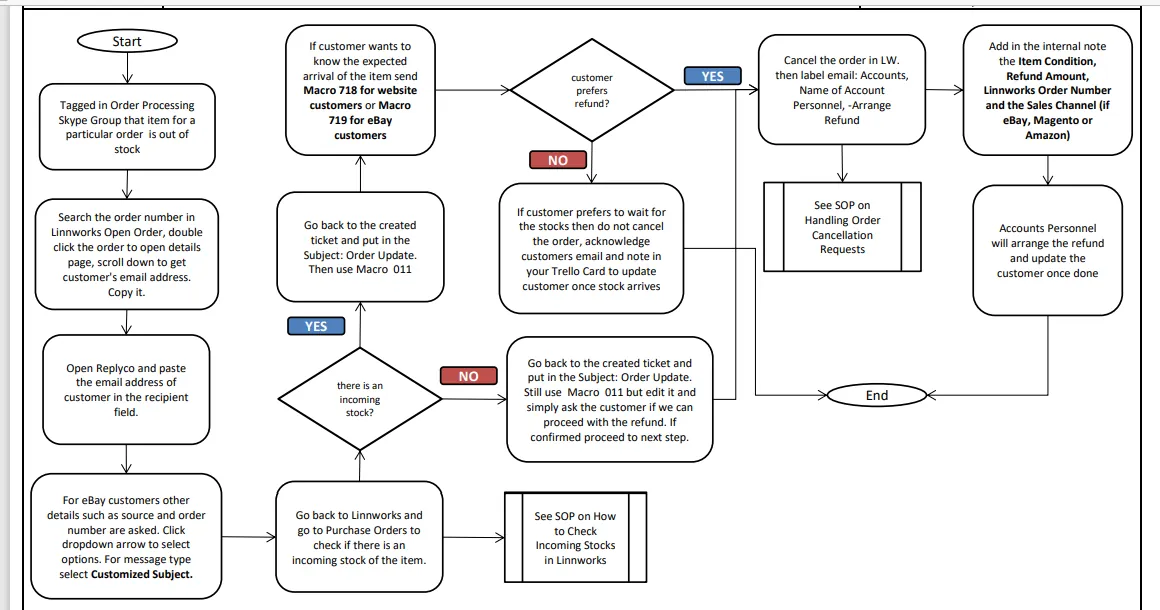
Process Flow
- There are instances wherein the customer will still manage to order even if the item is out of stock. Therefore the order won't be processed. Most of the time warehouse will be able to detect this when doing order processing for the day. They will alert the CS in Bragan - Order Processing Skype Group that the item is out of stock and need to inform customer. They will also provide the Linnworks Order Number.
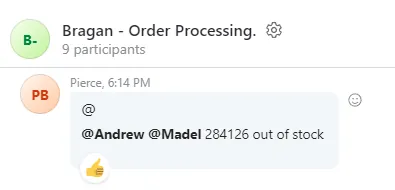
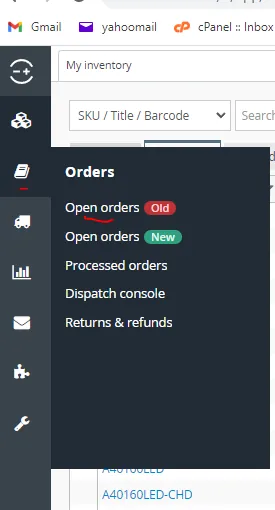
- Go to Linnworks and search the order number in the Open Order.
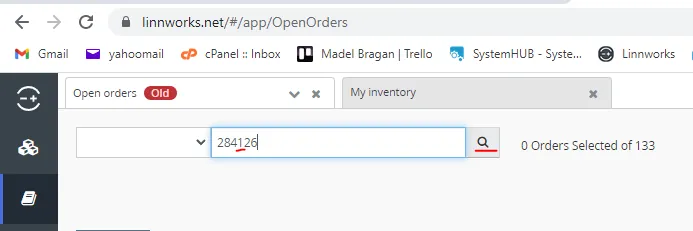
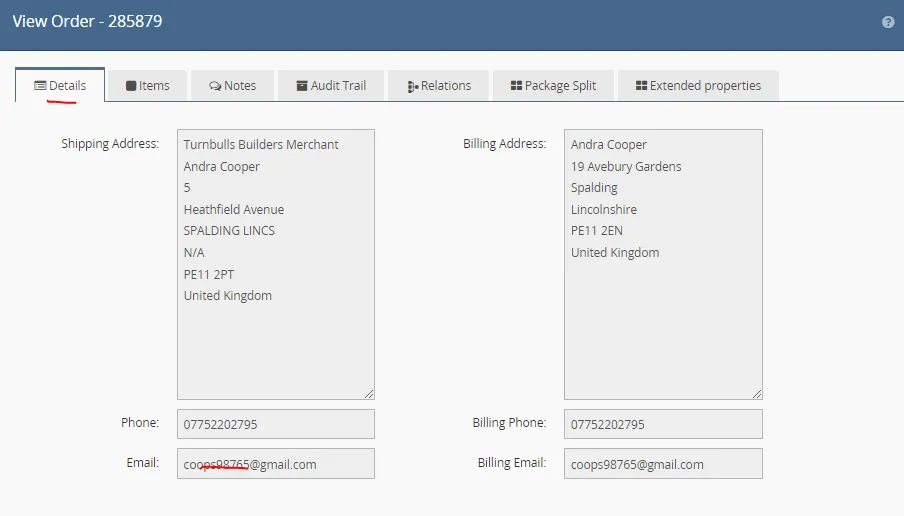
- Double click on the order that appears to open the Details Page. Scroll down to get the email number of the customer. Copy it.
- Go to Replyco and create a ticket

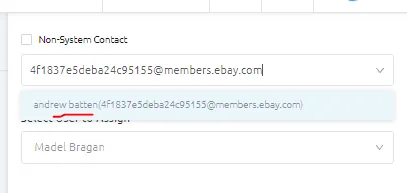
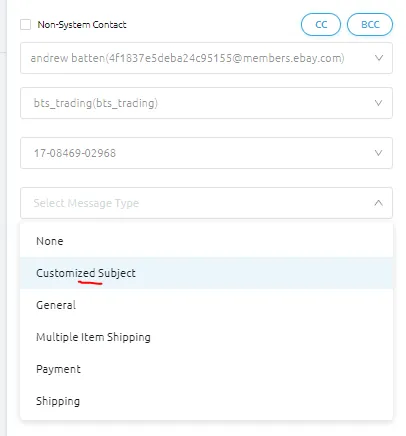
- Paste the copied email address in the recipient. Once you paste their email address, a contact option will appear, make sure to select it (see Figure 6). For eBay customers, once you select it, more details will be required, just click the dropdown arrows to select the details (Figure 7).
For the Select Order, if the customer has two or more orders, there would be multiple order numbers that would appear here, make sure to select the correct order number, go back to Linnworks to verify if necessary.
For the Message type, just select Customized Subject.
- Then go back to Linnworks and check if there is an incoming stock of this item. follow this SOP on how to check incoming stocks in Linnworks. Note if there is an incoming or not.
- For the subject you can use Order Update. If there is an incoming stock then use Macro 011 Delivery Issues / Tracking Enquiries - Undispatched Order Due to Out Of Stock.
If there is no incoming edit out the part "Would you rather wait for this to get back in stock" and simply ask customer if we can proceed to process his refund.
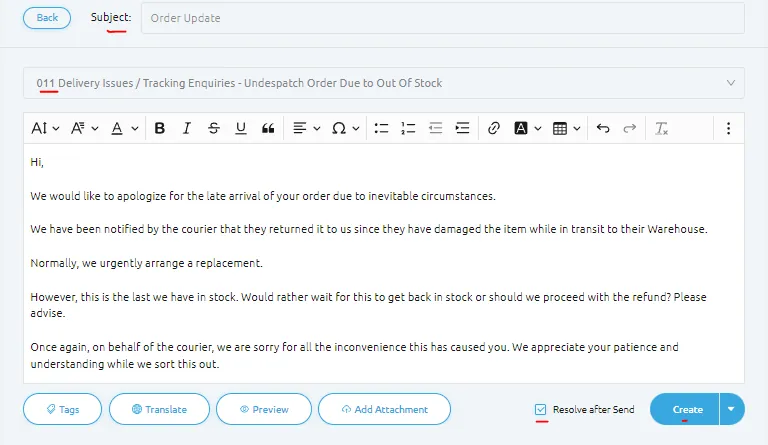
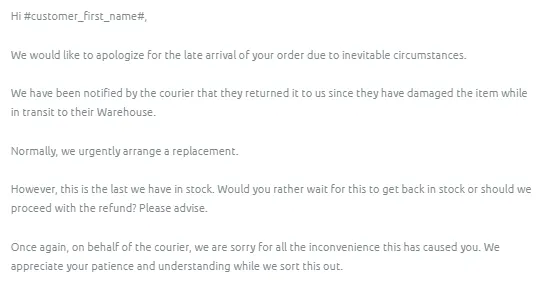
Important Note: Do not admit fault, it is easier to appease customer when we blame the courier.
- If customer wants to know when will the item be back in stock, update customer of the Expected Date of Arrival of the Item. Use Macro 718 for website customers or Macro 719 for eBay customers. Make sure to edit the date of arrival in the macro.
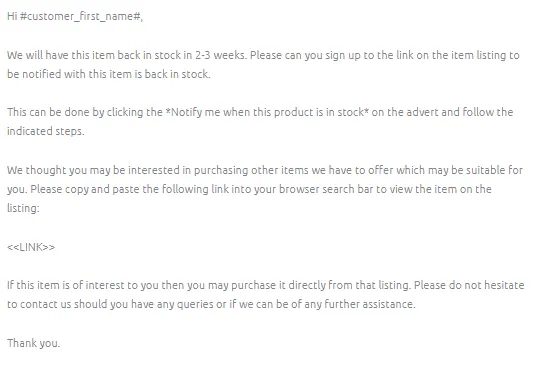
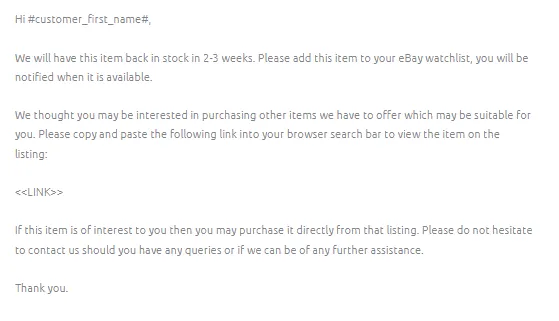
- If customer replies and chose to wait for the stock then just leave his order in Linnworks, do not cancel it. Then acknowledge customers email. Make sure to note in your Trello card to update this customer once stocks arrive.
- If customer chose refund, cancel the order in Linnworks (See this SOP on how to cancel orders). Inform the Order Processing group in Bragan - Order Processing Skype Group that you cancel the order.
Then label the email with the following:
-Arrange Refund Accounts Name of the Accounts Personnel
Then tag accounts personnel in the internal note and include the following:
Refund Amount Linnworks Order Number Sales Channel (if eBay, Magento, Amazon)
Accounts will be the one to reply to the customer once he processed the refund.
Warehouse Delay - Late Dispatch#
Process Flow
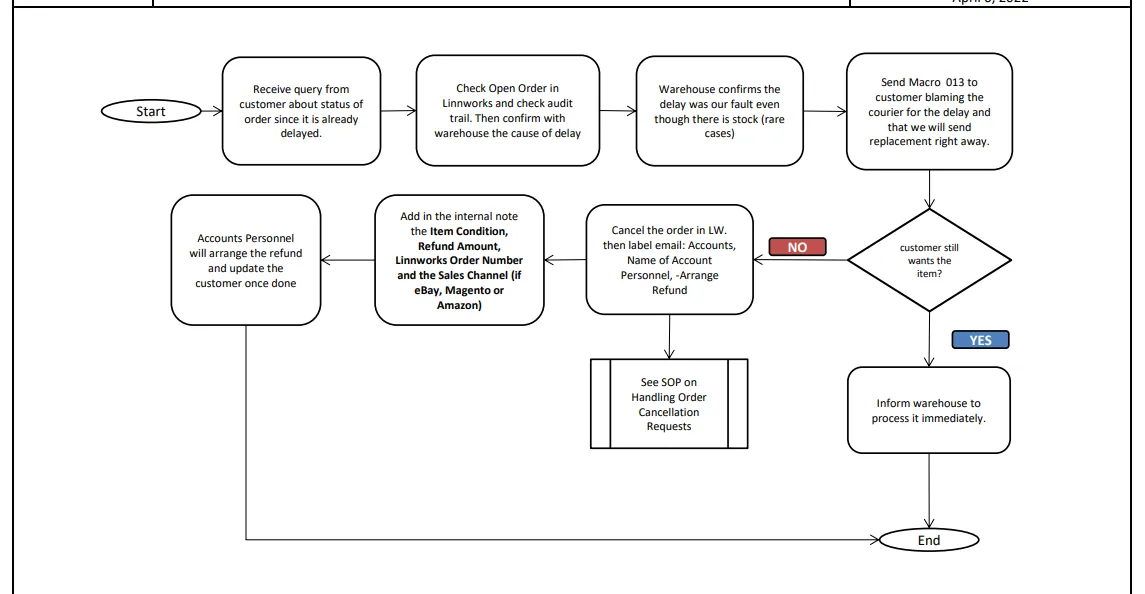
- For rare cases wherein you check the order in Linnworks and the item is still an Open Order for more than a day and audit trail shows no tag1 or picklist printed inquire warehouse about the status in Order Processing Skype Group. Format should be:
Inquiry - Order# – Courier – Customer’s Name - Ticket Number
- If the delay is because of WH or cause is on our side (please note in this case item is in stock), send Macro 013 to customer. We are still blaming the courier to easily appease customer. Remember not to admit fault.
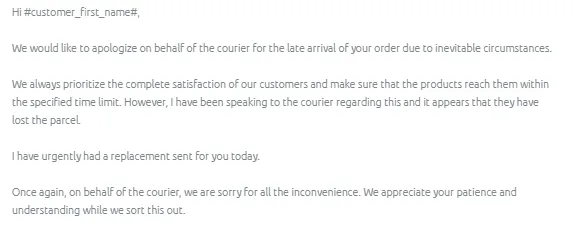
- If customer still wants the item then inform warehouse to process the order and that it is urgent. However, if customer insists on a refund then cancel the order in LW.
Then label the email with the following:
-Arrange Refund Accounts Name of the Accounts Personnel
Then tag accounts personnel in the internal note and include the following:
Refund Amount Linnworks Order Number Sales Channel (if eBay, Magento, Amazon)
Accounts will be the one to reply to the customer once he processed the refund.
Note: There are instances when the customer paid the extra 9.99 for next day dispatch, and they would ask for the refund since it was delayed. You can tag management for approval of refund.
Notes#
This section is important so Adhoc points and issues can be logged. Also, Q&A can be logged for suggestions for potential issues encountered. Also, log important notes needed for this system. Additional Notes:
This document is important especially to customer service staff because this shows the process on how to make emails for late delivery dispatch.
Potential Issues:
1 - ISSUE ENCOUNTERED: Stuck on Loading
RESOLUTION: Refresh Browser
2 - ISSUE ENCOUNTERED: Broken Links
RESOLUTION: Get the external link as this will allow other people to access the SOP without the need for login credentials and avoid broken links.
Attachments#
Item_Out_of_Stock_-Cannot… 16/12/2025
Warehouse_Delay_-_Late_Dis… 16/12/2025