Sending Potential Sales Email to Customer
The purpose of this SOP is to give an idea of how to send potential sales emails to
Overview#
Purpose: The purpose of this SOP is to give an idea of how to send potential sales emails to customers.
Scope: This applies to customer service representative staff and all staff personnel who is in charge of this process.
Responsibility: It is the responsibility of all staff to follow the standard operating procedure of Sending Potential Sales Emails to Customers. This is a weekly task, and should be done every Tuesday.
Objective: The objective of this procedure is:
- to guide employees on how to send potential sales emails to customers.
Process Flow#
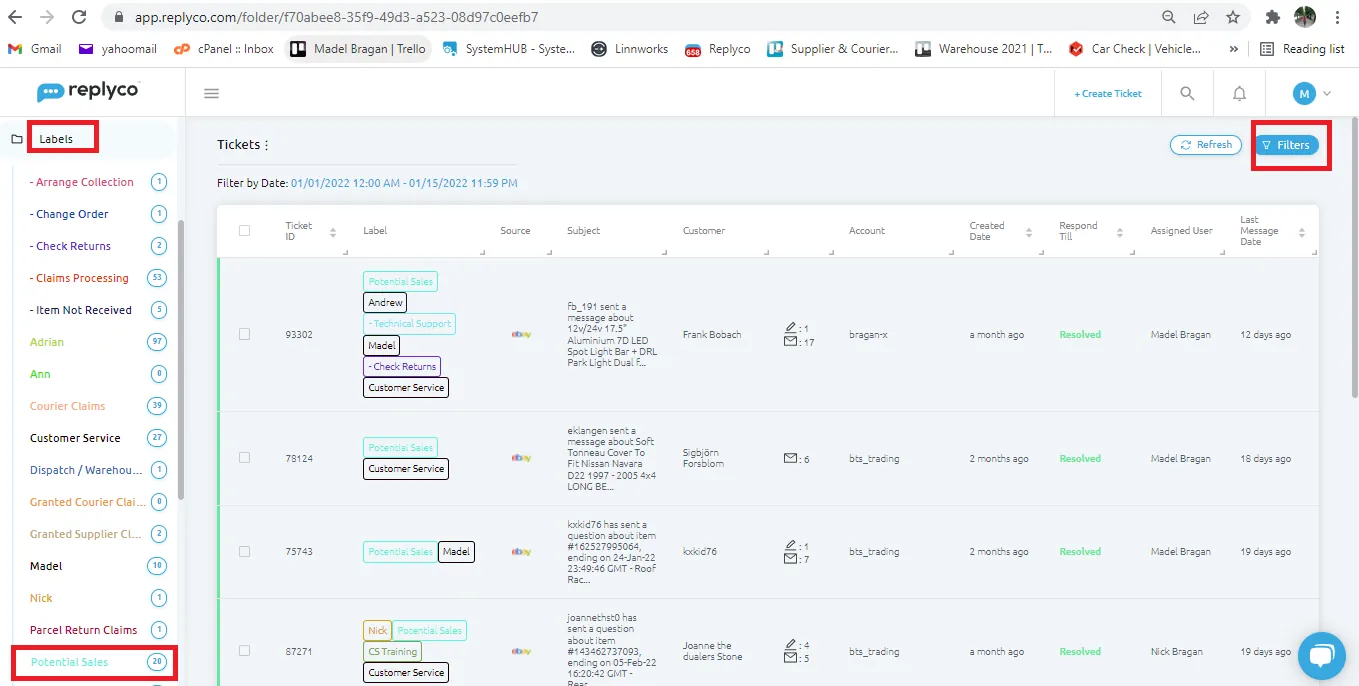
Replyco - Potential Sales#
- Go to Potential Sales label in Replyco then click on Filters.
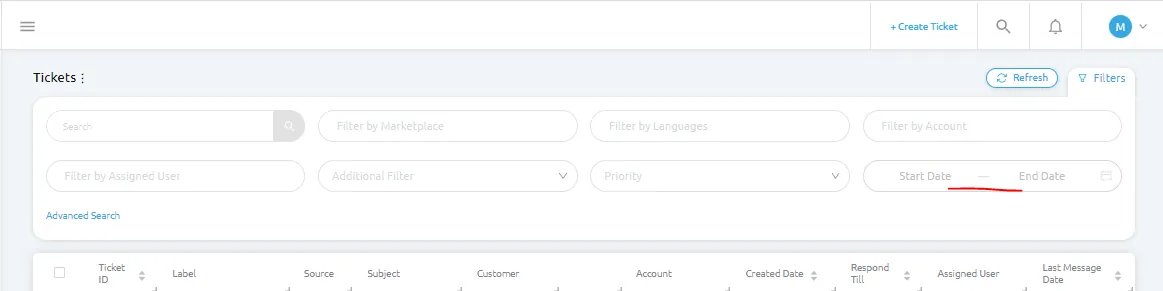
- Select the dates from last week. This is a weekly task done every Wednesday, therefore if today is Feb 16, 2022 the dates should be from Feb 9-15, 2022.
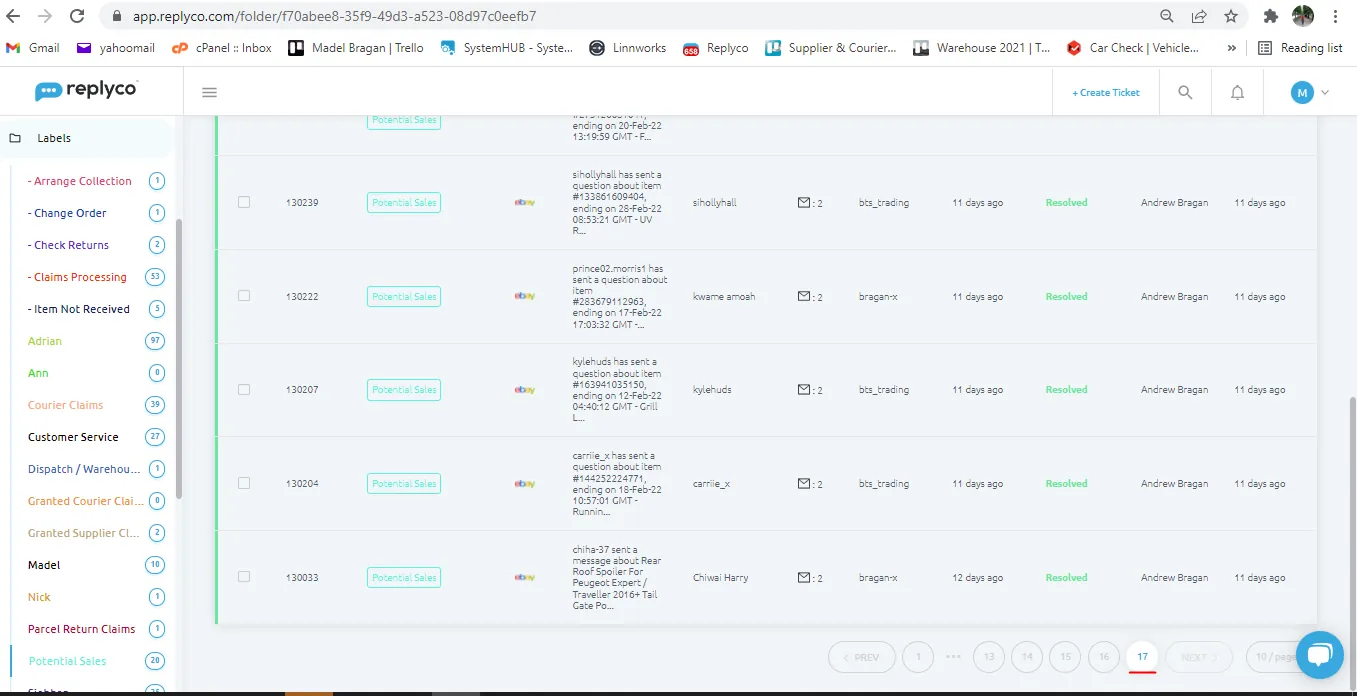
- All emails tag as potential sale from Feb 9-15 will now appear. Click on the oldest email (last page) and start on this.
- In replyco, there is no option of sending bulk message. You need to click on each email and send the potential sale macro individually. Start with the oldest email. Open and check if order details is already filled. If filled already, there is no need to send potential sale macro since the customer already bought. Proceed now to next email.
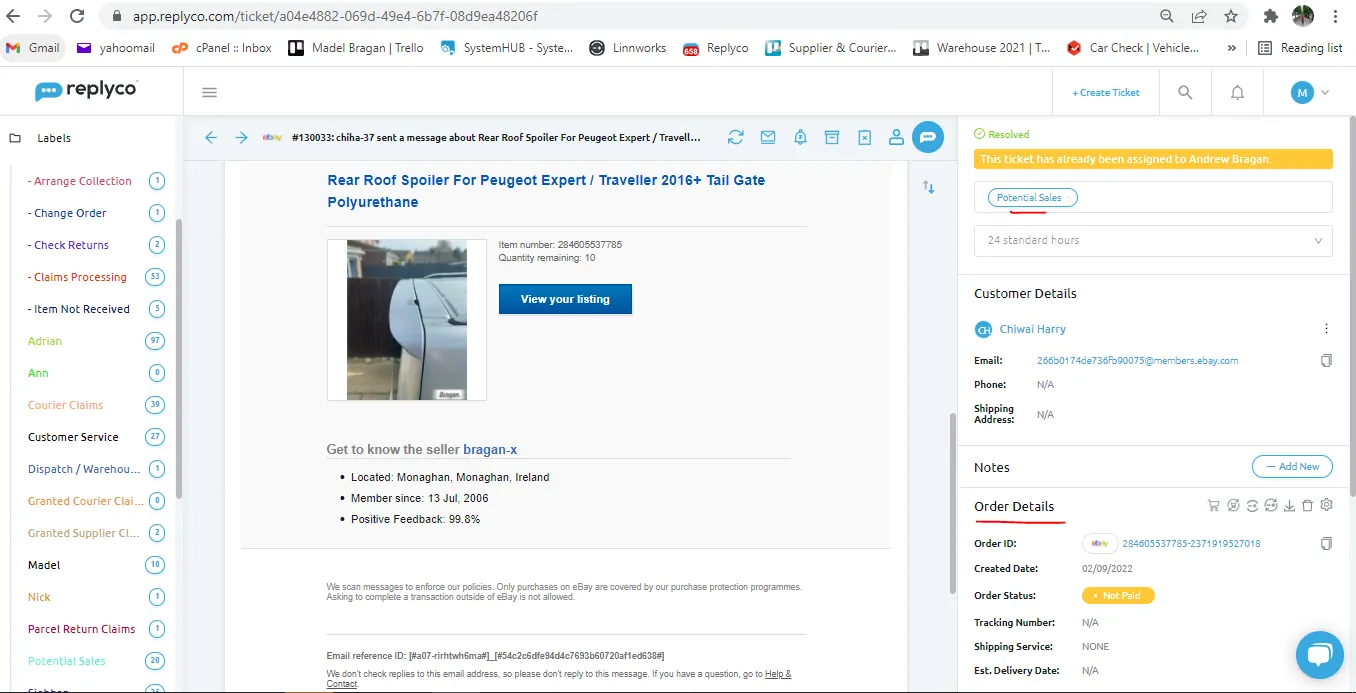
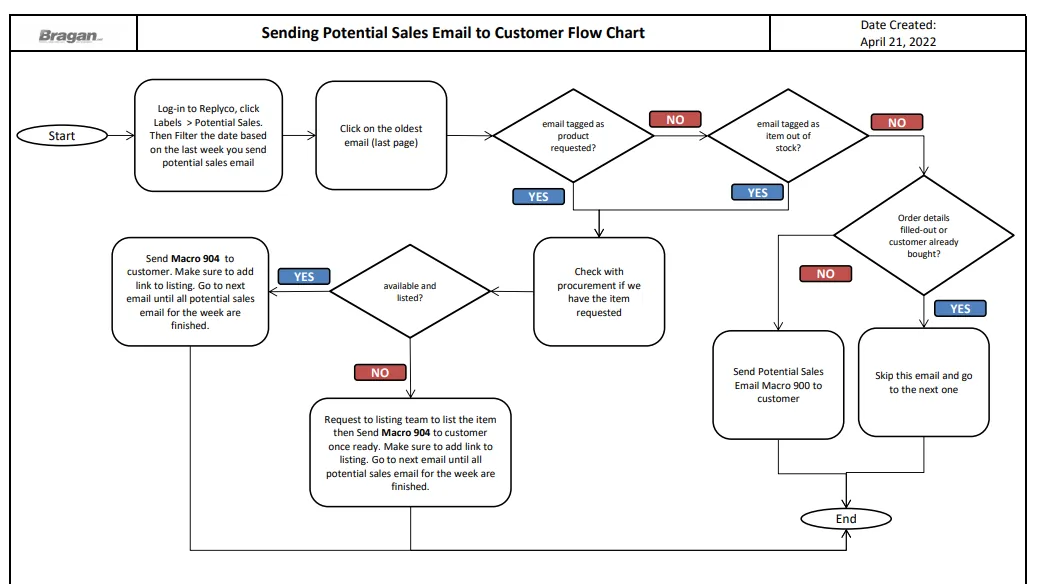
- If order details is not filled, click on the reply button and send Macro 900 (Potential Sales Email). Proceed to next emails and do the same until you finish all the potential sales emails for the past week.
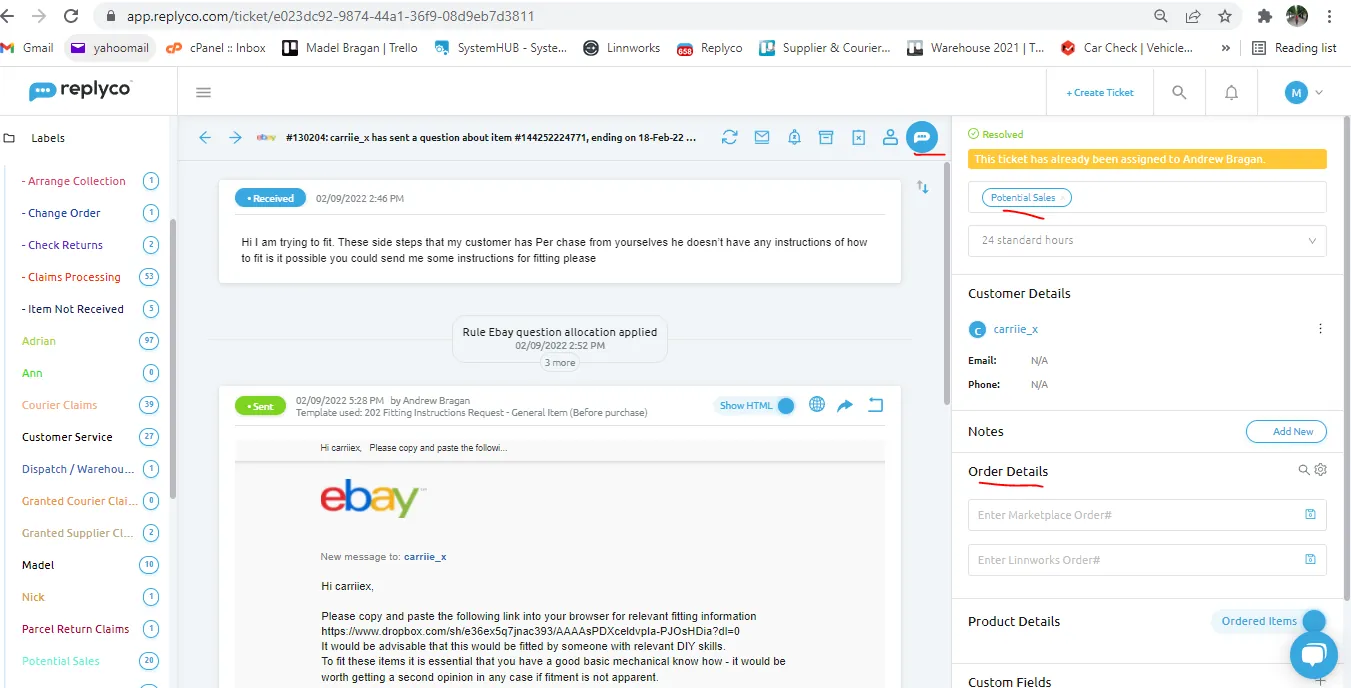
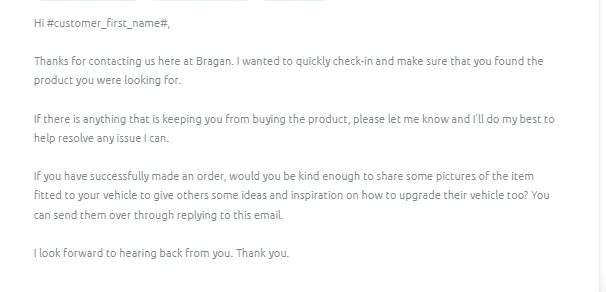
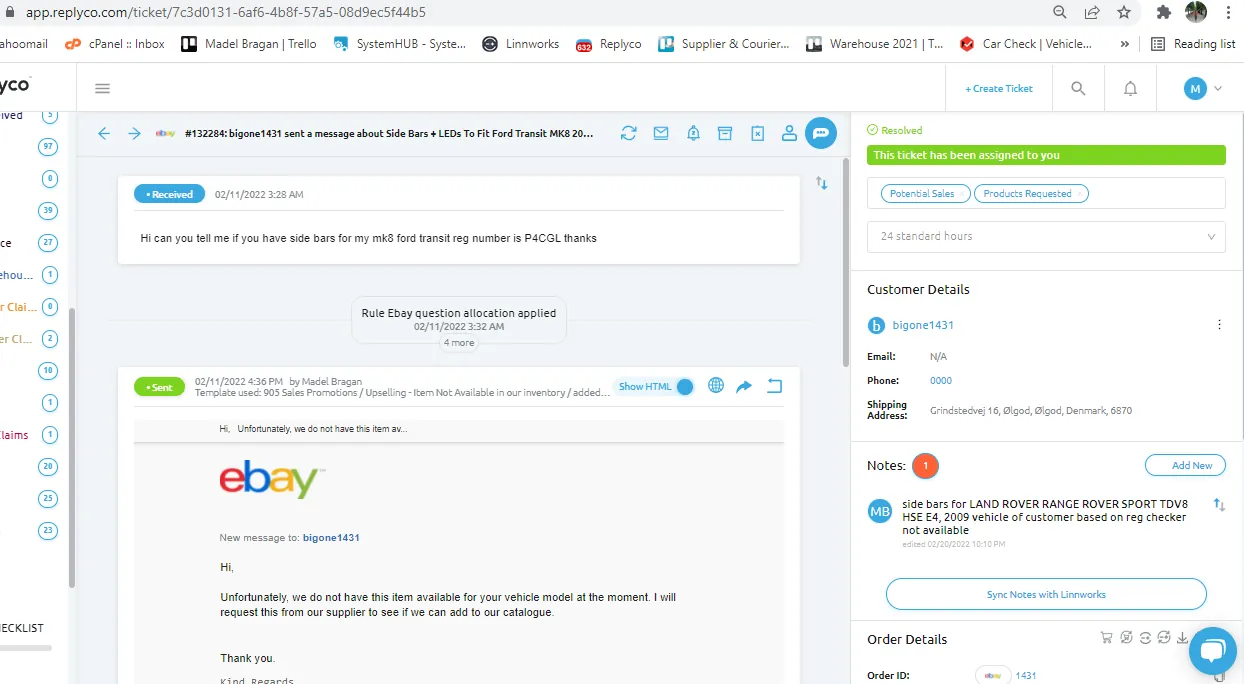
- For Potential Sales email with Products Requested label also, do not send potential sales macro since we still do not have the item. You can double check also but looking at the internal note if we have the item already or not. Go to next email.
- For potential sales email with Item out of stock label also, check the note what item is out of stock and check in Linnworks if we have stock already. Check also the websites if listed or not.
Notes:
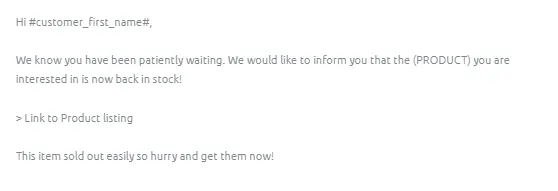
If item is is back in stock then update customer using Macro 904 for this. See
If item is still out of stock, do not send potential sales macro. Go to next email.
If the email query is from eBay, and upon checking Linnworks the item is in stock already but not yet listed in eBay, then request the listing team to list it at eBay. See this SOP on how to request to listing team to list items. Once listed, send the link to customer (make sure that you are sending the right eBay link, is it eBay0 or eBay1). Still use Macro 904 for this.
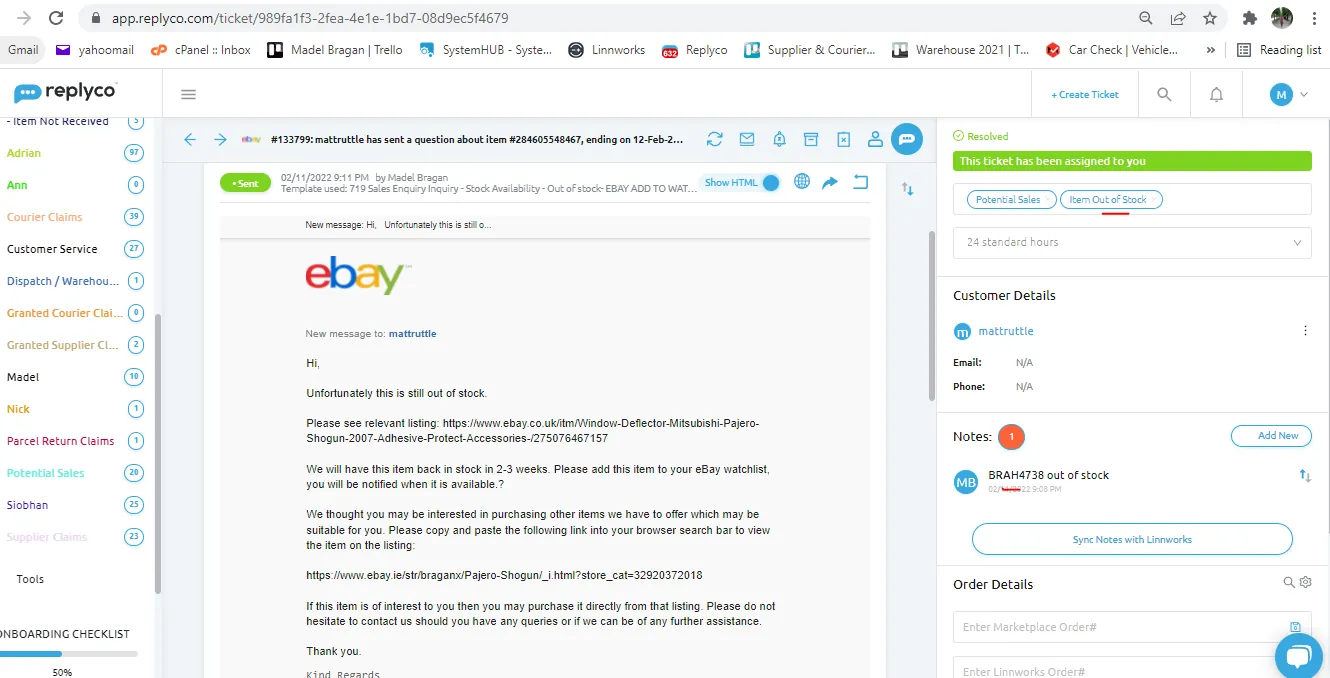
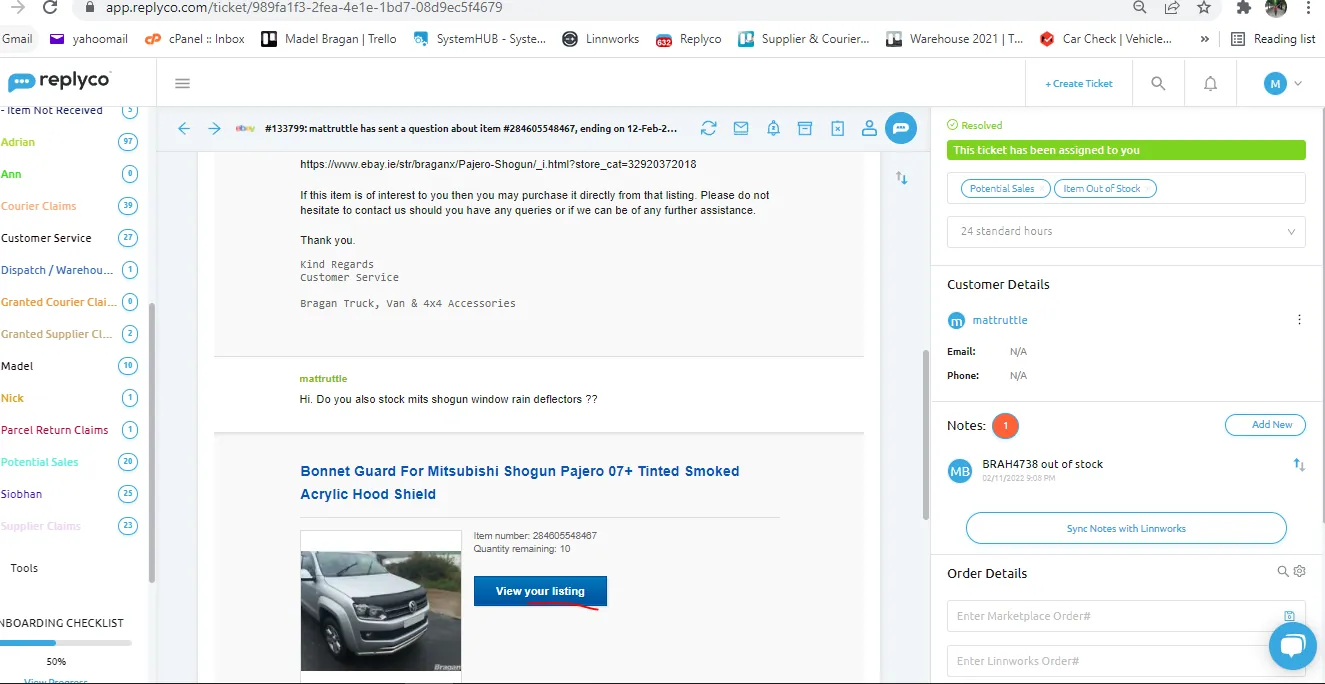
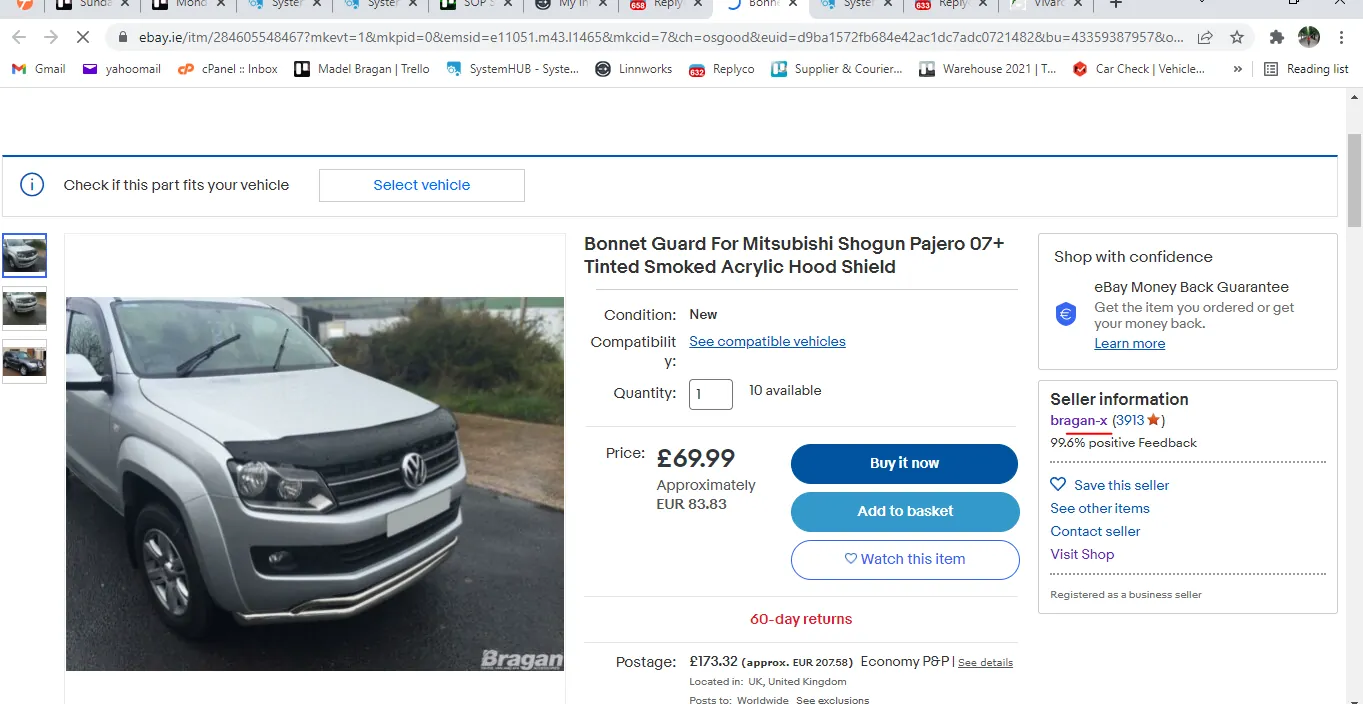
To know if customer is using eBay0 or eBay1. Click on the view your listing button from customers email, this will bring you to the listing page, and on the right side you can see if it is from Bragan-x (eBay1) or from bts-trading (eBay0). See Figure 10.
- Go through each pages until all potential sales emails for the past week are checked.
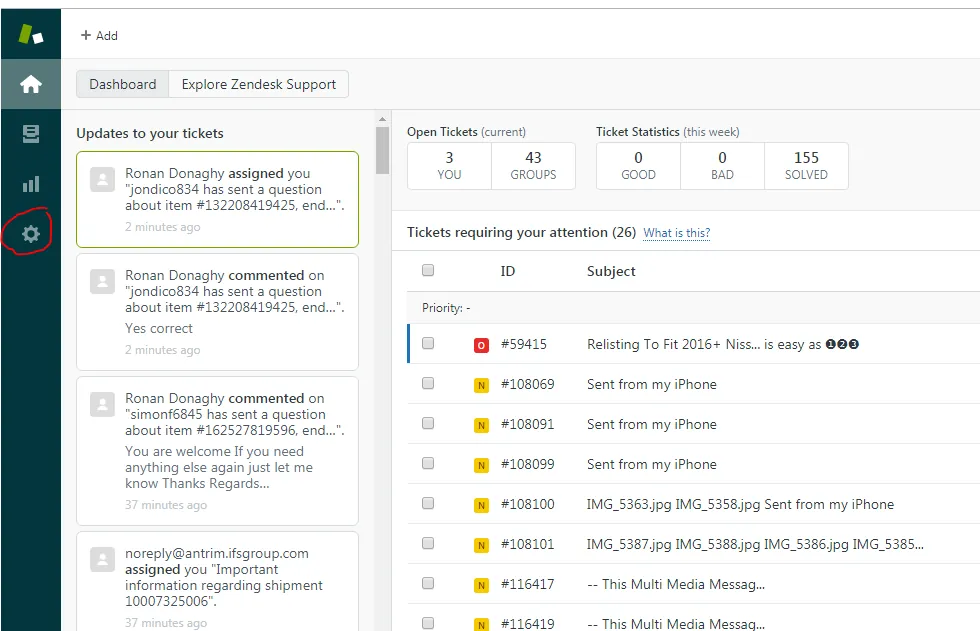
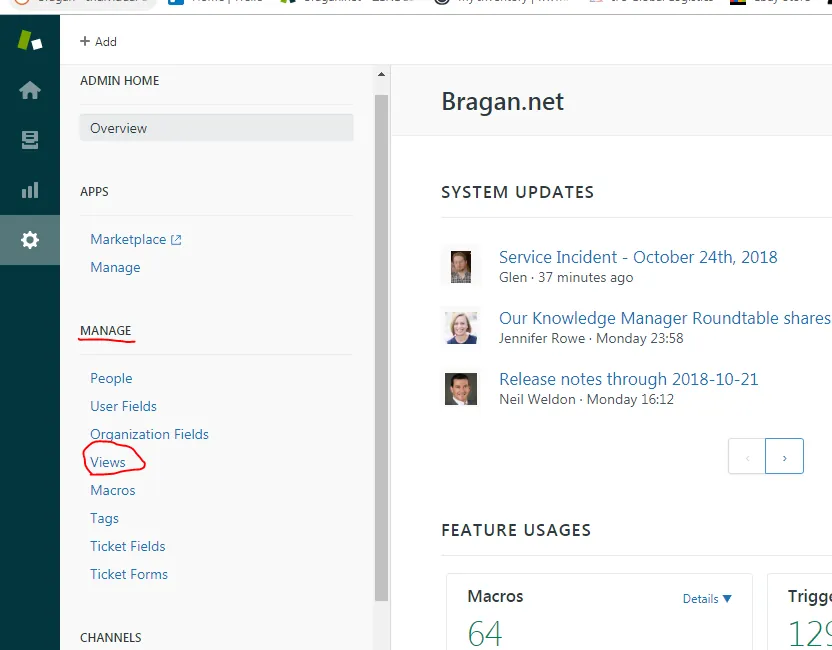
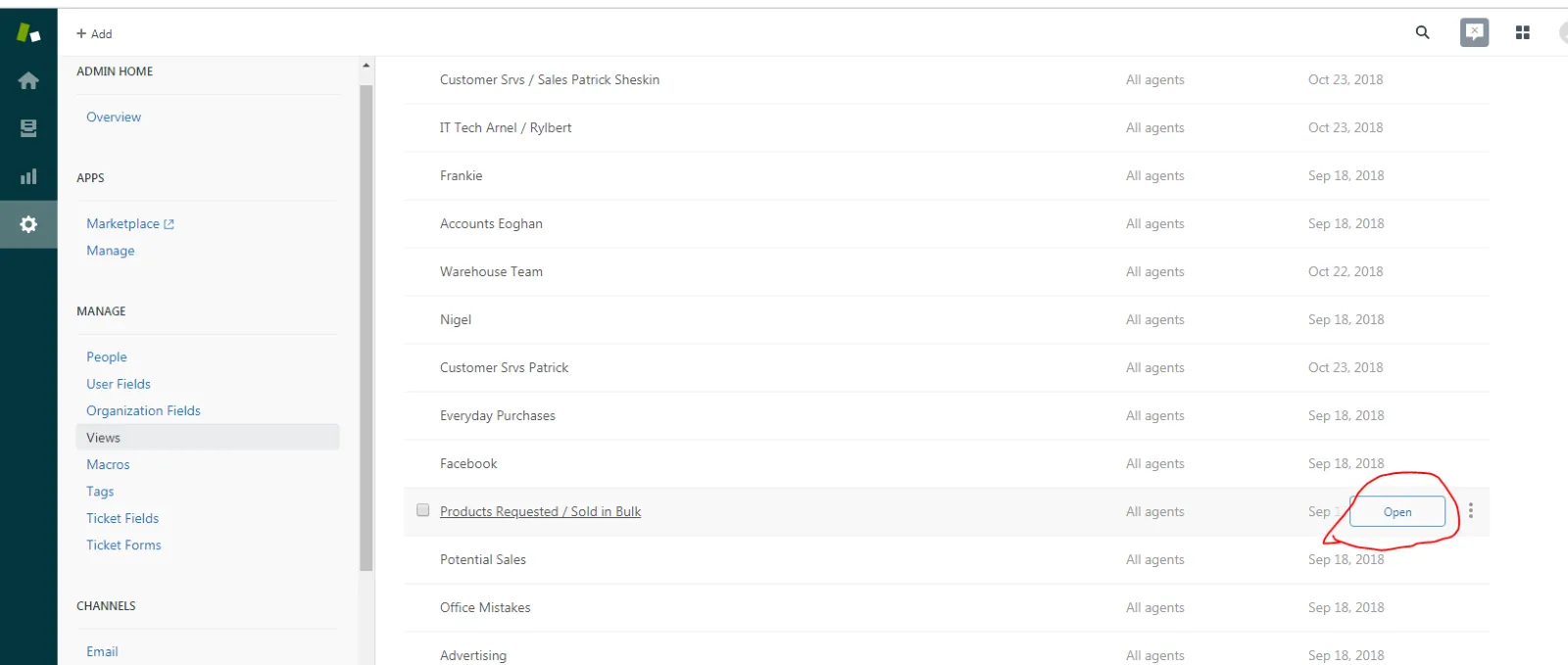
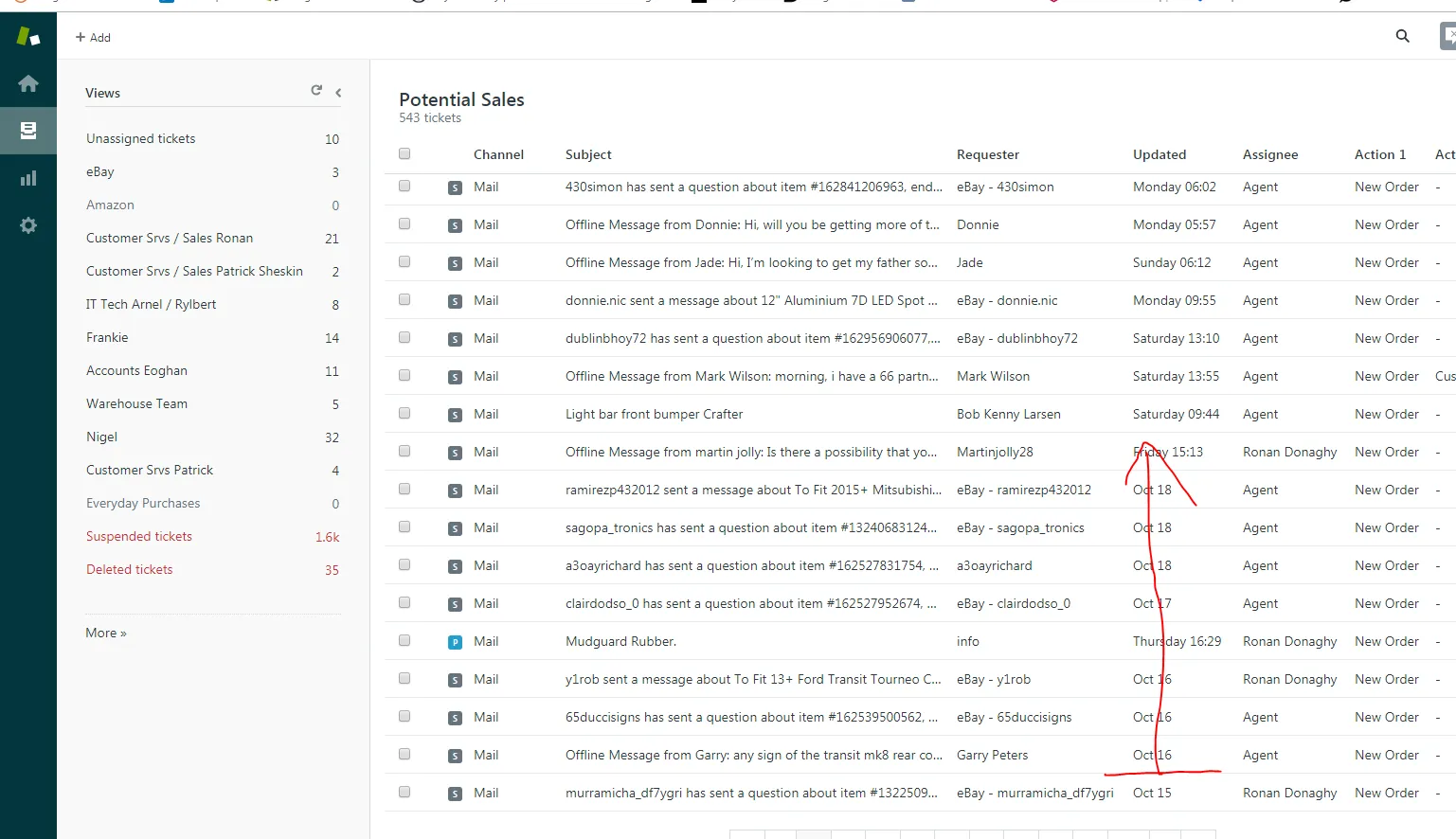
- Zendesk -> Settings -> Manage -> Views -> Potential Sales
a.
b.
c.
- Messaging the customer - Message all customers from the 16th of the previous month to 15th of this month.
b.
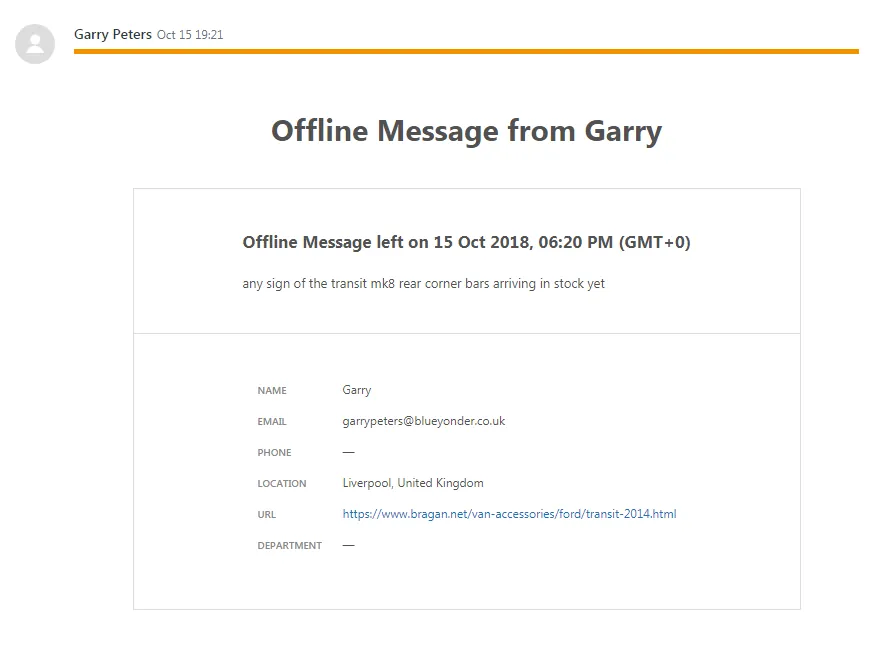
c.
- Use macro: ITEM NOW IN STOCK. if the item is back in stock.
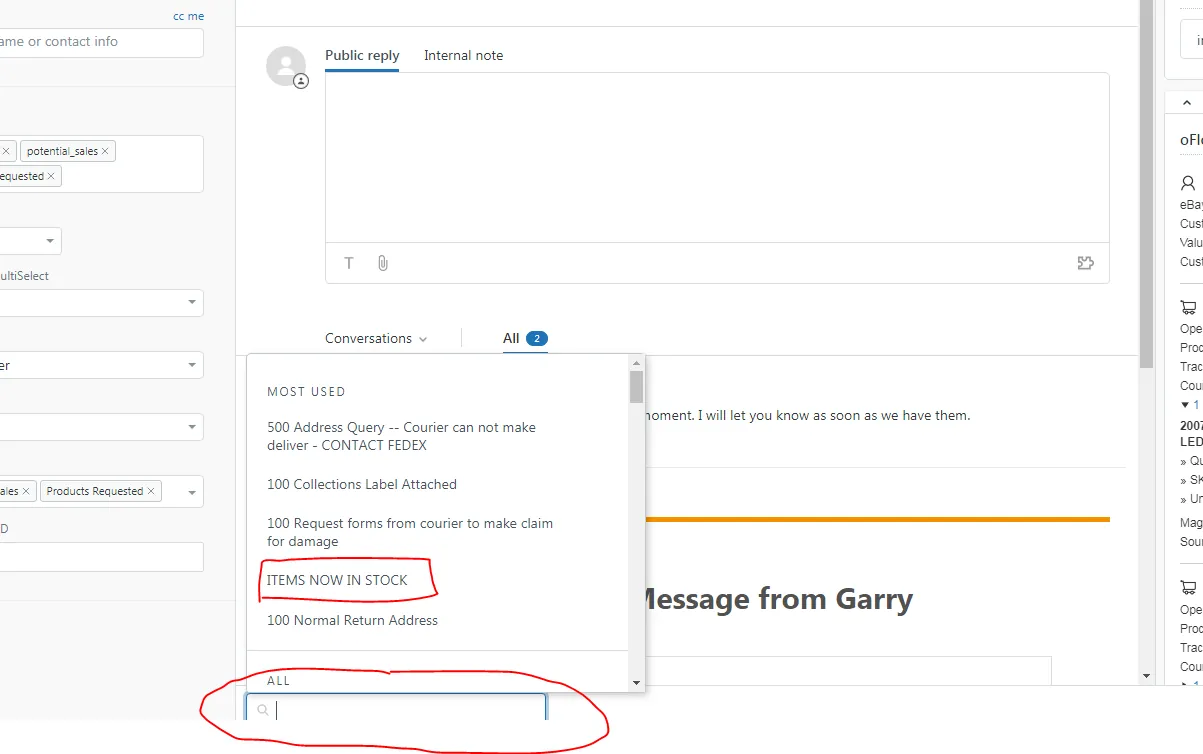
e.
f.
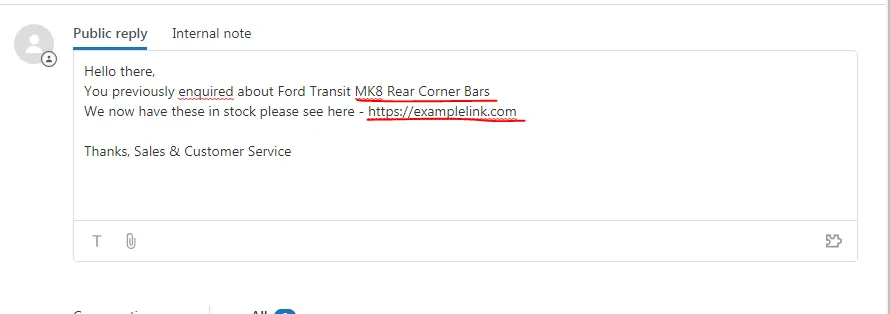
- Submit as Solved

Zendesk - Potential Sales Email May 2024#
Weekly task every Tuesday
Steps:
Open Zendesk > View > Potential sales folder
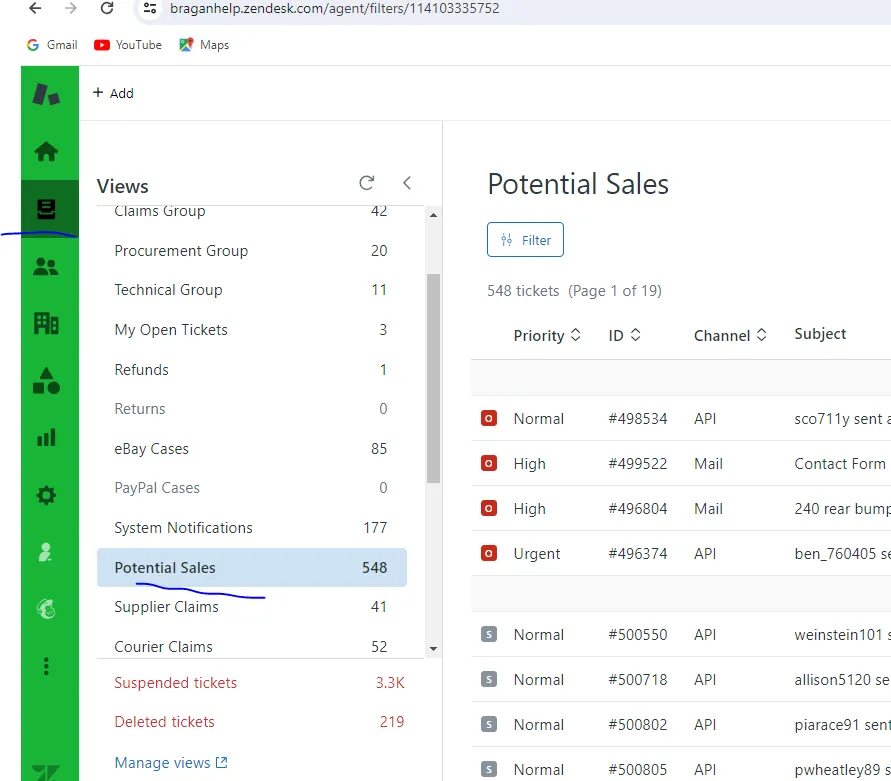
Label potential customer > click updated check most recent Weekly task every Tuesday go back and filter up to 7th day email last week Tuesday email.
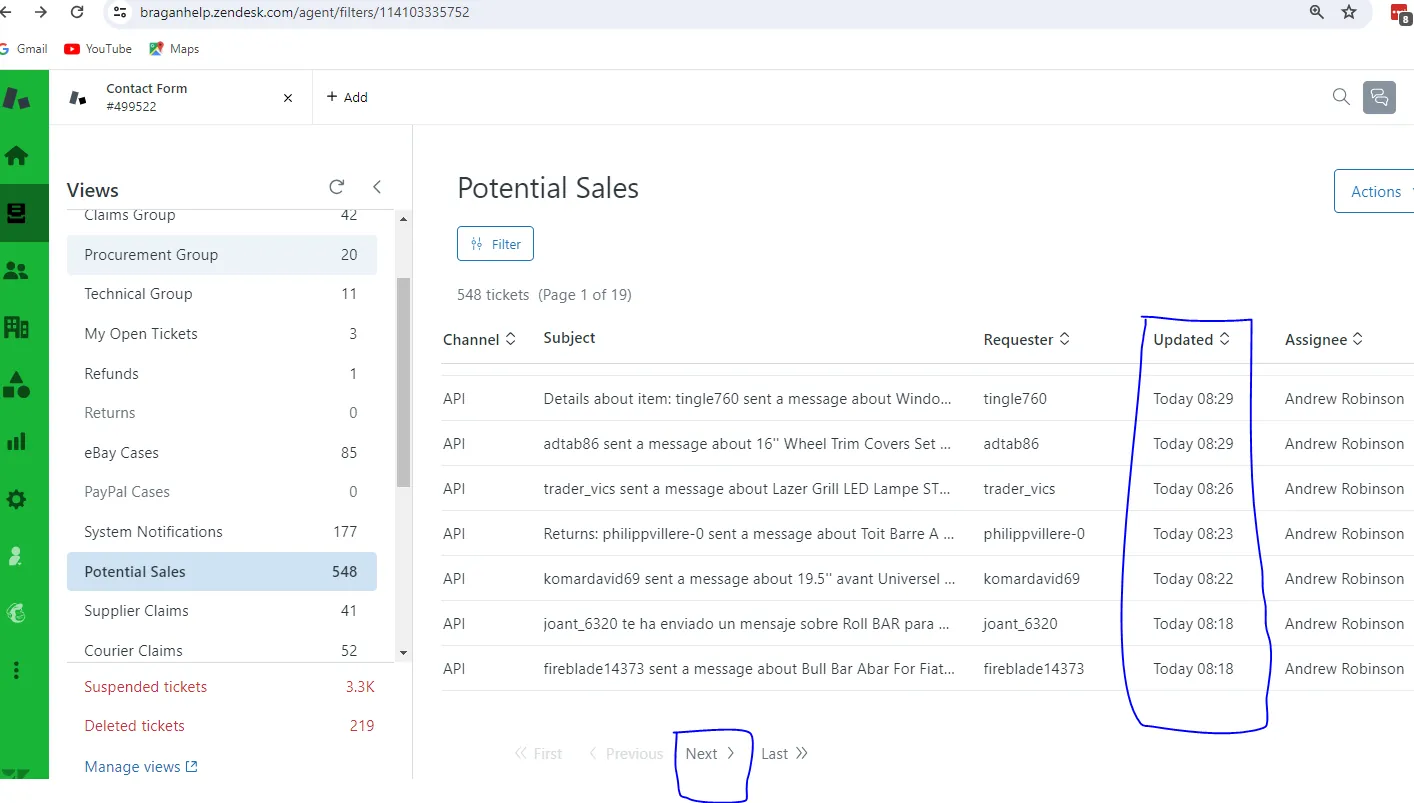
Check Folder - if has item not in stock, unhappy customer , item requested - Just skip no need to answer
Customer that Ordered already / Cancelled orders - just skip
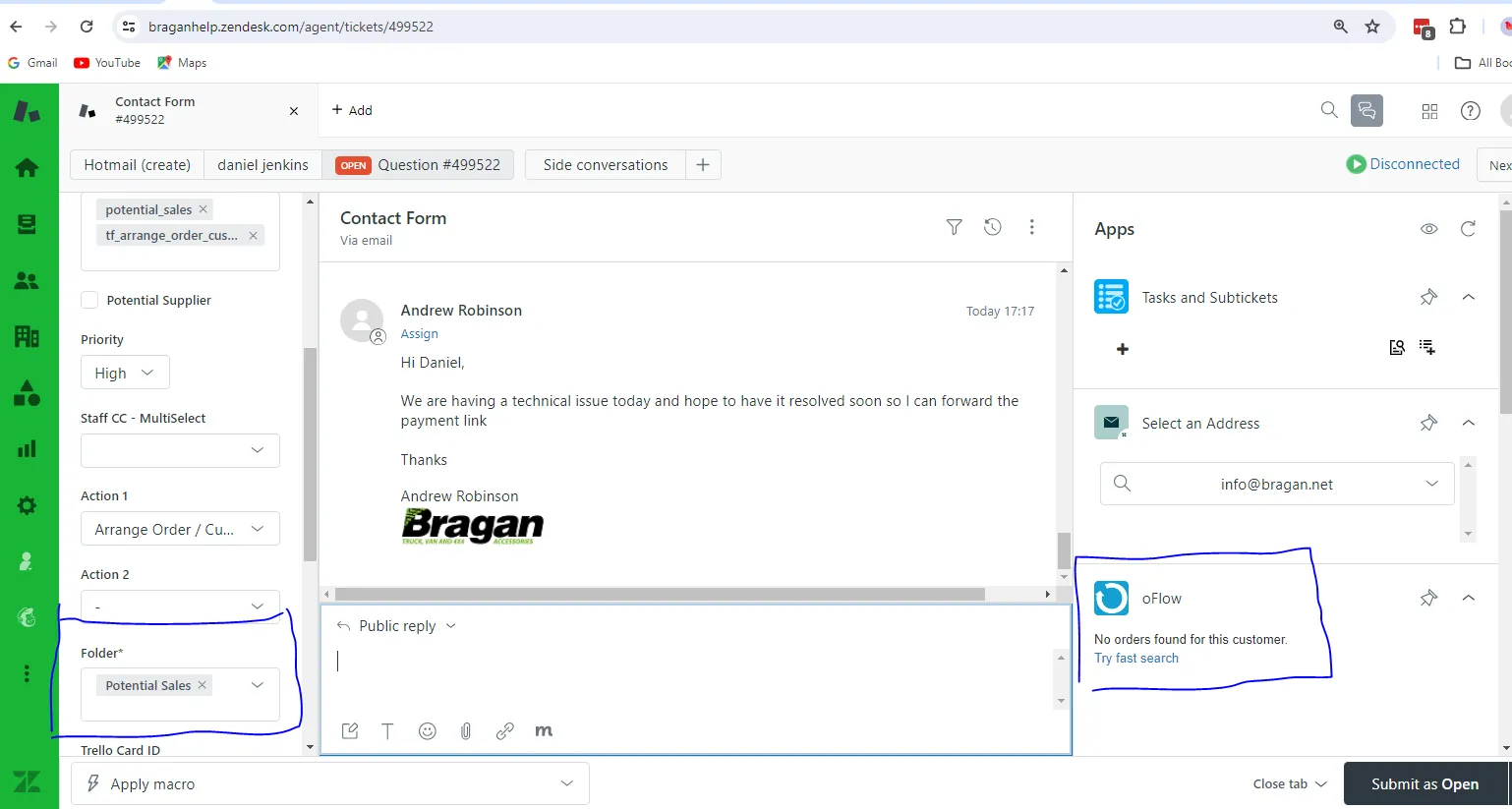
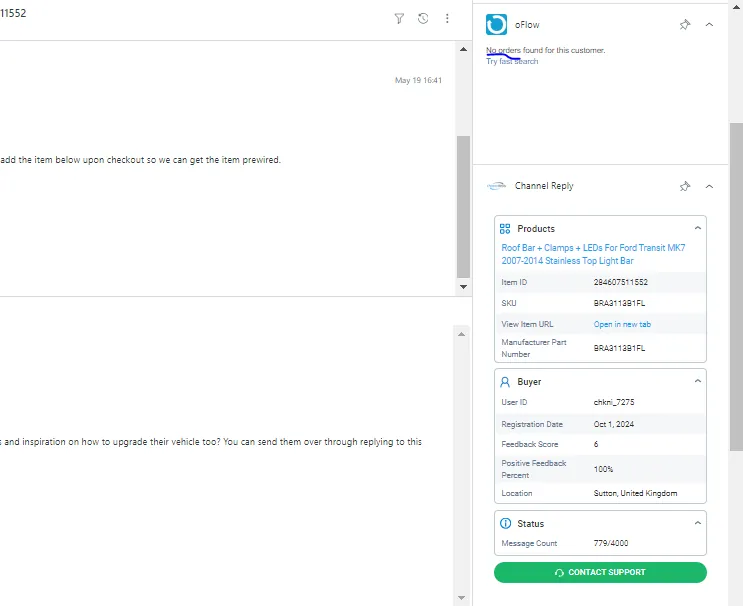
If customer has no order yet (check and load in oFlow app on right side of the window) Search in apply macro tab on bottom left side of the window and send 900 macro and submit solved.
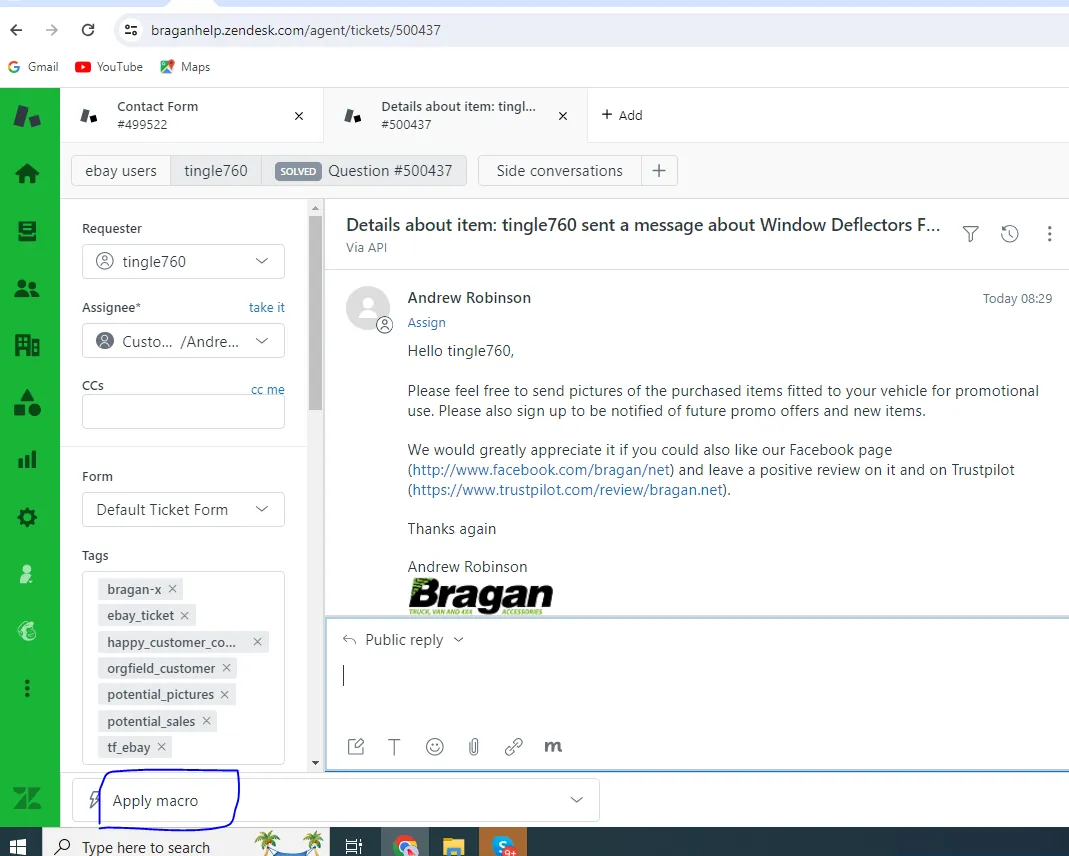
Search 900 in Apply Macro, choose and send, submit solve.
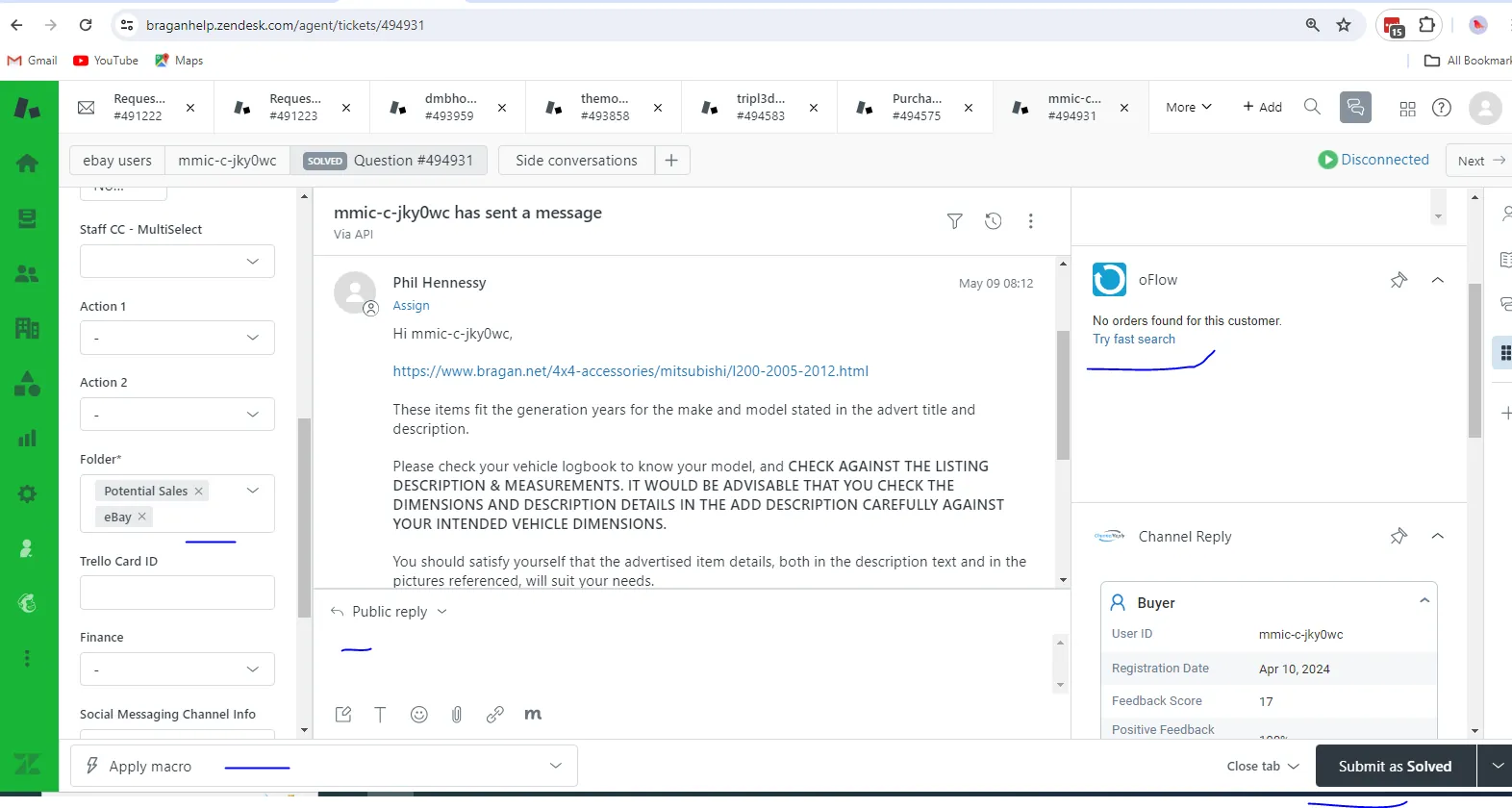
If there are customer question, add (customer service) in tag and submit open.
If you have sent last week the follow up email for potential sales email macro 900 and customer did not reply, no need to send again the potential sales email 900 from macro so that the customer will not get angry.
If the customer said he bought already from other seller, no need to send again the potential sales email.
Video & Media#
Notes#
This section is important so Adhoc points and issues can be logged. Also, Q&A can be logged for suggestions for potential issues encountered. Also, log important notes needed for this system. Additional Notes:
Potential Issues:
1 - ISSUE ENCOUNTERED: Stuck on Loading
RESOLUTION: Refresh Browser
2 - ISSUE ENCOUNTERED: Broken Links
RESOLUTION: Get the external link as this will allow other people to access the SOP without the need for login credentials and avoid broken links.
Attachments#
Sending_Potential_Sales_Ema… 16/12/2025