Zendesk Live Chat Instruction
The purpose of this SOP is to give an idea about Live Chat Instruction.
Overview#
Purpose: The purpose of this SOP is to give an idea about Live Chat Instruction.
Scope: This applies to all customer service representative staff and all staff personnel who is in charge of this process.
Responsibility: It is the responsibility of all staff to follow the standard operating procedure of answering Live Chat.
Objective: The objective of this procedure is:
- to guide employees about the process of how to answer customers on Live Chat.
Live Chat Instruction
Live Chat
Handling Live Chat on Zendesk
- Open and Login on ZENDESK.
A.
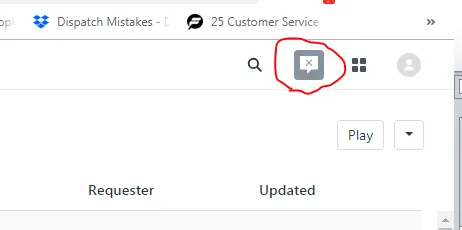
- On the top-left part of the page click “Message Icon” and Sign In.
C.
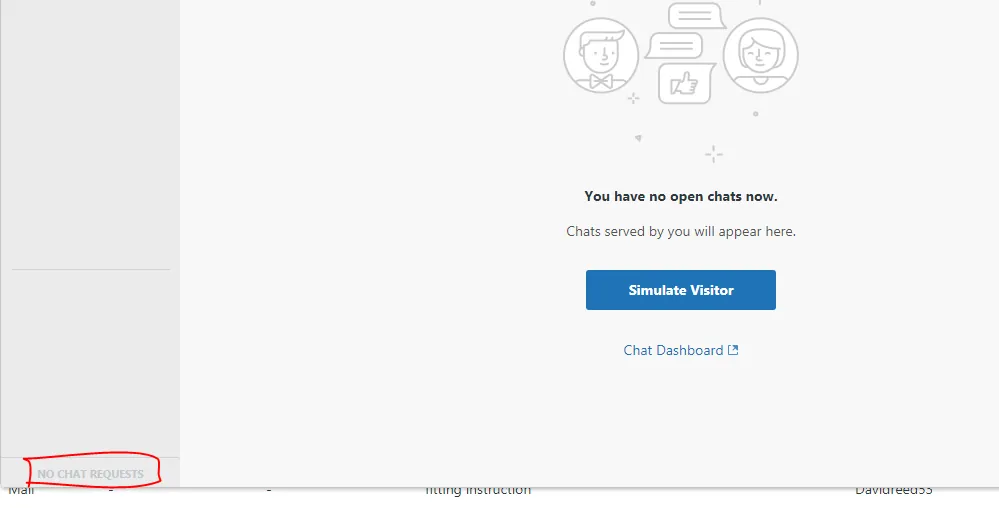
- If someone chats, this will be found bottom-left of the chat page.
- And tell customer “Hello! Thanks for contacting Bragan. How can I help you?”
- If they have a request that needs a couple of minutes to solved. Tell customer ” Thank you for your inquiry - I am looking into this and I will be back with you shortly”.
- After the issue/query is solved. Tell customer “Well it’s been great chatting with you! I hope we resolved your issue throughly. Let us know if there’s anything else we can do for you! You can always reach me directly at [email protected]. Have a wonderful day”
- Issues or query you cannot solve. Tell customer “Hello there - please send an email to our technical team - [email protected] and they will assist you. Thank you”
Notes#
This section is important so Adhoc points and issues can be logged. Also, Q&A can be logged for suggestions for potential issues encountered. Also, log important notes needed for this system. Additional Notes:
This document is important especially to customer service staff because this shows the process of handling Live Chat on Zendesk.
Potential Issues:
1 - ISSUE ENCOUNTERED: Stuck on Loading
RESOLUTION: Refresh Browser
2 - ISSUE ENCOUNTERED: Broken Links
RESOLUTION: Get the external link as this will allow other people to access the SOP without the need for login credentials and avoid broken links.