How to Renew Jobs on OnlineJobs.ph
We use Onlinejobs.ph to post current available jobs.
Overview#
Purpose: We use Onlinejobs.ph to post current available jobs. The purpose of this system is to outline to assigned personnel how to renew current available jobs in Onlinejobs.ph. Also, this is to keep our job post on the most recent page and be visible to potential employees.
Scope: This procedure applies to HR Personnel / authorized personnel in charge of renewing job posts in Onlinejobs.ph
Responsibility: It is the responsibility of each employee to ensure the process set out in this procedure is followed.
Objective: The objective of this procedure is:
to standardize the steps on how to Renew Onlinejobs.ph job ads.
Process Flow#
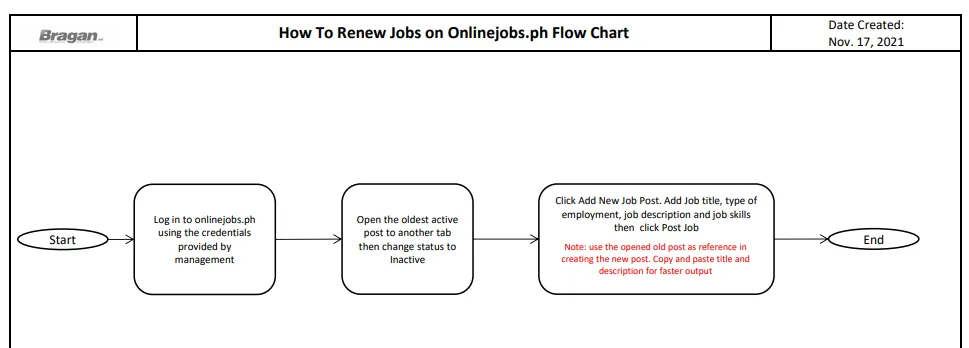
How to Renew Jobs on Onlinejobs.ph#
This is to keep our job post on the most recent page and be visible to potential employees.
Step 1. Go to onlinejobs.ph and log in with the credentials provided by management (Team IRL).
Step 2. Go to the oldest active post, right click on the Job title and select Open link in new tab. The opened page will serve as your guide when you renew/create a new post for the same job title.
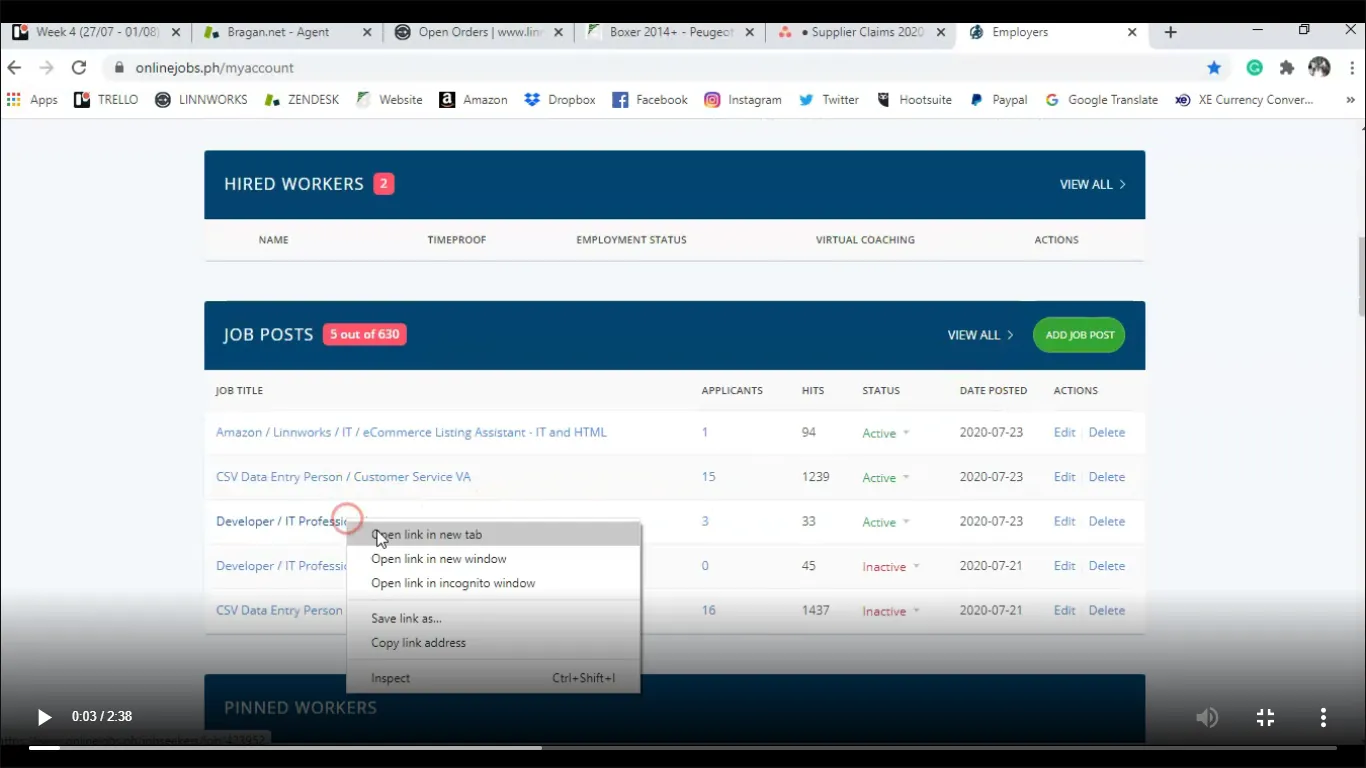
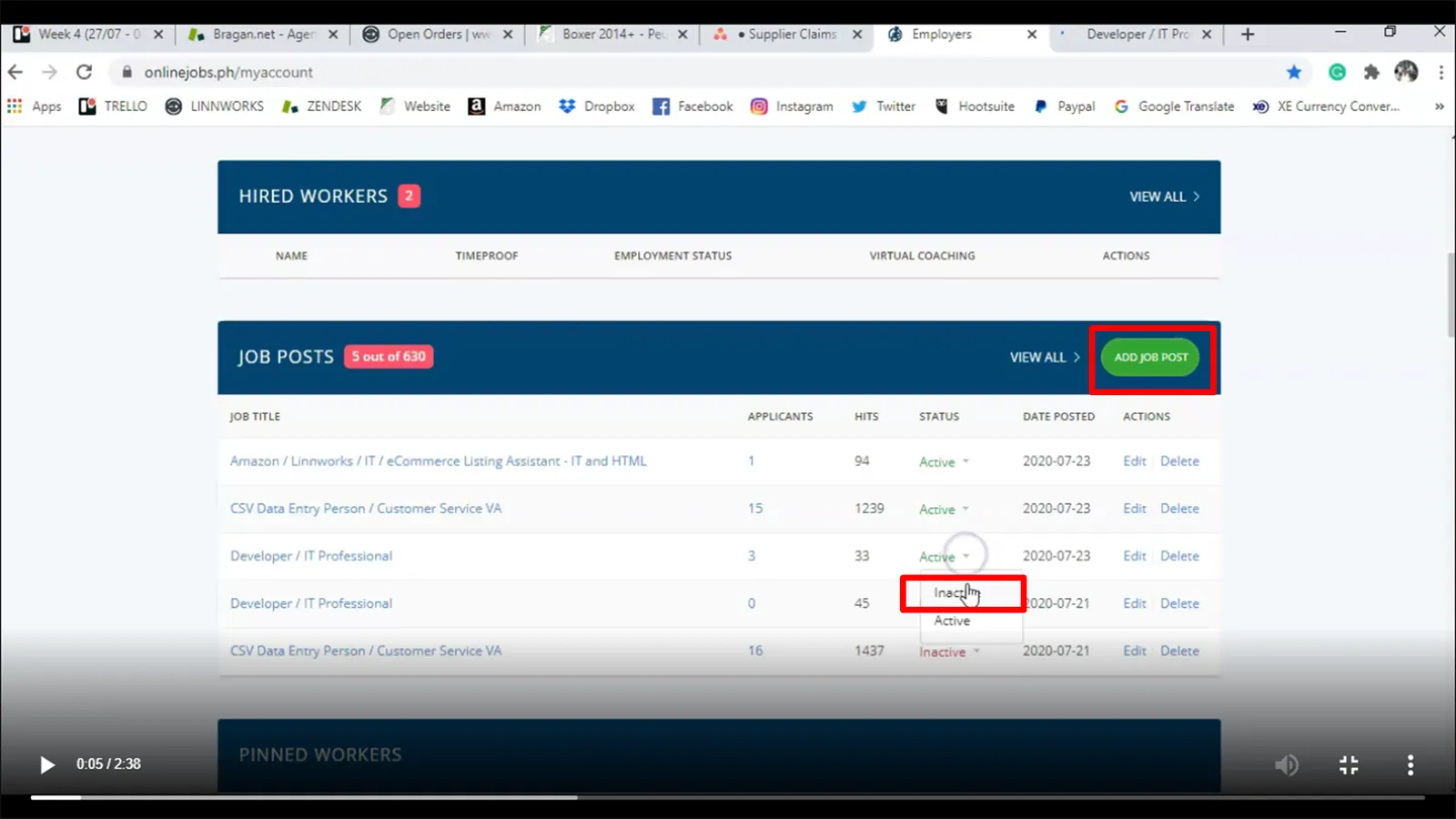
Step 3. Under Status, click on the dropdown menu of the job post you want to renew and select Inactive. Then click Add Job Post
Step 4.
Go to the tab opened in step 2 (the old post), copy the title then paste to the new job post and add the type of employment.
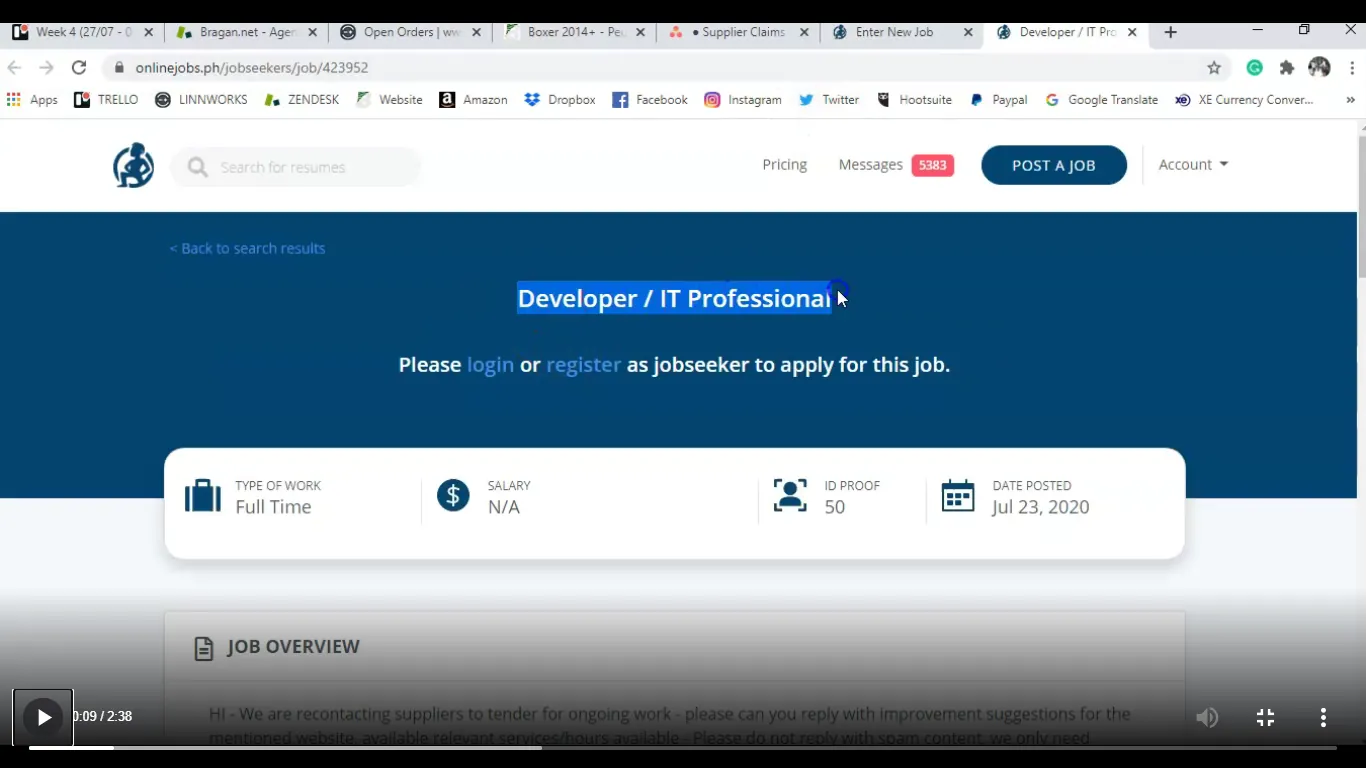
Copy the title from the old post
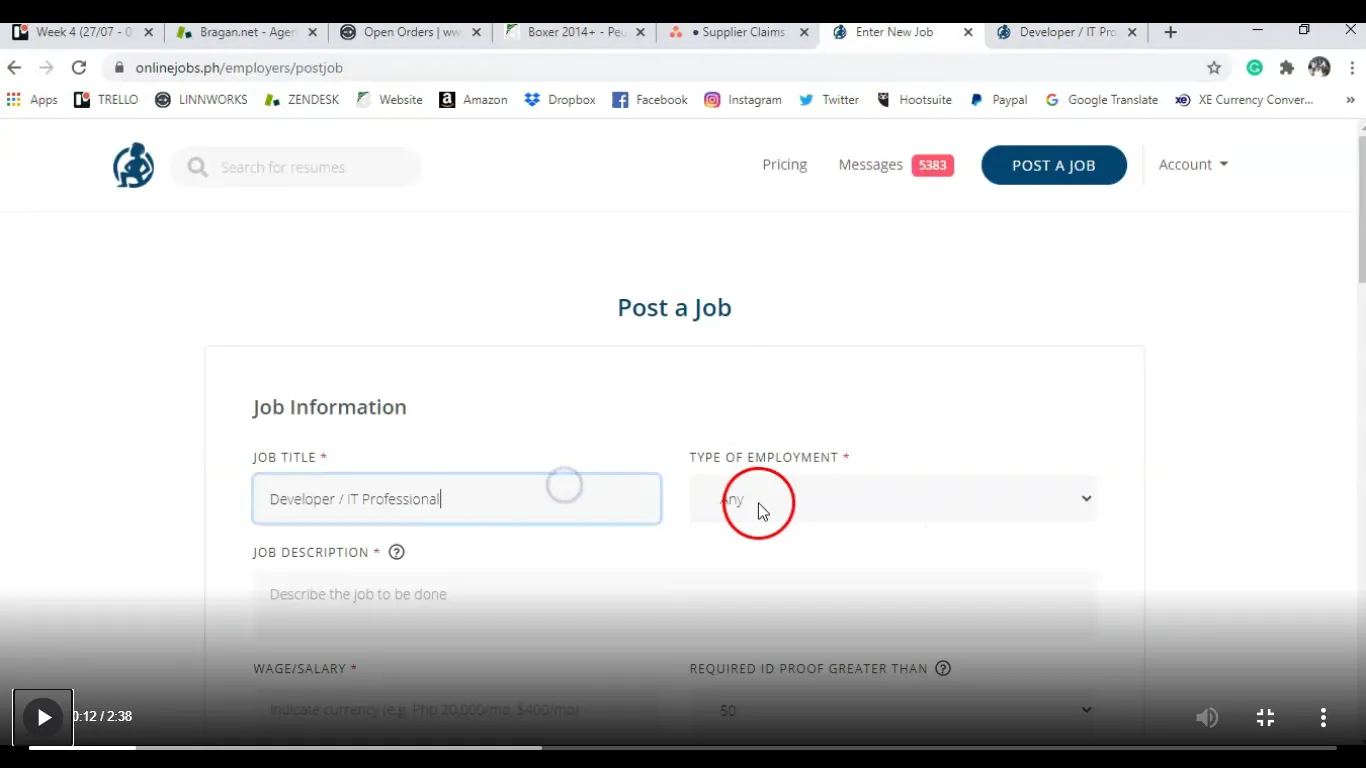
Paste the copied title in the Job Title
Step 5.
Copy the job overview from old post and paste it on the Job Description part of the new post
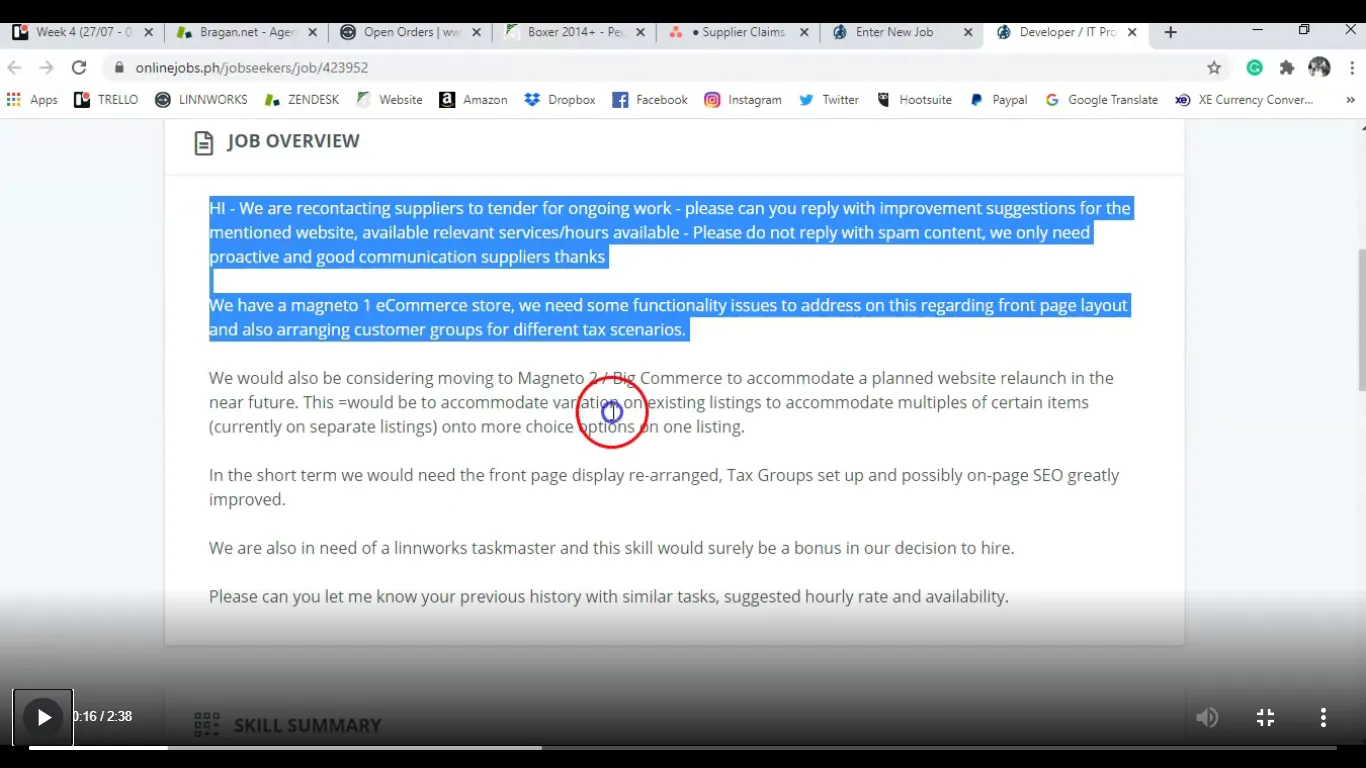
Copy the Job Overview from old post
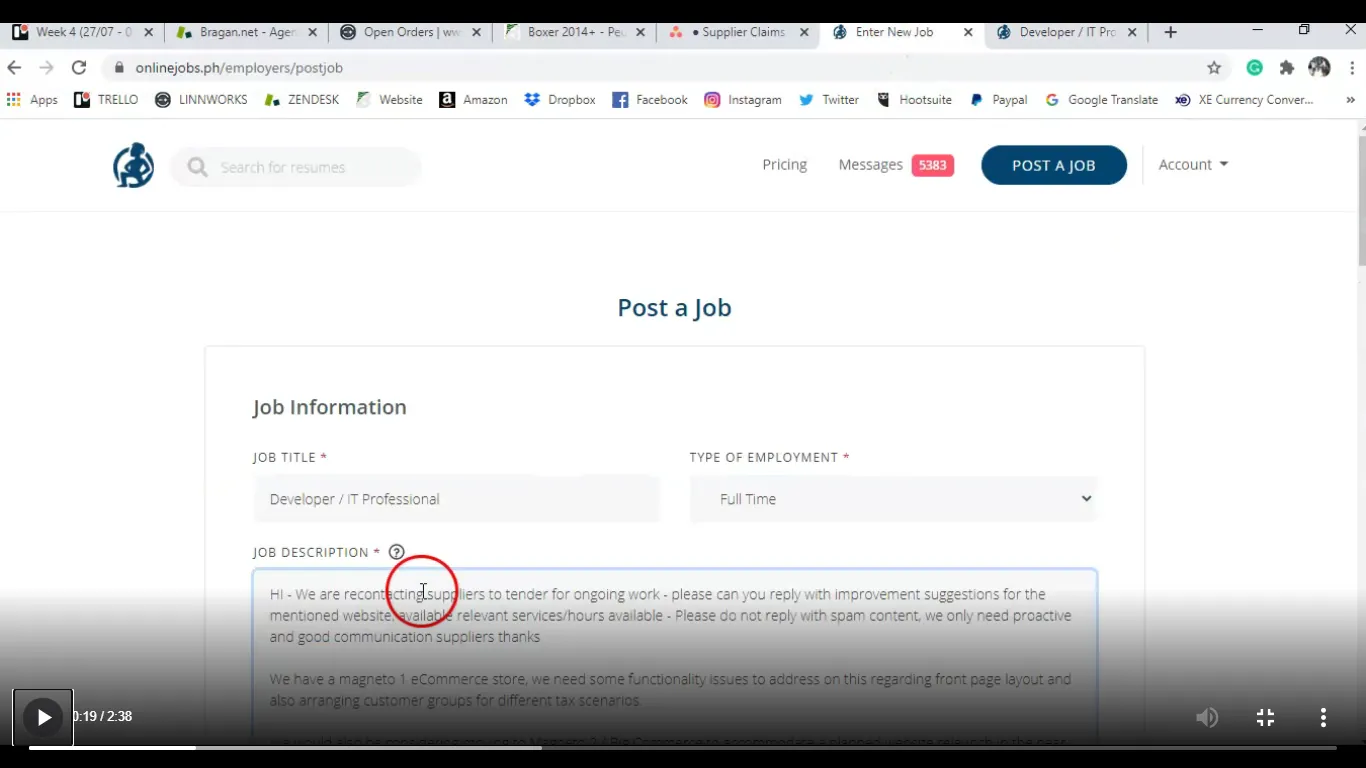
Paste in the Job Description part of the new post
Step 6.
Copy the salary and paste it in the new job post. Then change email address from [email protected] to [email protected].
Step 7.
Add the Job Skills. Check the old post skill summary to know what to put. For Notification make sure to choose "Send All Application Immediately To My Email Address". Then click Post Job. An acknowledgement will appear that the job ad is posted.
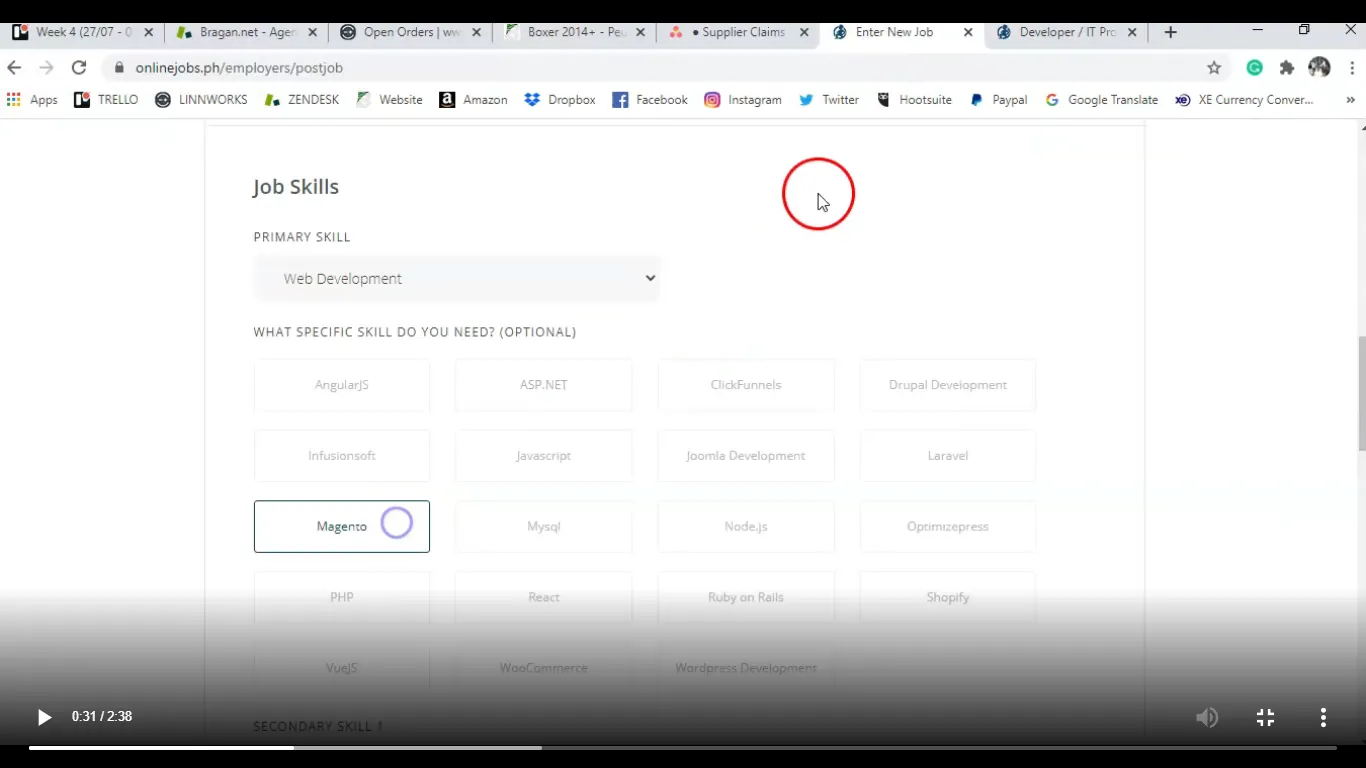
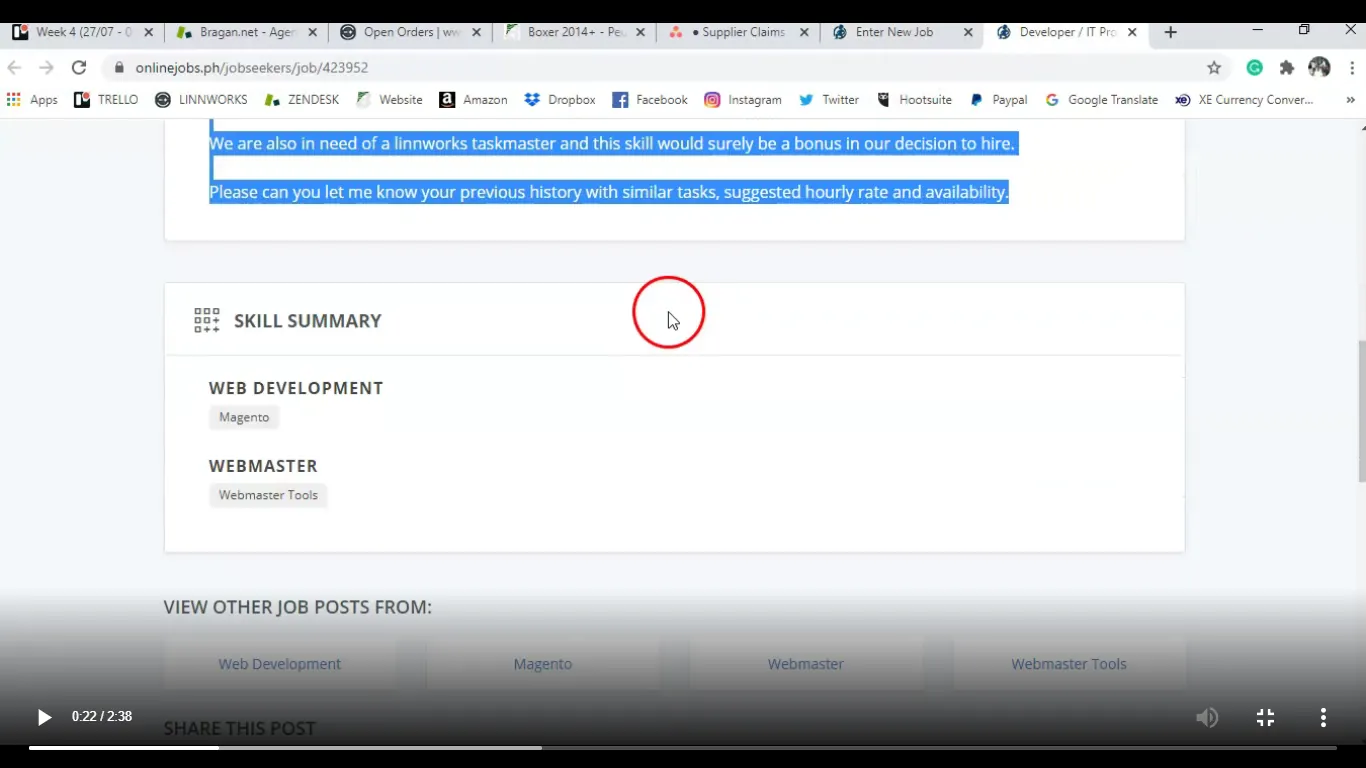
Skill Summary from Old Post
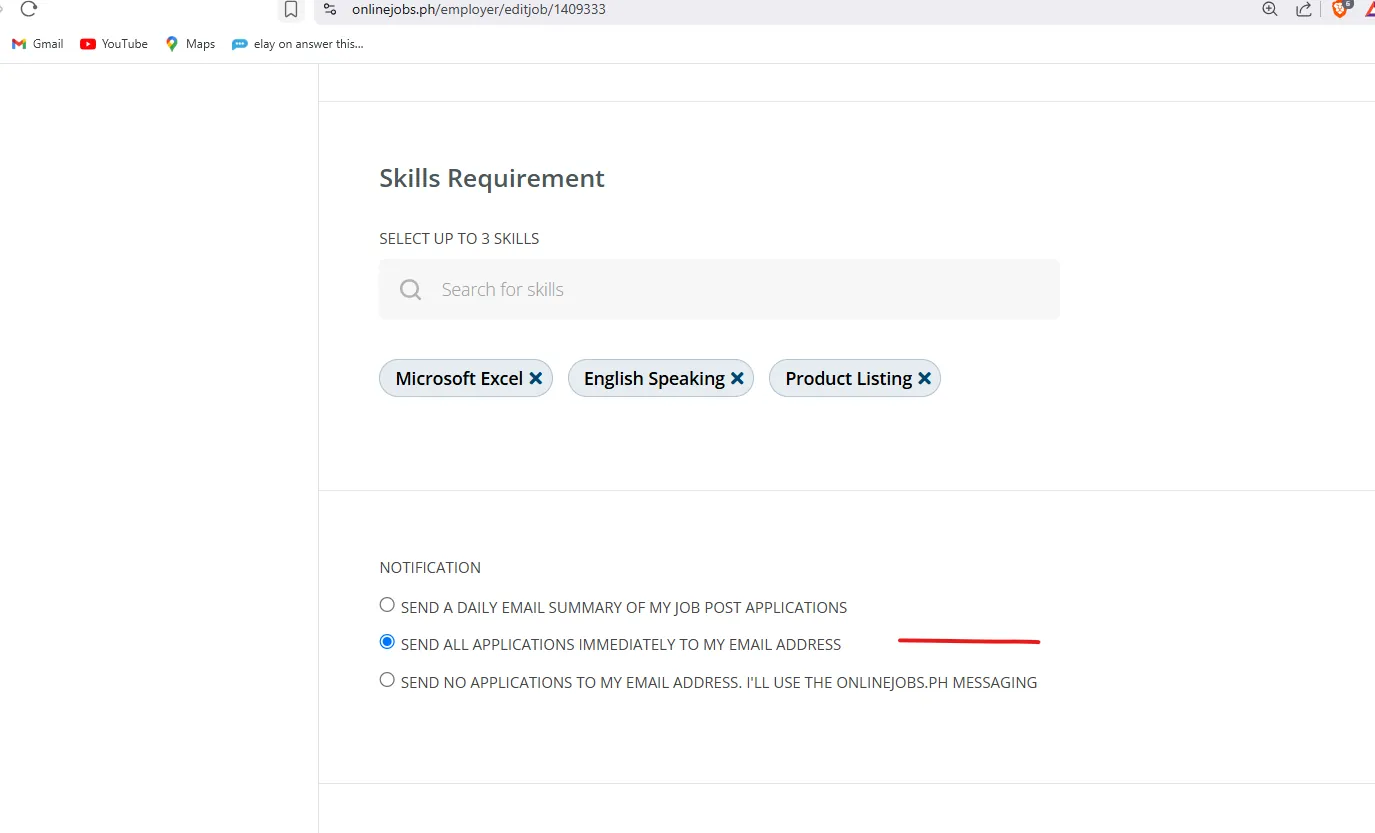
"NOTIFICATION TO CHOOSE"
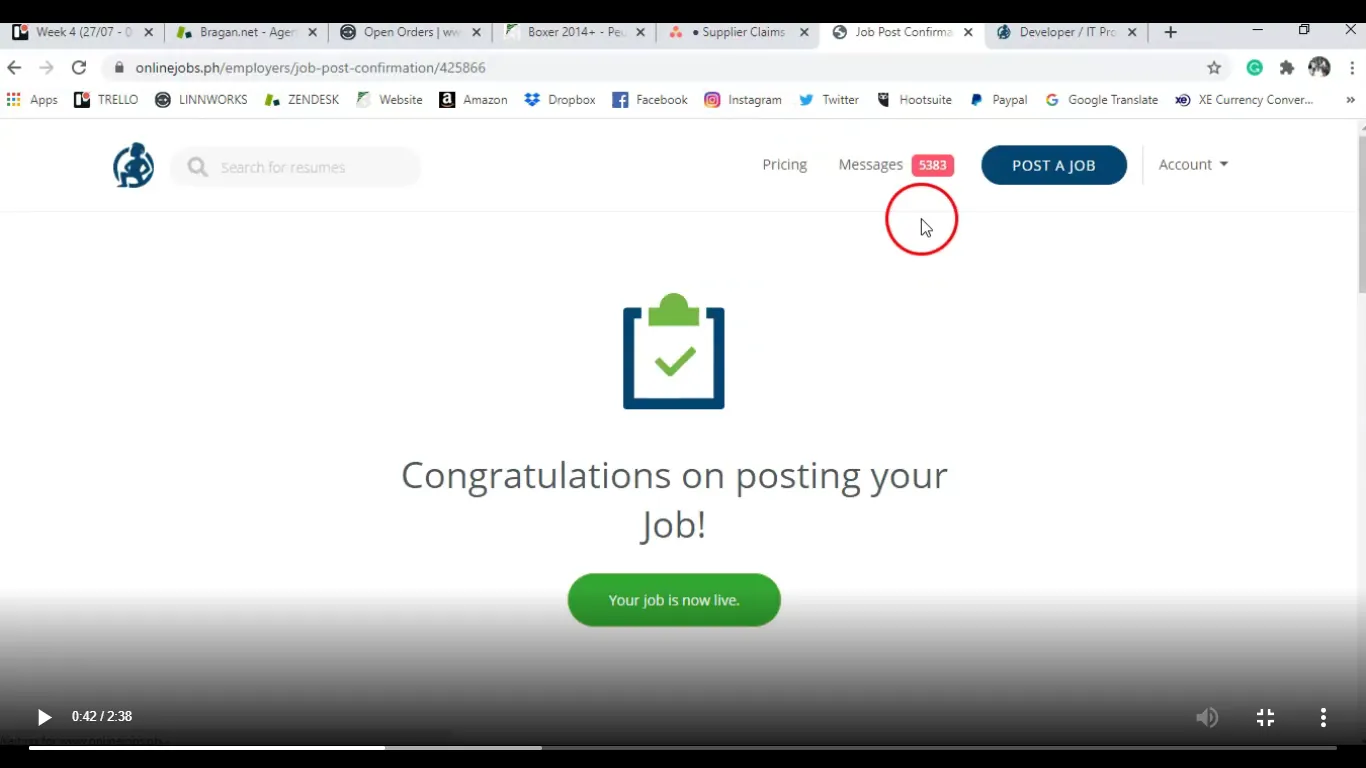
Step 8.
Then return to main page where job posts are listed. Repeat the process for the next job post that need to be renewed.
Note:
You can only post 10 job listings in a month. 3 jobs will be active you must repost them once every week in a month for 3 weeks. On the 4th week of the month only post the E-commerce/Product Lister job. These job postings must only be reposted on Friday.
Only copy and repost the job. You must not edit any content unless advise by Team IRL. You must not deactivate or reactivate job post without Team IRL approval. Any questions please ask Team IRL.
Video & Media#
Notes#
This section is important so Adhoc points and issues can be logged. Also, Q&A can be logged for suggestions for potential issues encountered. Also, log important notes needed for this system. Additional Notes:
Renew Onlinejobs.ph job ads every Friday to make sure that it appears on the most recent page for visibility of potential employees. Please see attached Folder link for Jobs Renew training videos
When renewing Jobs posting, you should follow video instructions and use the relevant template on the drop down.
Potential Issues:
1 - ISSUE ENCOUNTERED: Stuck on Loading
RESOLUTION: Refresh Browser
2 - ISSUE ENCOUNTERED: Broken Links
RESOLUTION: Get the external link as this will allow other people to access the SOP without the need for login credentials and avoid broken links.
Attachments#
How_to_Renew_Jobs_on_Onli… 16/12/2025