Adding pictures procedure - adding pictures in a listing
The purpose of this SOP is to show the process of adding pictures to a listing.
Overview#
Purpose: The purpose of this SOP is to show the process of adding pictures to a listing.
Scope: This applies to all Bragan office personnel who is in charge of this process.
Responsibility: It is the responsibility of all staff to follow the standard operating procedure for adding pictures in a listing.
Objective: The objective of this procedure is:
- to guide employees on how to add pictures in the listing.
Adding a Picture to a Listing in Websites#
We have 2 types of adding images in the system.
- Manual via Linnworks.
- Via CSV upload.
Process#
Open Product Listing Tab#
- Search for SKU in Linnworks . My Inventory
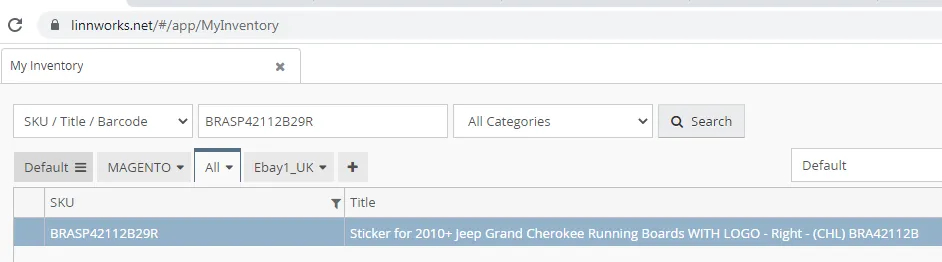
eBay has a maximum quantity of 12 images, Amazon has 9, Magento is unlimited.
- Click Image tab , and Click Add image.
Select your image from DropBox .e.g. Richie Folder etc
Ensure that image has got a watermark, the only exception to this rule is with Bull Bars / A Bars except for EC approved which you can EC in the sku code. This pictures DO NOT use watermarks, please be extremely vigilant with this.
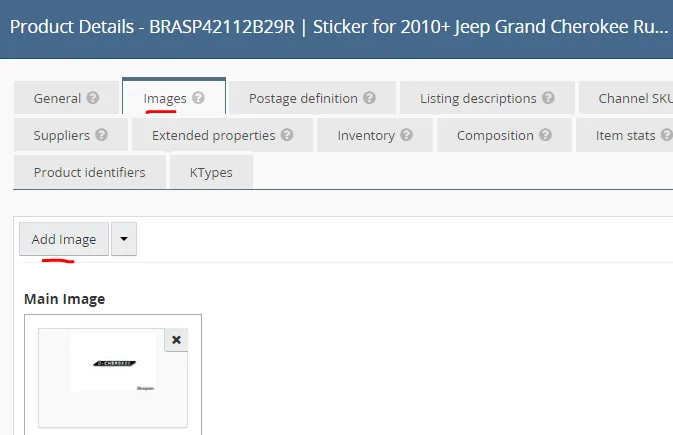
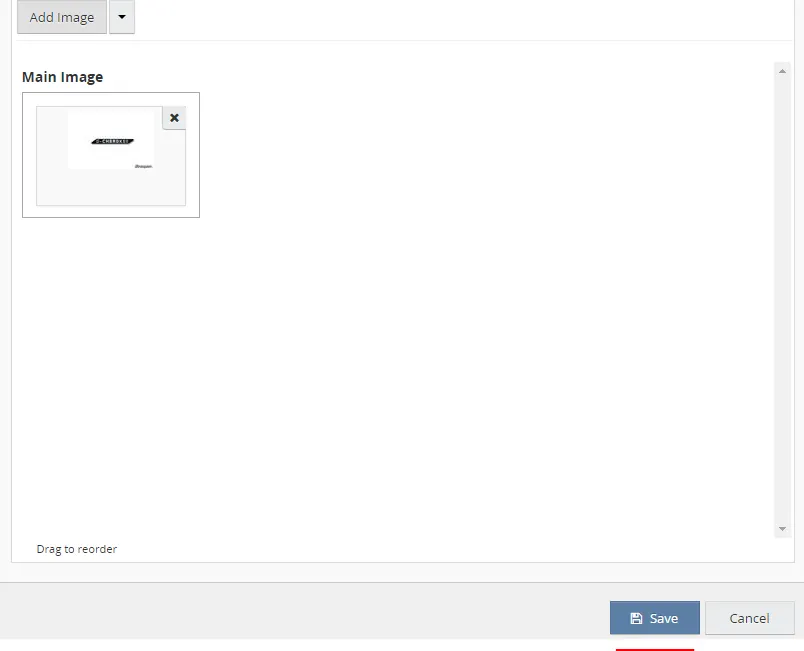
- Once you have selected your image, save and exit. If the picture assigned is to become the main picture, select ‘make primary’ save and exit
- Revise reload images the listing in the channel right click and right click 'edit'.
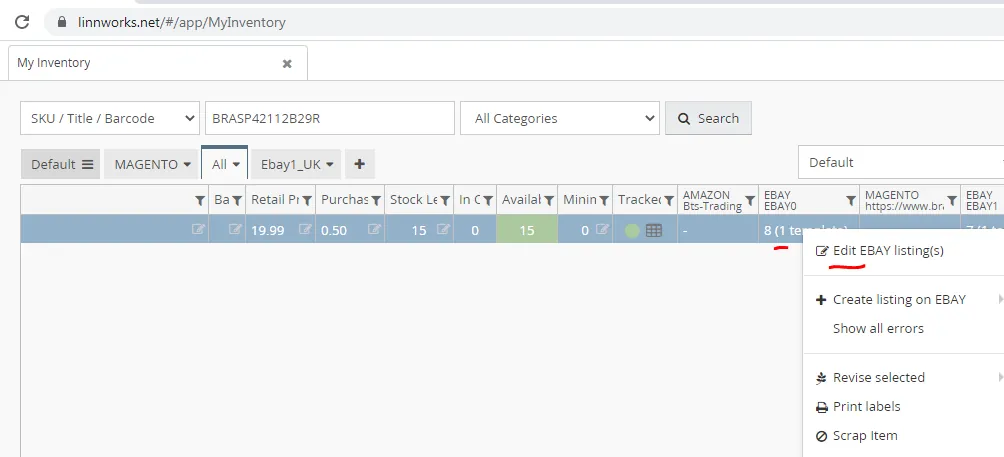
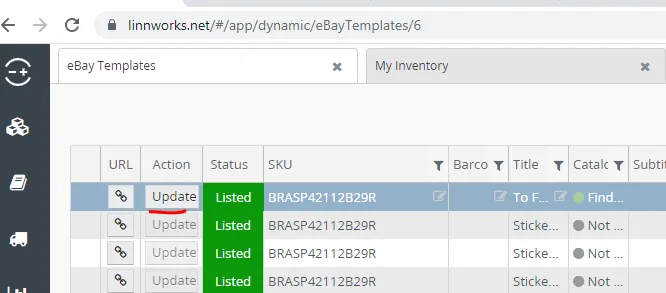
- Click Update
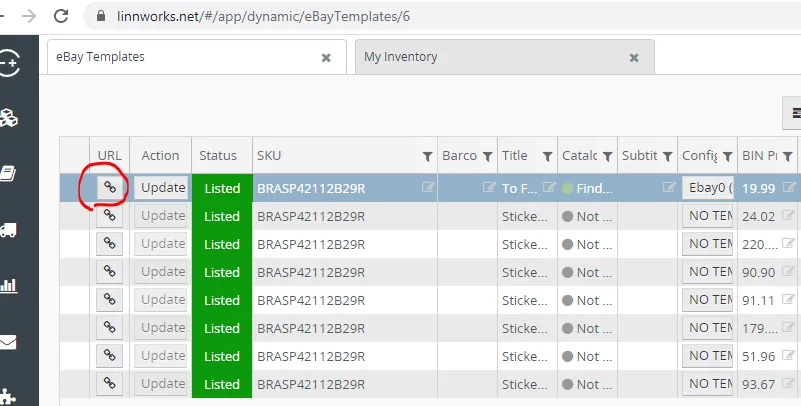
- Check in website if images has been added. Click this button and you will directed to the listing in website. Do this steps in all channel that needs to update images.
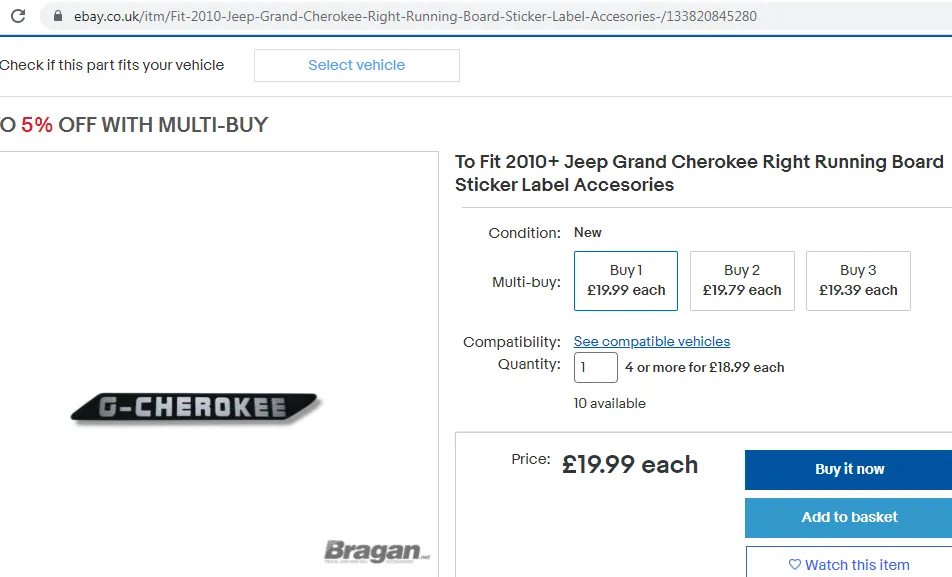
Sample website listing in eBay0
Sample of CSV upload adding of images in the listing.
Video & Media#
🎥 Adding Pictures to listings - Manual 🎥 HIDDEN Image Upload in Linnworks 🎥 Adding a Picture to a Listing
Notes#
This section is important so Adhoc points and issues can be logged. Also, Q&A can be logged for suggestions for potential issues encountered. Also, log important notes needed for this system. Additional Notes:
We have 2 types of adding images in the system.
- Manual via Linnworks.
- Via CSV upload.
Attached 2 videos in adding images to the listing, 1st video is a manual process via Linnworks and the 2nd video is a process via CSV upload.
Potential Issues:
1 - ISSUE ENCOUNTERED: Stuck on Loading
RESOLUTION: Refresh Browser
2 - ISSUE ENCOUNTERED: Broken Links
RESOLUTION: Get the external link as this will allow other people to access the SOP without the need for login credentials and avoid broken links.
3 - ISSUE ENCOUNTERED: "Type Text Here"
RESOLUTION: "Type Text Here"
Adding Pictures Procedure - Adding Pictures In A Listing Adding Picture
How To Add Picture