Cross over year note in listing description
The purpose of this SOP is to give an idea about Cross over year note in listing
Overview#
Purpose: The purpose of this SOP is to give an idea about Cross over year note in listing description.
Scope: This applies to all listers Bragan personnel.
Responsibility: It is the responsibility of all staff to follow the standard operating procedure on correct Cross over year note in listing description.
Objective: The objective of this procedure is:
- to guide employees on about Cross over year note in listing description.
How to know when to add a crossover note in the listing?
You need to check if the make model year has the same model and year overlapping.
Renault Kadjar has a different model that has model year overlapping which is why needs to add cross over year note in the listing.
For example:
Renault Kadjar Model TCe 130 2015–2018
Renault Kadjar Model TCe 16 2017–2018
You need to check if the listing has a model generation years.
Vauxhall / Opel Movano has multiple model generation years, we must provide a crossover note to advise buyers whether the item is compatible with their vehicle or not.
For example:
Vauxhall / Opel Movano 2010-2021
Vauxhall / Opel Movano 2021+
Ensure to add all new listings with cross over year note for van and 4x4.
Sample of cross over note
Here is a sample updated format for cross over year note in the listing description.
For year 2014 - 2019 cross over sample
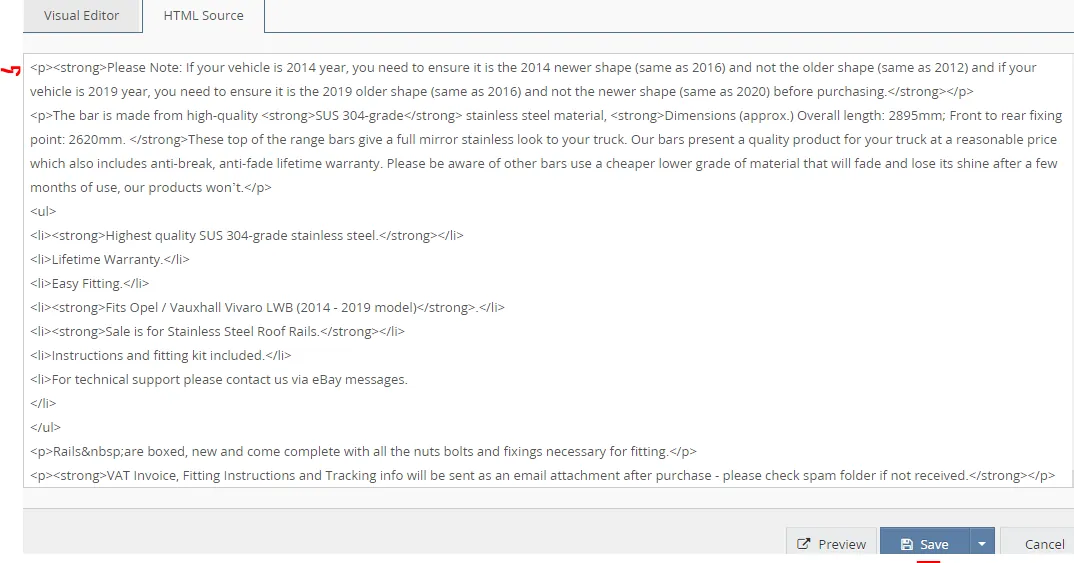
'Please Note: If your vehicle is 2014 year, you need to ensure it is the 2014 newer shape (same as 2016) and not the older shape (same as 2012) and if your vehicle is 2019 year, you need to ensure it is the 2019 older shape (same as 2016) and not the newer shape (same as 2020) before purchasing.'
Another format of cross over note
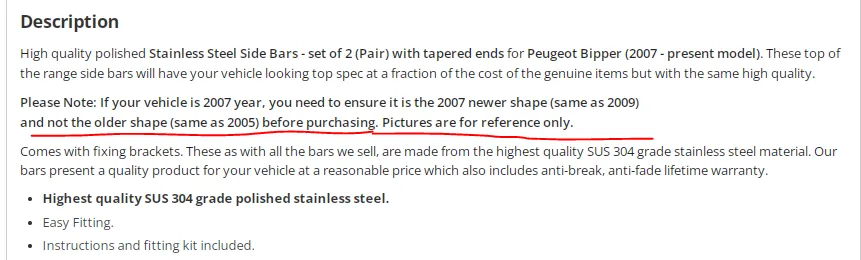
For year 2007+ cross over sample
Please Note: If your vehicle is 2007 year, you need to ensure it is the 2007 newer shape (same as 2009)and not the older shape (same as 2005) before purchasing.
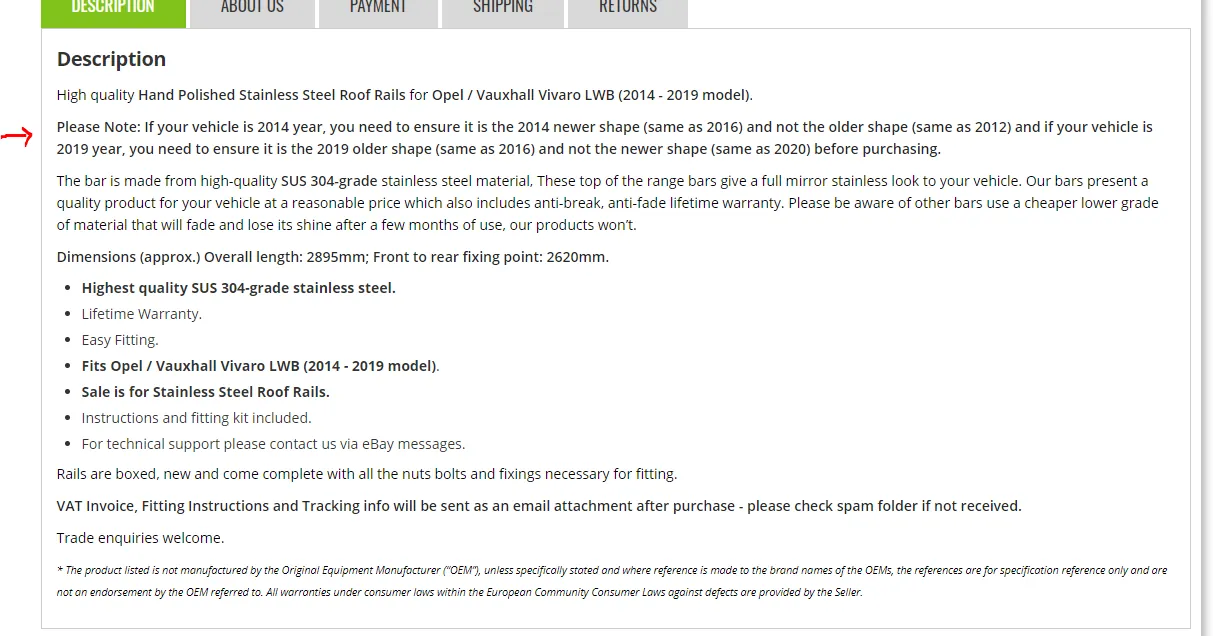

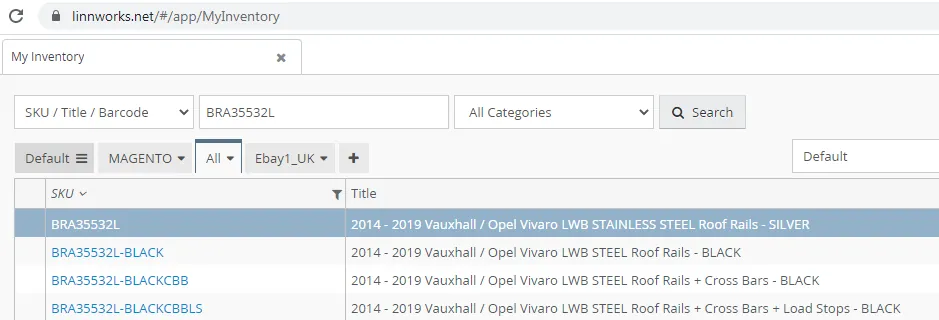
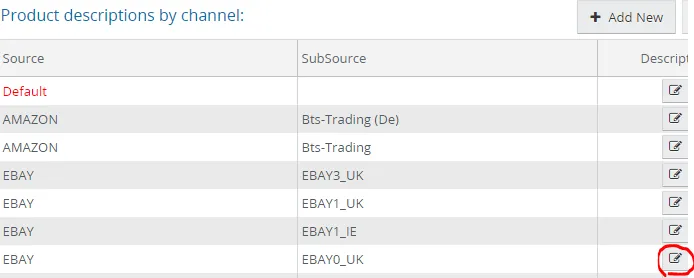
To add cross over year note, go to Linnworks, search the SKU.
Open sku, go to Listing Description tab
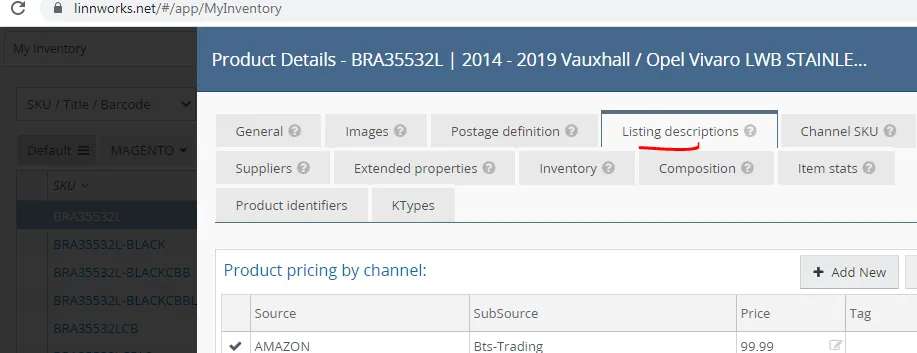
Click this tab and open to encode to add the cross over year note in the listing then save.
Video & Media#
🎥 Cross Over Year Note in Listing
Notes#
This section is important so Adhoc points and issues can be logged. Also, Q&A can be logged for suggestions for potential issues encountered. Also, log important notes needed for this system. Additional Notes:
The purpose of this SOP is to give an idea about Cross over year note in the listing description. "Add important notes here"
Potential Issues:
1 - ISSUE ENCOUNTERED: Stuck on Loading
RESOLUTION: Refresh Browser
2 - ISSUE ENCOUNTERED: Broken Links
RESOLUTION: Get the external link as this will allow other people to access the SOP without the need for login credentials and avoid broken links.
3 - ISSUE ENCOUNTERED: "Type Text Here"
RESOLUTION: "Type Text Here"