How to arrange item specifics in eBay
Standard Operating Procedures are the clear and concise documents that will serve
Overview#
Purpose: Standard Operating Procedures are the clear and concise documents that will serve as the guiding principle in every task in this business. The purpose of this document is to outline to new and existing staff how to properly arrange item specifics in eBay.
Scope: This procedure applies to all Bragan Listing Personnel.
Responsibility: It is the responsibility of each employee to ensure the process set out in this procedure is followed.
Objective: The objective of this procedure is:
To guide employees on how to arrange item specifics in eBay so that the customers will see the top 5 most important things about our products in mobile view.
How to arrange item specifics in eBay SOP
Steps on how to arrange item specifics in eBay#
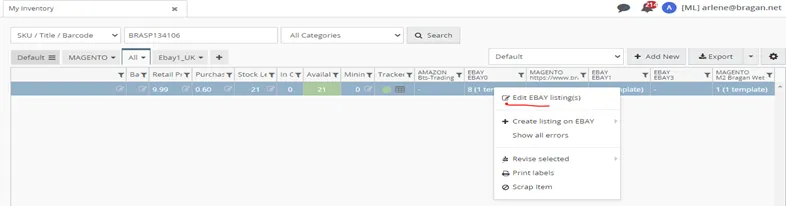
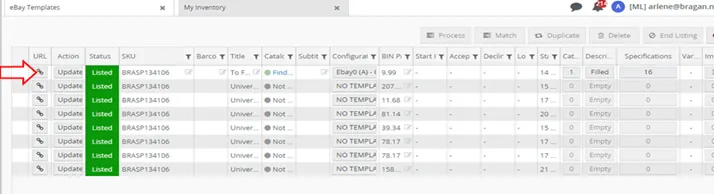
- Go to Linnworks, search for the SKU that you need to arrange the item specifics in eBay, left-click eBay template and then right-click edit eBay.
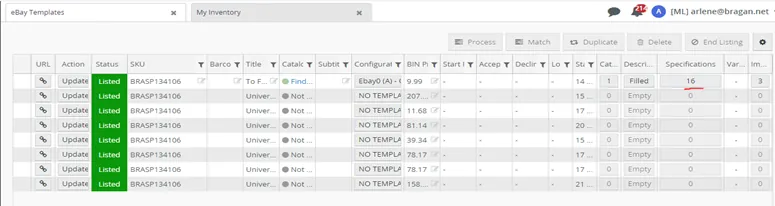
- Double click the quantity under the "Specifications"
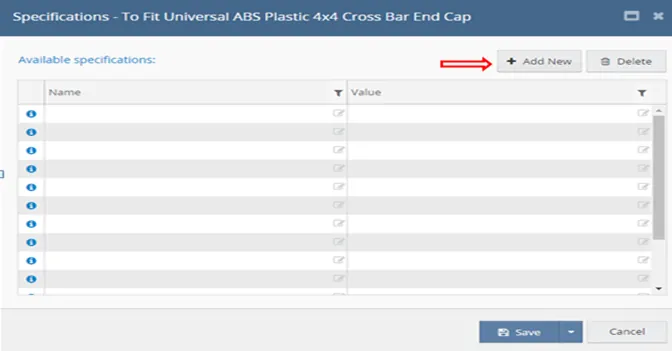
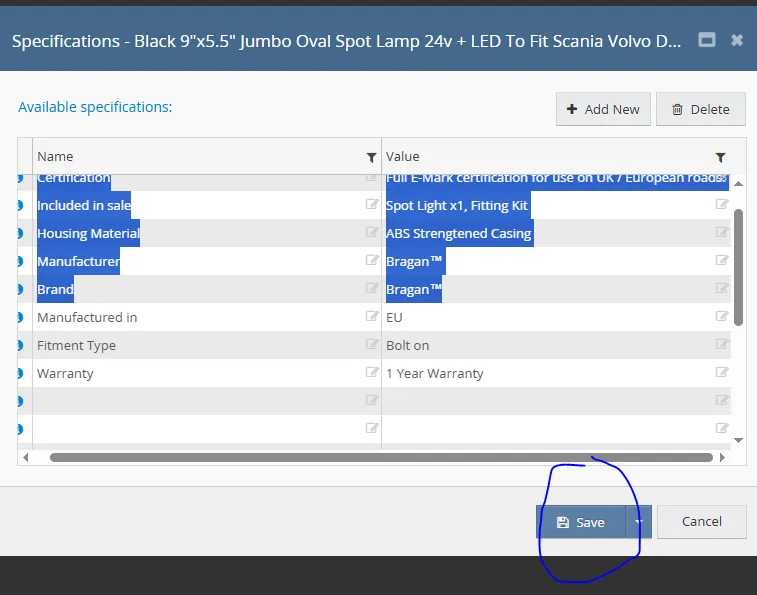
- Highlight all values, delete them all and then add blank values on how many item specifics you will need to add in the listing and start to arrange it.
- Check the positions of the item specifics that need to arrange on the website
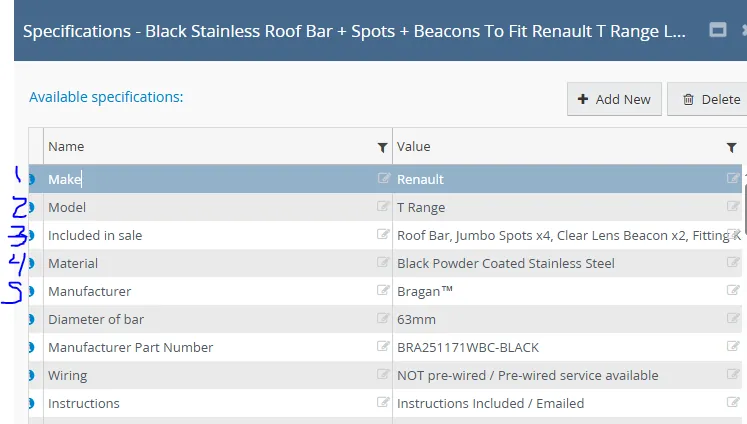
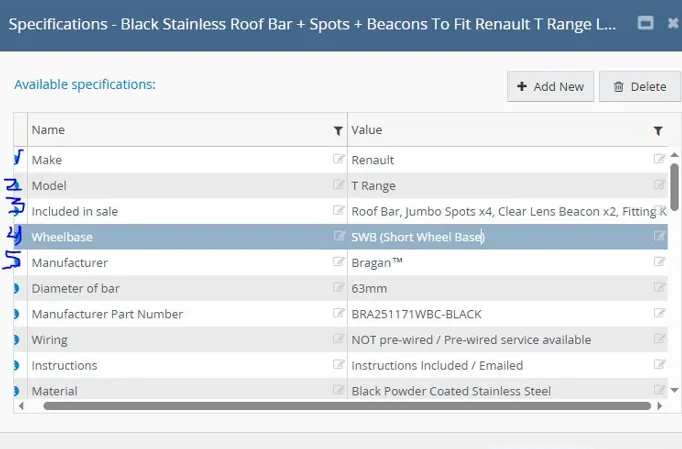
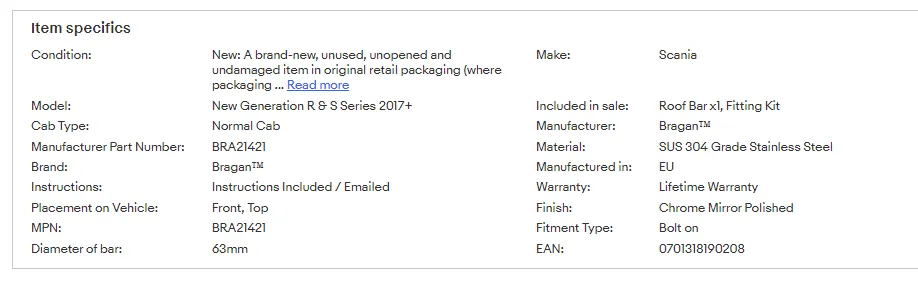
sample for listing with wheel base:
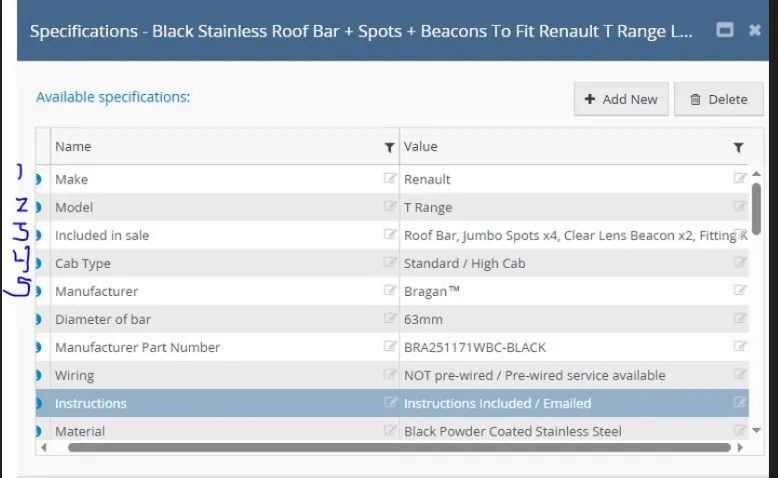
For listing with Cab type
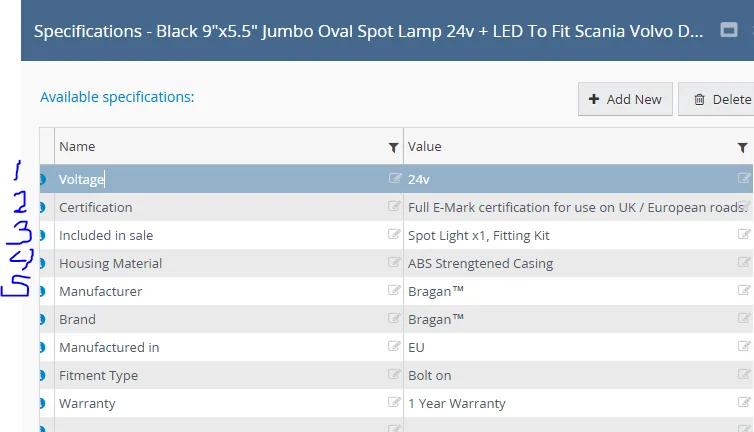
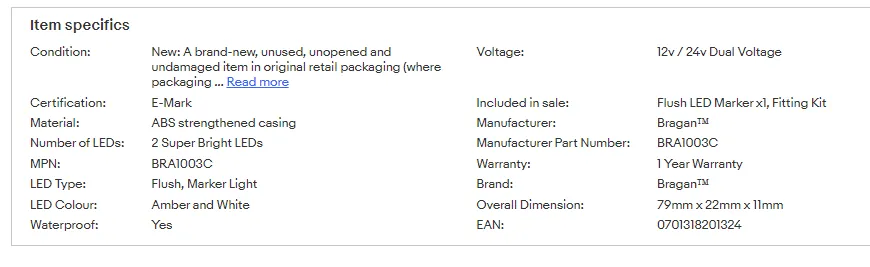
Sample listing for LIGHTS
- Then add the item specifics to the blank values, arrange them according to their correct positions on the website then click SAVE.
- Click ‘Update’.
- Click the button to go to the website, refresh the website to see the update, and if the arrangement is now correct.
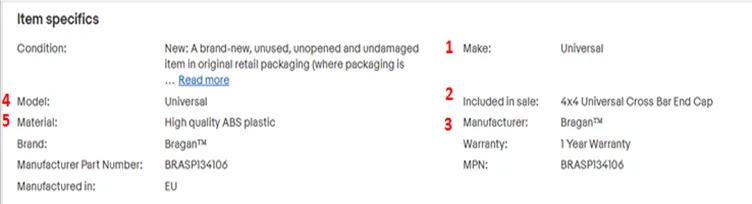
- The following are prioritized to be at the 5 top positions if available in the listing.
Make, Model, Included in sale, Material, Manufacturer, (need to add rules like the common top 5 and when to use other specifics in the top 5). Wheelbase, Cab Type replace material if it is applicable, material is les priority. For lights Voltage, Certification, Included in sale, Material then Manufacturer (see samples above).
More examples:
Sample with wheelbase#
Sample with Cab Type#
Sample with Voltage and Certification#
Video & Media#
Notes#
This section is important so Adhoc points and issues can be logged. Also, Q&A can be logged for suggestions for potential issues encountered. Also, log important notes needed for this system.
Additional Notes:
Know the important specifics to be in the correct position. This arrangement shows 5 important specifics to the mobile view of customers. This document guides employees on how to arrange item specifics in eBay so that the customers will see the top 5 most important things about Bragan products in mobile view. Please Take note of the following are prioritized to be at the 5 top positions if available in the listing. Make, Included in the sale, Wheelbase, Cab Type, Model, Voltage, Certification, Manufacturer, Material. For cars with Cab type, Wheelbase, Voltage and Certification, these are more prioritized than Material.
Potential Issues:
1 - ISSUE ENCOUNTERED: Stuck on Loading
RESOLUTION: Refresh Browser
2 - ISSUE ENCOUNTERED: Broken Links
RESOLUTION: Get the external link as this will allow other people to access the SOP without the need for login credentials and avoid broken links.
3 - ISSUE ENCOUNTERED: Item specifics top 5 specifics not in correct positions in the website.
RESOLUTION: Manually arrange item specifics and follow this sop on how to arrange.