CHL, CHD (CHILD), Parent and Variation SKU
The purpose of this SOP is to give an idea about CHL (CHILD), CHD (CHILD), Parent
Overview#
Purpose: The purpose of this SOP is to give an idea about CHL (CHILD), CHD (CHILD), Parent and variation SKUs in Linnworks.
Scope: This applies to all product lister and all staff personnel who is in charge of this process.
Responsibility: It is the responsibility of all staff to follow the standard operating procedure of CHL (CHILD), CHD (CHILD), and Parent SKUs SOP.
Objective: The objective of this procedure is:
- to guide employees to know about CHL (CHILD), CHD (CHILD), Parent and variation SKUs in Linnworks.
CHL SKU#
CHL are child items that needs to list live in our websites in eBay0, eBay1 and Magento. Etc. These SKUs are used as composite to parent SKUs that are also compatible with the item. These are SKUs with stock levels and need to list live in our websites. These SKUs needs to confirm suppliers, supplier codes and purchase price to the correct person in charge and send to the correct group in skype for this type of query. These CHILD ITEMS SKUs are used for composites. Should always contain correct info for: -Purchase Price -Retail Price -Postage Definition -Bin/Rack -Supplier info
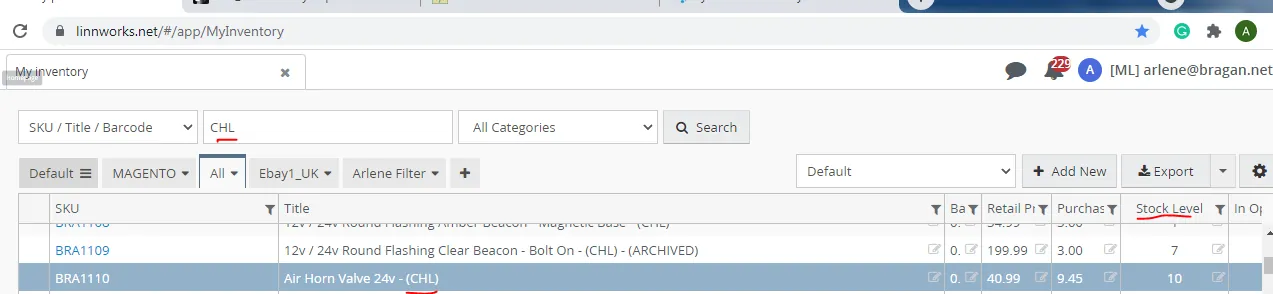
CHD SKU#
CHD are child items that does not needs to list live in our websites in eBay0, eBay1 and Magento. Etc. These SKUs are used as composite to parent SKUs that are also compatible with the item. These are SKUs with stock levels also.
These CHILD ITEMS SKUs are used for composites also. Should always contain correct info for: -Purchase Price -Retail Price -Postage Definition -Bin/Rack -Supplier info
Parent SKU#
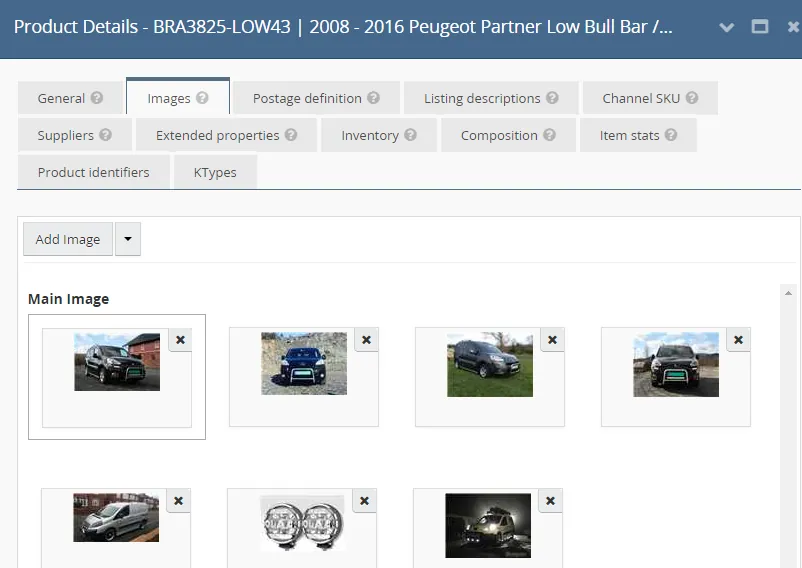
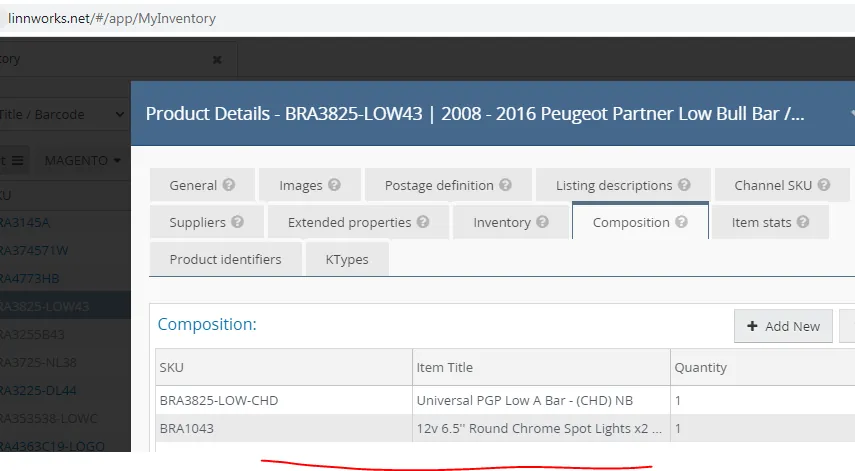
These are SKUs that has composite of either CHL or CHD (SKUs with stock level). No CHL or CHD in the Linnworks title.
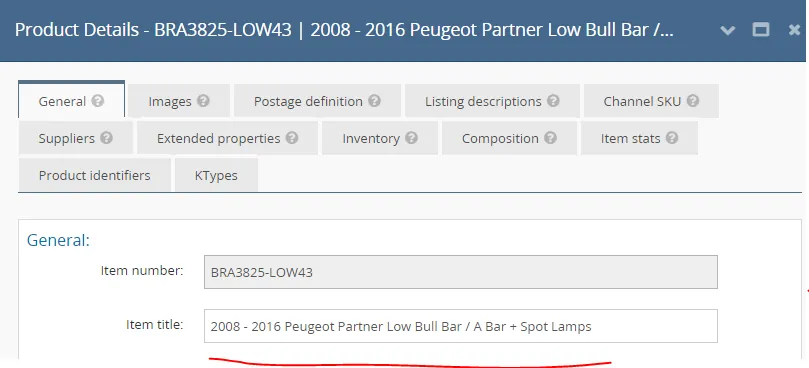
Always remove all the supplier details under the SUPPLIER tab in Linnworks before listing.
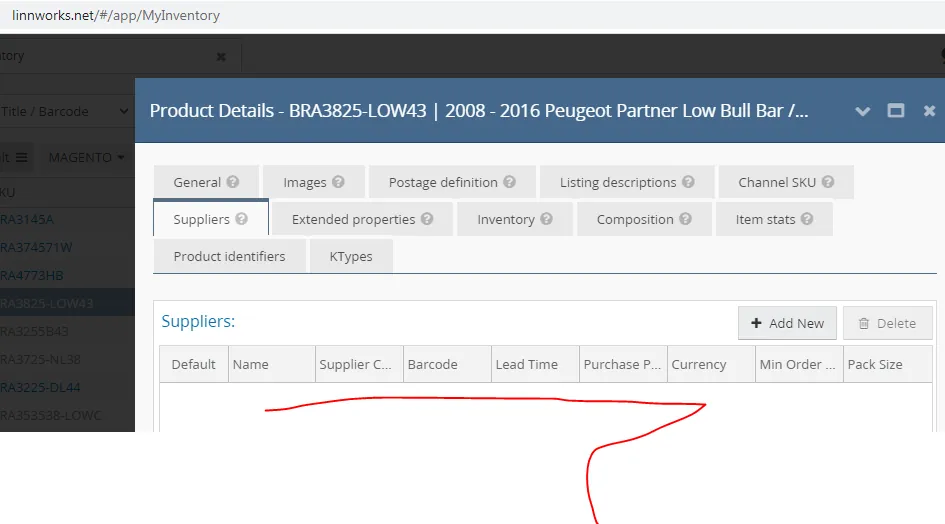
Binrack / Location should have ' See child location'. And stock level will automatically appear based on the lowest stock level of the composite - CHl or CHD skus.
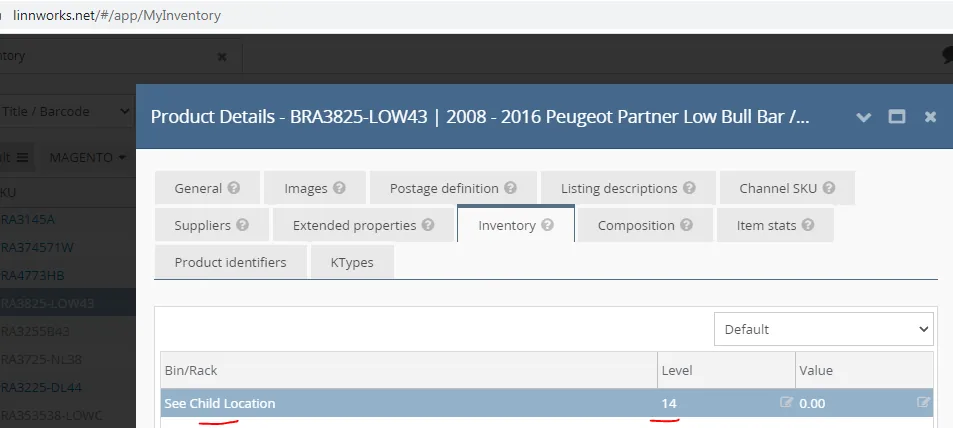
Images tab should include all images from composite tab.
Variation SKU/Listing#
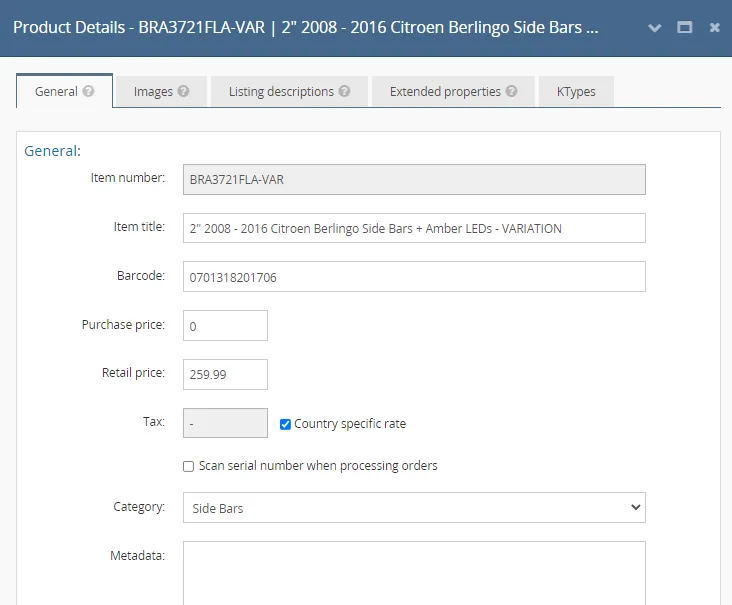
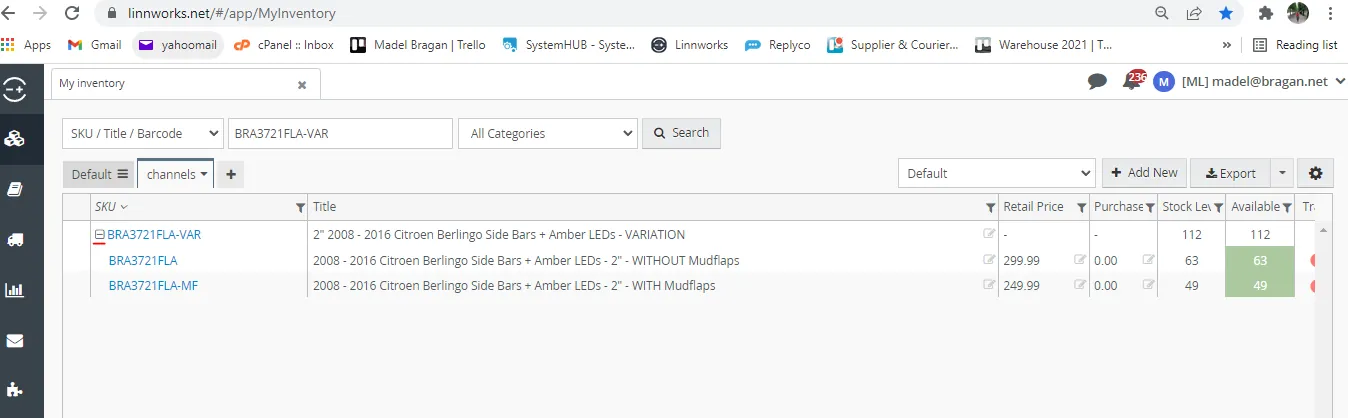
SKUs with two or more parent SKUs It has VAR in the SKU code and in the Linnworks Title
Product Detail page is different to Child and Parent SKUs since there are only 5 tabs.
To know the parent item for the variation SKU, search the variation SKU in My inventory tab and then click the "+" sign.
Video & Media#
🎥 Alteration-Child-Parent-Item-Processes
Notes#
This section is important so Adhoc points and issues can be logged. Also, Q&A can be logged for suggestions for potential issues encountered. Also, log important notes needed for this system. Additional Notes:
CHD - items that are used for composite and are not listed. CHL - items that are used for composite and are listed. Once Child Items are requested to be listed. SKU title should be changed from CHD to CHL. Some example are BRACKETS -> Some Brackets are listed live that's why they have CHL in SKU title. Always remove all the supplier details under the SUPPLIER tab in Linnworks before listing for Parent skus.
Potential Issues:
1 - ISSUE ENCOUNTERED: Stuck on Loading
RESOLUTION: Refresh Browser
2 - ISSUE ENCOUNTERED: Broken Links
RESOLUTION: Get the external link as this will allow other people to access the SOP without the need for login credentials and avoid broken links.
3 - ISSUE ENCOUNTERED: "Type Text Here"
RESOLUTION: "Type Text Here"