ClickUp Process SOP
A simple guide on how to use ClickUp Checklist accordingly.
Overview#
Purpose: A simple guide on how to use ClickUp Checklist accordingly.
Scope: This procedure applies to all Product Listers.
Responsibility: It is the responsibility of each Product Lister to follow ClickUp Process Checklist to guarantee zero error in the live listings.
Objective: The objective of this procedure is:
To guide Product listers on using the ClickUp Process Checklist.

Definition of Terms
ClickUp - is a cloud-based work platform for all types and sizes of teams and businesses. It combines important business applications and centralizes company information into a single online solution. Assign tasks to team members, manage projects for clients, and collaborate with colleagues on documents.
Procedure
Go to Listers Workspace → app.clickup.com
Choose your Space and work from there. e.g Arlene
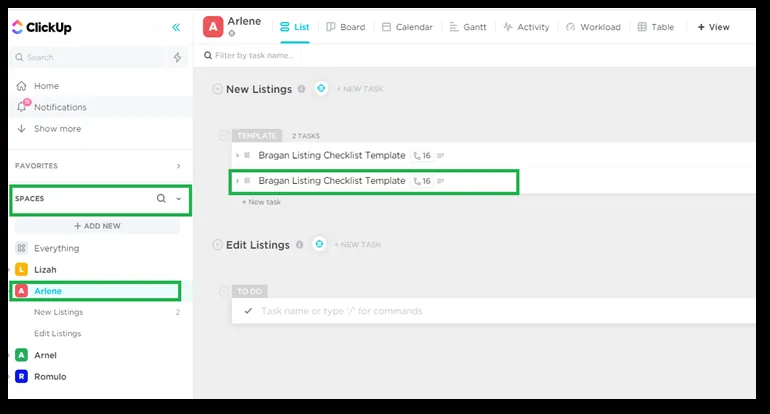
Spaces are found on the left side of the screen. Select your space and continue the listing process
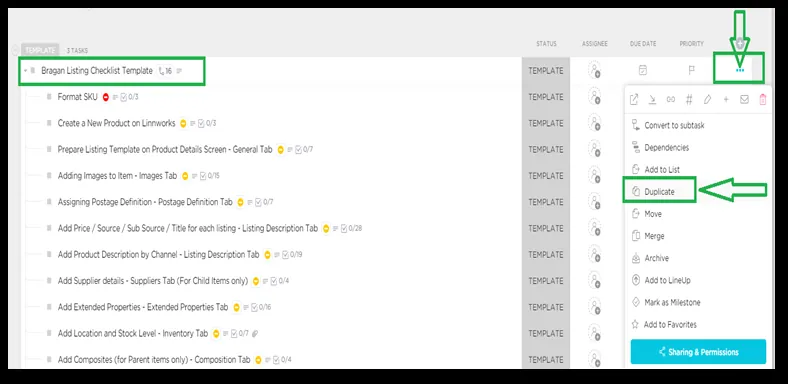
Select Bragan Listing Checklist Template and click Duplicate.
- Navigate and select the 3 dot button (…) and at the right side of the template.
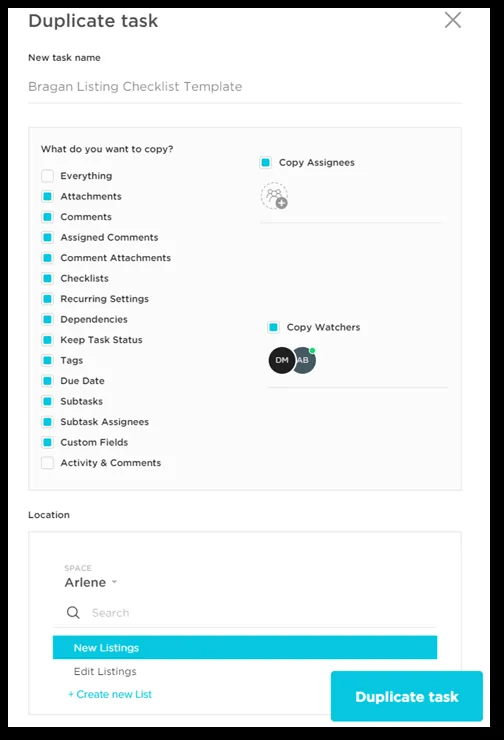
Duplicate task screen will pop out - follow below steps.
- What do you want to copy? → NO changes needed here.
- Location → Select your Space e.g. Arlene
- Select New Listing then Duplicate task
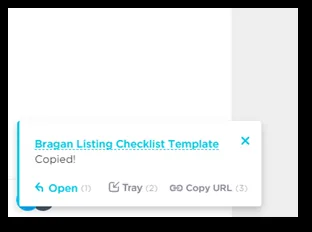
At the lower left part of the screen, a notification will reflect once template has been duplicated.
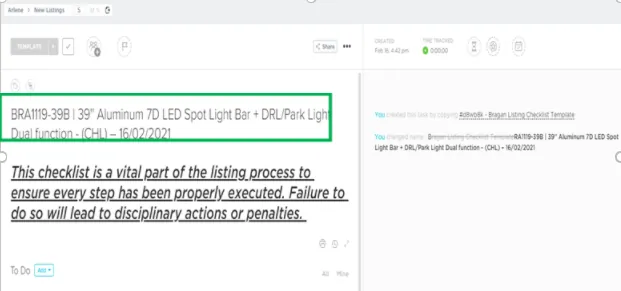
Rename the Template to this format:
- SKU, Title and Template Created date (once you have the SKU and title)
BRA1119-39B | 39'' Aluminum 7D LED Spot Light Bar + DRL/Park Light Dual function - (CHL) – 16/02/2021
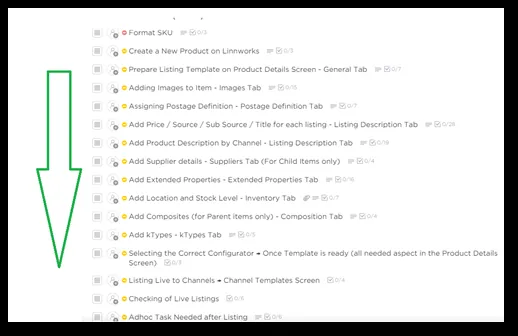
Follow Check workflow – from Top to Bottom
Once a step in checklist has been completed, you need to mark this as Complete.
- Note that each step is pre requisite to each other, you cannot move on to a new checklist if the previous Checklist is incomplete.
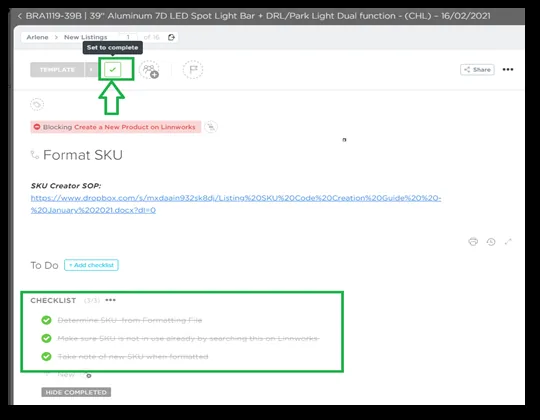
Continue with the rest of the Checklist until finish. Done
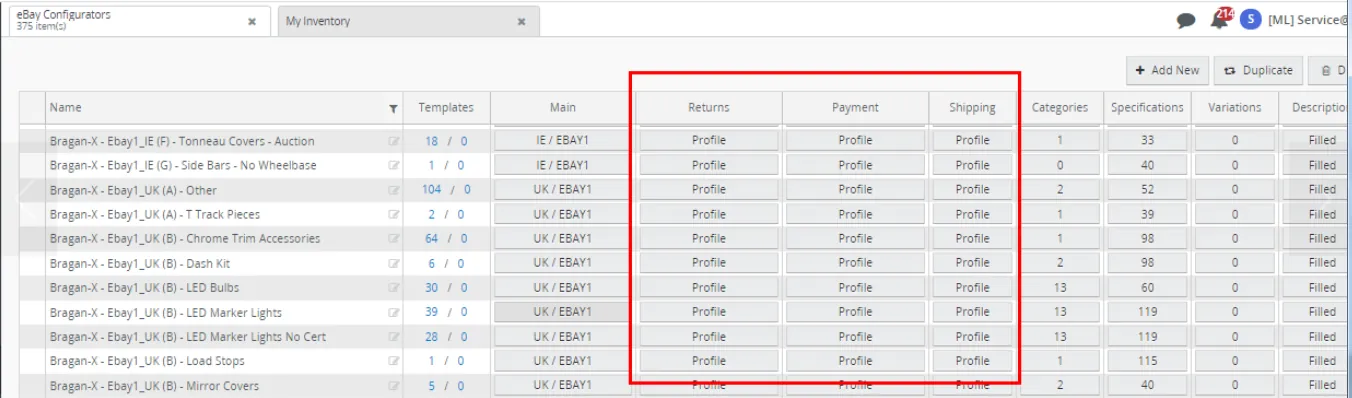
Note Ensure to check the eBay configurators to use before creating the listing
template in eBay0 and eBay1.
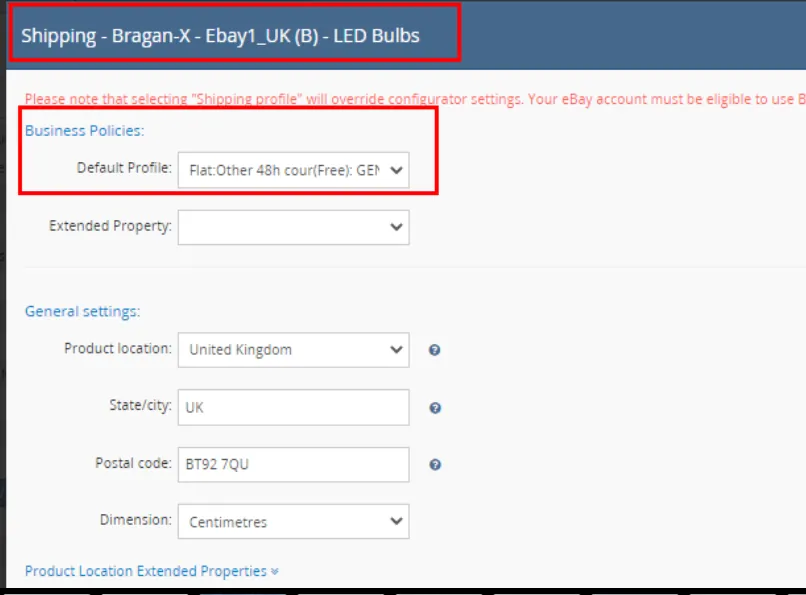
These configurators are already updated but you need to double check if these use the following requirements in terms of Business Policy Profile:
Ebay1_UK Business Policy Profile
Shipping : Flat:Other 48th cour(Free):GENERAL Payments : Paypal:Immediate Returns : STD > Returns Accepted
for Auctions Ebay1_IE Shipping : AUC > Domestic General Payment : Payment > Auction Returns : Returns Accepted,Buyer,30 days#0
Ebay0_UK Business Policy Profile
Shipping : Flat:Other 48th cour(Free):GENERAL Payments : Paypal:Immediate Returns : Returns Accepted,Buyer,30 days#0 for Auctions Payment : Payment > Auction
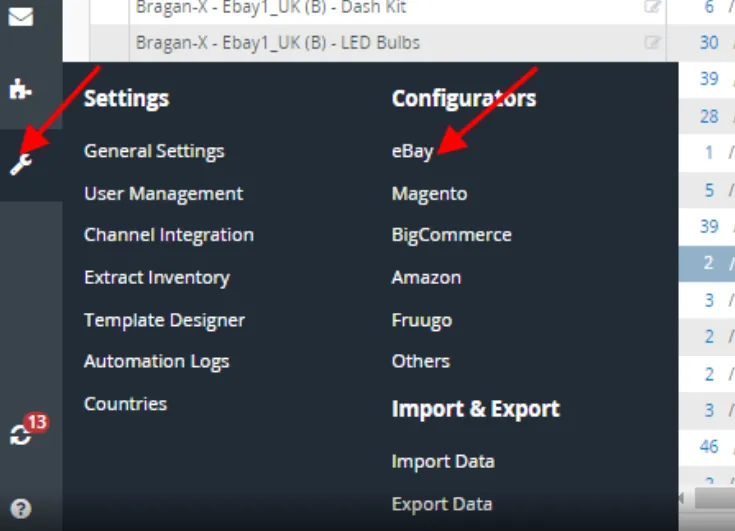
Go to Settings in Linnworks > Configurators > Click eBay, then check details of configurators same as above details before listing.
Video & Media#
Notes#
This section is important so Adhoc points and issues can be logged. Also, Q&A can be logged for suggestions for potential issues encountered. Also, log important notes needed for this system. Additional Notes:
This SOP shows the process of click up that reminds the listing team in each aspect of listing to carefully check and apply rules. "Add important notes here"
Potential Issues:
1 - ISSUE ENCOUNTERED: Stuck on Loading
RESOLUTION: Refresh Browser
2 - ISSUE ENCOUNTERED: Broken Links
RESOLUTION: Get the external link as this will allow other people to access the SOP without the need for login credentials and avoid broken links.
3 - ISSUE ENCOUNTERED: The image is low quality.
RESOLUTION: Ensure to check picture requirement sop before listing.
4 - ISSUE ENCOUNTERED: Lack item receive by customer.
RESOLUTION: Confirm composite to warehouse.
5 - ISSUE ENCOUNTERED: Wrong price
RESOLUTION: Confirm RRP to Nigel.
6 - ISSUE ENCOUNTERED: Typo - wrong spelling in listing
RESOLUTION: Ensure to checklive listings.
7 - ISSUE ENCOUNTERED: Account in ebay can't list and update listing
RESOLUTION: Ensure to follow correct format of title from SOP.