eBay Token Re-authorization
If a token expires and no new token is generated, Linnworks will be unable to make
Overview#
Purpose: If a token expires and no new token is generated, Linnworks will be unable to make API calls in that user's name. This has no effect on the user's eBay account, only on Linnworks' ability to interact with eBay. For example, it will not be possible for the system to download new orders or create new listings. Once a new token has been generated, the system will be able to make function calls on the user's behalf again. The purpose of this document is to outline to new and existing staff how to use re- authorize eBay token.
Scope: This procedure applies to the management/team lead position in charge of Linnworks.
Responsibility: It is the responsibility of each employee to ensure the process set out in this procedure is followed.
Objective: To standardize the process of re-authorization for eBay token.
Reason for Revoking Tokens#
There are several reasons why tokens can get expired:
eBay tokens expire after 18 months. eBay revokes a token due to security reasons or a change in account details (password, business name, address, etc.). User revokes the token.
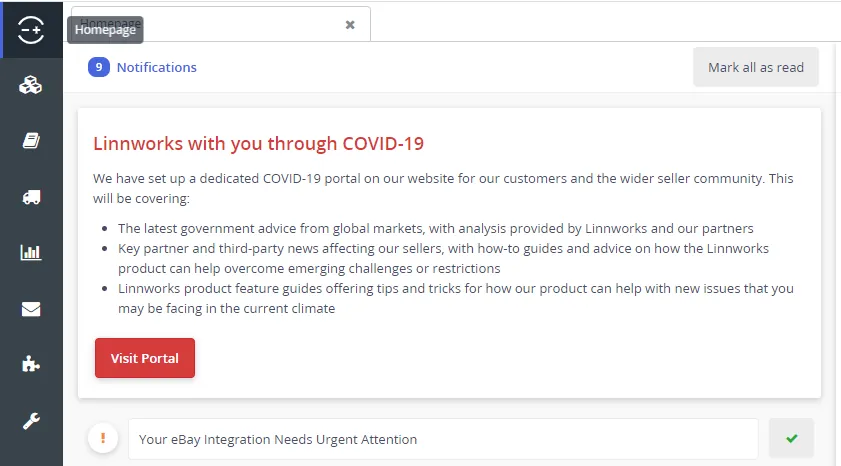
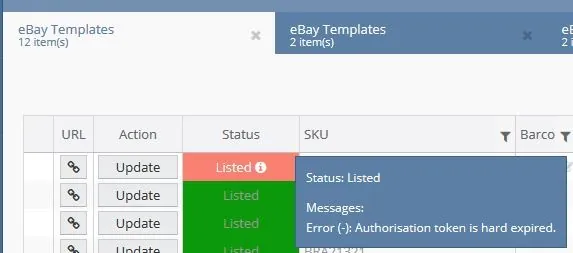
Sample Notification and eBay listing error messages.
Linnworks Homepage Notification
Listing Error Message
Procedure#
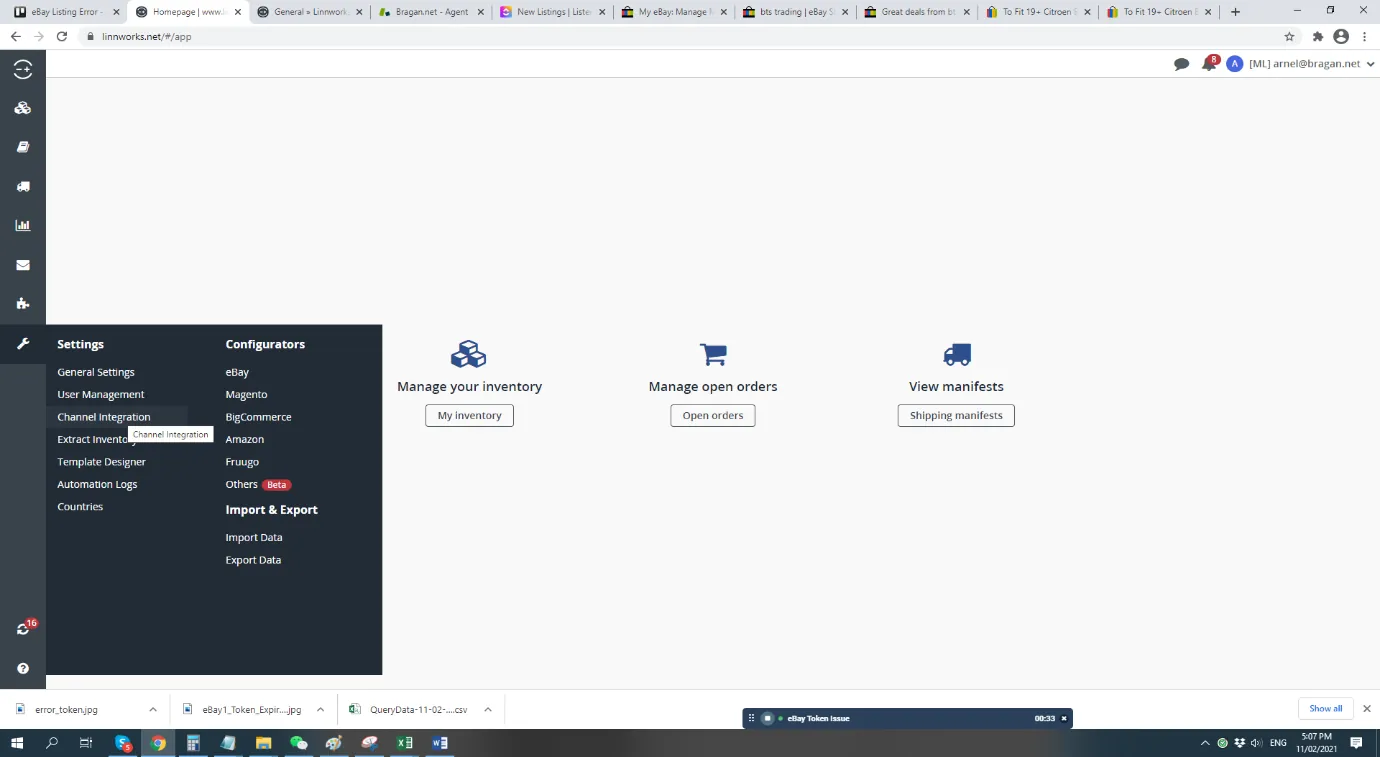
- Navigate to Settings → Channel integration → Edit channel details (pen logo) → Re-authorize → Then log in with the credentials. - Settings → Channel Integration
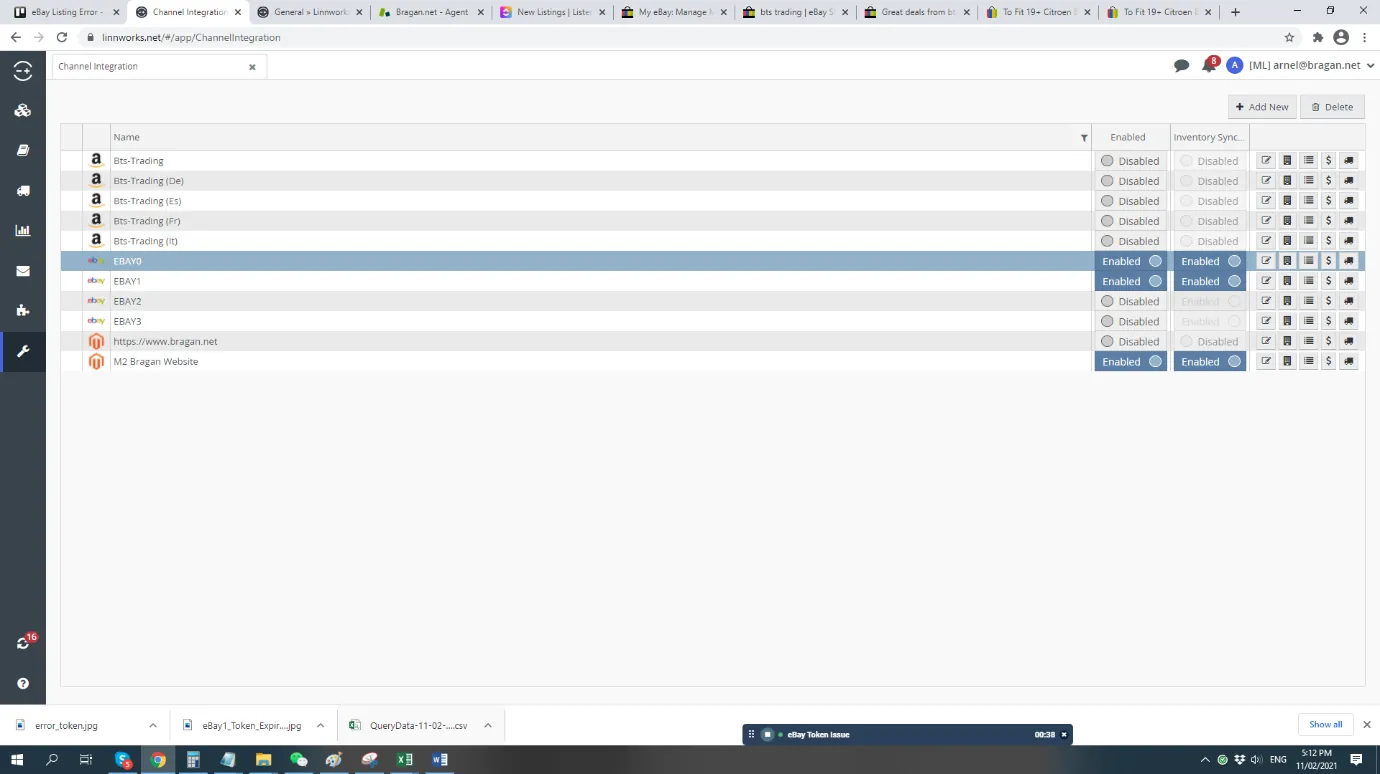
- Choose the eBay channel that needs to be fixed.
- Select Channel integration → Edit channel details (pen logo).
For example eBay0:
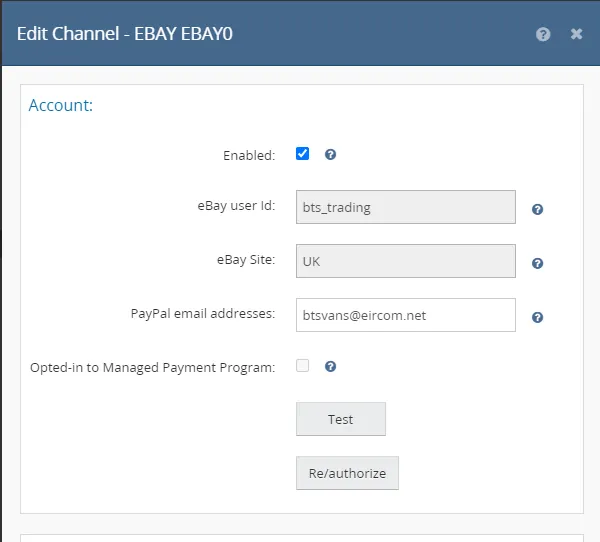
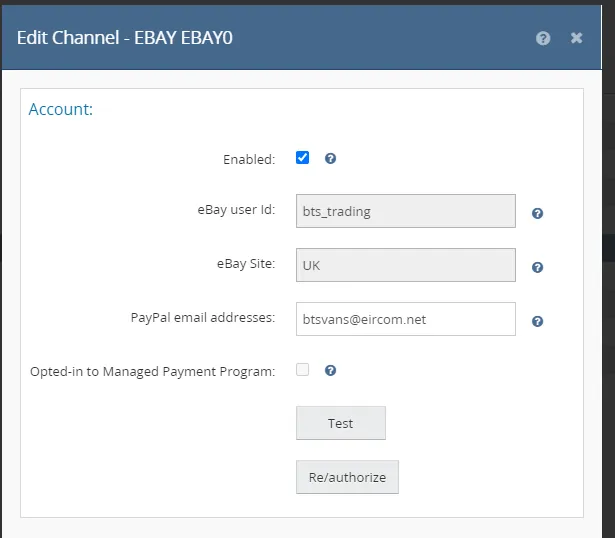
- You will be redirected to Edit Channel Screen.
- Select the Re-authorize button and log in to eBay account credentials accordingly (For this example eBay0 – bts trading).
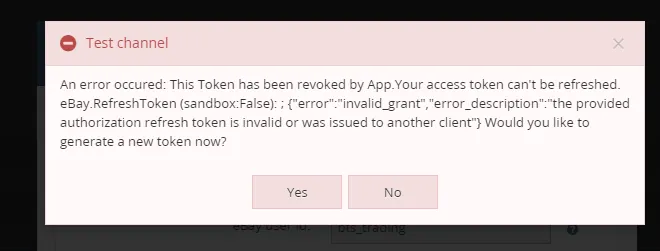
- Error message will pop out, select Yes.
- Reintegrate eBay Channel screen will appear.
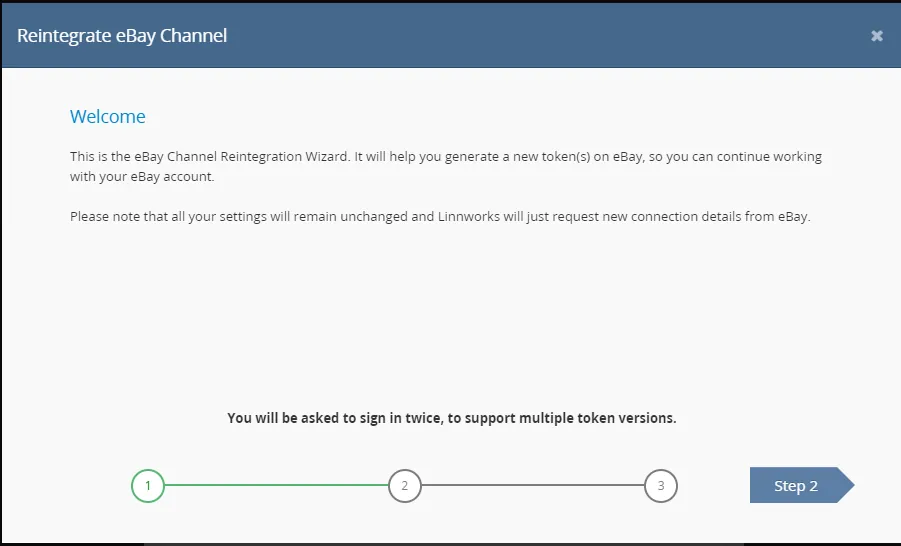
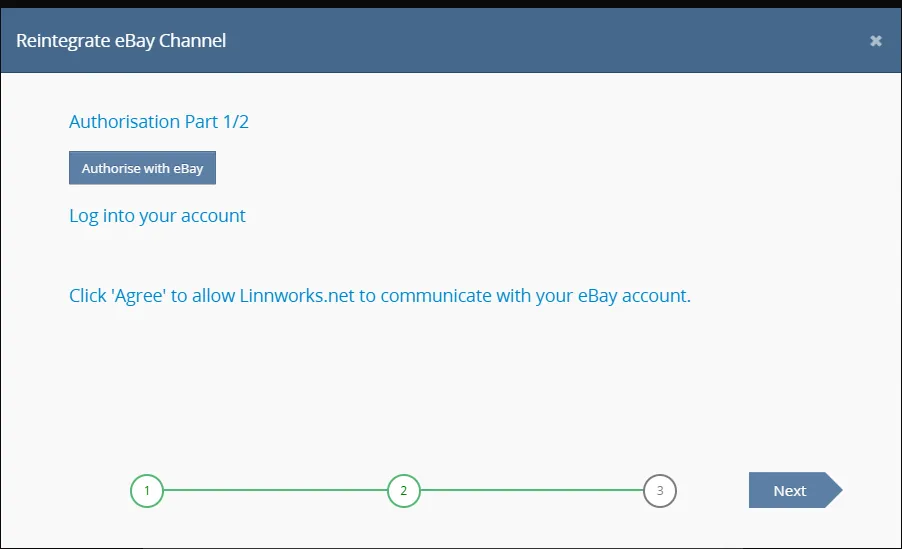
- Click Step 2 and select Authorize with eBay.
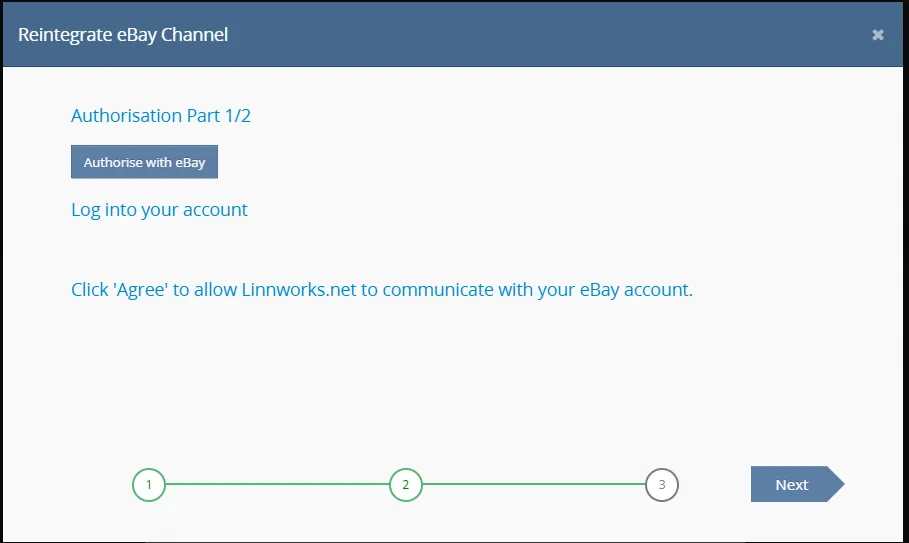
- eBay website browser will pop out - log in account credentials.
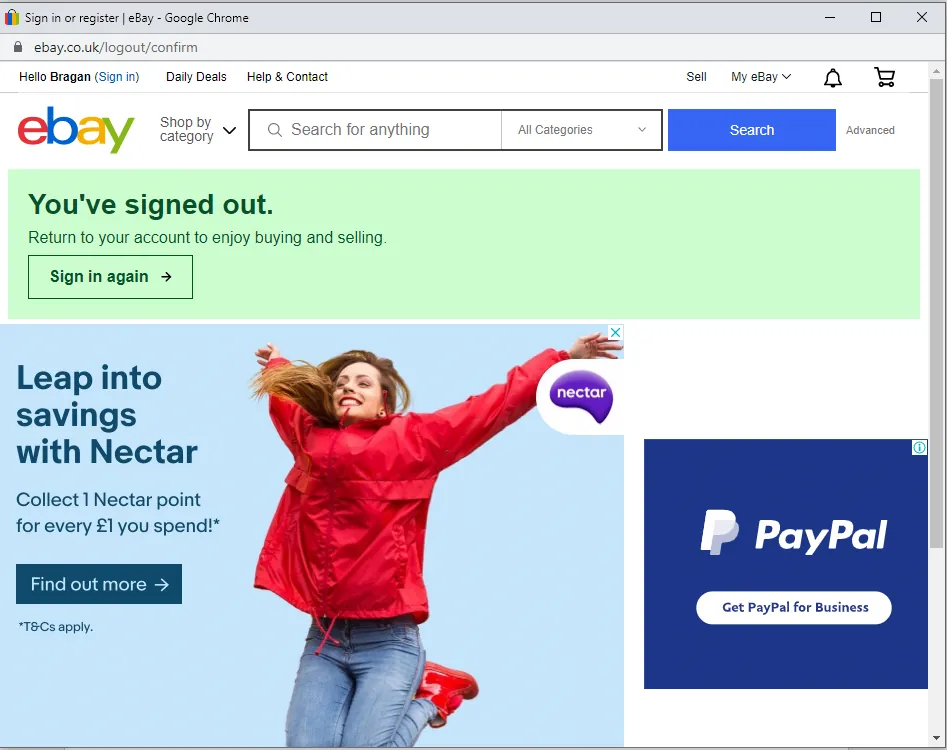
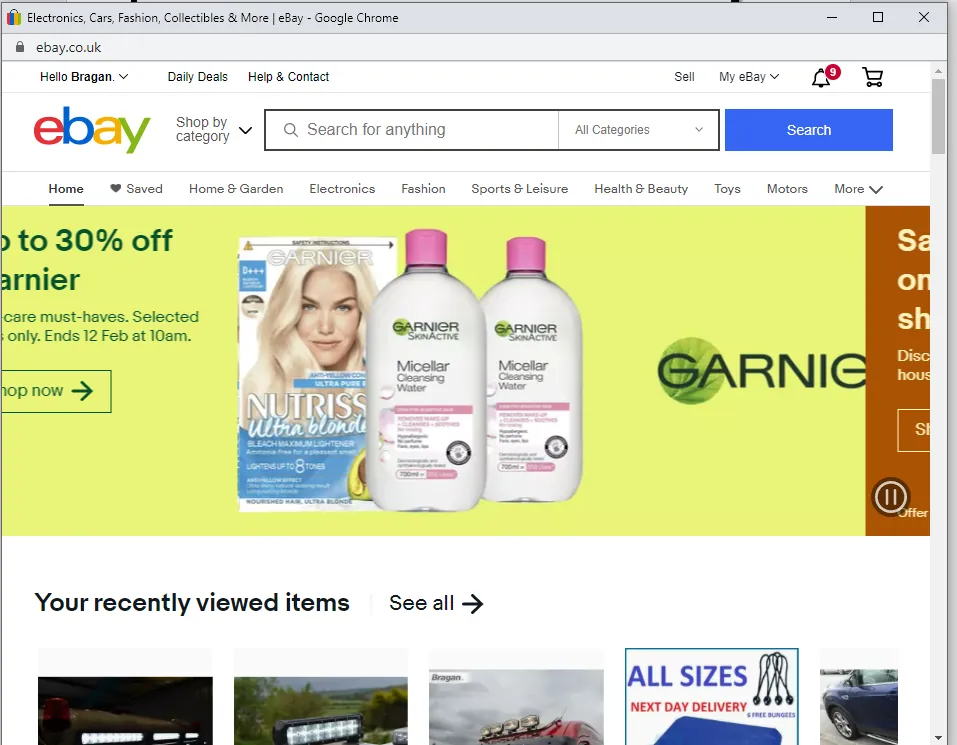
- Once logged in, close the browser and select Authorize with eBay one more time.
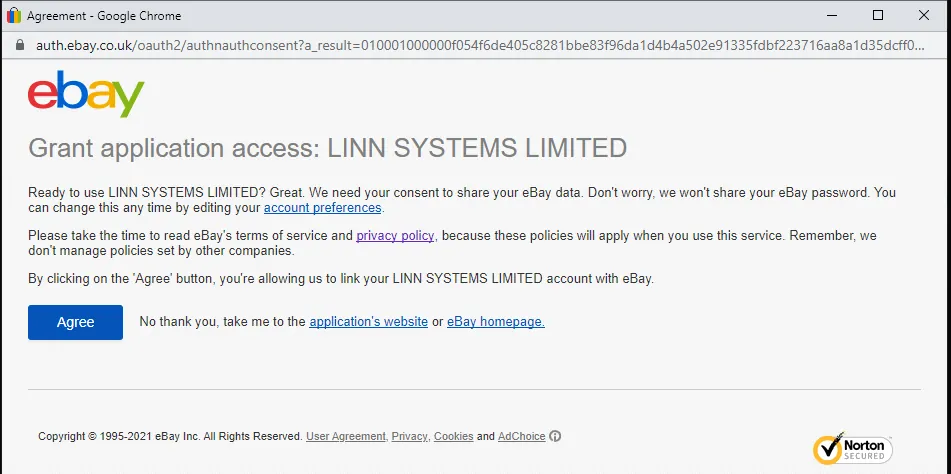
- Next screen is eBay Grant application, select Agree to proceed with re- authorization. - TIP – if the eBay Grant application screen does not pop, close Reintegrate eBay channel and open Authorize with eBay again.
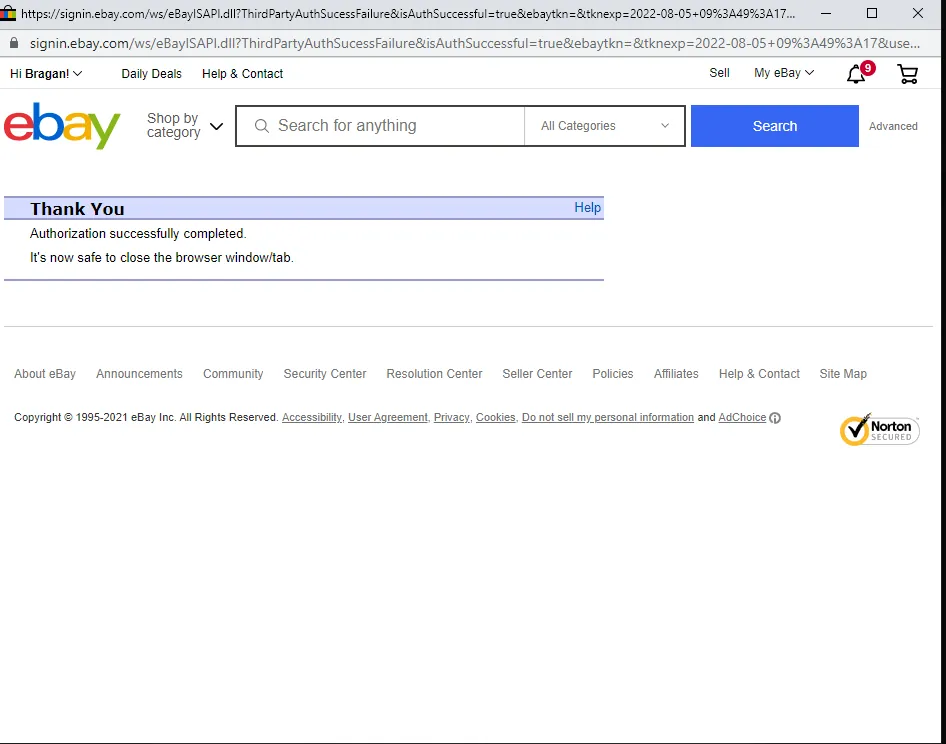
- Once a confirmation message about Authorization successfully completed has been generated, proceed to Step 3 in Linnworks and select Next button.
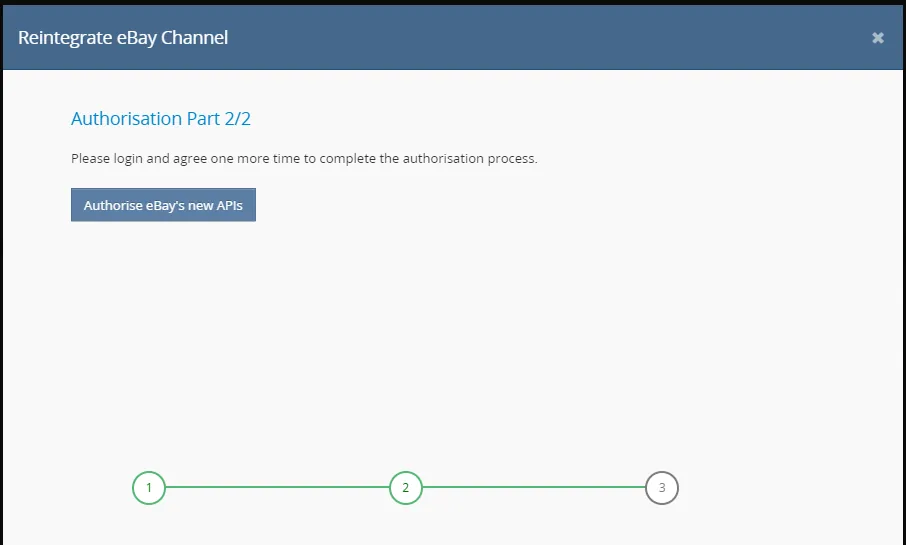
- Please proceed with Authorisation Part 2/2 steps, select Authorise eBay’s new APIs.
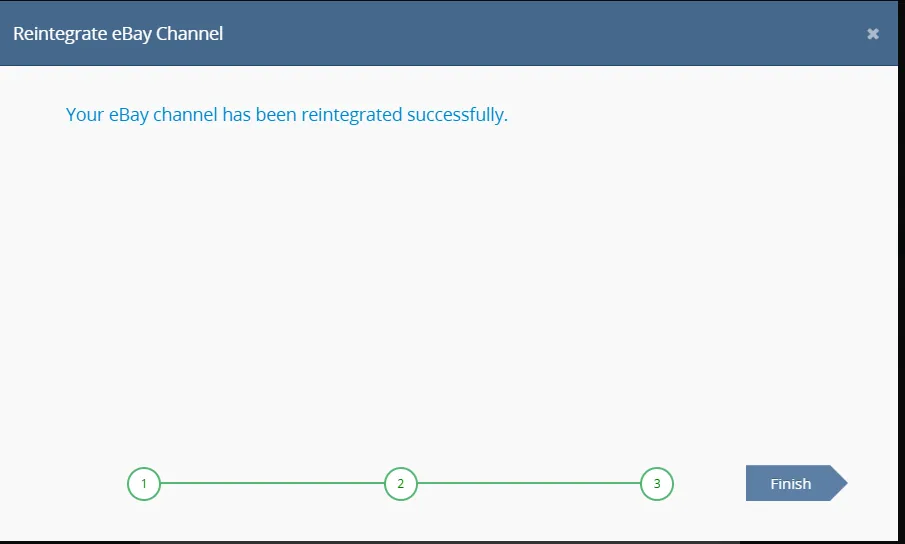
9.Select Finish button – Done.
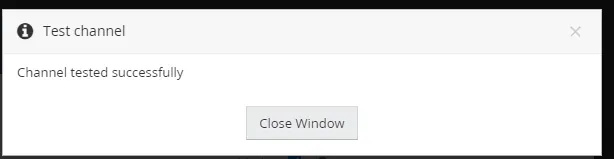
- Check Channel Integration by Selecting Test button, channel tested successfully message should appear if integration is successfully refreshed.
Notes#
This section is important so Adhoc points and issues can be logged. Also, Q&A can be logged for suggestions for potential issues encountered. Also, log important notes needed for this system.
Additional Notes:
This document is important to learn how to renew tokens in eBay. If a token expires and no new token is generated, Linnworks will be unable to make API calls in that user's name. This has no effect on the user's eBay account, only on Linnworks' ability to interact with eBay. For example, it will not be possible for the system to download new orders or create new listings. "Add important notes here"
Potential Issues:
1 - ISSUE ENCOUNTERED: Stuck on Loading
RESOLUTION: Refresh Browser
2 - ISSUE ENCOUNTERED: Broken Links
RESOLUTION: Get the external link as this will allow other people to access the SOP without the need for login credentials and avoid broken links.
3 - ISSUE ENCOUNTERED: Can't list in eBay w.ebsite
RESOLUTION: Renew the token that has expired.