How to Add Magento Short Description
The purpose of this SOP is to give an idea about how to add Magento short
Overview#
Purpose: The purpose of this SOP is to give an idea about how to add Magento short description.
Scope: This applies to the product listers and all staff personnel who is in charge of this process.
Responsibility: It is the responsibility of all staff to follow the standard operating procedure on how to add Magento short description.
Objective: The objective of this procedure is:
- to guide employees on how to add Magento short description.
Process Flow#
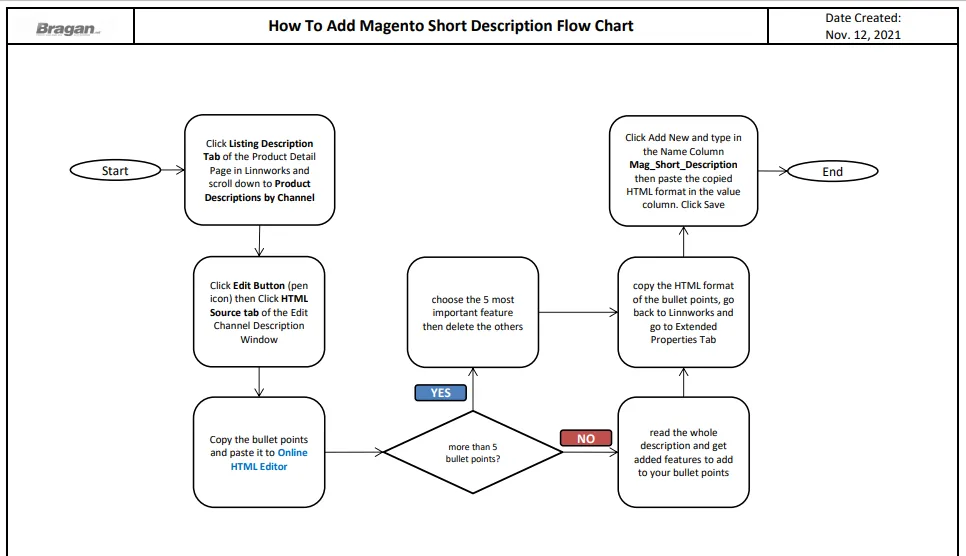
- Overview
What is Magento Short Description?#
This is the short description displayed on the Bragan Website. It is the 5 important bullet points in the listing description. The format for adding this is: Mag_Short_Description for the extended property name and for the value description should be in HTML format. No bold font should be use.
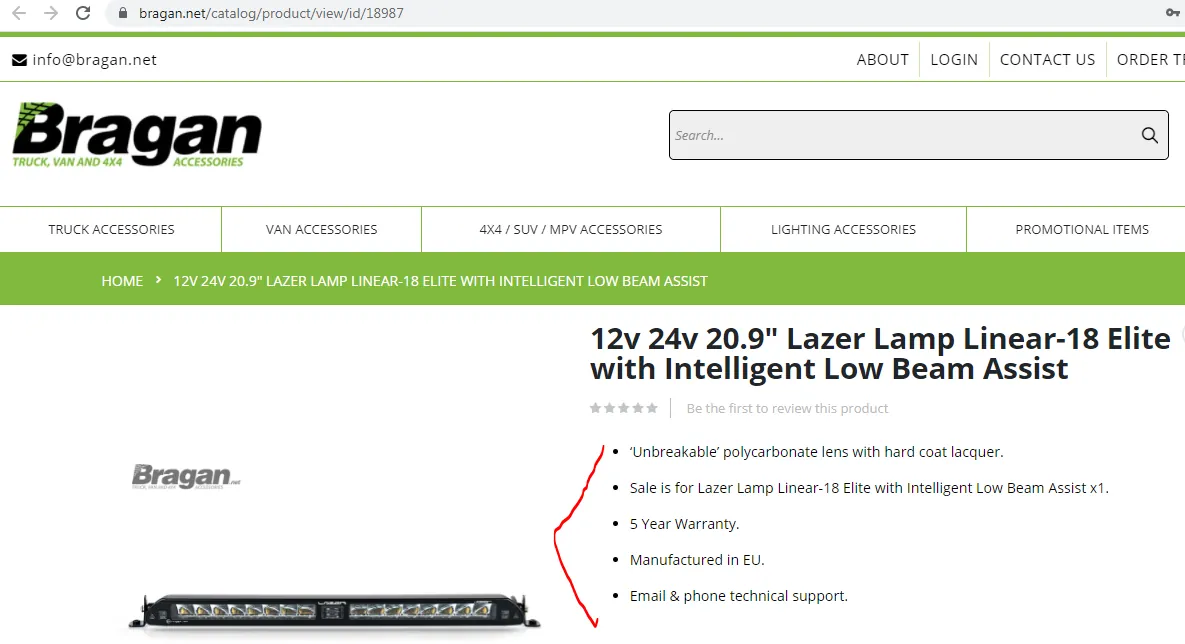
- How to Add Magento Short Description in
Linnworks#
Step 1.
In the Product Detail page, click the Listing Description tab, scroll down to Product Descriptions by Channel click edit button for Magento Channel
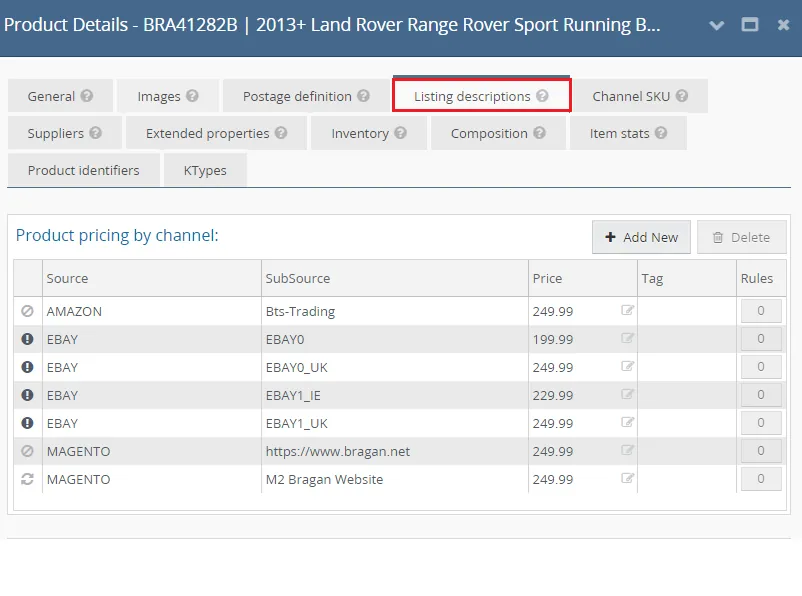
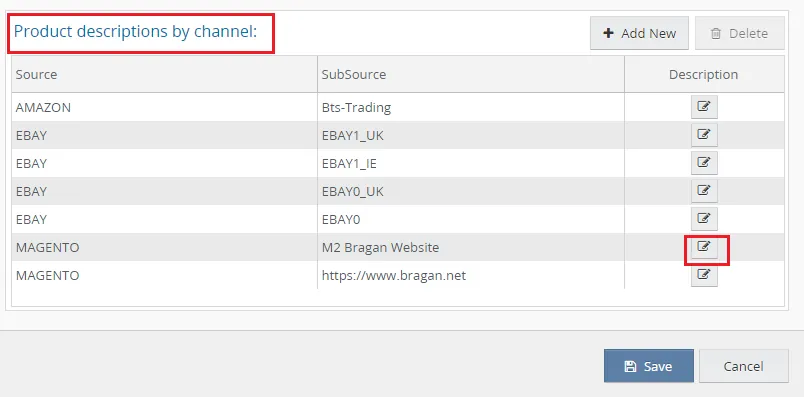
Step 2.
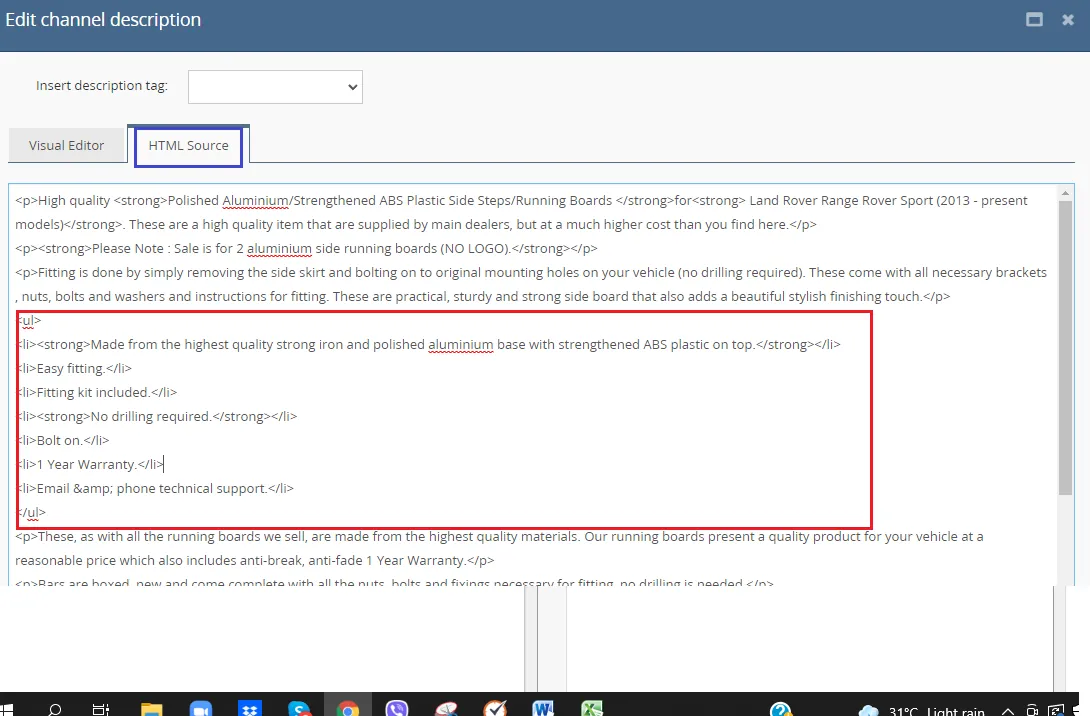
In the Edit Channel Description window click the HTML Source tab. Then copy the bullet points and paste it to Online HTML Editor
Note: Should always take the HTML code to add as mag short description in extended property.
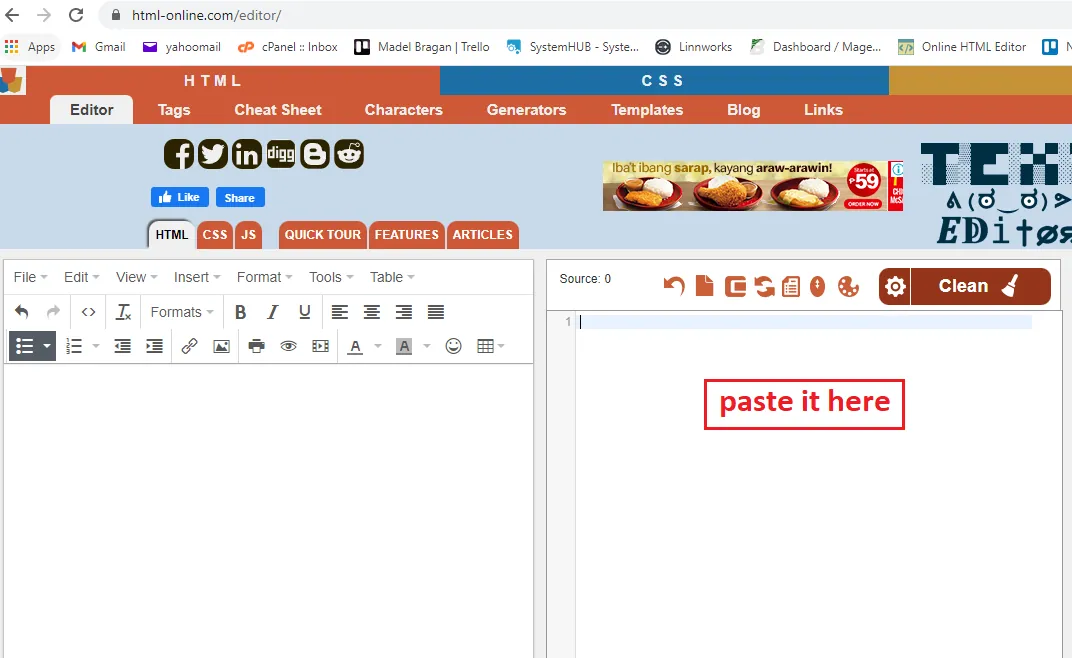
Step 3.
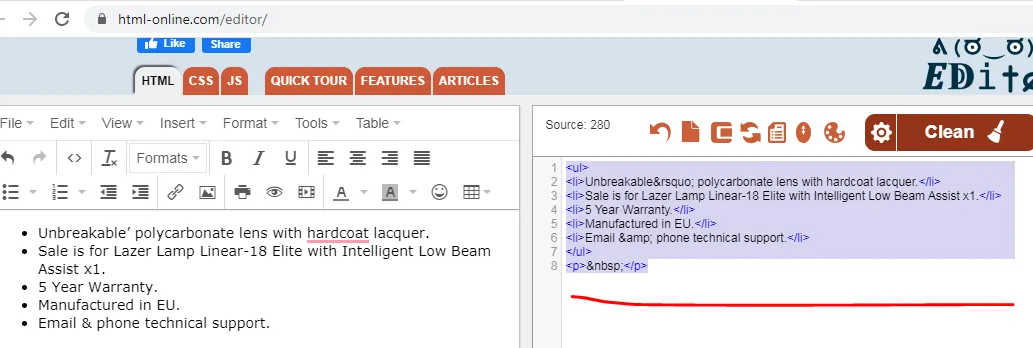
Then from the bullet points in the description, choose the top 5 most important features or details of the product. Delete the others if it is more than 5. Copy the HTML format of the description. These should not be in BOLD.
Step 4.
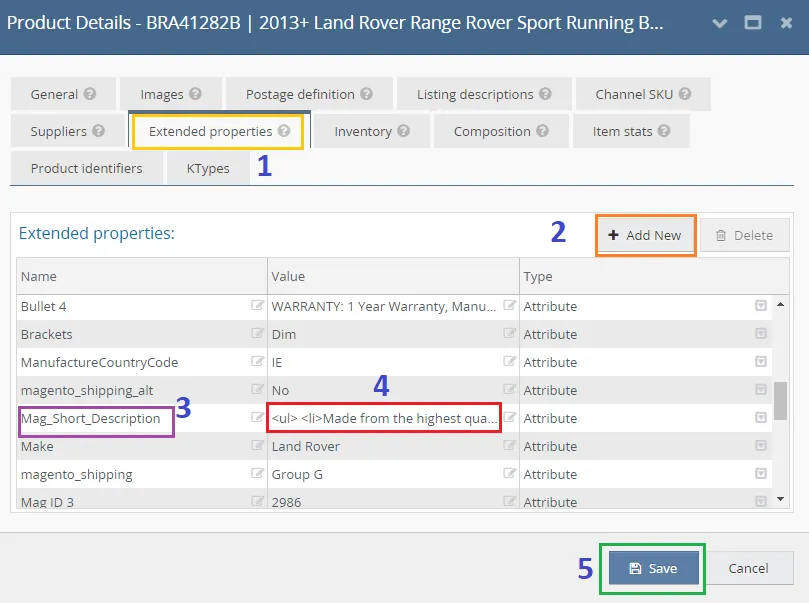
Go back to Linnworks, close the Edit description channel then go to the Extended Properties tab. Click on Add New then input Mag_Short_Description in the Name column. Then in the value column, paste the one you copy from the HTML Online Editor. Then Click Save.
- How to Update Magento Short Description
Note: This process is when the listing is not yet live on the website. For updating live listing see How to Update Website Listing in Linnworks SOP.
Step 1. Double click on the value for Mag short description, this will automatically highlight the details. If you want to replace everything then click delete in your keyboard. But if you only want to edit some parts of it then copy and paste it to Online HTML Editor.
Step 2.
Edit what you want in the Online HTML Editor, then copy the HTML format and paste it back to the value for mag short description. Then click Save.
Notes#
This section is important so Adhoc points and issues can be logged. Also, Q&A can be logged for suggestions for potential issues encountered. Also, log important notes needed for this system. Additional Notes:
This SOP gives an idea about how to add Magento short description in the Magento listings.
Mag_Short_Description value should be in HTML code.
No BOLD fonts are allowed.
It should be from 5 important things from the bullet points of the listing descriptions.
Potential Issues:
1 - ISSUE ENCOUNTERED: Stuck on Loading
RESOLUTION: Refresh Browser
2 - ISSUE ENCOUNTERED: Broken Links
RESOLUTION: Get the external link as this will allow other people to access the SOP without the need for login credentials and avoid broken links.
3 - ISSUE ENCOUNTERED: Not enough bullet points in the listing description/bullet points less than 5 in the listing description
RESOLUTION: Read the whole description and pick important features from there and add it to your bullet points
Attachments#
How_to_Add_Magento_Short_… 02/02/2026