How to create a Bragan product barcodes
Standard Procedure Document in creating product barcodes that are clear and
Overview#
Purpose: Standard Procedure Document in creating product barcodes that are clear and concise. The purpose of this document is to outline to new and existing staff how to properly create a product barcode from Linnworks.
Scope: This procedure applies to all Bragan Personnel.
Responsibility: It is the responsibility of each employee to ensure the process set out in this procedure is followed.
Objective: The objective of this procedure is to guide employees in creating Bragan Product Barcodes from Linnworks.
Steps on how to create a Bragan product barcodes from Linnworks
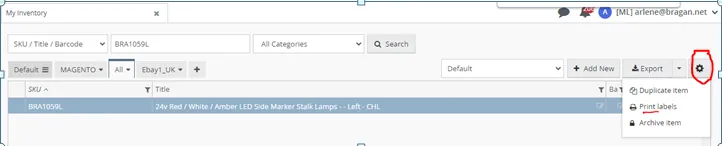
- Type the sku in Linnworks, search and open, save the image in jpeg file and close it. Click sku to highlight, then click the setting icon located at the right side of export tab, then choose print labels. Please see image below.
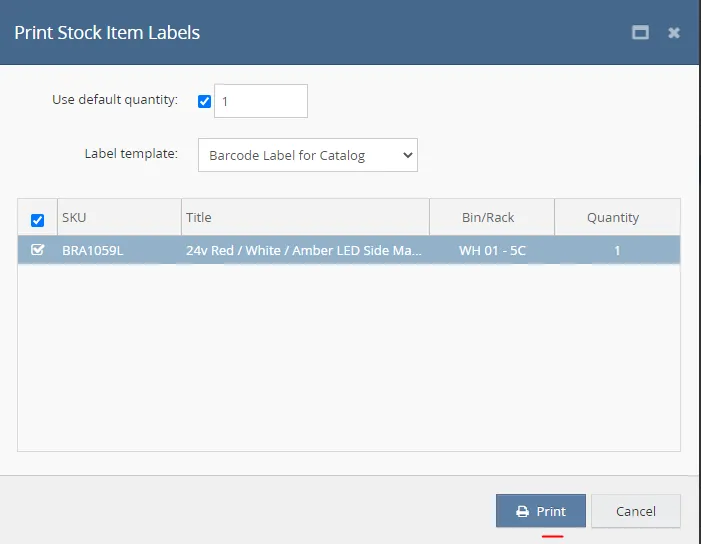
- After that, tick use default quantity to 1, select Barcode Label for Catalog then click PRINT.
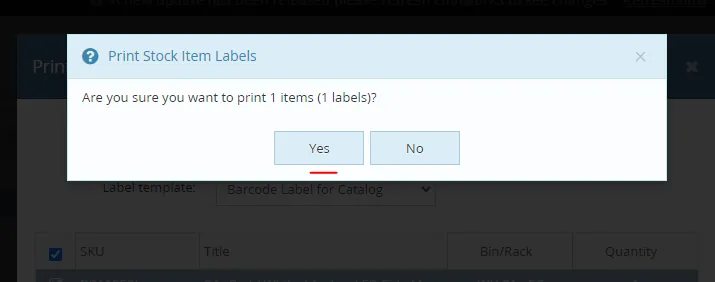
- Then select the ‘Yes’ Tab.
- Then click ‘Download sign'.
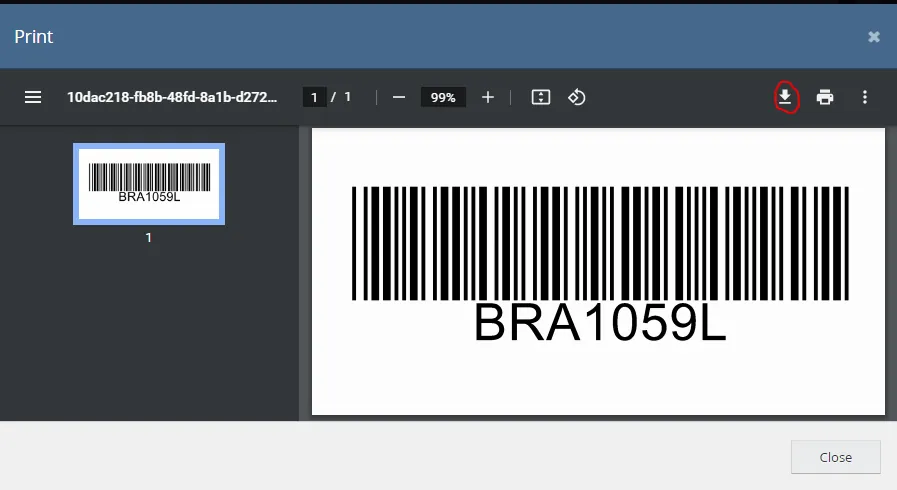
- Open the downloaded pdf barcode to Adobe Photoshop, change the format of the image by saving the filename format from PDF to PNG.
- After changing the image format, the barcode is now ready to add to Scan Folder.
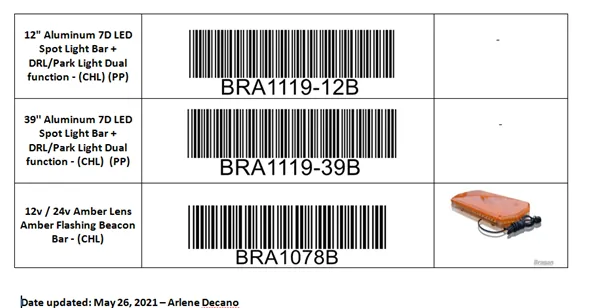
- Open Dropbox file of scan folder, copy the title of SKU from Linnworks to fill in 1st table, insert the barcode image in 2nd table and in 3rd table insert the jpeg image from Linnworks if it is available, then save it to the correct folder.
Barcode Catalog File Dropbox link:
Each paper contains 8 barcodes as the standard size. Always add the date of the last update and your name at the bottom of the file.
Notes#
This section is important so Adhoc points and issues can be logged. Also, Q&A can be logged for suggestions for potential issues encountered. Also, log important notes needed for this system. Additional Notes:
This document shows how to create Bragan product barcodes that are used for team Ireland to print and attach to all Bragan products. "Add important notes here"
Potential Issues:
1 - ISSUE ENCOUNTERED: Stuck on Loading
RESOLUTION: Refresh Browser
2 - ISSUE ENCOUNTERED: Broken Links
RESOLUTION: Get the external link as this will allow other people to access the SOP without the need for login credentials and avoid broken links.
3 - ISSUE ENCOUNTERED: "Type Text Here"
RESOLUTION: "Type Text Here"