Listing KTypes SOP
kTypes are codes used to identify if an item would fit a specific vehicle.
Overview#
Purpose: kTypes are codes used to identify if an item would fit a specific vehicle. These are found in the eBay compatibility chart. kYype codes can also be used for Vehicle Fitment Code extended properties. The purpose of this document is to outline to new and existing product listers how to properly list or add KTypes.
Scope: This procedure applies to Product Listers.
Responsibility: It is the responsibility of each Product Listers to ensure the process set out in this procedure is followed.
Objective: The objective of this procedure is:
Guide Listers in listing or adding KTypes.
Procedure#
Compatibility chart#
KTypes is a Compatibility Chart in eBay listing. The code (KType ID) is also applicable to Amazon using Extended Property 'VehicleFitmentCode'. The KType ID is from eBay MVL.
For the list of KType IDs, please see the MVL download link from eBay (note that the MVL list is updated quarterly).
master-vehicle-list-manually.html
eBay Compatibility Chart (KTypes):
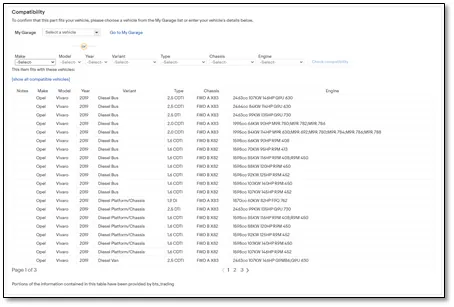
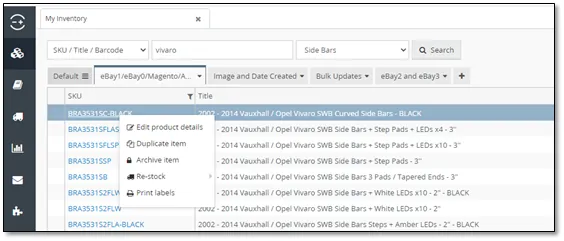
- Go to the SKU in Linnworks. In this case, It’s “BRA3531SC-BLACK”.
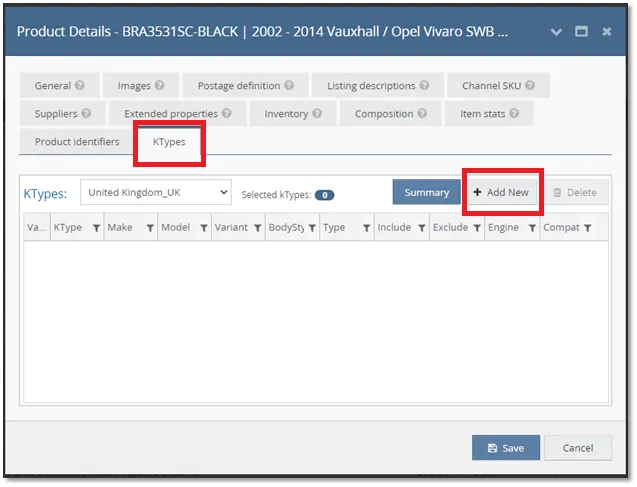
- Go to the KTypes tab, then click Add New
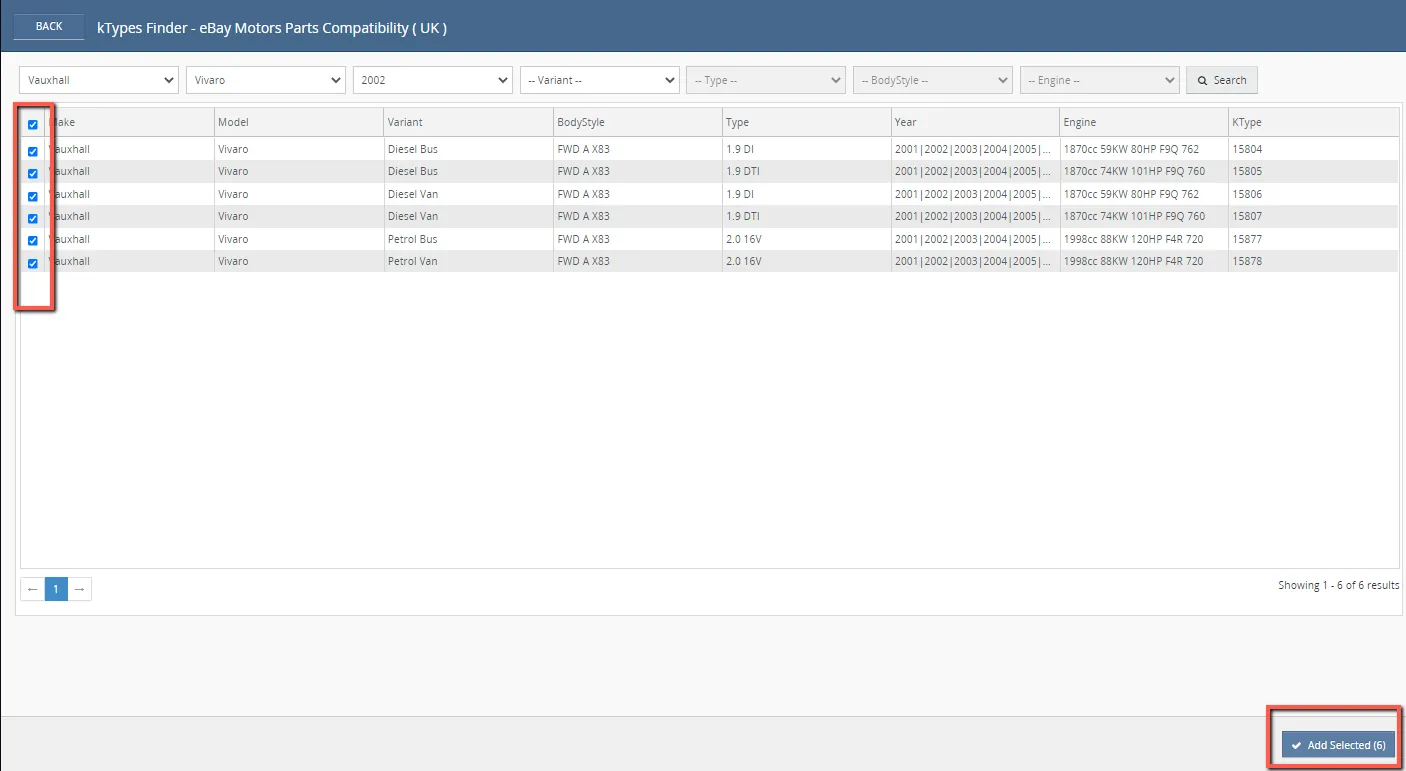
- You will then search the Make, Model, and Year of the vehicle you’re working on.
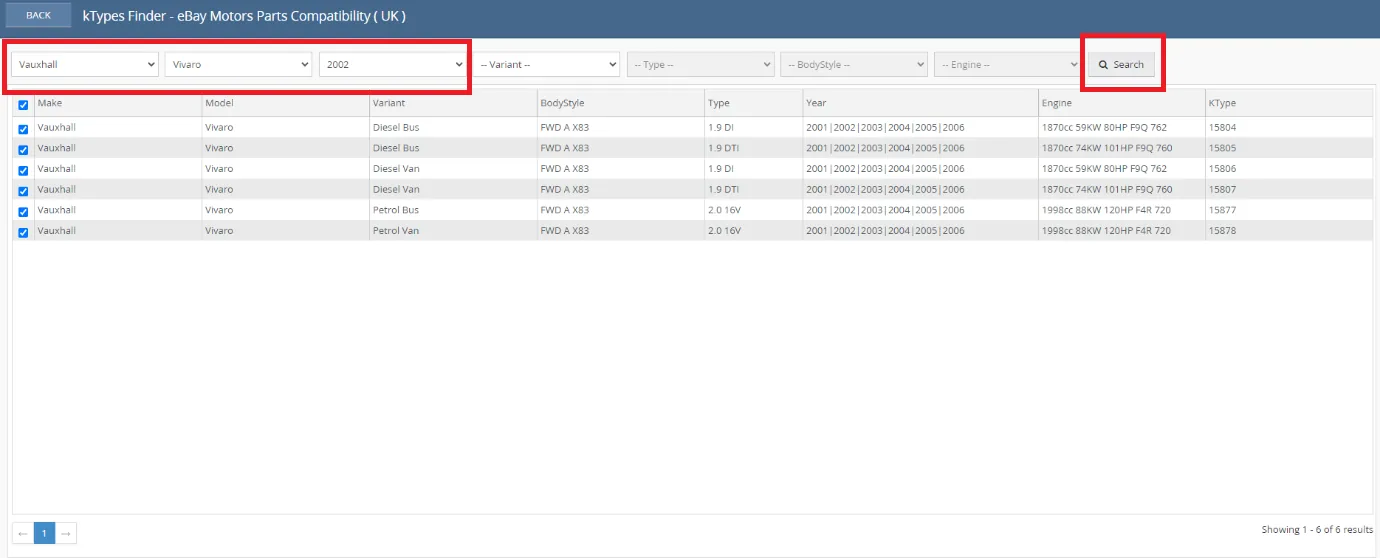
- Select the results by ticking the boxes, then click “Add selected”.
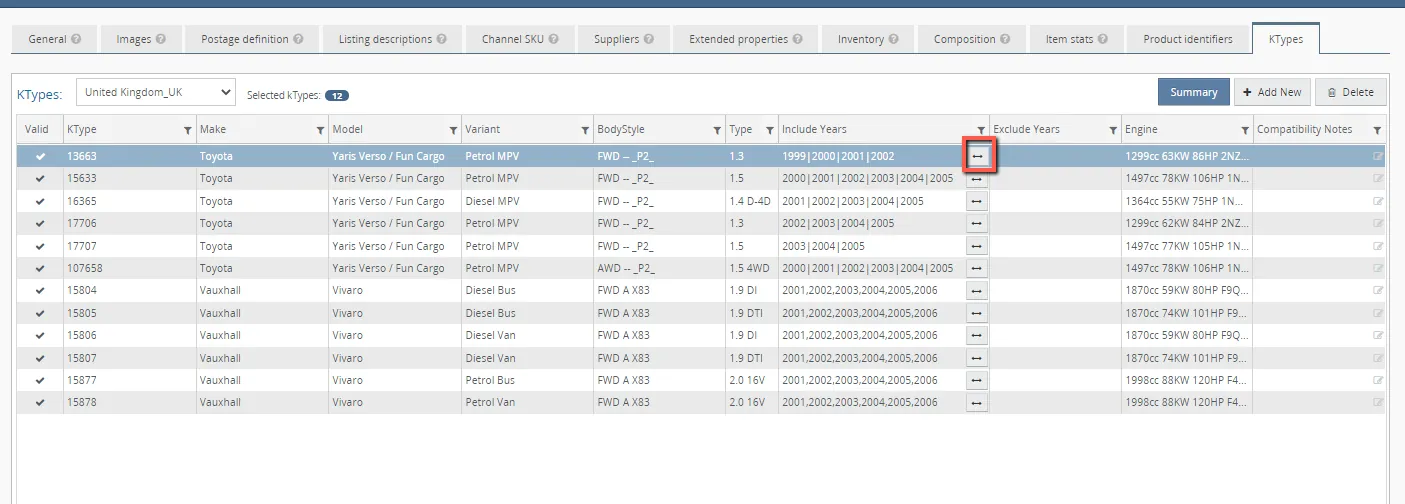
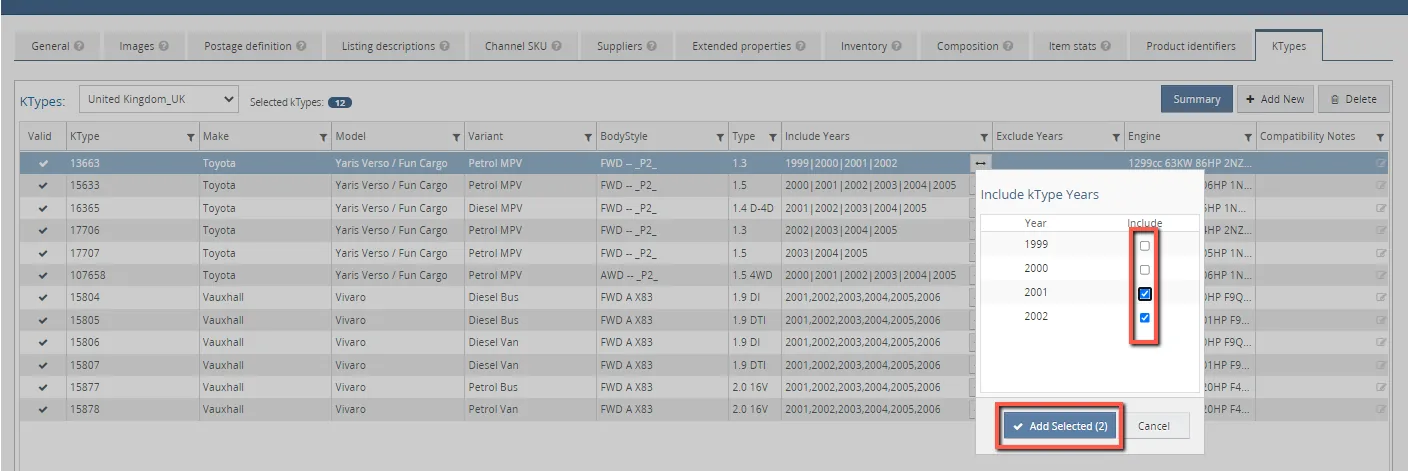
- Remove irrelevant years by clicking the button. Ensure relevant years are included. Click "Add Selected" once all years are sorted.
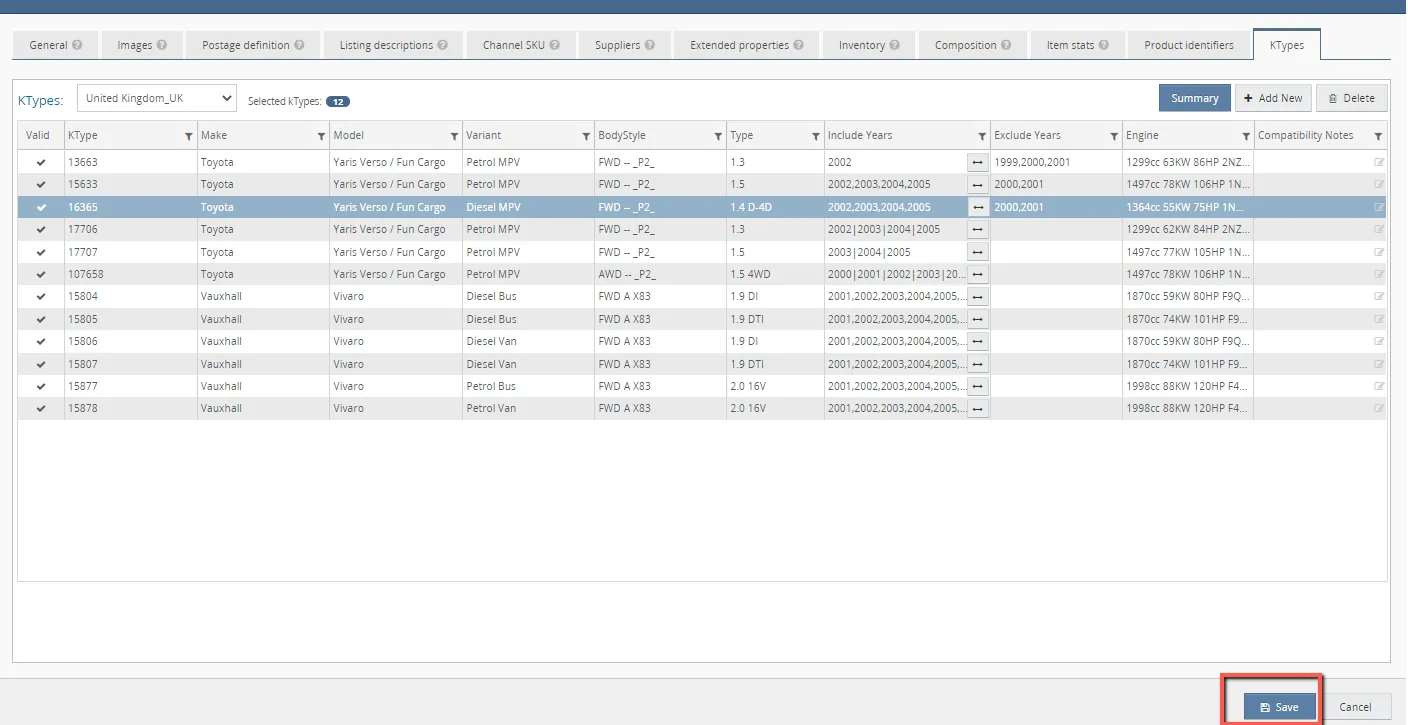
- If everything has been thoroughly checked, you may now click “Save”.
How to add ktypes using Chat GPT
- Filter skus in Linnworks - Dashboard > Ktypes by stock items
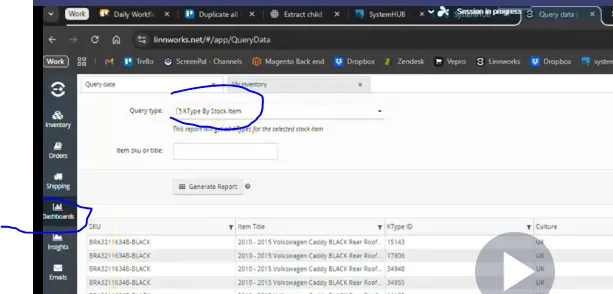
Get the file from Linworks.
- Go to chat GPT and send the prompt to generate the file of ktypes for specified skus needed for ktypes
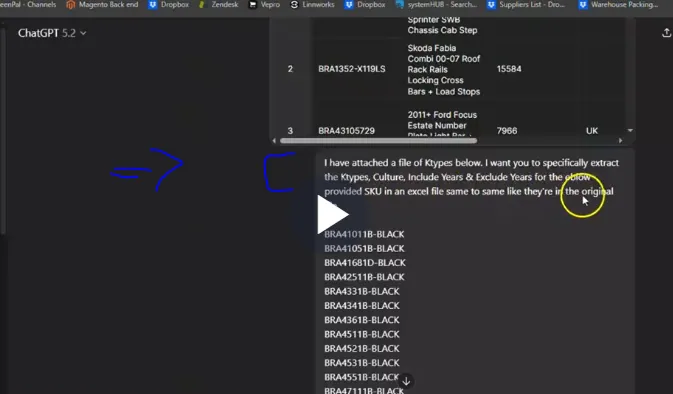
Prompt: I have attached a file of Ktypes below. I want you to specifically extract the Ktypes, Culture, Include Years & Exclude Years for the belowprovided SKU in an excel file, same to same like they're in the original file.
Paste the prompt and add the skus needed for ktypes to generate to chatgpt and enter.
- Download the file from chatgpt and random check if ktypes are correct from the ktypes file from ebay.
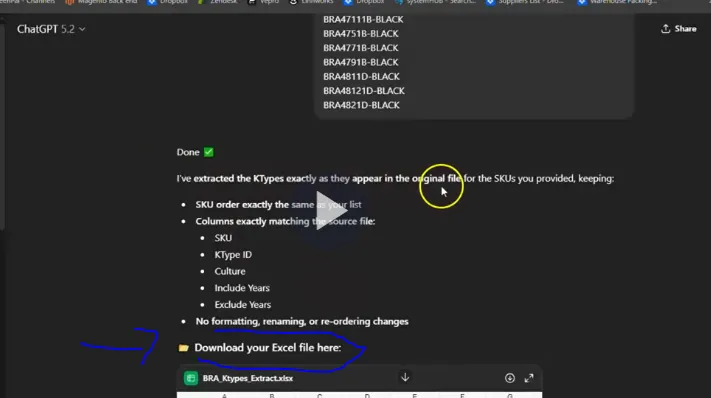
Video & Media#
🎥 Quickest way to find Ktypes in Bulk https://dl.dropboxusercontent.com/scl/fi/la0wlabd9cu2dijq5324r/Quickest_way_to_find_Ktypes_i rlkey=3azavw47ze58u7aczcb7ildlb&st=73od1s89&dl=0
Notes#
This section is important so Adhoc points and issues can be logged. Also, Q&A can be logged for suggestions for potential issues encountered. Also, log important notes needed for this system. Additional Notes:
This document is important so that compatible vehicles for this listing will show in the website. Always ensure relevant years are included. This will let the customer know which vehicle the listing fits.
KTypes are automatically added and updated every quarter if a new vehicle comes out that is compatible with the old versions parts this includes at the end of each year it will auto add the new years (For example in December it will add the 2022 versions)
Potential Issues:
1 - ISSUE ENCOUNTERED: Stuck on Loading
RESOLUTION: Refresh Browser
2 - ISSUE ENCOUNTERED: Broken Links
RESOLUTION: Get the external link as this will allow other people to access the SOP without the need for login credentials and avoid broken links.
3 - ISSUE ENCOUNTERED: No vehicle types added in the website listing even ktypes was added to Linnworks ktypes tab.
RESOLUTION: Consult linnworks customer support wy ktypes does not appear in website.
Attachments#
File_from_Linnwokrs_ktype_st… 16/12/2025
Working_file_skus_needed_fo… 16/12/2025