Magento 2 Image Issue SOP May 2021
After creating a template for Magento 2 in Linnworks, a lister must ensure that it will
Overview#
Purpose: After creating a template for Magento 2 in Linnworks, a lister must ensure that it will display the correct image as its main and thumbnail images. To ensure this. Additional steps are needed to be done. This process also applies to picture updates of already existing listing in Magento 2.
Scope: This procedure applies to Listing Team.
Responsibility: It is the responsibility of each employee to ensure the process set out in this procedure is followed.
Objective: To guide Bragan Personnel on the correct way of requesting Picture Re-edits.
Procedure#
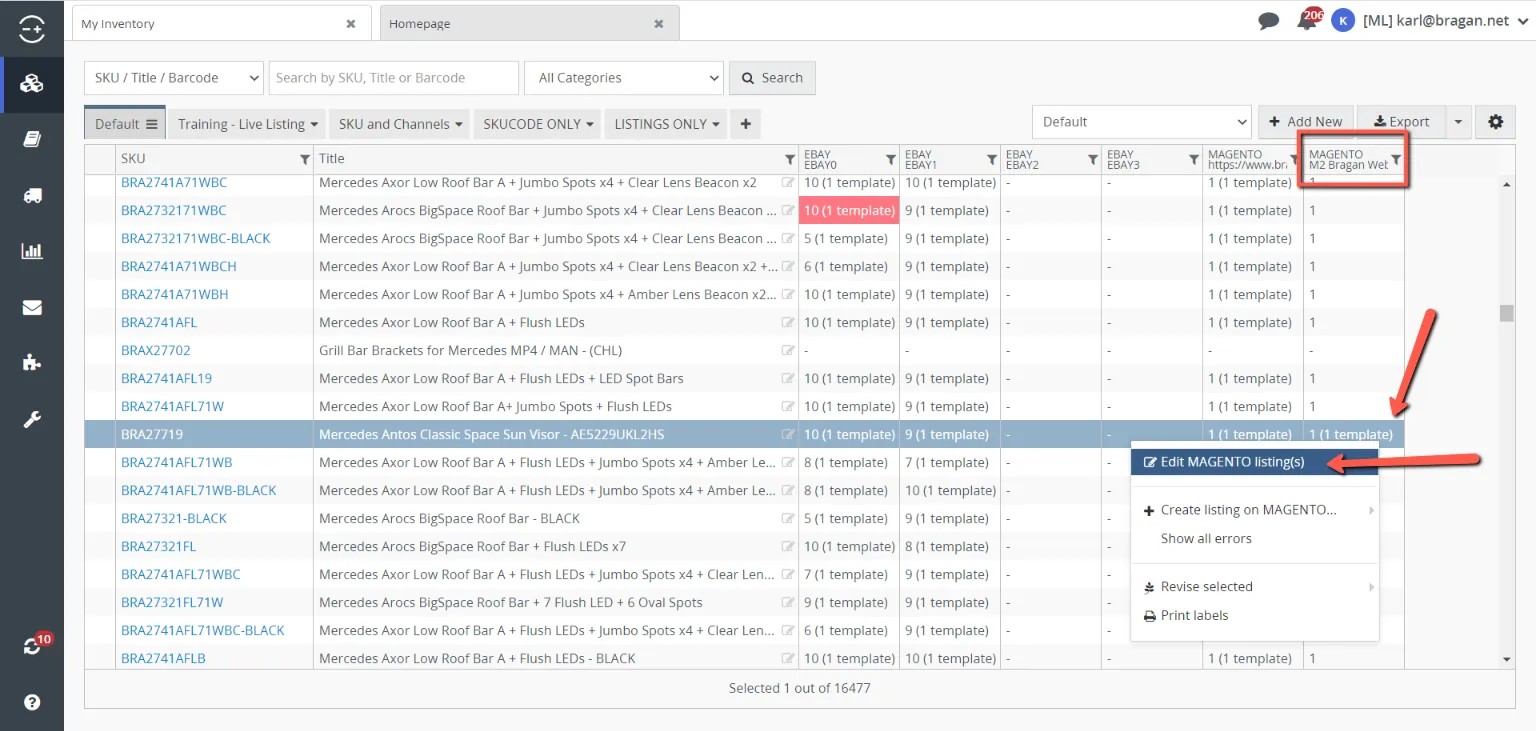
After Updating Image in Product Details Tab on My Inventory Screen and creating the Magento Template, go to the Magento Template by right-clicking on the template from Linnworks Inventory and clicking Edit Magento Listings.
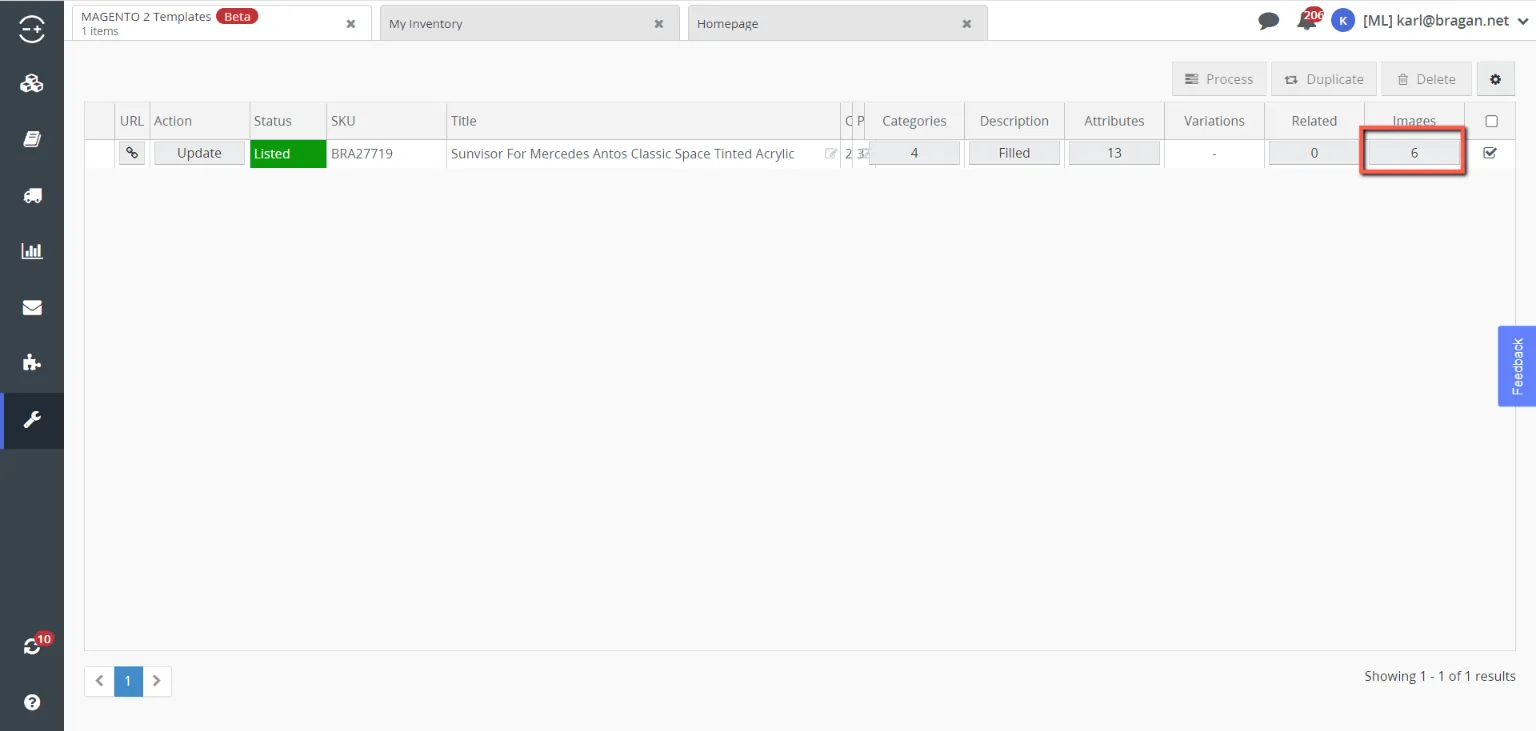
Click on Images.
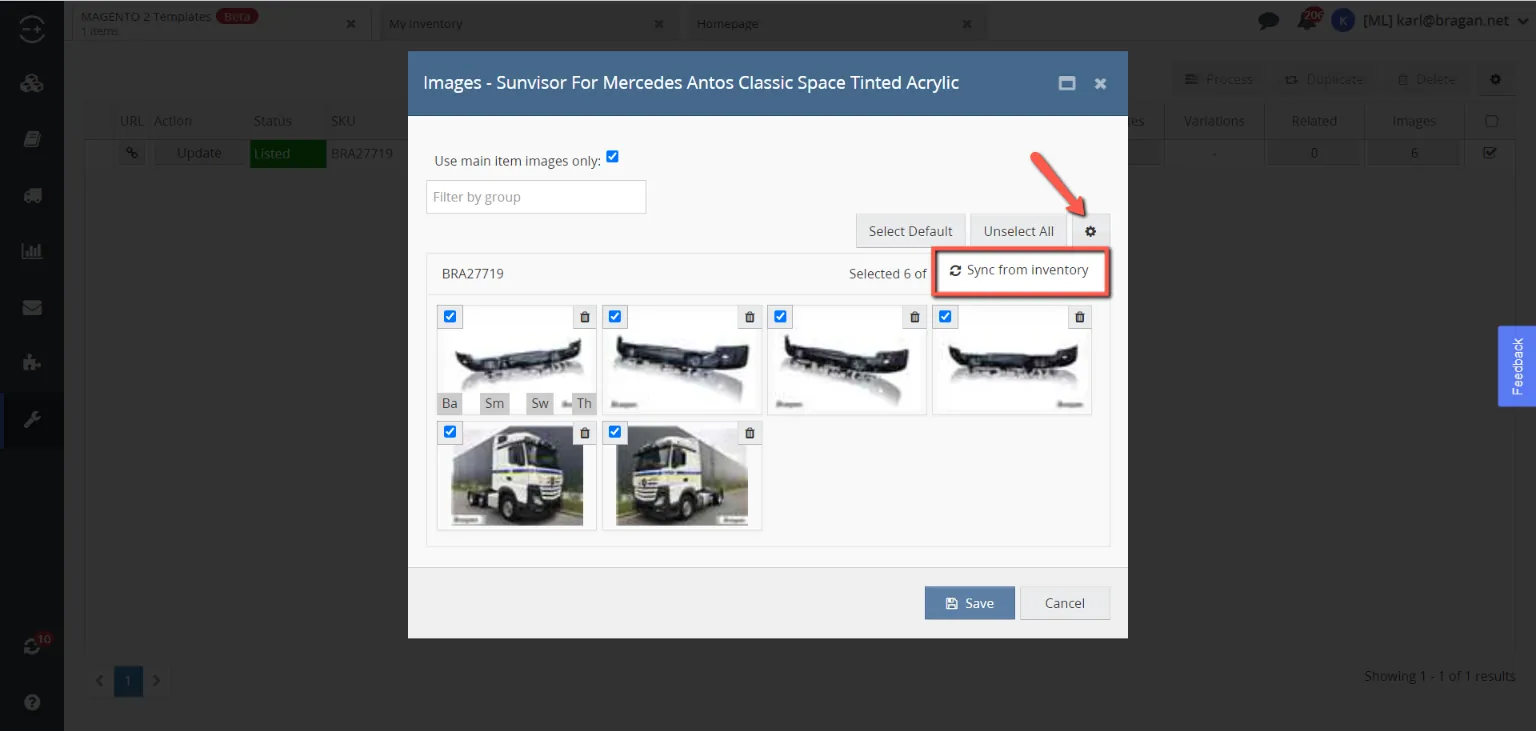
We have to Synchronize the image cluster (Magento Template) from Inventory.
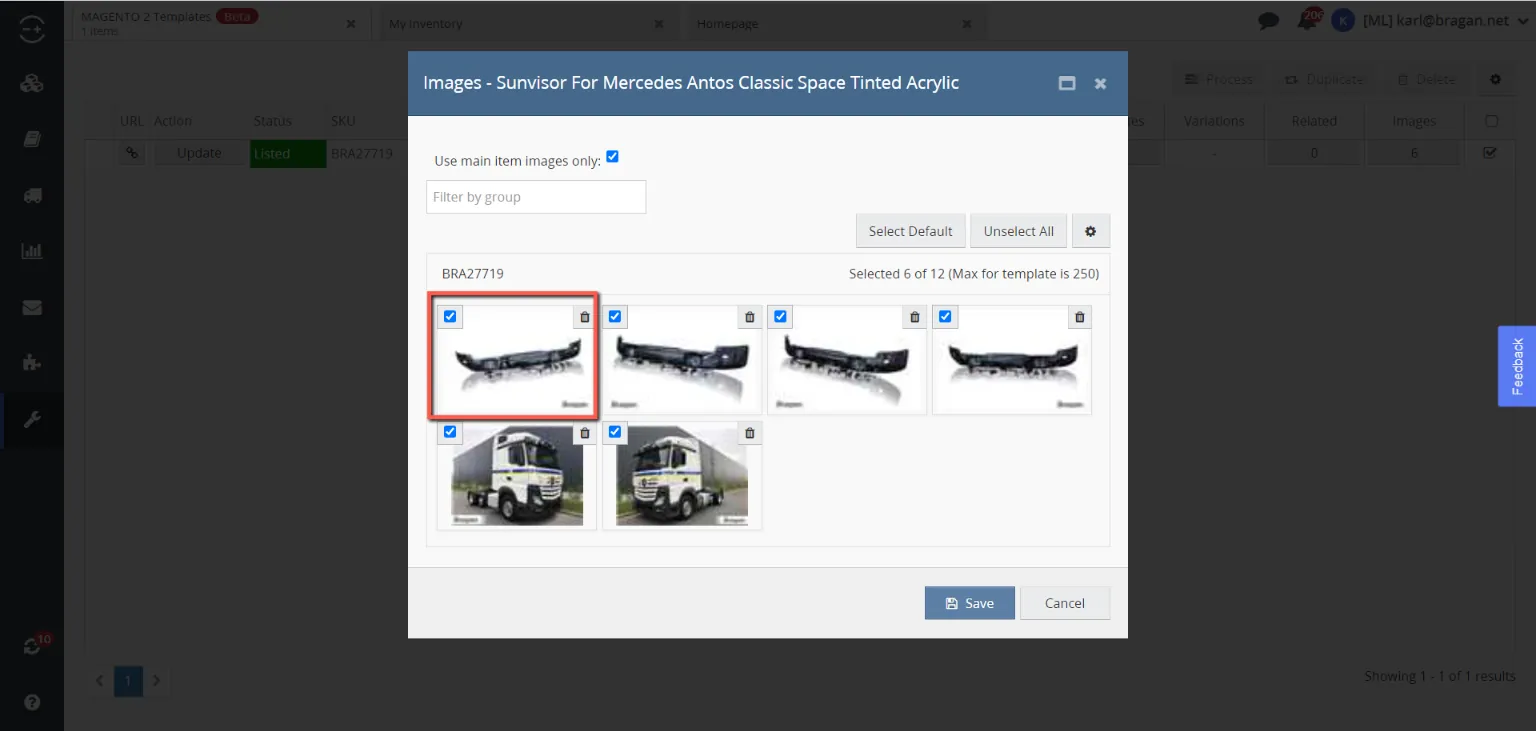
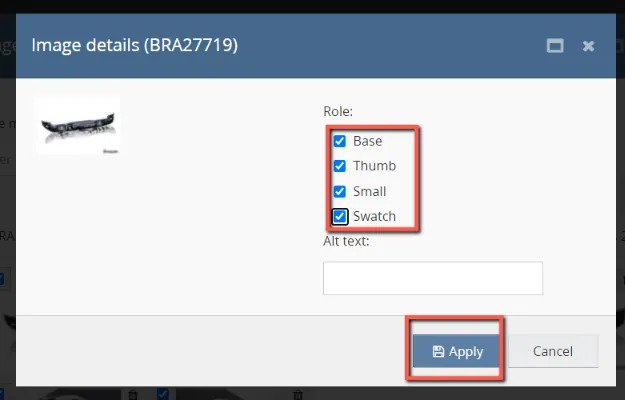
Click the Desired Main Image and tick the roles then click apply.
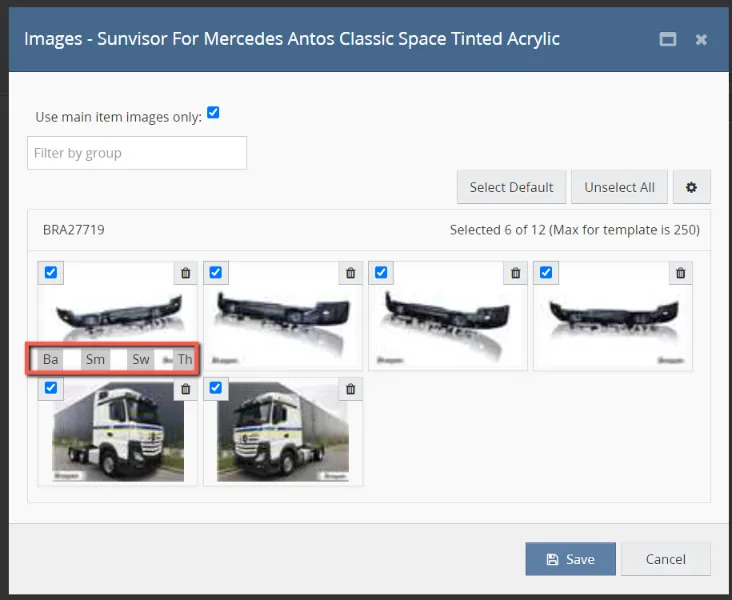
To ensure the Main Image’s Roles has been applied you are able to see the Abbreviated Captions.
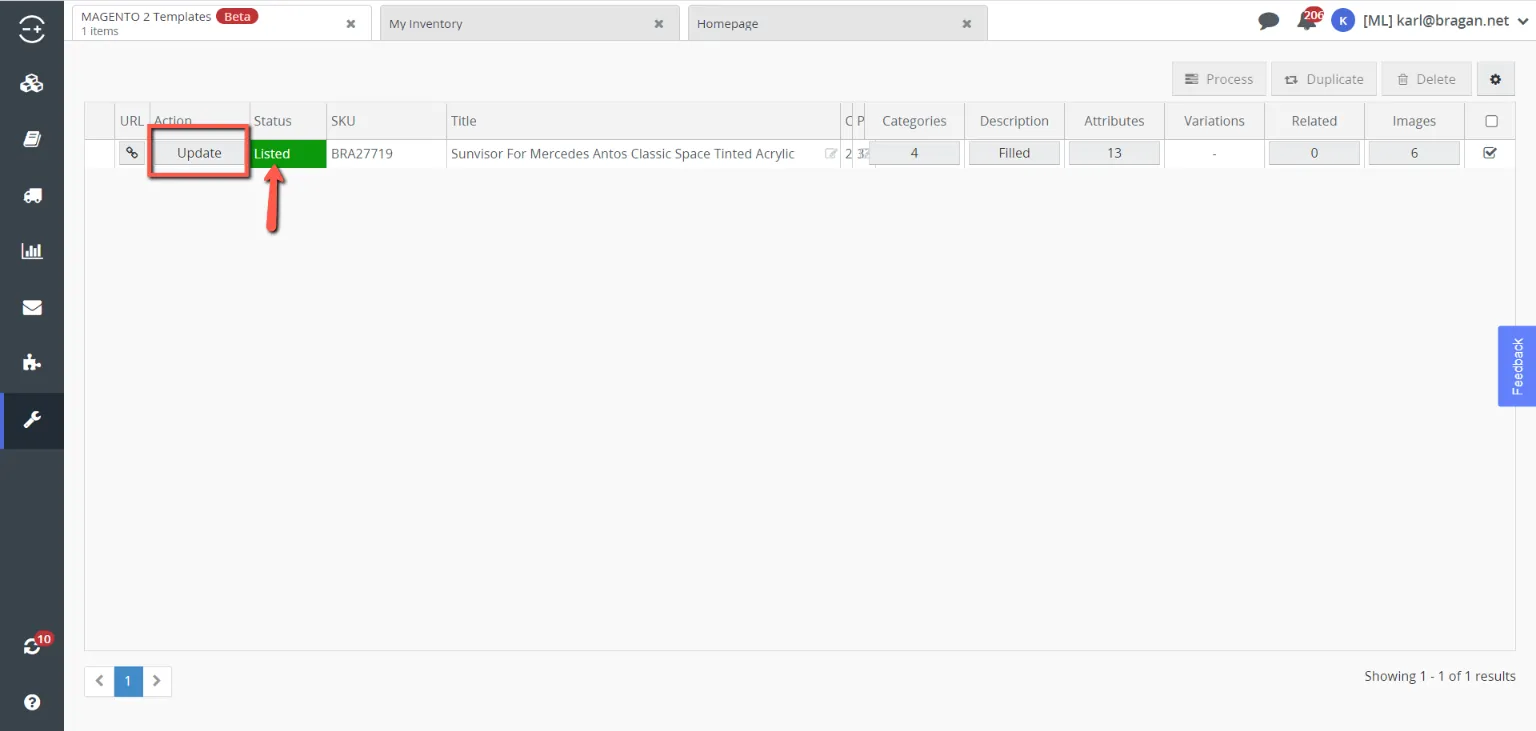
Then you are done – save and update the template and refresh the Magento Webpage after the update is done (after seeing Listed with Green Status).
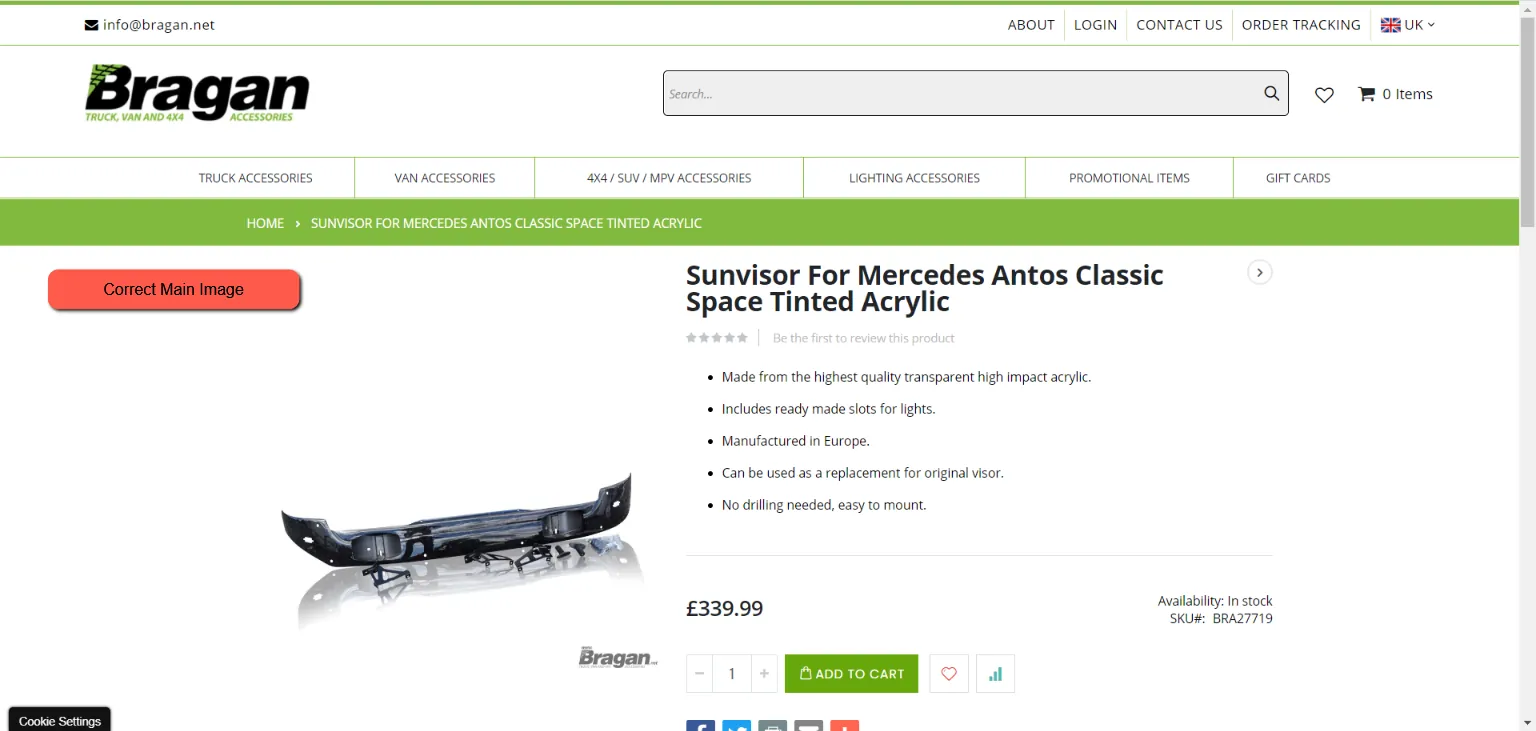
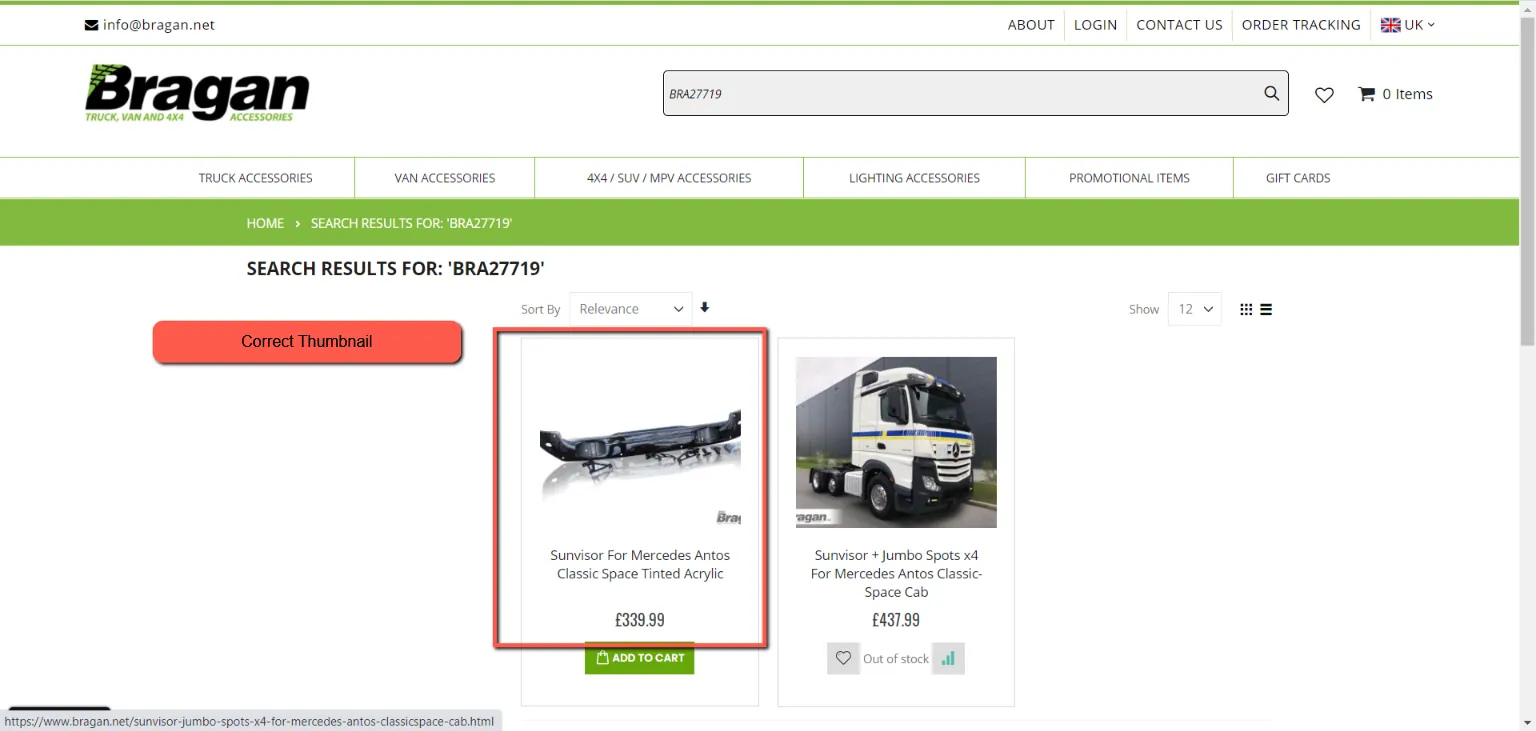
You should be able to see the correct main image and thumbnail now.
Video & Media#
🎥 Magento 2 Image Issue SOP May 2021 video
Notes#
This section is important so Adhoc points and issues can be logged. Also, Q&A can be logged for suggestions for potential issues encountered. Also, log important notes needed for this system.
Additional Notes:
This document is important because this shows how to apply the images in the listing so that it will not appear on the website as no image or thumbnails only. After creating a template for Magento 2 in Linnworks, a lister must ensure that it will display the correct image as its main and thumbnail images. To ensure this. Additional steps are needed to be done. This process also applies to picture updates of already existing listing in Magento 2. "Add important notes here"
Potential Issues:
1 - ISSUE ENCOUNTERED: Stuck on Loading
RESOLUTION: Refresh Browser
2 - ISSUE ENCOUNTERED: Broken Links
RESOLUTION: Get the external link as this will allow other people to access the SOP without the need for login credentials and avoid broken links.
3 - ISSUE ENCOUNTERED: "Type Text Here"
RESOLUTION: "Type Text Here"
Attachments#
Magento_2_Image_Issue_SOP… 16/12/2025