Picture Edit ChatGPT
In order for images to be listed in the selling channels, a series of processes must be Used for installed product images where the product appears mounted on a vehicle.
Overview#
Purpose: In order for images to be listed in the selling channels, a series of processes must be followed. This SOP will show you the processing of photos from the raw image to the final image used in the Trello card. The purpose of this document is to outline to new and existing staff how to properly ensure to follow picture requirements and to use high-quality images.
Scope: This procedure applies to all Bragan Personnel.
Responsibility: It is the responsibility of each employee to ensure the process set out in this procedure is followed.
Objective: The objective of this procedure is:
to guide employees about Picture Requirements.
Login to chatgpt.com using credentials from Lastpass
Select Bragan Image Editor from GPTs list on the left hand side and follow one of the below prompts
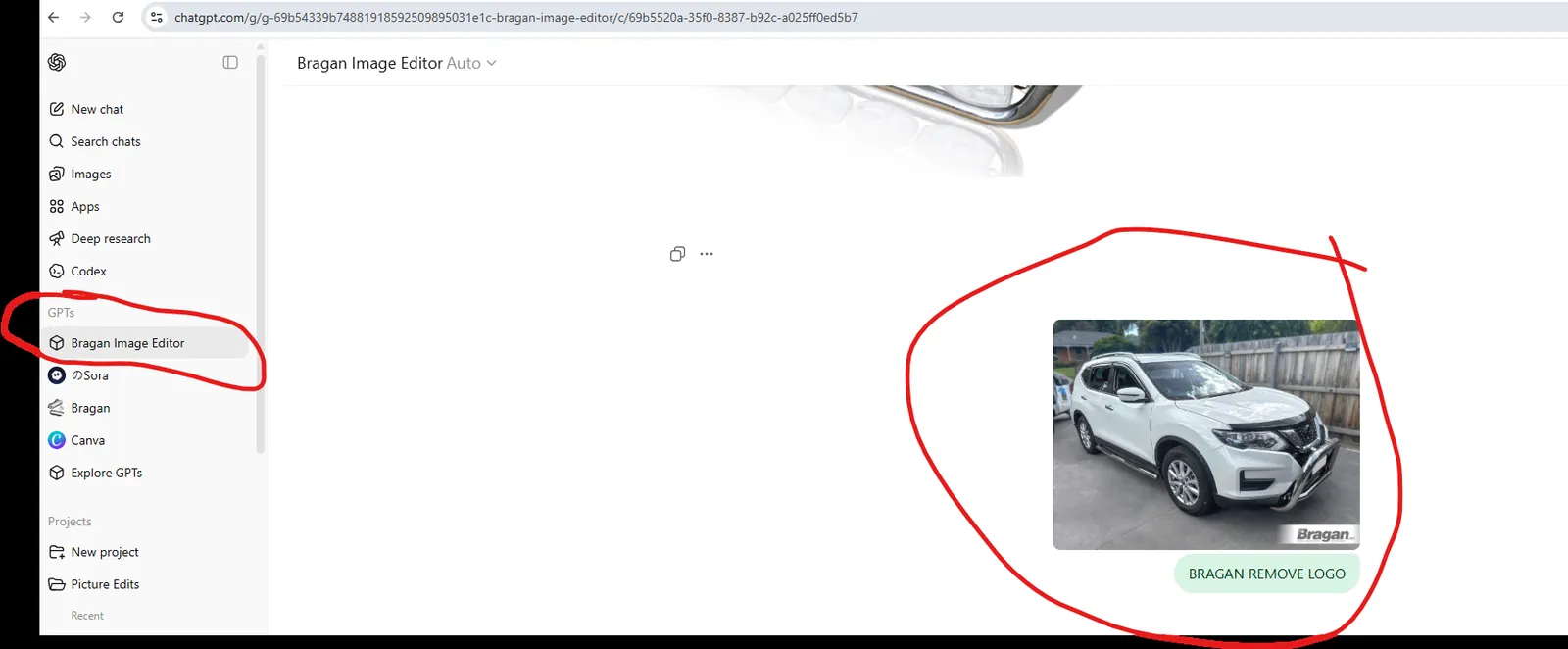
Command Selection Workflow
Editors should determine the correct command using this rule:
| Image Type | Command |
|---|---|
| Product only | BRAGAN WHITE BG |
| Product installed on vehicle | BRAGAN CLEAN |
| Bar with lamps | BRAGAN LAMP FADE 25 |
| Image with unwanted branding | BRAGAN REMOVE LOGO |
Command 1: BRAGAN CLEAN#
Overview#
Purpose: Used for installed product images where the product appears mounted on a vehicle.
The objective is to clean and restore the appearance of the image while preserving the original installation.
When to Use#
Use BRAGAN CLEAN when the image shows:
Product installed on a vehicle Real installation environment Dirt, stains, or corrosion affecting image clarity
Examples:
Truck step installations Light bars mounted on vehicles Roof bars installed on vans Beacons or warning lights installed on trucks
Editing Actions#
Editors may:
- Remove dirt, dust, mud, or road grime
- Remove stains or marks on panels
- Reduce corrosion or oxidation
- Restore surfaces to their intended appearance
- Lightly improve brightness or contrast
- Slightly sharpen the image
Surface Restoration#
If installed components show corrosion or oxidation, restore them to the intended finish.
Examples:
| Component | Result |
|---|---|
| Metal step plates | Clean metal finish |
| Black coated steps | Restore black coating |
| Brackets | Uniform painted finish |
| Mounted accessories | Clean and maintained appearance |
Installed accessories should appear clean and maintained, as if newly installed.
Preserve#
The following must remain unchanged:
- Vehicle structure
- Product shape and geometry
- Mounting position
- Lighting positions
- Camera or sensor placement
- Vehicle decals and text
Example:
The “Next Generation” decal must remain unchanged.
Forbidden Actions#
Do NOT:
- Add text overlays
- Add graphics or labels
- Add watermarks
- Change the background
- Move components
- Redesign the product
Before After
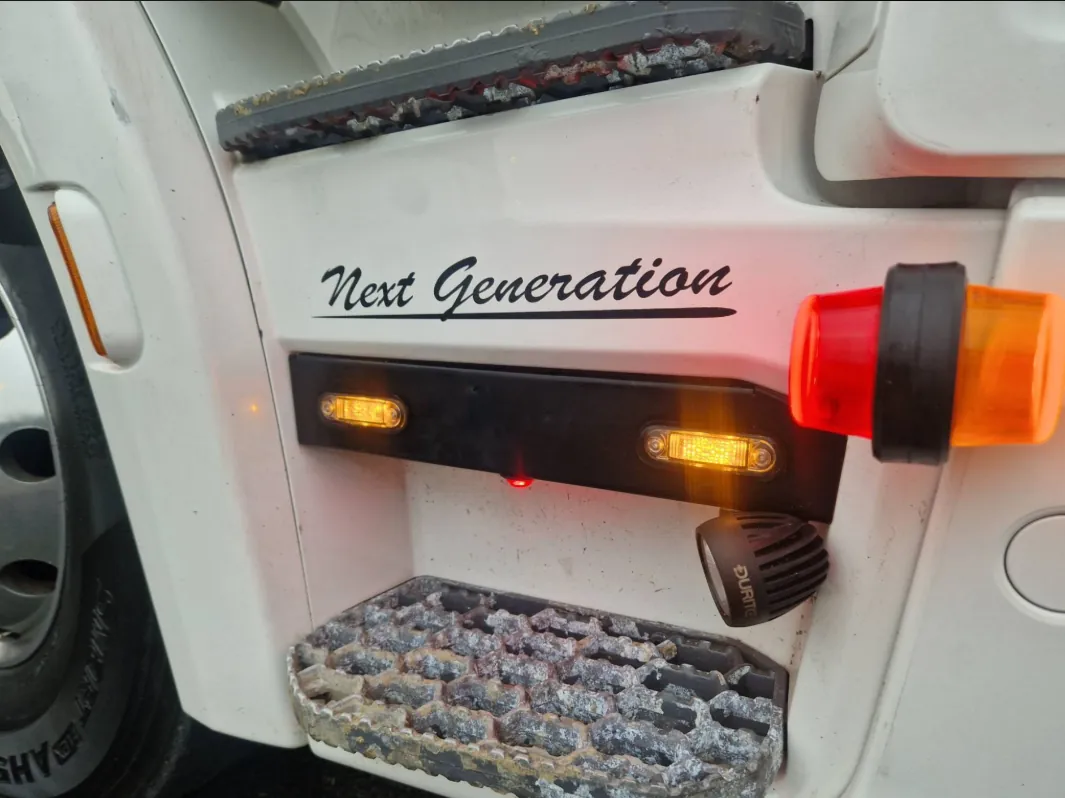
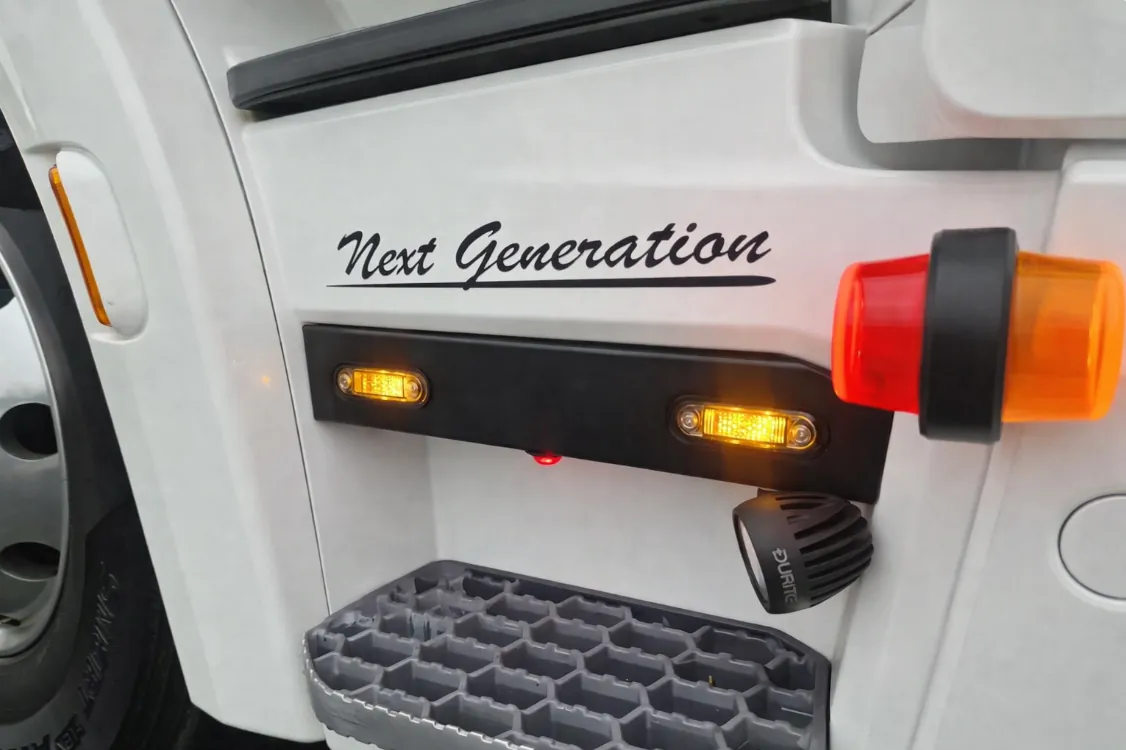
The final image must still appear as the same original photograph.
Command 2: BRAGAN WHITE BG#
Overview#
Purpose: Used for standalone product images where the product must be isolated for catalogue listings.
The goal is to create clean product images with a consistent white background.
When to Use#
Use BRAGAN WHITE BG when the image contains:
Product photographed alone No vehicle installation Product intended for the main listing image
Examples:
Grill bars Side bars Roof bars Lamps Brackets Accessories
Editing Actions#
Editors must:
- Remove the existing background
- Replace it with pure white (#FFFFFF)
- Center the product in the frame
- Ensure landscape orientation where possible
- Add a soft natural shadow beneath the product
Visual Standard#
Product should appear:
Clean Sharp Centered Floating on a white background
Forbidden Actions#
Do NOT:
- Add mirror reflections
- Add graphics or text
- Alter product shape or proportions
Before After
The product must remain identical to the original photograph.
Command 3: BRAGAN LAMP FADE 5#
Overview#
Purpose: Used when a bar product includes lamps, but the bar itself is the main item being sold.
This command reduces visual distraction from the lamps.
When to Use#
Use BRAGAN LAMP FADE 5 when the image contains:
Grill bar with spot lamps Bull bar with auxiliary lamps Bar assemblies where lamps are secondary
Editing Actions#
Editors must:
- Reduce lamp opacity to 5% transparency
- Maintain original lamp shape and housing
- Preserve lamp reflections and lens details
- Leave the main bar at 100% opacity
Visual Result#
Lamps should appear:
Visible Recognisable Slightly faded
The bar becomes the visual focus.
Forbidden Actions#
Do NOT:
- Change lamp shape
- Recolour lamps grey
- Blur lamp lenses
- Alter the bar structure
Before After
Command 4: BRAGAN REMOVE LOGO#
Overview#
Purpose: Used to remove unwanted branding or watermarks from product images.
When to Use#
Use when images contain:
Supplier logos Old branding Third-party watermarks Unwanted graphic overlays
Editing Actions#
Editors must:
- Remove the logo or watermark
- Reconstruct the affected area using surrounding texture
- Maintain original lighting and reflections
Surface Repair#
If the logo is on the product surface:
- Rebuild the surface so it matches surrounding material
If the logo is on a background:
- Replace with the correct background colour.
Forbidden Actions#
Do NOT:
- Alter product geometry
- Change reflections
- Change material appearance
The final image should appear as the original photograph with the logo removed.
Before After
Final Quality Check#
Before uploading images to listings, confirm:
✔ Image is clean and sharp ✔ Product clearly visible ✔ Background correct ✔ No unwanted branding ✔ Lighting appears natural
Notes#
This section is important so Adhoc points and issues can be logged. Also, Q&A can be logged for suggestions for potential issues encountered. Also, log important notes needed for this system. Additional Notes:
It is important to know the requirements for images so that there will be a quality images to be uploaded in the website to attract more customers to buy our product.
Filename in each image should not be change because these are the image sku codes so that the listers will know which sku should add the images.
Edited images should be save in edited folder in dropbox by photo editor, each folder has two kinds, one without Bragan logo and the other image has a Bragan logo and should create a 'watermarked folder' to put the images with logo.
There are two Bragan Logos, one will be used for edited pictures with colored background and another will be used for edited pictures with white background. Make sure to use the correct one.
All Stainless Brackets are not shiny stainless.
Should check the image and should be in landscape / horizontal position and not also slanting.
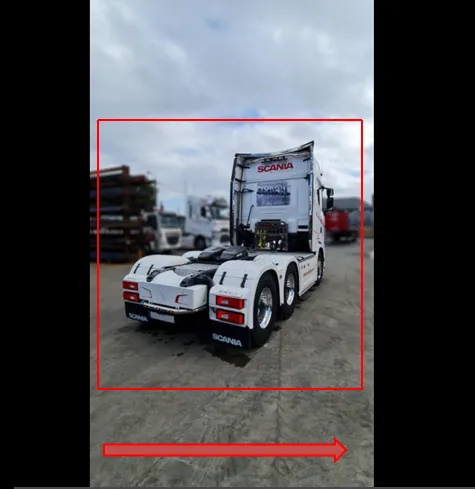
Must crop the image to make it landscape and see the product for sale. Please see the above image, black beside must be removed, should crop the image to see the product for sale and no slanting position. If the raw image is in a slanting position, kindly edit the image to landscape position, please refer to the above image position.
Check image: Picture Dimension required: 1280 / 960 minimum.
To check image properties that meet the minimum and maximum size requirements before editing. High-resolution image is less than 50kb (lower is better). For white background photos, it should be under 100kb.
Always check the blur effect requirement of images and should not be a too strong blur.
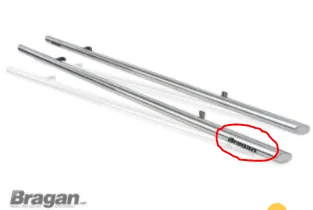
Photo editors should remove Bragan logo attached to any items like sidebars, running boards, roofbars, spoiler bars and etc.
Potential Issues:
1 - ISSUE ENCOUNTERED: Stuck on Loading
RESOLUTION: Refresh Browser
2 - ISSUE ENCOUNTERED: Broken Links
RESOLUTION: Get the external link as this will allow other people to access the SOP without the need for login credentials and avoid broken links.
3 - ISSUE ENCOUNTERED: Chrome items don't look stainless and Black items look too black.
RESOLUTION: To know sop requirements so these items with low quality will not be uploaded to the website.