Alterations Process
Alterations are a key function within our business, they set us apart from our
Overview#
Purpose: Alterations are a key function within our business, they set us apart from our competition and give us a unique service proposition. This process document takes knowledge from staff heads and provides a solid reference point for any new starters in the Alterations facility.
Scope: This procedure applies to all Warehouse personnel.
Responsibility: It is the responsibility of each employee to ensure the process set out in this procedure is followed.
Objective: The objective is to standardize the Alterations Process so all applicable staff has the knowledge to do so efficiently and correctly.
Process#
Alteration identifier#
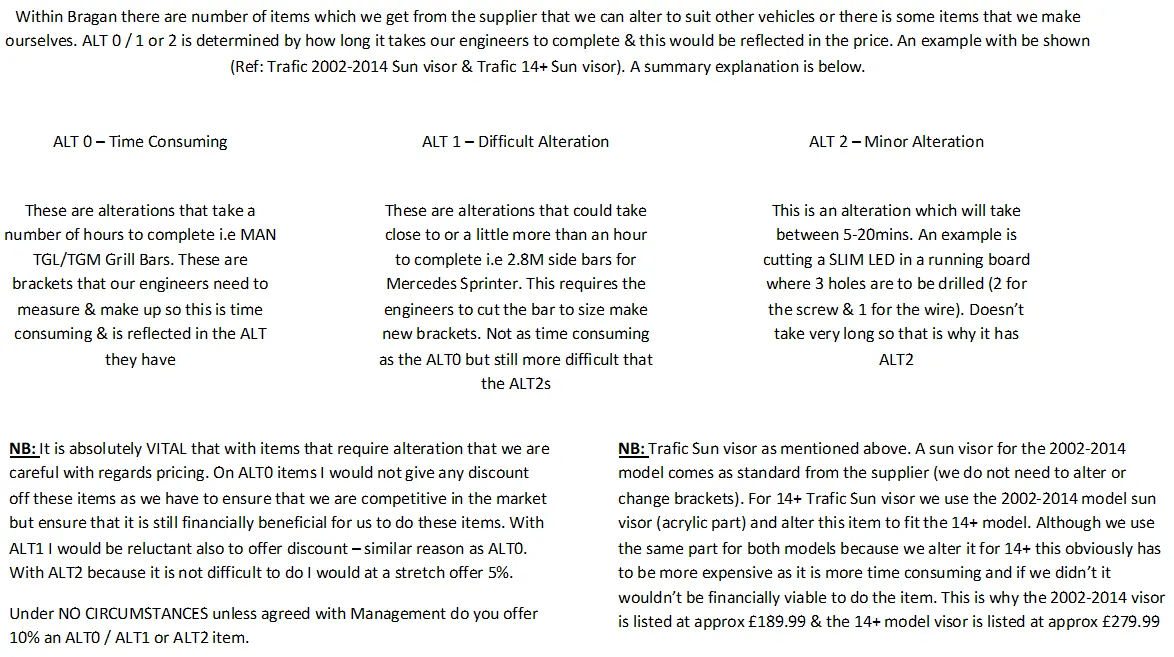
Alterations are set up with levels of difficulty with identifiers from Alt 0 to Alt -4
Alt 0 - Time Consuming Alt 1 - Difficult Alteration Alt 2 Alt 3 Alt 4 - Minor Alteration
Alterations Pick List#
Alterations are marked on the picklist as per the image below, all alterations will have a Gold Heart sticker applied to the product to make them easily recognizable on the Coloured Racks
Add image of picklist with ALT, Add image of the product with Gold Heart Sticker
Alterations pack list#
The technician OPERATOR 5 carrying out alterations will have a separate pack list already at their station from given by OPERATOR 4 earlier. The technician will retrieve the order from the coloured main racks - these will be marked with a gold heart sticker.
The pack list will contain a customization form relating to each order that details the customization required.
Engineer Alt Book#
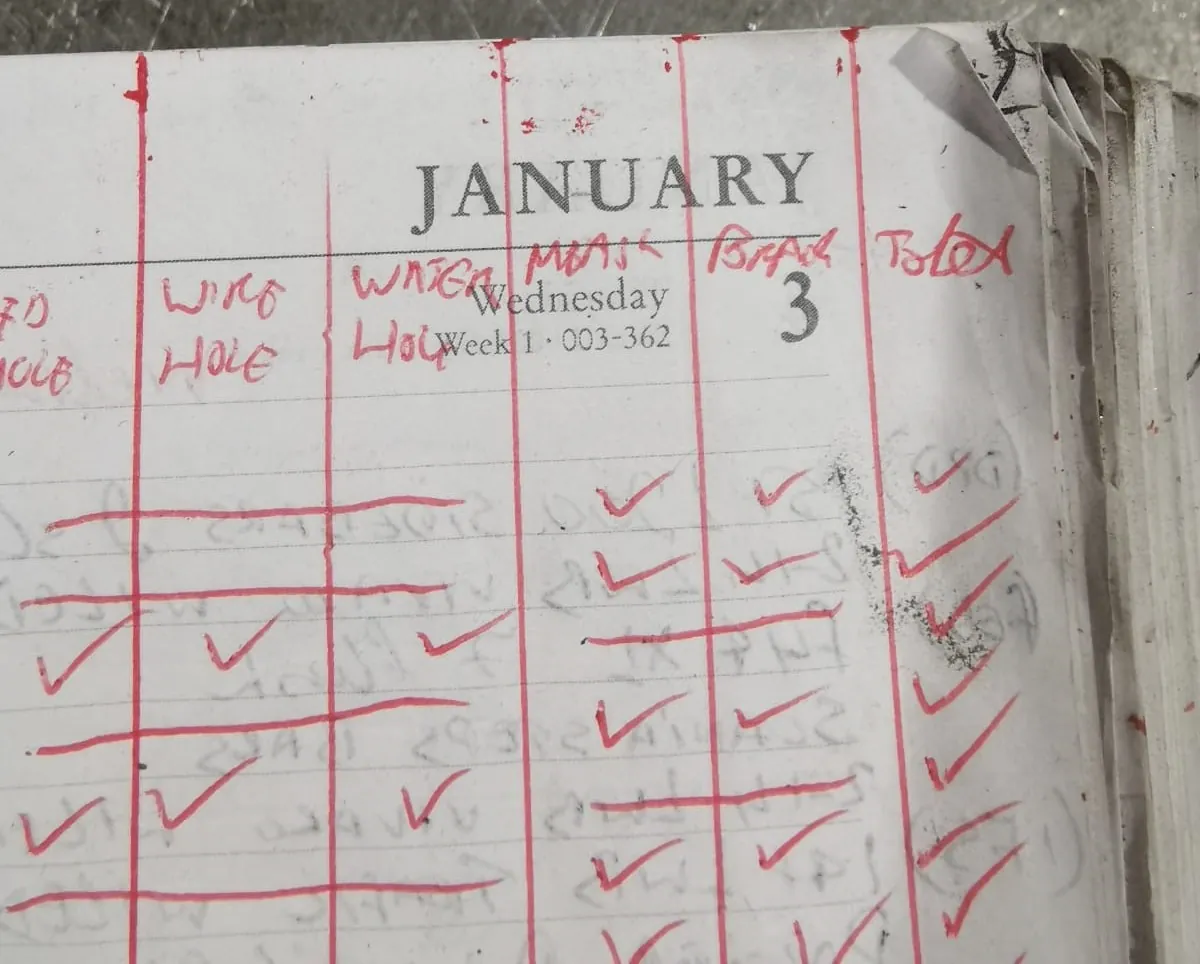
The details from the pack list must be transferred into the Engineer Alt book at the start of the day, to double-check key elements of each alteration.
The checks are:
Led Wire Hole Water Hole Measurements Brackets
Each Alteration element must be entered into the Engineer Alt book and checked off as complete.
Engineer Drawings and Drawing Folders#
Engineer Drawings are contained in Dropbox in the folder below and also in the physical folders in the Alt Room, these are sorted by vehicle model.
To make changes to these drawings, you must add the changes to the drawing. Please ensure that the edit is pictured and put in the ALT skype group with detail of the request – ask the CAD editor to notify you when the dropbox link has been edited, you will then need to confirm the drawing is correct and clear.
ALT Room Videos#
A library of Alterations exists that documents the alterations process on most popular items, and what to watch out for during an alteration, for new items/changes to the ALT process please request management to attend while the new video is being formatted.
Packing Process – Alteration Process#
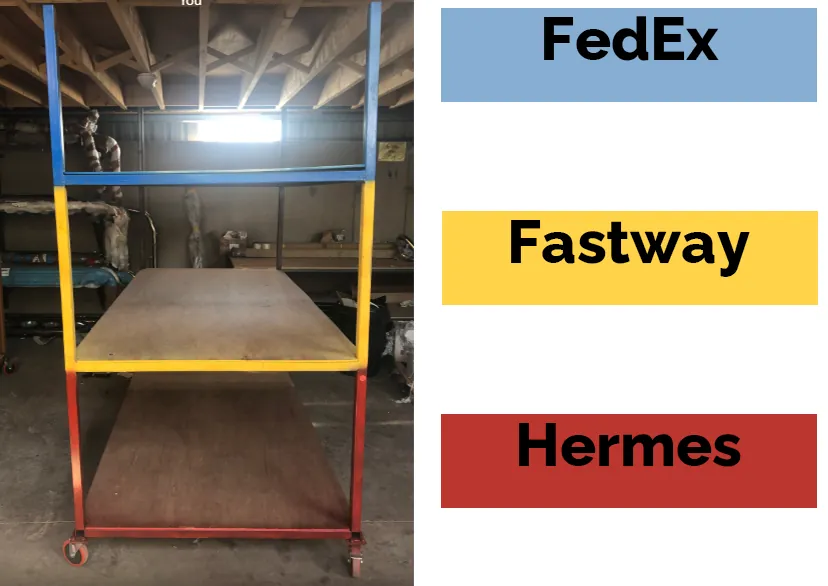
The technician carrying out alterations will have a separate pack list already at their station from given by OPERATOR 4 earlier. The technician will retrieve the order from the coloured main racks (see colour index below for courier colour you should be looking for).
Once the alteration is complete the ENTIRE ORDER is put together and packed as per the pack list and put in the item in the dispatch room in the relevant courier bay (as per Section 1- Picking-Packing-Wrapping Process SOP)
Coloured Racks#
Alt Room Folder
Alt Room Video
Packing Process – Alteration Process#
The technician carrying out alterations will have a separate pack list already at their station from given by OPERATOR 4 earlier. The technician will retrieve the order from the coloured main racks (see colour index below for courier colour you should be looking for).
Once the alteration is complete the ENTIRE ORDER is put together and packed as per the pack list (see packing process 1) and put in the dispatch room in the relevant courier bay (coloured) (1.4)
The technician will carry out the orders in the order they appear on the scanner. Using Fig 8 as an example, the technician will start with order number 245403, then proceed to order 245379, and so on.
Notes#
This section is important so Adhoc points and issues can be logged. Also, Q&A can be logged for suggestions for potential issues encountered. Also, log important notes needed for this system. Additional Notes:
Customization Request - Attached downloadable. "Add important notes here"
Potential Issues:
1 - ISSUE ENCOUNTERED: Stuck on Loading
RESOLUTION: Refresh Browser
2 - ISSUE ENCOUNTERED: Broken Links
RESOLUTION: Get the external link as this will allow other people to access the SOP without the need for login credentials and avoid broken links.
3 - ISSUE ENCOUNTERED: "Type Text Here"
RESOLUTION: "Type Text Here"
Attachments#
Customisation_Request.docx 16/12/2025