Goods Inwards
Any poorly packed, damaged, or sub-standard product must be identified as soon as
Overview#
Purpose: Any poorly packed, damaged, or sub-standard product must be identified as soon as it arrives at our premises. Our suppliers will do everything they can to deny claims if we do not have the correct checks and processes completed. We need to have a robust system in place to check shipments when they arrive as failure to do so is costing the business considerable money and time that cannot be sustained.
Scope: This procedure applies to Warehouse personnel.
Responsibility: It is the responsibility of each employee to ensure the process set out in this procedure is followed.
Objective: The objective is to standardize the checking of goods arriving.
Process Flow#
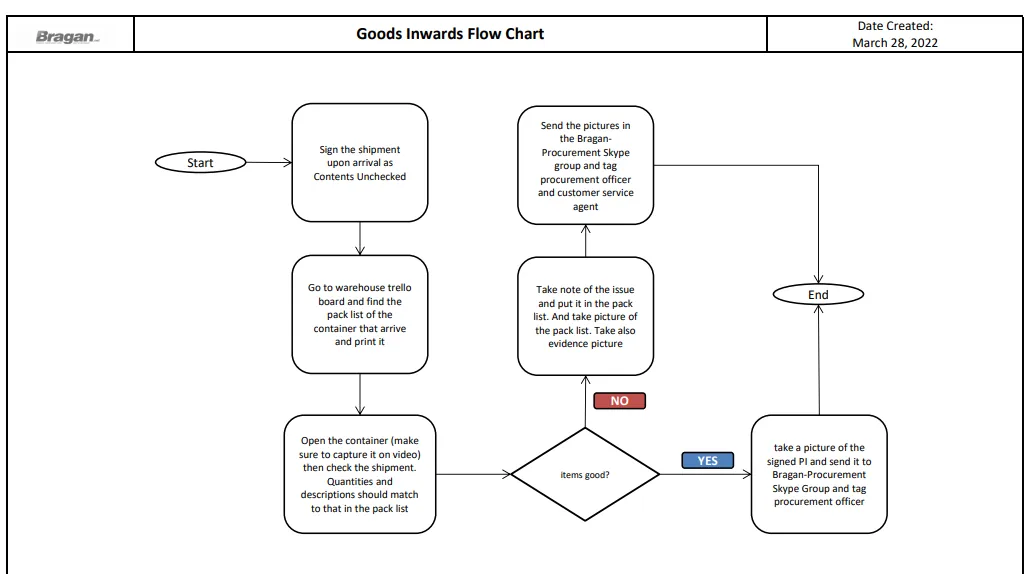
Procedure#
- Once a container or a shipment arrives, warehouse will print the pack list found in the Warehouse Trello Board. This is found in the Incoming Containers List. Identify from which supplier so you will know what card to choose. Example, if supplier is from Asia then choose the Asia Packlist.
Note: All Items must be signed for as “contents unchecked” on arrival.
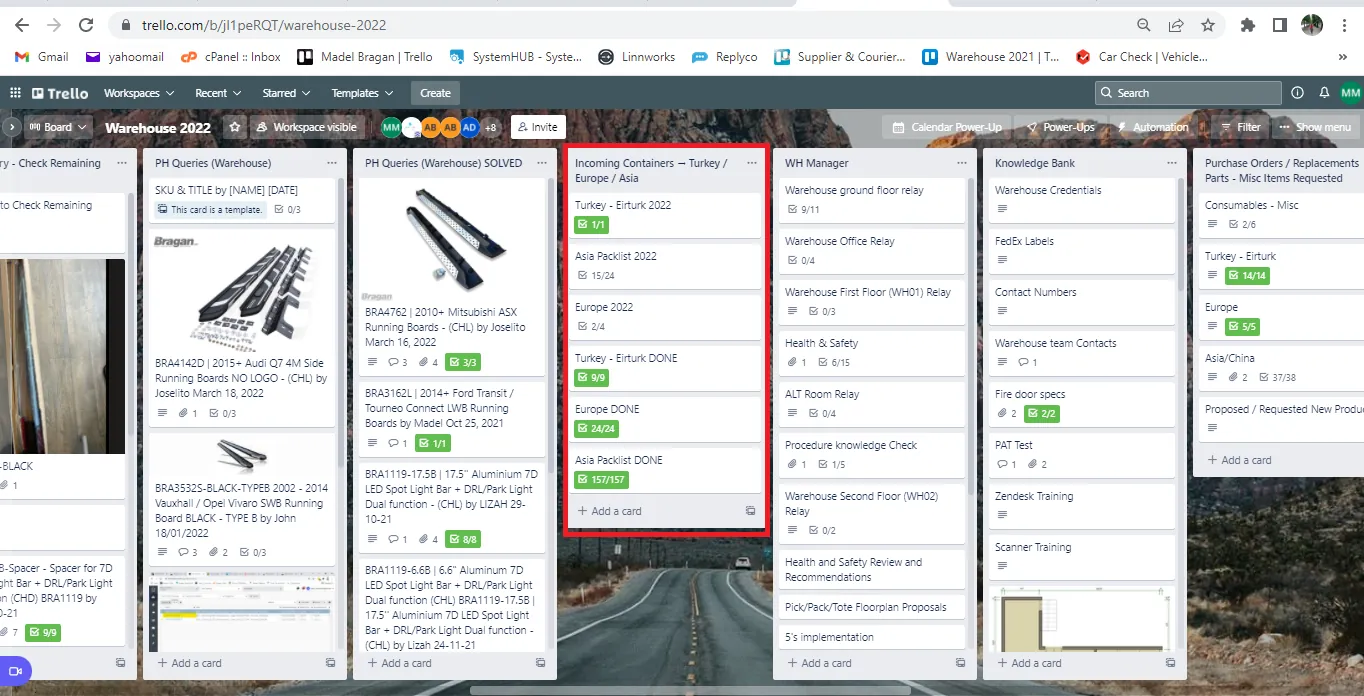
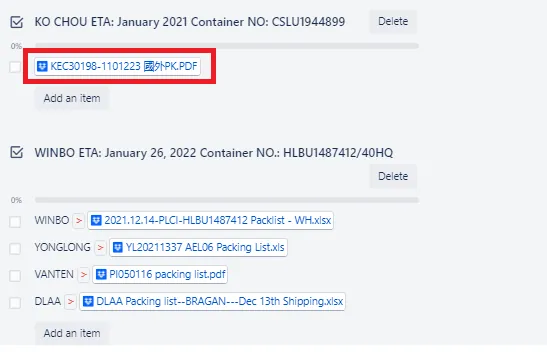
- In the card there are different checklists. The checklist is named as per supplier and the container number is also indicated. You will notice that some containers consists of items from different supplier, this is because if suppliers are from the same regions they will be loaded to the same container in order to maximize it.
Find the container that arrives, download the attached pack list (red box) and print it.
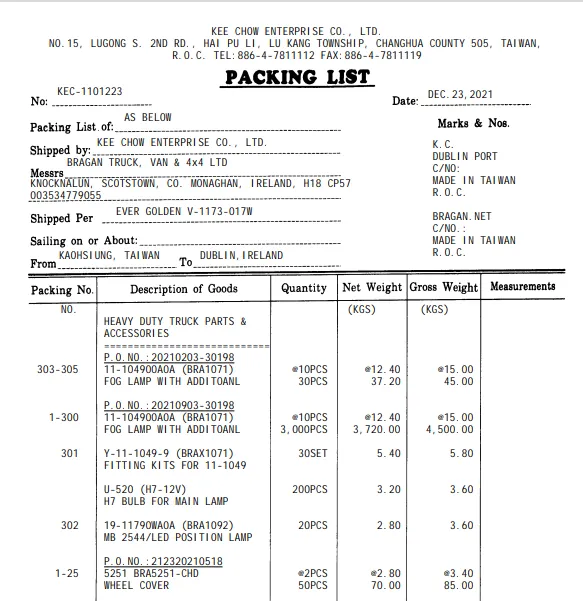
Sample Pack List
- When opening the container, make sure to capture it on video.
- Once opened, double-check all items that arrive, quantities and descriptions should match to the printed pack list. If there are any issues like missing items or damage items make sure to record it in the pack list and take a picture. The picture should be taken there and then with the product in place. Do not remove any product without taking evidence pictures.
If incomplete item make sure to indicate the quantity received in the pack list. If damage, then describe the item damage.
Note:
For suppliers with a history of issues, random check the SKU (with issue last delivery) and make sure to check at least 2% of the total item that arrived to ensure quality and zero damage.
For Winbo Items with issues make sure also to capture the Date of Production (DOP) of the item. If this is not present please clearly number the item (1, 2, 3, etc.) with a black marker.
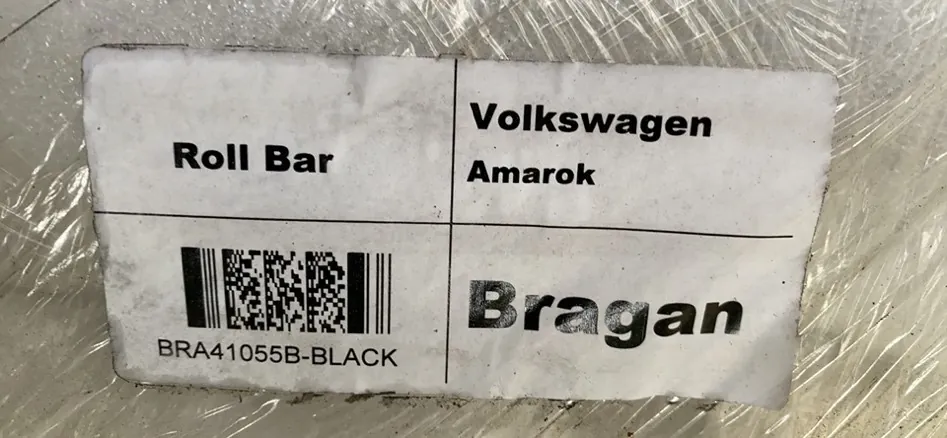
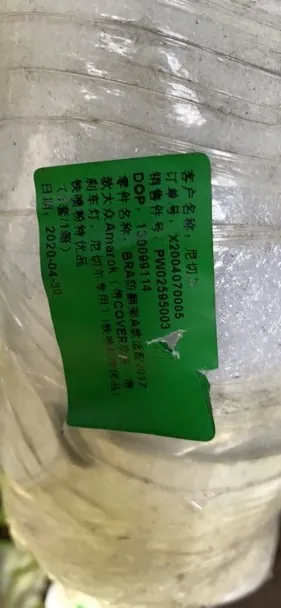
- Take a picture also of the signed pack list once everything are checked. Send picture of the signed pack list to the Bragan - Procurement Skype Group. If there are damages, send also the pictures to this skype group and provide a detailed description of damage/issue. Make sure to tag procurement officer and if there are damages or missing items tag also customer service agent to process supplier claim. See SOP on supplier claim if you want to check the process.
Procurement team will save the picture of the pack list to respective Dropbox Folder and then proceed to deliver the PO in Linnworks. See SOP on How to Deliver PO in Linnworks if you want to check the process.
Notes#
This section is important so Adhoc points and issues can be logged. Also, Q&A can be logged for suggestions for potential issues encountered. Also, log important notes needed for this system. Additional Notes:
Make sure to record all issues in the pack list and take picture as evidence and send it to Bragan - Procurement Skype Group
Potential Issues:
1 - ISSUE ENCOUNTERED: Stuck on Loading
RESOLUTION: Refresh Browser
2 - ISSUE ENCOUNTERED: Broken Links
RESOLUTION: Get the external link as this will allow other people to access the SOP without the need for login credentials and avoid broken links.
Attachments#
Goods_Inwards_Flow_Chart.xlsx 16/12/2025