Amazon - Seller Feedback Removal SOP
The purpose is to remove all feedback that could be deemed negative to other
Overview#
Purpose: The purpose is to remove all feedback that could be deemed negative to other customers. This could have an impact on future sales on Amazon.
Scope: Applies to all assigned Bragan customer service representatives.
Responsibility: It is the responsibility of each employee to ensure the process set out in this procedure is followed.
Objective: The objective of this procedure is:
To guide assigned employees of the correct handling of feedback that needs to be removed so it will not have an impact on future business.
1 – SEND MACRO
Once you have resolved the issue with customer whether that be with replacement, partial refund or future discount and they have agreed to remove their feedback, it is vital you forward the Macro “700” to them to give a detailed explanation of how they are to proceed.
Macro:
“Hello,
Please see below link to show how to change your feedback - thanks for your help with this.
Please also see a dropbox link with images explaining this step by step process;
Thank you”
Step 2 – REVIEW#
Give the customer up to 24 hours to review their feedback – If this is not completed follow up with a phone call.
Step 3 – FOLLOW THROUGH#
Once Feedback has been removed, thank the customer and fulfill the offer you made to them i.e. replacement, discount, or refund.
*NOTE
Please see snips of the feedback process below:
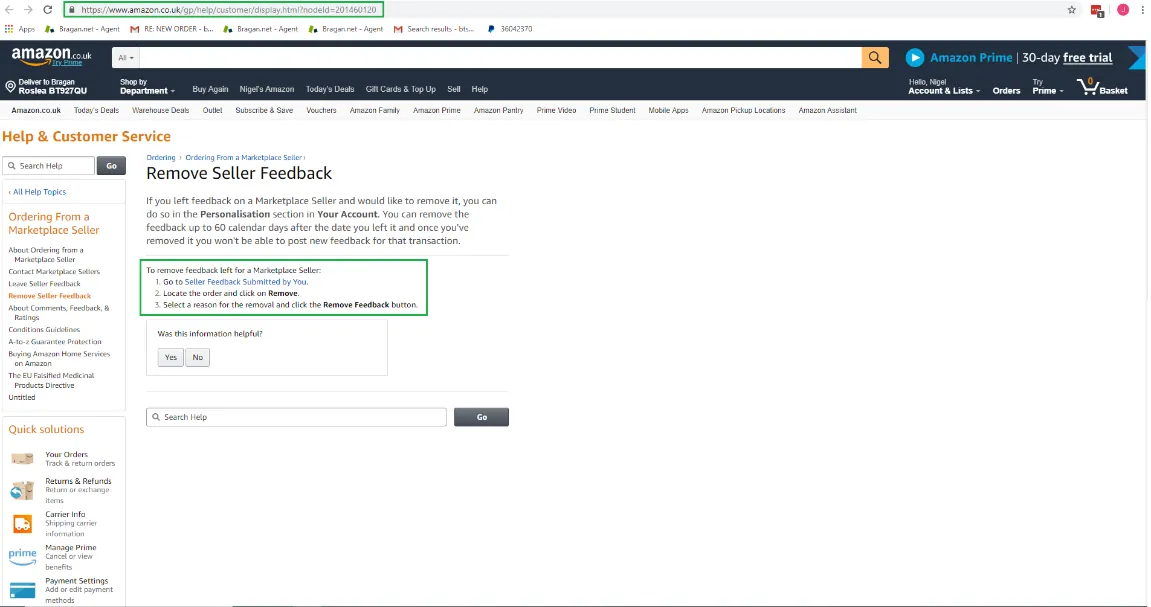
Follow the link to the “Remove Seller Feedback” section of the Amazon buyer page and click link 1. “Seller Feedback Submitted by you;
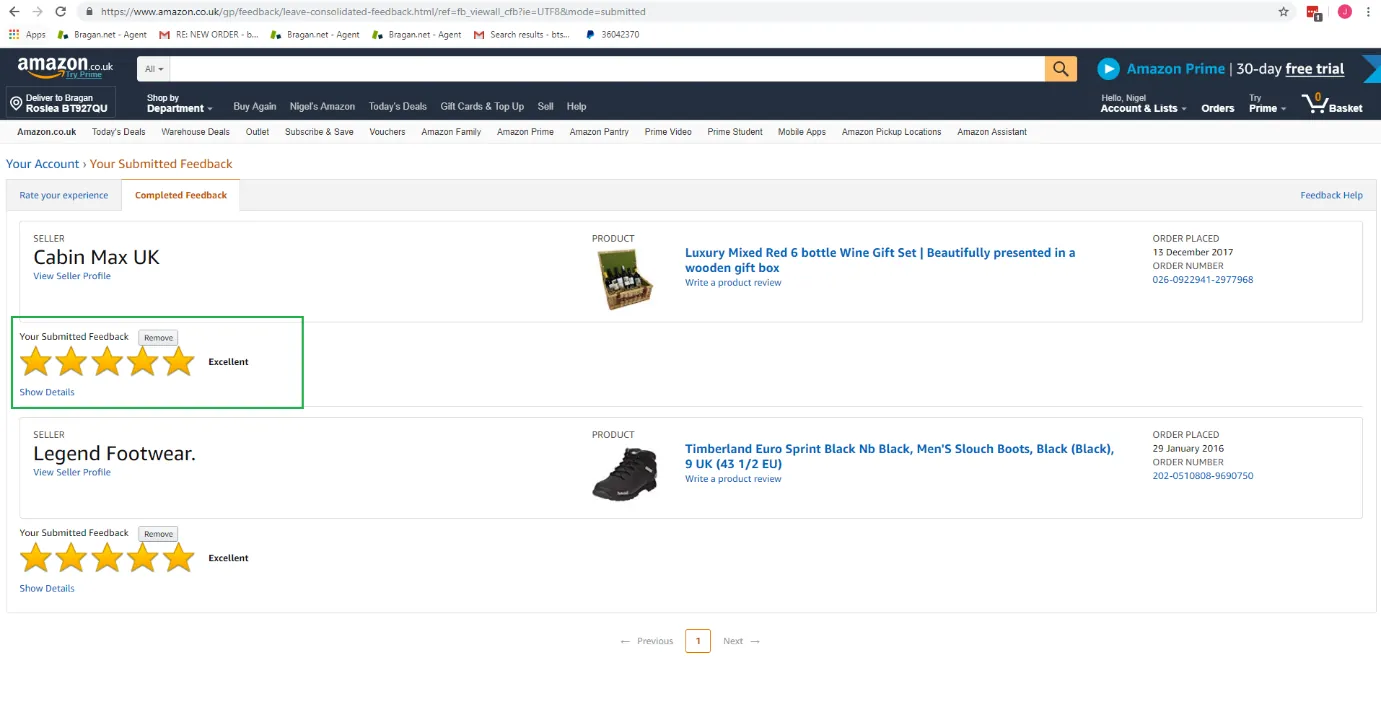
Select Remove and chose option one “ The seller resolved the problem”
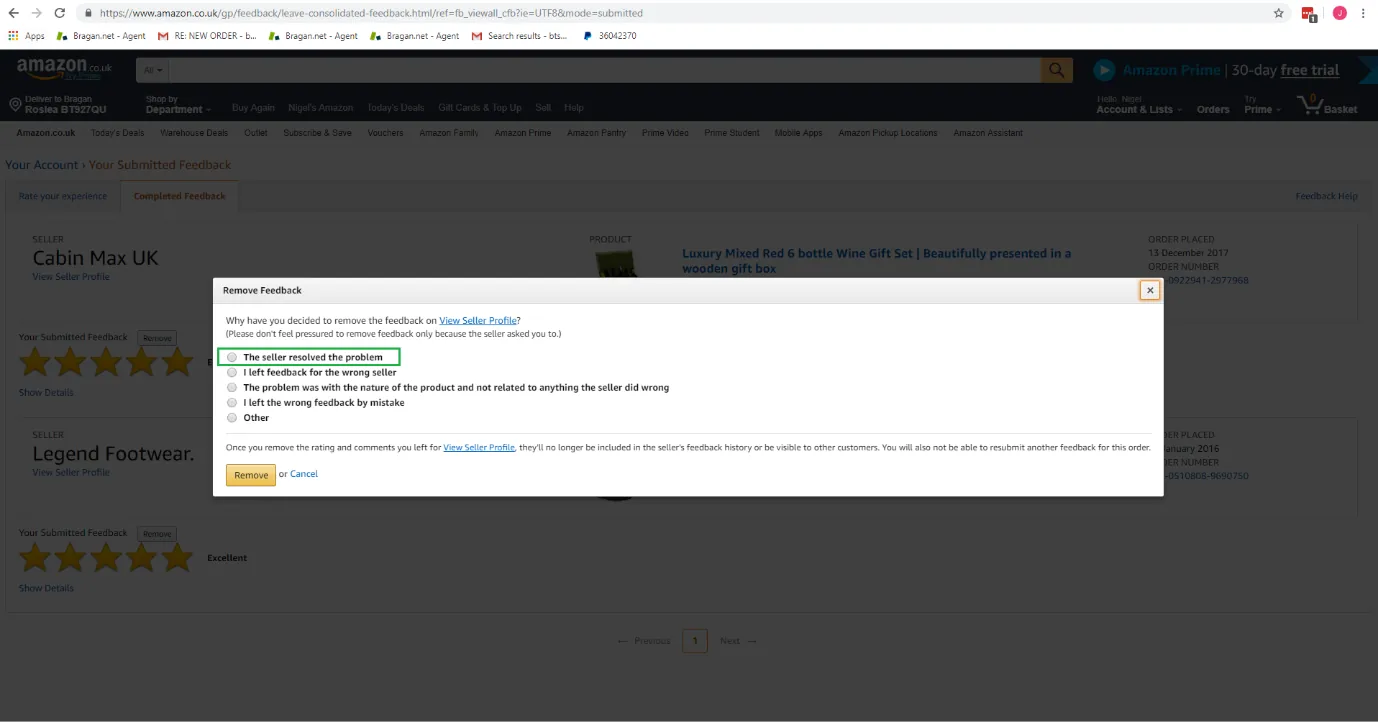
Selected “Seller has resolved the problem”
Notes#
This section is important so Adhoc points and issues can be logged. Also, Q&A can be logged for suggestions for potential issues encountered. Also, log important notes needed for this system. Additional Notes:
Once you have resolved the issue with customers whether that be with replacement, partial refund, or future discount and they have agreed to remove their feedback, it is vital you forward the Macro “700” to them to give a detailed explanation of how they are to proceed.
Potential Issues:
1 - ISSUE ENCOUNTERED: Stuck on Loading
RESOLUTION: Refresh Browser
2 - ISSUE ENCOUNTERED: Broken Links
RESOLUTION: Get the external link as this will allow other people to access the SOP without the need for login credentials and avoid broken links.