How to Set Up SMTP Settings in Linnworks SOP
To show all Bragan personnel the standard way to set up SMTP settings in
Overview#
Purpose: To show all Bragan personnel the standard way to set up SMTP settings in Linnworks.
Scope: This procedure applies to all Bragan Personnel.
Responsibility: It is the responsibility of each employee to ensure the process set out in this procedure is followed.
Objective: The objective of this procedure is to guide employees on creating a set up of SMTP settings in Linnworks.
Procedure#
- Go to www.linnworks.net
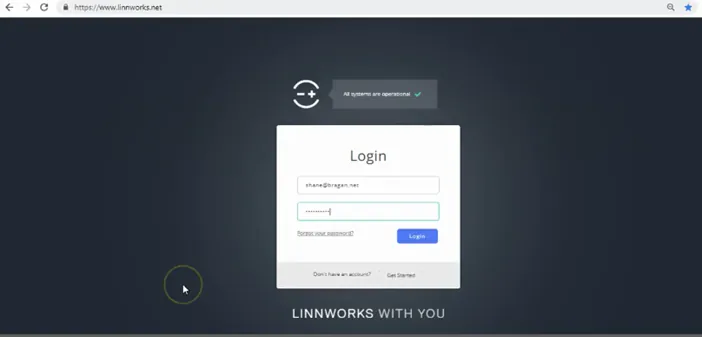
- Log in
- After logging in, click ‘Email’ button.
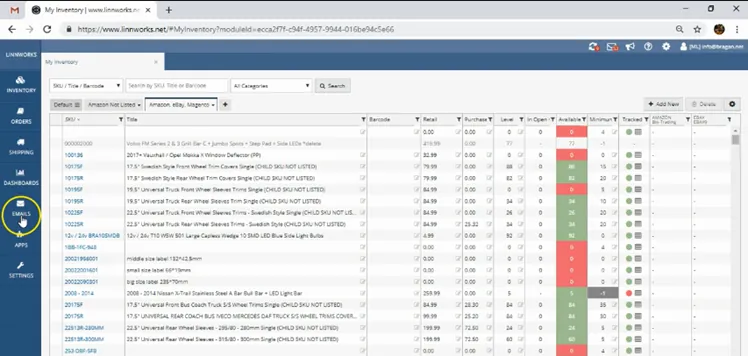
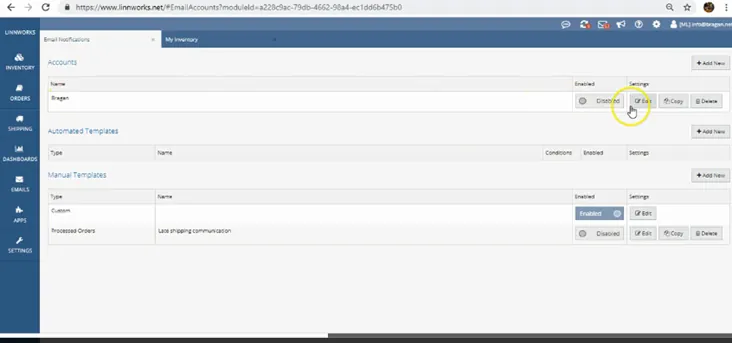
- Click ‘Email Notifications’
- Fill in details. Edit Name > Go to Edit under Settings.
- Account name > Bragan
- Check SMPT authentication
- Port - 587 – (always check correct port to be use)
- Username > [email protected]
- Use SSl - Check it
- Password> Input correct
- From name > Bragan.net
- Sender email> [email protected]
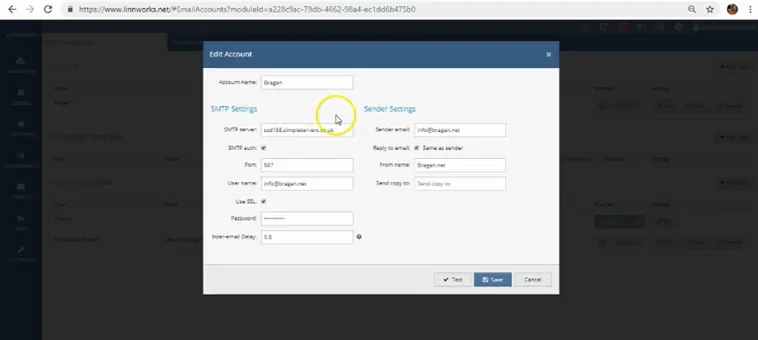
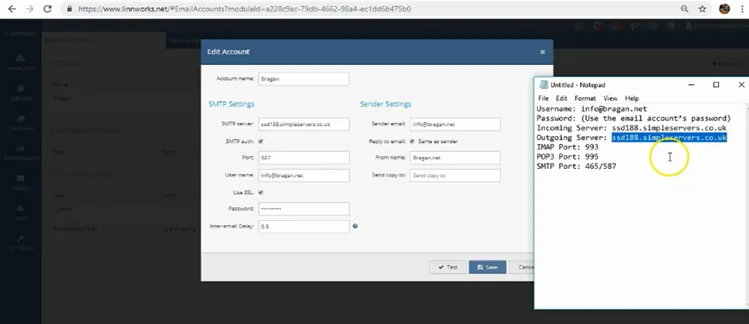
- Click 'Test' button to test if you have set it up correctly.
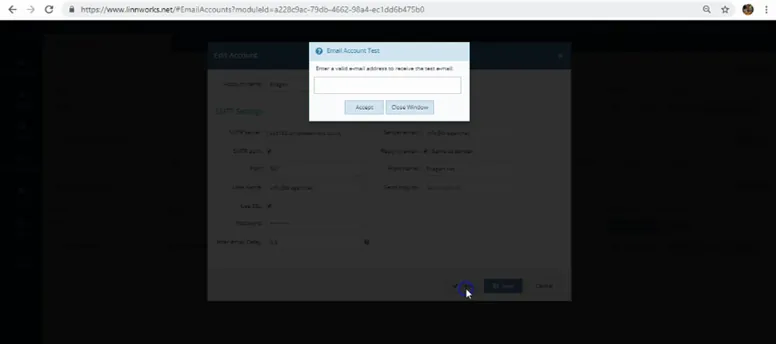
- Enter email account test - enter a valid email address to receive the test email.
- Click ' accept'
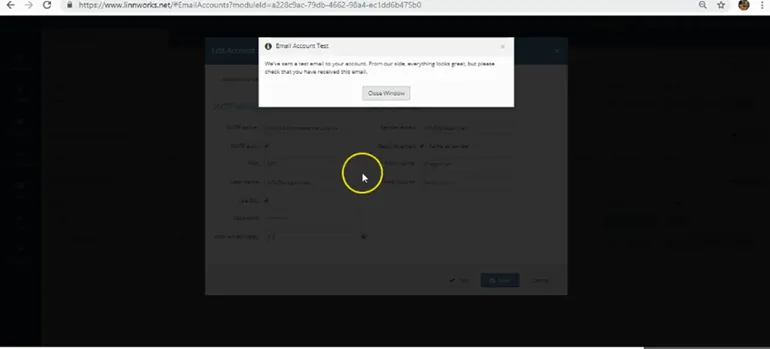
- Close notification that they have sent this to your email.
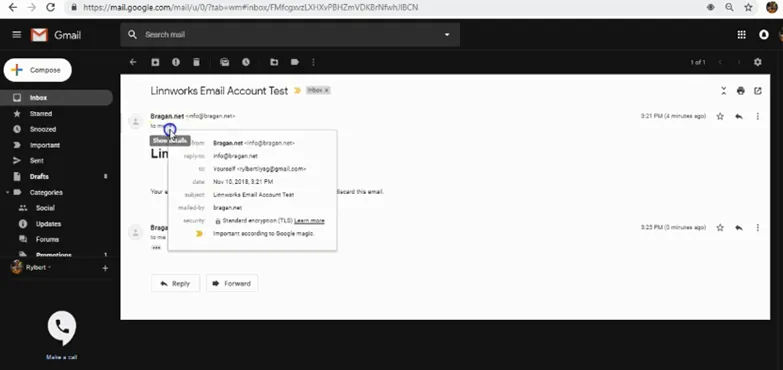
- Check your email if you receive the test and email and open to check details.
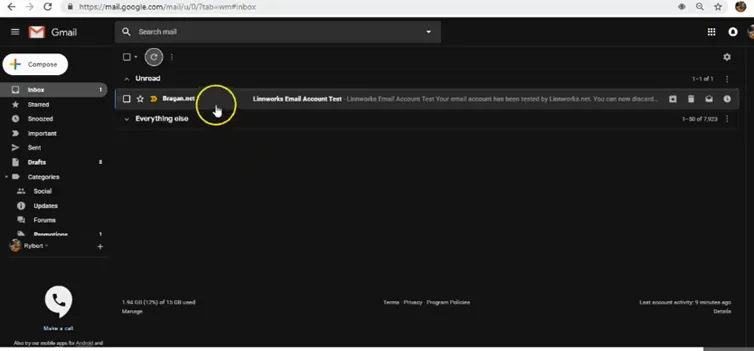
- Check details if all are correct.
Video & Media#
🎥 How to setup SMTP settings on Linnworks.net
Notes#
This section is important so Adhoc points and issues can be logged. Also, Q&A can be logged for suggestions for potential issues encountered. Also, log important notes needed for this system. Additional Notes:
This procedure is beneficial to agents to outline how to setup SMTP Settings in Linnworks.
Potential Issues:
1 - ISSUE ENCOUNTERED: Stuck on Loading
RESOLUTION: Refresh Browser
2 - ISSUE ENCOUNTERED: Broken Links
RESOLUTION: Get the external link as this will allow other people to access the SOP without the need for login credentials and avoid broken links.