Listing Deletion SOP in Linnworks and Magento Backend
To outline all Bragan personnel the correct process on how to delete listings in
Overview#
Purpose: To outline all Bragan personnel the correct process on how to delete listings in website through Linnworks and in Magento backend.
Scope: This procedure applies to all Bragan Personnel.
Responsibility: It is the responsibility of each employee to ensure the process set out in this procedure is followed.
Objective: The objective of this procedure is:
to guide all employees on how to delete live listings in website through Linnworks and in Magento back end.
Listing Deletion SOP
Procedure to delete listing in Linnworks#
- Log in to Linnworks and search the SKU that needs to delete.
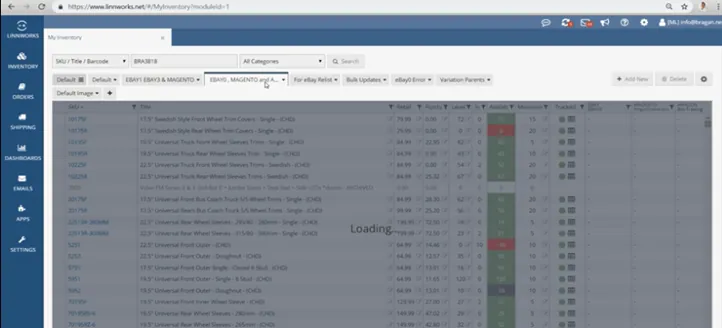
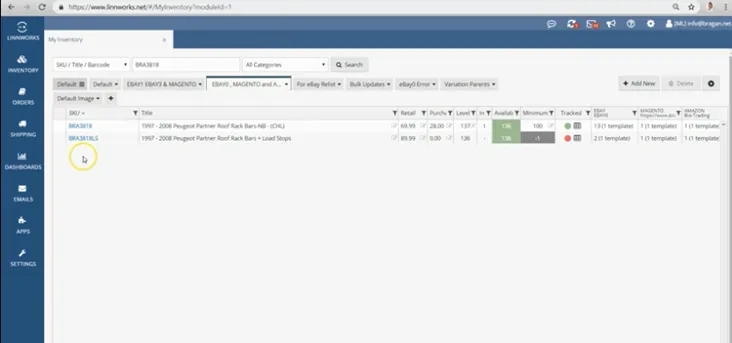
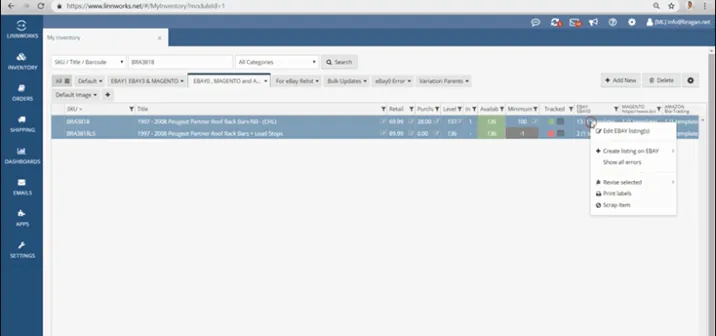
- Highlight the sku that needs to delete and go to right side of the view where you can see the channels and click edit. Do this in eBay0, eBay1 and Magento 2.
- This will direct you to another view, highlight the sku and all templates then click ‘Delete’. Do this in 3 channels.
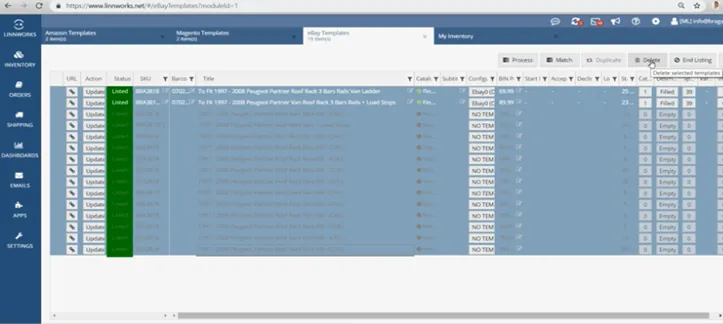
- Wait until the gray color and all templates are already gone. This means that the listing was already deleted. You can search again on the website to make sure that the listing was already deleted.
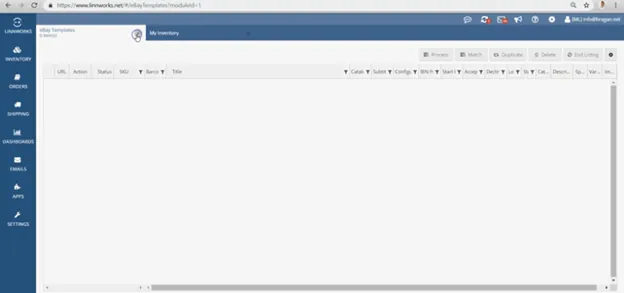
Procedure to delete listings in Magento Backend (#
For Magento old listings)#
- Log in to Magento back end
- Go to 'Catalog' and choose 'Products'
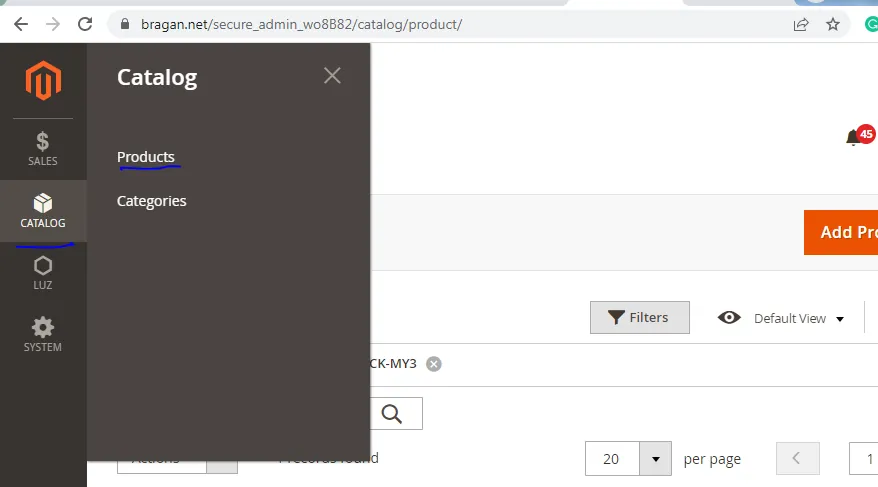
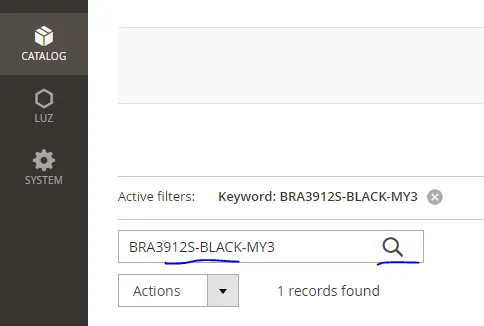
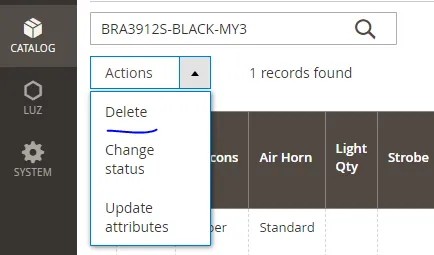
- Search the sku that you need to delete and double-check the result if sku is correct.
- Click the arrow beside of 'Actions'.
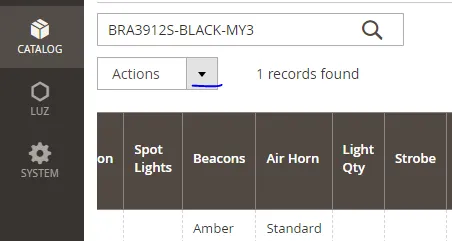
| 5. Then select 'Delete'. Make sure to double check the sku before deleting. Deleting | |
|---|---|
| in magento back end is applicable for old magento listings - | www.bragan.net |
| because this doesn't have a template anymore in Linnworks. |
Video & Media#
Notes#
This section is important so Adhoc points and issues can be logged. Also, Q&A can be logged for suggestions for potential issues encountered. Also, log important notes needed for this system. Additional Notes:
This SOP shows the process of how to delete a listing on the website via Linnworks. Delete a listing on the website via Linnworks. Highlight the SKU that needs to delete and go to the Channel SKU Tab in Linnworks and delete the linked SKUs.
Potential Issues:
1 - ISSUE ENCOUNTERED: Stuck on Loading
RESOLUTION: Refresh Browser
2 - ISSUE ENCOUNTERED: Broken Links
RESOLUTION: Get the external link as this will allow other people to access the SOP without the need for login credentials and avoid broken links.
3 - ISSUE ENCOUNTERED: Template in Linnworks still gray and not fully deleted.
RESOLUTION: Go to Channel SKU Tab and delete skus linked next to listing description tab.