Price Update (Manual) SOP
The purpose of this document is to outline new and existing staff how to properly
Overview#
Purpose: The purpose of this document is to outline new and existing staff how to properly change the price of live listings in the website through Linnworks via manual process.
Scope: This procedure applies to all Bragan Personnel.
Responsibility: It is the responsibility of each employee to ensure the process set out in this procedure is followed.
Objective: The objective of this procedure is:
to guide employees on how to update the price of live listings in the website through Linnworks – manual process.
Procedure#
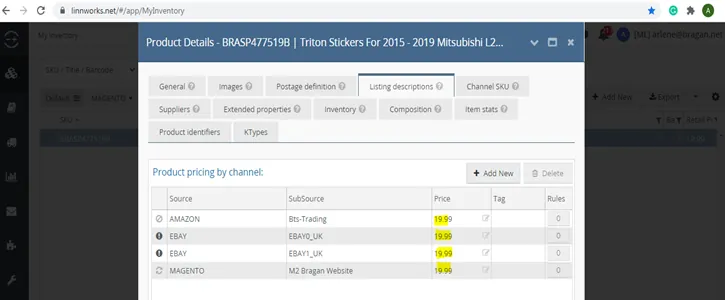
- 1st step is to know the channels where the SKU was listed.
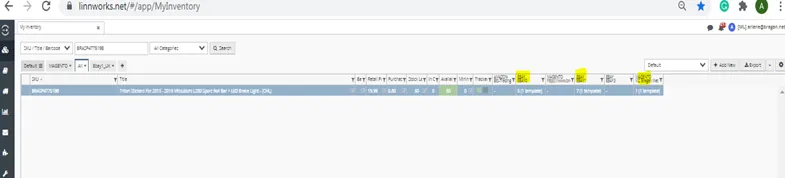
- And then Go to Linnworks > Log in your account > Go to My Inventory
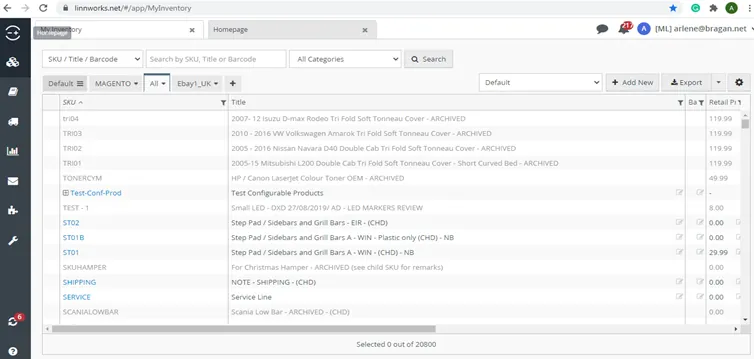
- Type the SKU that needs to change the price and search.
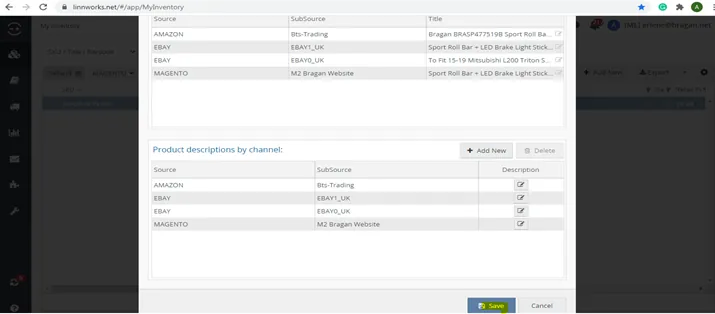
- Open the SKU, and go to Retail Tab to change the price – 1st step.
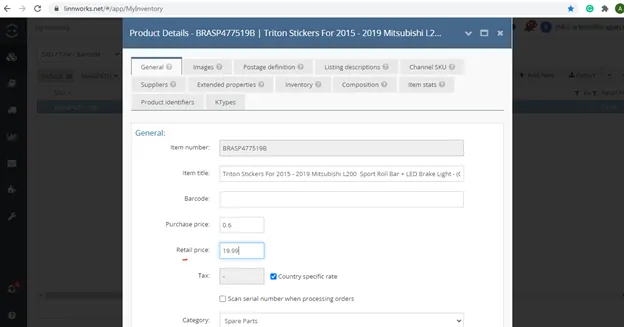
- Scroll down and click the ‘Save’ button.
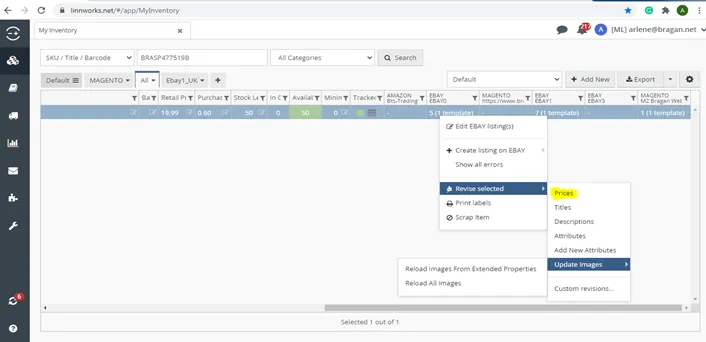
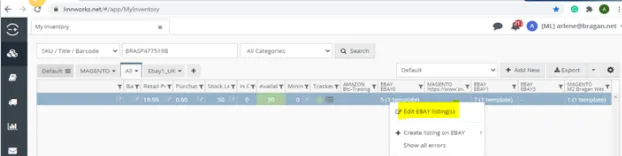
- Go to the right side view of LW, right-click each all channels that need price update and revise, (revise > price), then right-click again, then left-click 'Edit'. It will direct you to another view.
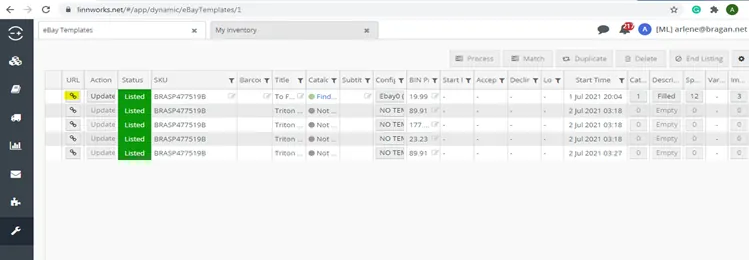
- Click the ‘Update’ button. Wait until it will be finished updating.
- You will know it is already finished updating when the gray color is not there anymore. Check the live listing to see the price update applied. Click the button under the URL.
Video & Media#
Notes#
This section is important so Adhoc points and issues can be logged. Also, Q&A can be logged for suggestions for potential issues encountered. Also, log important notes needed for this system. Additional Notes:
This document/video shows the process of Price Update (Manual) SOP.
Potential Issues:
1 - ISSUE ENCOUNTERED: Stuck on Loading
RESOLUTION: Refresh Browser
2 - ISSUE ENCOUNTERED: Broken Links
RESOLUTION: Get the external link as this will allow other people to access the SOP without the need for login credentials and avoid broken links.
3 - ISSUE ENCOUNTERED: "Type Text Here"
RESOLUTION: "Type Text Here"