Email Account Creation (cPanel)
Bragan uses multiple tools for communication.
Overview#
Purpose: Bragan uses multiple tools for communication. The purpose of this document is to outline the process of email account creation.
Scope: This procedure applies to management/IT in charge of creating accounts.
Responsibility: It is the responsibility of each employee to ensure the process set out in this procedure is followed.
Objective: To standardize the process of creating a company email account.
Procedure#
Cpanel Creation#
Open Cpanel, to create a Cpanel account requires administrative access, ask Management for credentials as it is changed often.
Note: There are two Cpanel link
bragan.net:2083 -Admin (use to log-in Admin account)
bragan.net:2096 -Agents (use to log-in Agents account)
- Go to Email accounts (Figure 1.1)
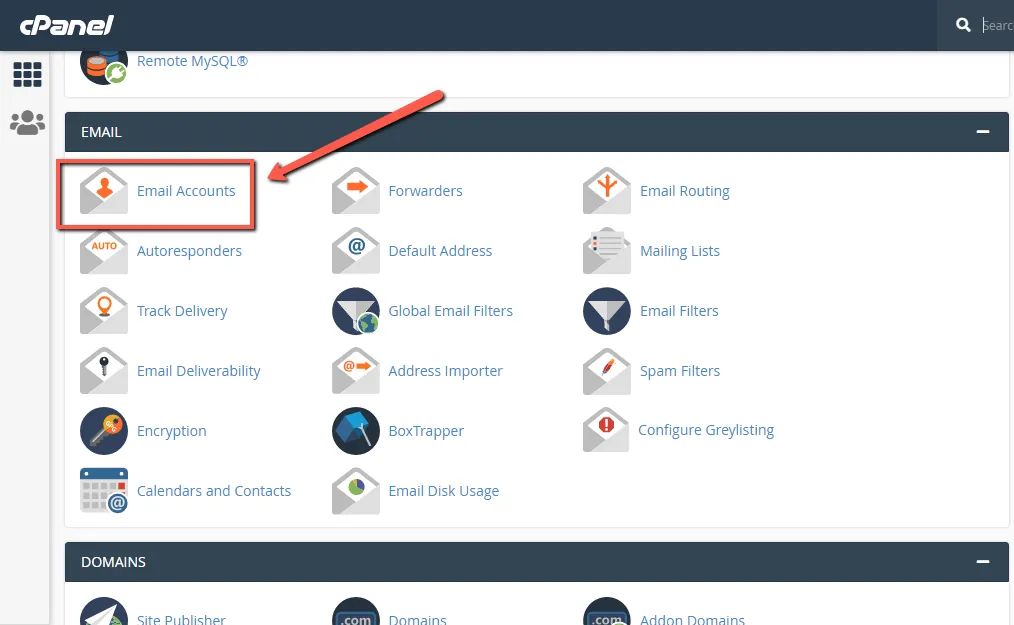
-
Click the create button. (Figure 1.2)
-
Type the information needed. (Figure 1.3)
Details for information:
Username should be agents name Password should be generated using lastpass
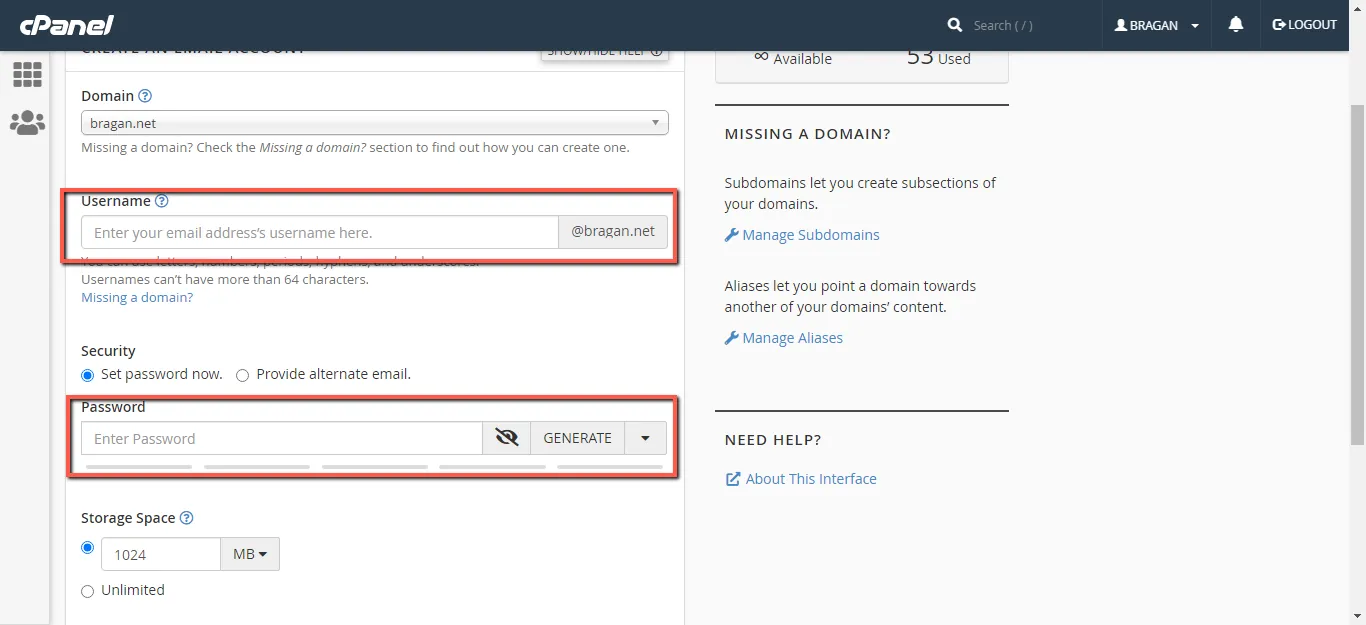
- Copy created credentials email & password and send to management to add to Lastpass.
Note: These credentials are not shared to agents, only added to LastPass.
Video & Media#
Notes#
This section is important so Adhoc points and issues can be logged. Also, Q&A can be logged for suggestions for potential issues encountered. Also, log important notes needed for this system. Additional Notes:
These credentials must never be shared to new employees. They should be able to access cPanel email using LastPass. Do not forget to send copy of credentials to management, so credentials can be added to LastPass.
Potential Issues:
1 - ISSUE ENCOUNTERED: Stuck on Loading RESOLUTION: Refresh Browser
2 - ISSUE ENCOUNTERED: Broken Links RESOLUTION: Get the external link as this will allow other people to access the SOP without the need for login credentials and avoid broken links.