How to Add Internal Note in Zendesk Tickets
Internal notes are used in Zendesk for team members to communicate with each
Overview#
Purpose: Internal notes are used in Zendesk for team members to communicate with each other in a particular email thread without having to send an email to the other party in the email thread. This is useful to relay instructions or comments to other team members before sending a reply to a particular email. The purpose of this document is to teach personnel on how to utilize the internal note function in Zendesk.
Scope: This procedure applies to Zendesk Team.
Responsibility: It is the responsibility of each employee to ensure the process set out in this procedure is followed.
Objective: To guide employees on how to add an internal note in Zendesk tickets.
Procedure#
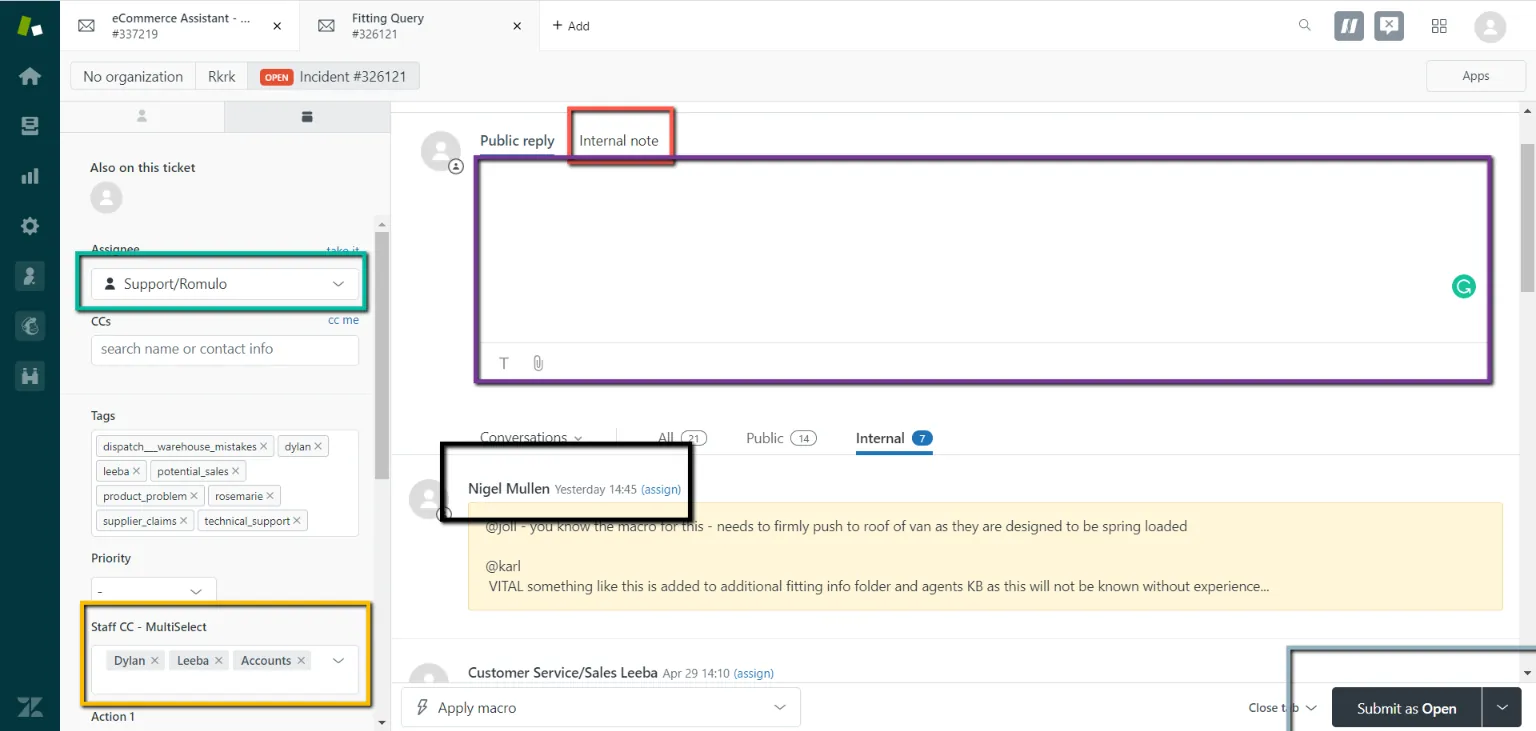
- Internal Note (Red): Click “Internal note”
- (Purple): Enter the message you
- Assignee & Staff CC (Green and Yellow): Green: assigning this ticket to another team member | Optional Yellow: Tag or let other multiple team members see and edit this ticket number.
- (Gray): Click “Submit as Open” (The email will still be open for the other staff can see)
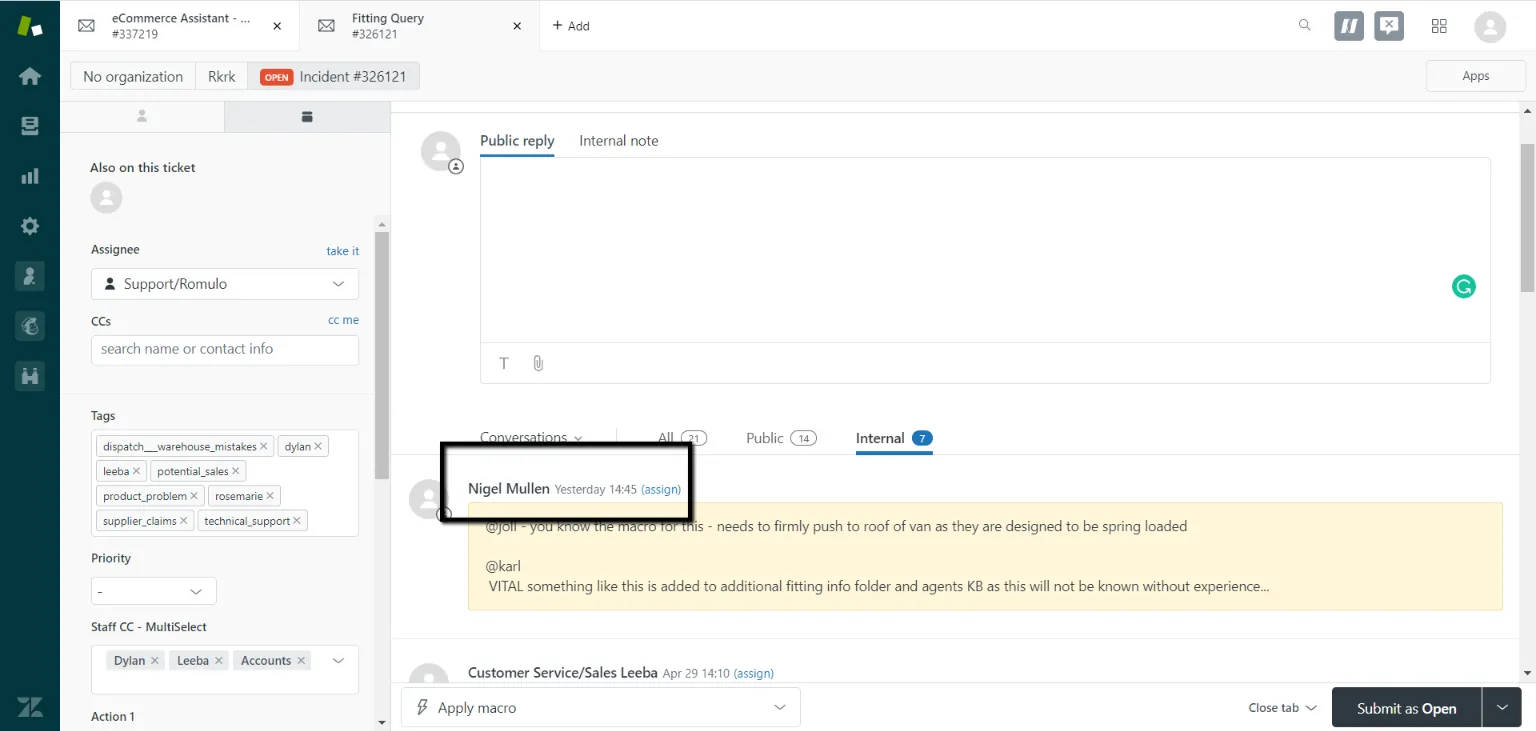
EXAMPLE BELOW:
Black Box below is the one who set the internal note (Example: Nigel Mullen)
Notes#
This section is important so Adhoc points and issues can be logged. Also, Q&A can be logged for suggestions for potential issues encountered. Also, log important notes needed for this system. Potential Issues:
1 - ISSUE ENCOUNTERED: Stuck on Loading RESOLUTION: Refresh Browser
2 - ISSUE ENCOUNTERED: Broken Links RESOLUTION: Get the external link as this will allow other people to access the SOP without the need for login credentials and avoid broken links.