How to Answer Zendesk Emails
How to Answer Zendesk Emails.

NOTE eBay messages:
Please make sure not to send our website link. eBay messages do not accept PDF files. Only 5 maximum pictures at a time can be sent. Other payment method outside eBay is not allowed.
(If the message language is not English, use Google Translate - translate.google.com/)](https://translate.google.com/))
Example: 145148
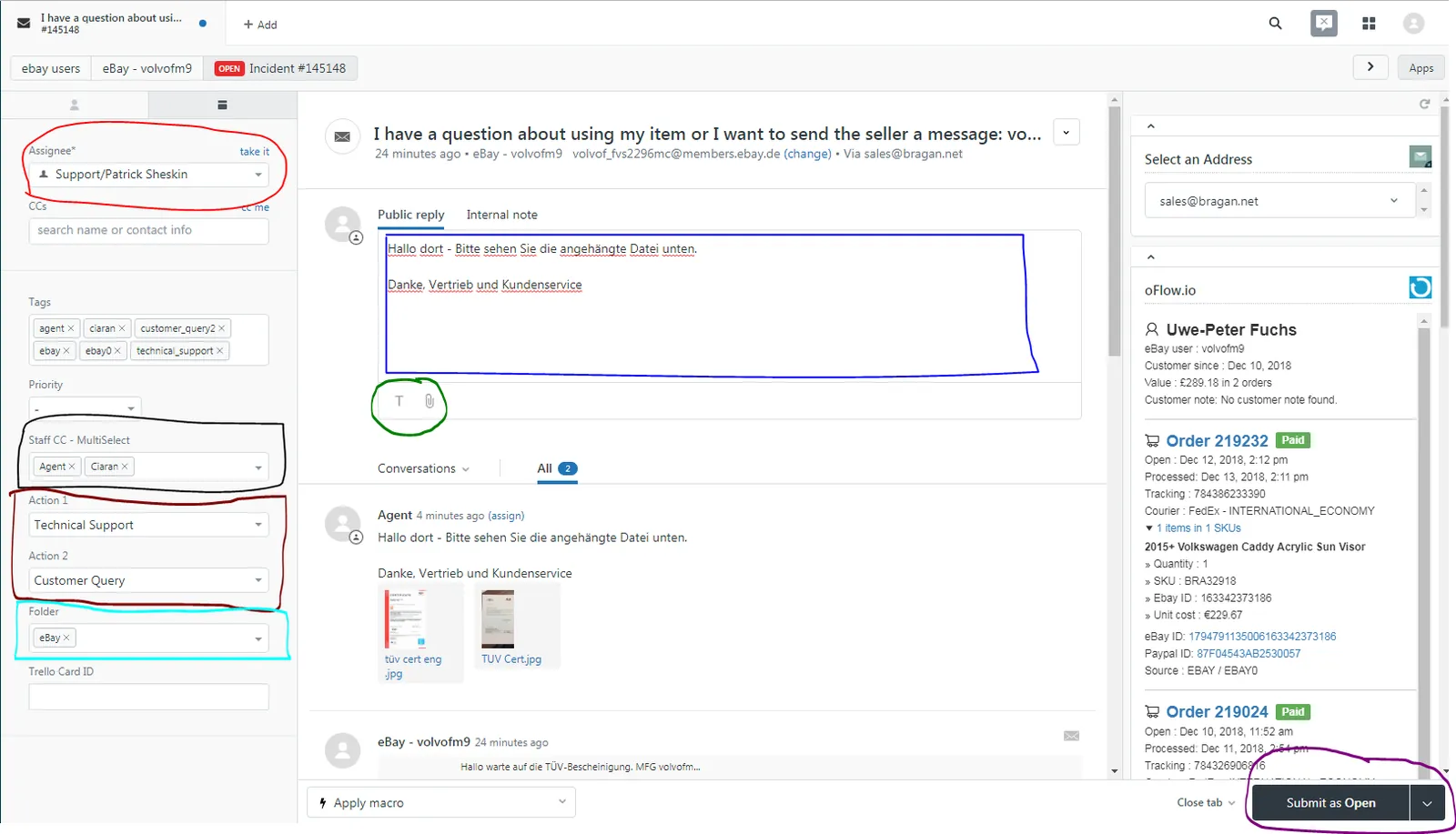
Red: You can assign this to another team member by choosing an Assignee.
Blue: Enter your reply in the “Public reply” and “Internal Note” if unsure.
Black: Tag or let other multiple team members see and edit this ticket number.
Maroon: Action 1&2 you can add an action for this email on where it is related to.
Aqua: Please enter the correct Folder. (OPTIONAL: Only if the order has some issues.)
Green: Text Format and Attachments
Purple: Submit as Solved/Opened/Pending
Notes#
This section is important so Adhoc points and issues can be logged. Also, Q&A can be logged for suggestions for potential issues encountered. Also, log important notes needed for this system. Additional Notes:
If the message language is not English, use Google Translate - translate.google.com
Potential Issues:
1 - ISSUE ENCOUNTERED: Stuck on Loading RESOLUTION: Refresh Browser
2 - ISSUE ENCOUNTERED: Broken Links RESOLUTION: Get the external link as this will allow other people to access the SOP without the need for login credentials and avoid broken links.