Setting Company Phone to Busy
The purpose of this document is to outline to new and existing staff how to set
Overview#
Purpose: The purpose of this document is to outline to new and existing staff how to set Nuacom phone to busy.
Scope: This procedure is for staff that is based in the IRL office using the handsets.
Responsibility: It is the responsibility of each employee to ensure the process set out in this procedure is followed.
Objective: The objective of this procedure is to show the process on how to set Nuacom phone to busy.
Call Forwarding
Procedure#
Set only with after you get permission from management. This is usually done in times when no one would be available to answer the phone, like management is on a meeting and the customer service agent is on break.
- Go to Nuacom website. Then log in using the credentials provided by management.
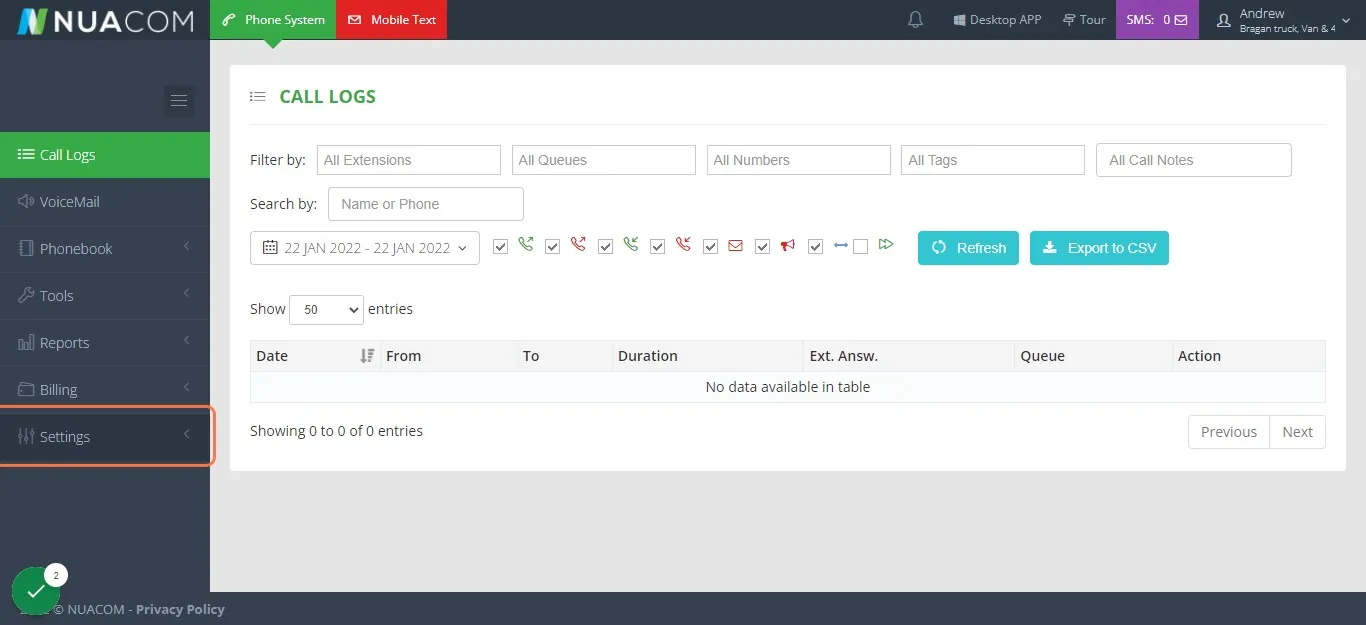
- Once logged-in click on Settings > My Numbers
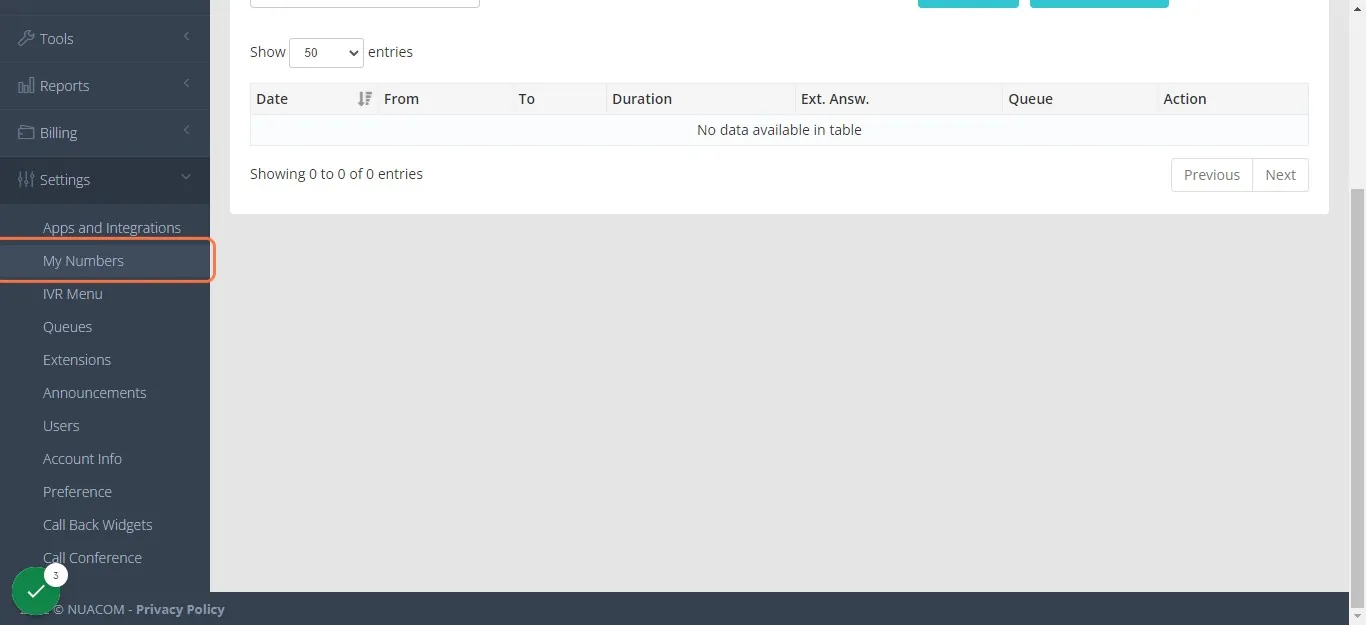
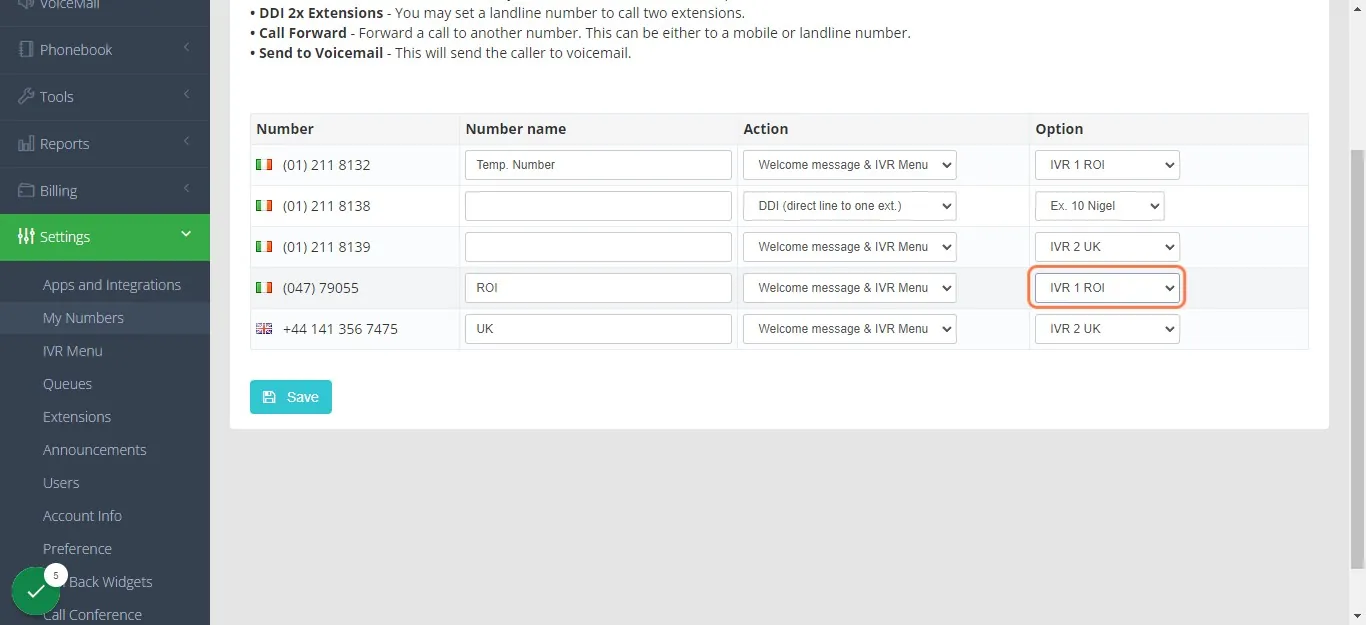
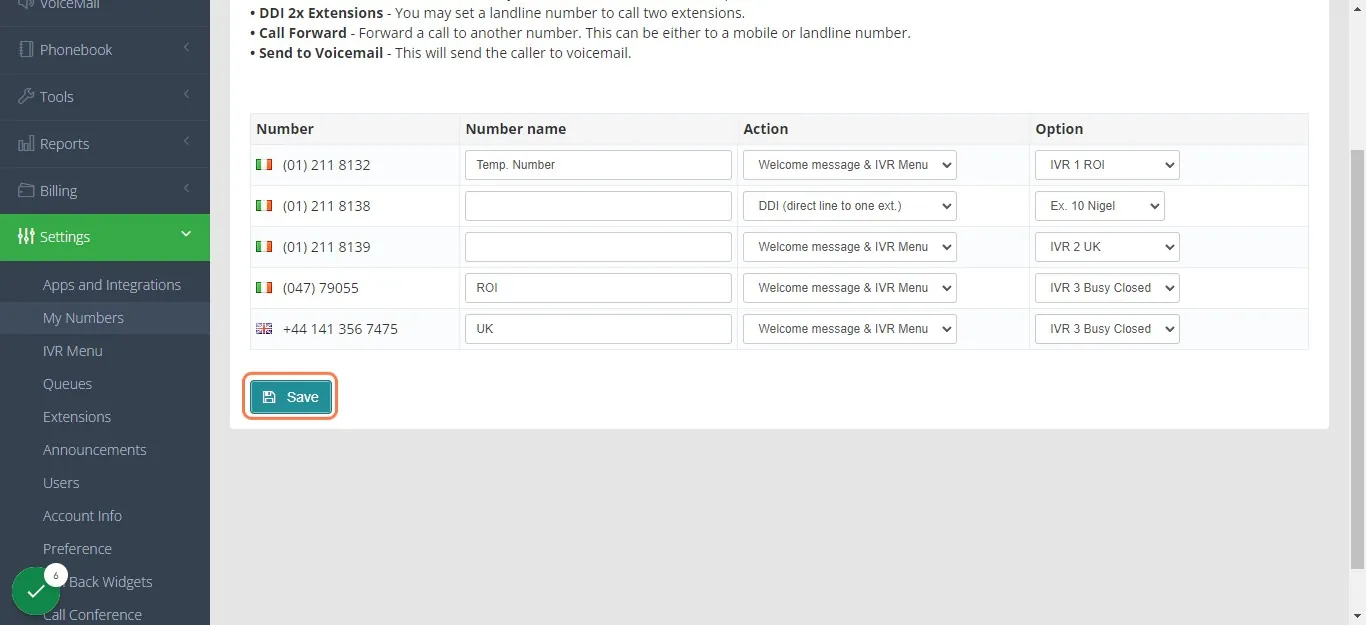
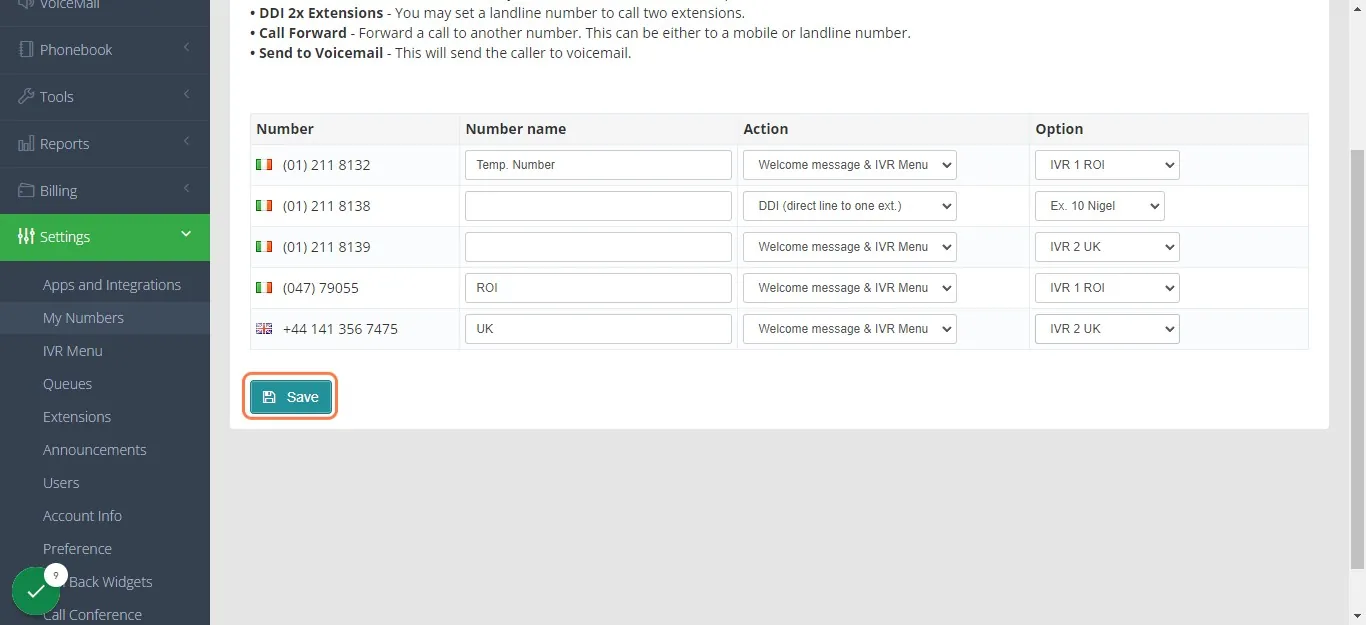
- Click the dropdown for the ROI number and select IVR 3 Busy Closed, do the same to the UK number and then click Save.
- To turn the phone back to available. Just click again on the dropdown menu and select IVR 1 ROI for the ROI number and IVR 2 UK for the UK number and then click Save.
Notes#
This section is important so Adhoc points and issues can be logged. Also, Q&A can be logged for suggestions for potential issues encountered. Also, log important notes needed for this system.
Additional Notes:
Set only with after you get permission from management. This is usually done in times when no one would be available to answer the phone, like management is on a meeting and the customer service agent is on break.
Potential Issues:
1 - ISSUE ENCOUNTERED: Stuck on Loading RESOLUTION: Refresh Browser
2 - ISSUE ENCOUNTERED: Broken Links RESOLUTION: Get the external link as this will allow other people to access the SOP without the need for login credentials and avoid broken links.