Skype Account Creation
Bragan uses multiple tools for communication.
Overview#
Purpose: Bragan uses multiple tools for communication. The purpose of this document is to outline the process of skype account creation.
Scope: This procedure applies to management/IT in charge of creating accounts.
Responsibility: It is the responsibility of each employee to ensure the process set out in this procedure is followed.
Objective: To standardize the process of skype account creation.
Procedure#
Skype Creation#
Open Microsoft log-in link signup.live.com
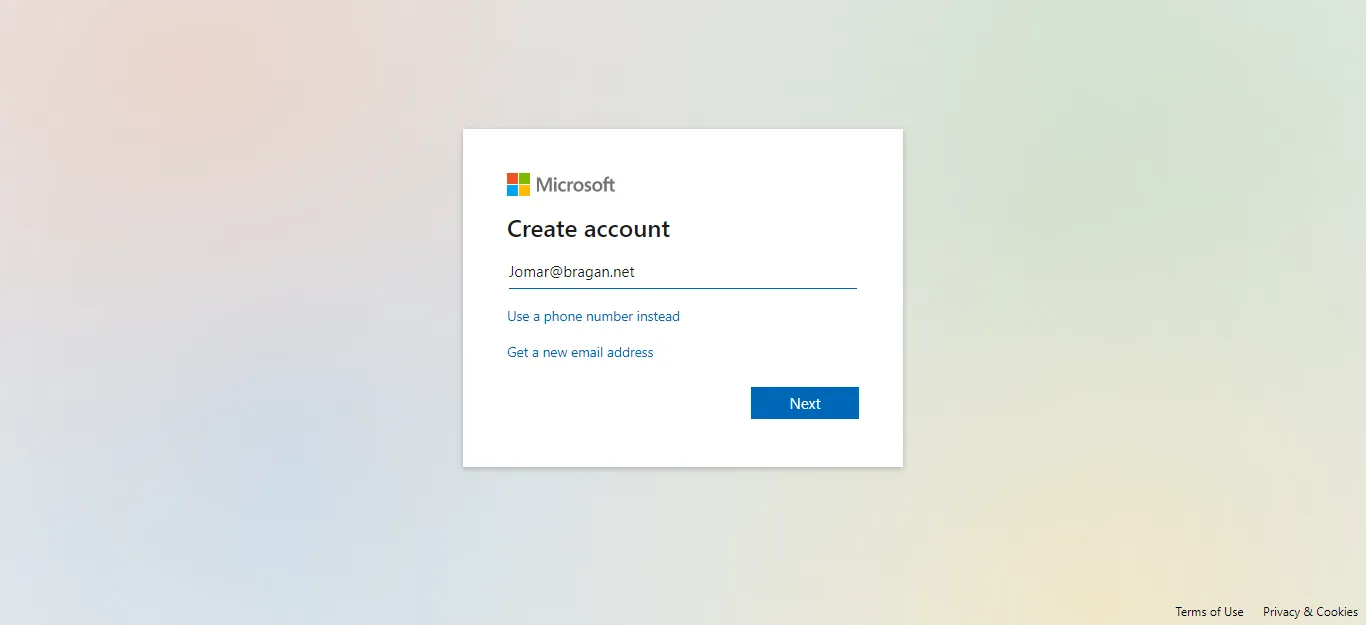
- Type the Bragan email created in cPanel. (Figure 1.1)
- Supply necessary information
Details:
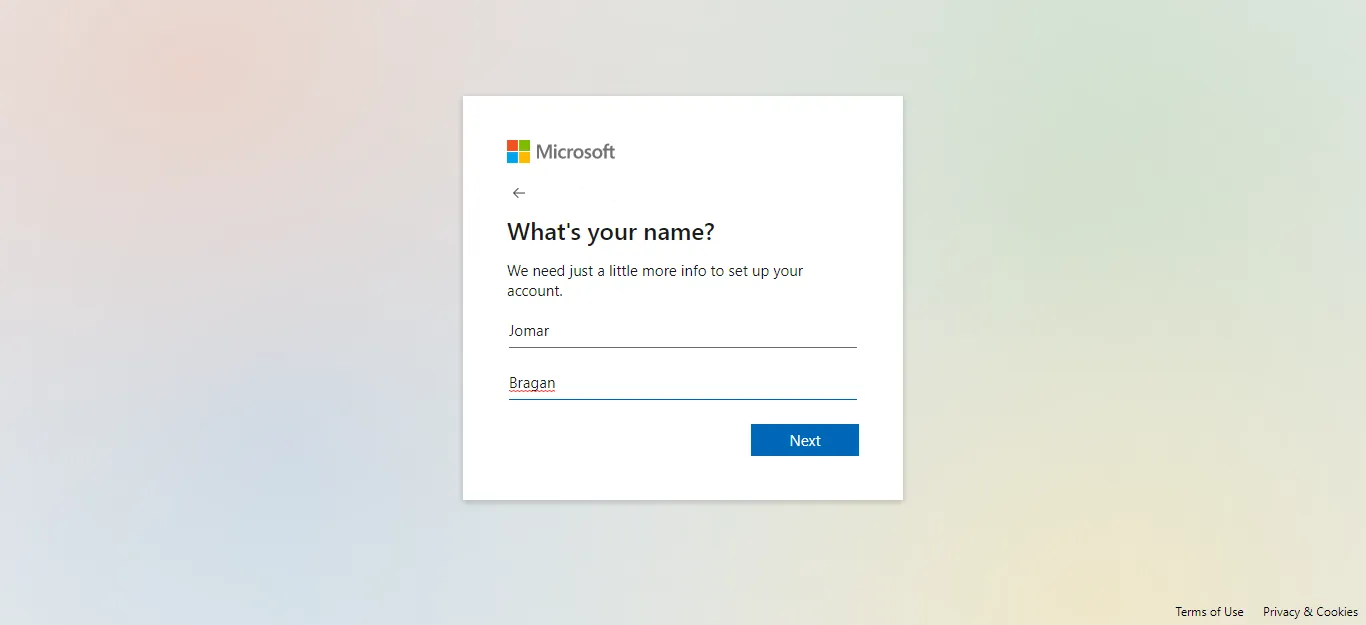
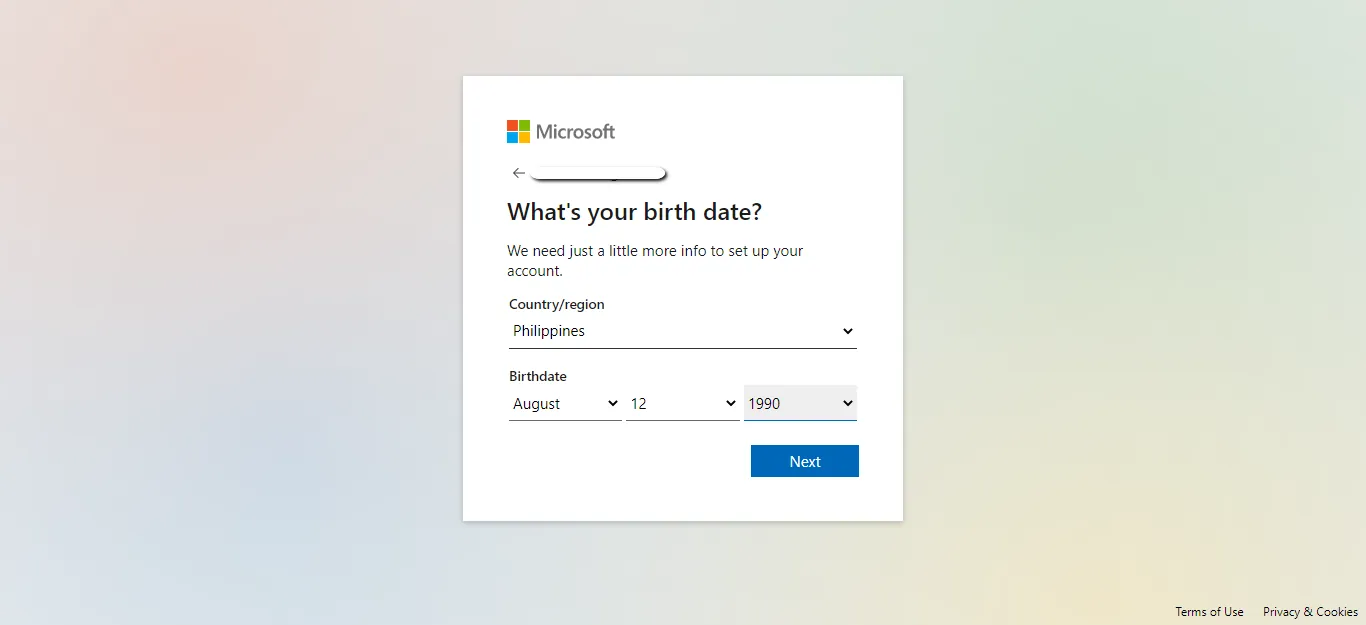
Agent’s Name (Example: Jomar) (Figure 1.2) Surname is always Bragan Birthday is not necessarily exact, as long as 18yrs old and above. (Figure 1.3)
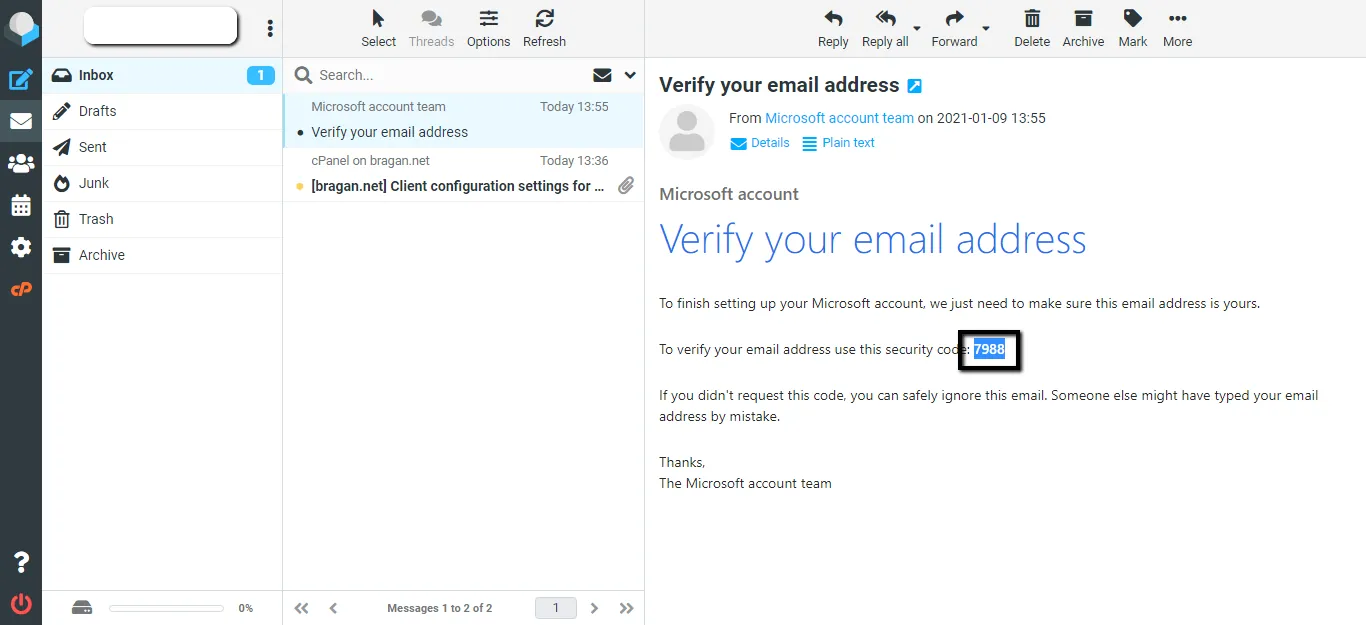
- Open Cpanel and copy and paste the verification code from Microsoft Account Team email. (Figure 1.4)
- Once account is verified, you need to copy Live ID.
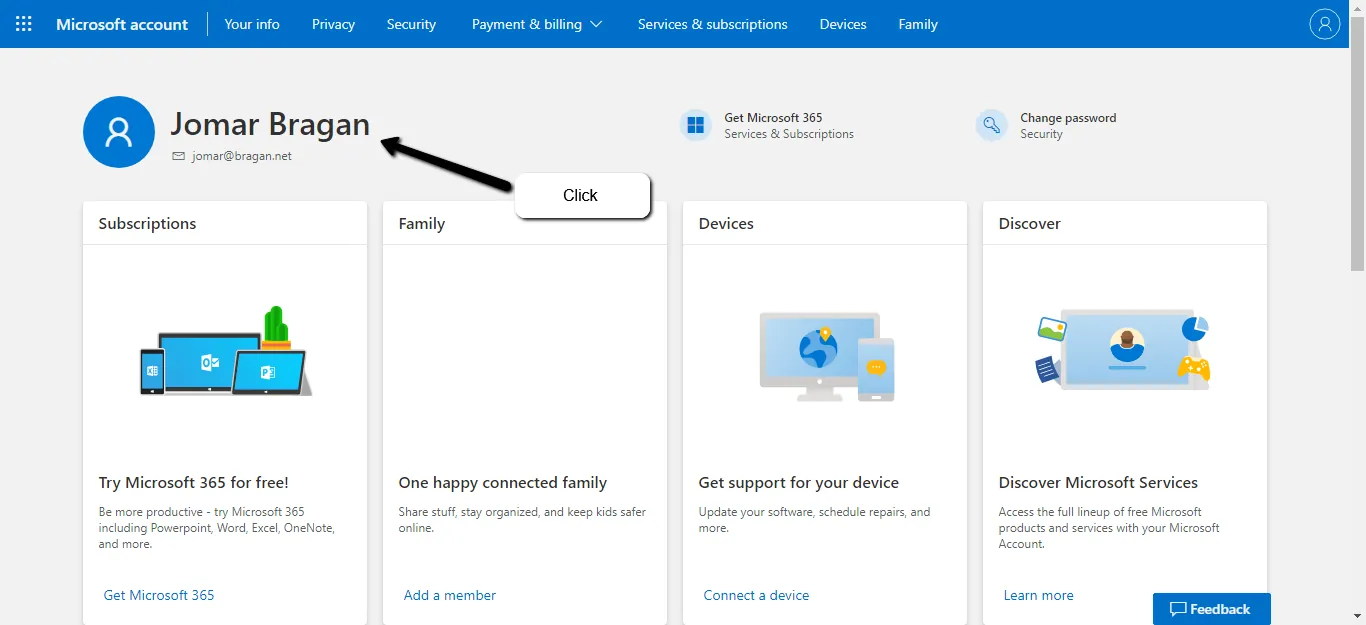
4.1 Go to Microsoft account and click name (Figure 1.4)
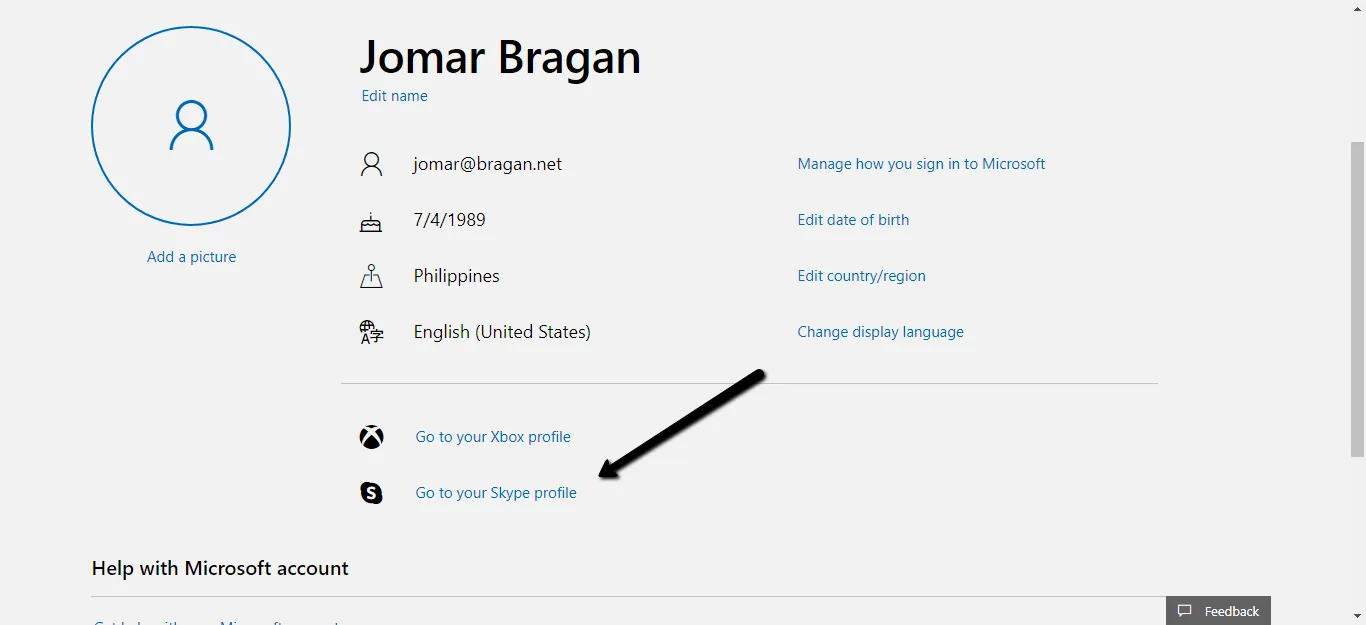
4.2 Once redirected to a new page, click on "Go to your Skype Profile" (Figure 1.5)
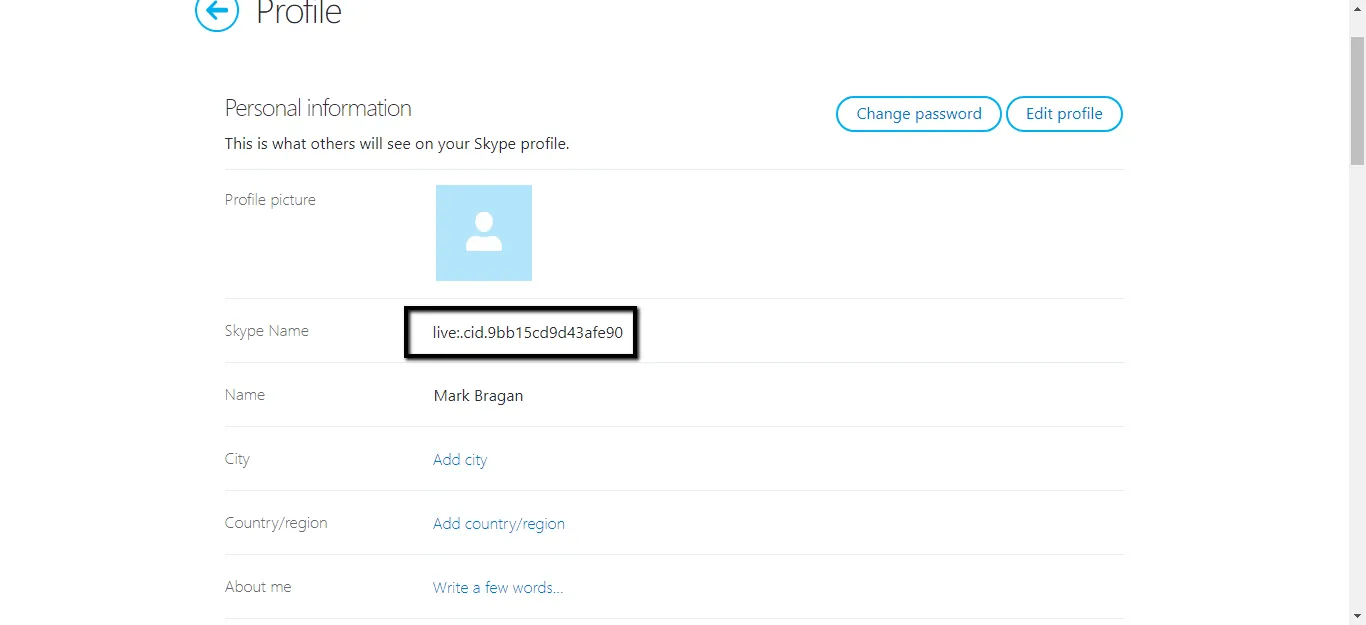
4.3 Copy Live ID (Figure 1.6) and send to Skype and tag management.
- Send Credentials to Agent's Number using template below on WhatsApp and notify agent and management that Skype credentials have been handed off.
Message Template For Sending of Credentials
Hi, "new hire's name"
Under no circumstances should these details be shared with anyone, should we find these have been shared, immediate action will be taken. Any credentials posted in skype or on Trello may that be username, password or email address must be removed immediately.
Credentials are as follows:
Skype Email: Password:
Please, download Skype in Android or IOS app store
Android: https://go.skype.com/skype.download.for.phone.android Apple iOS: skype.download.for.phone.iphone
Notes#
This section is important so Adhoc points and issues can be logged. Also, Q&A can be logged for suggestions for potential issues encountered. Also, log important notes needed for this system. Additional Notes:
Offer credentials to the agent and request them to offer Skype Live ID to relevant team members. Login credentials should then be added to the staff's Credentials card in Trello.
Potential Issues:
1 - ISSUE ENCOUNTERED: Stuck on Loading RESOLUTION: Refresh Browser
2 - ISSUE ENCOUNTERED: Broken Links RESOLUTION: Get the external link as this will allow other people to access the SOP without the need for login credentials and avoid broken links.