SOP for LinnWorks New User Creation
Linnworks is Bragan’s tool for recording, monitoring, and listing inventory.
Overview#
Purpose: Linnworks is Bragan’s tool for recording, monitoring, and listing inventory. The
Purpose: of this document is to outline to new and existing staff how to set up a new account in Linnworks.
Scope: This procedure applies to management in charge of creating the Linnworks account.
Responsibility: It is the responsibility of each employee to ensure the process set out in this procedure is followed.
Objective: To standardise the creation of Linnworks account for new staff.
Procedure#
Setting Up New Account for LinnWorks#
Please ensure your credentials have Administrative Rights, otherwise, ask management to get access.
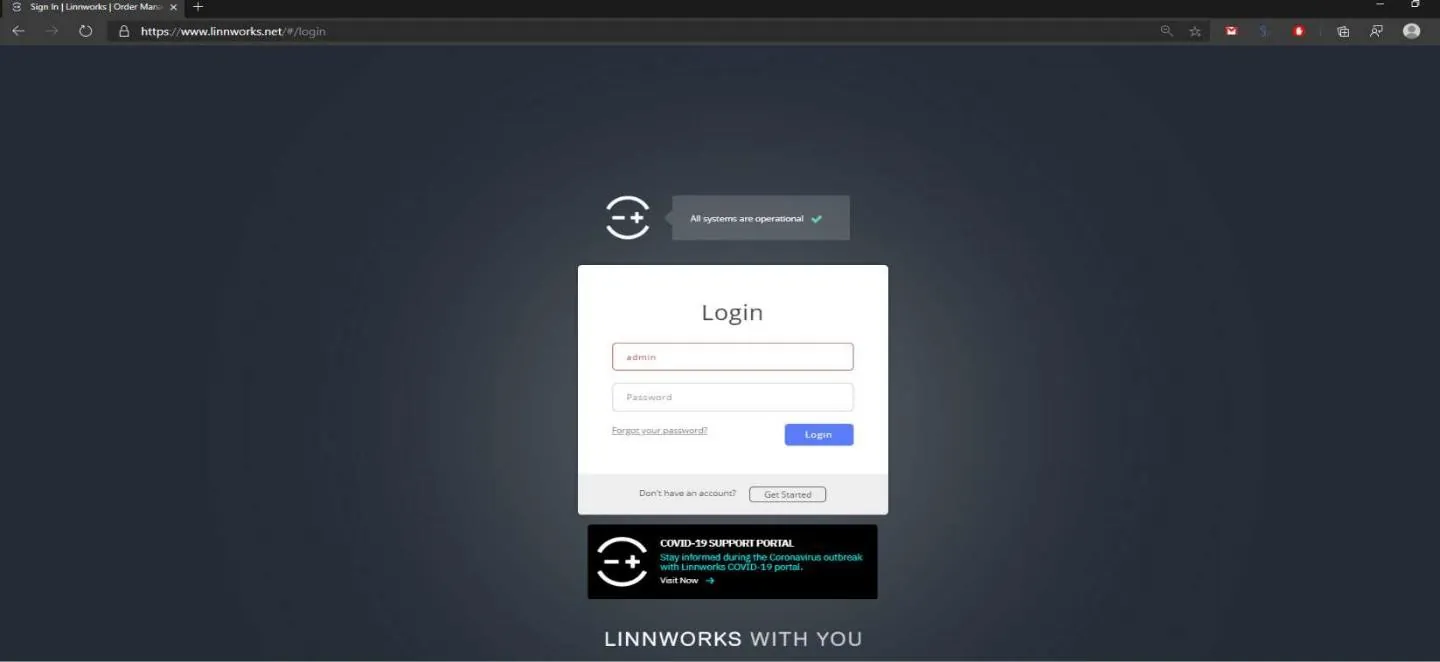
- Log in to login.linnworks.net. Credentials MUST have Administrative Rights.
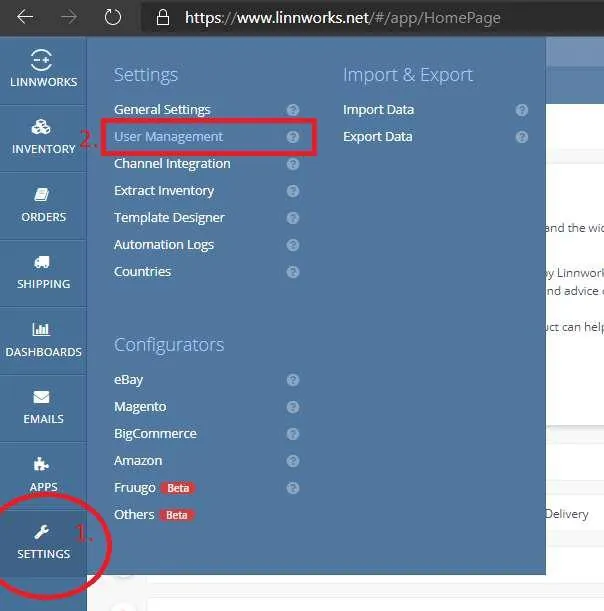
- After logging in, click Settings on the left side of the screen then click User Management.
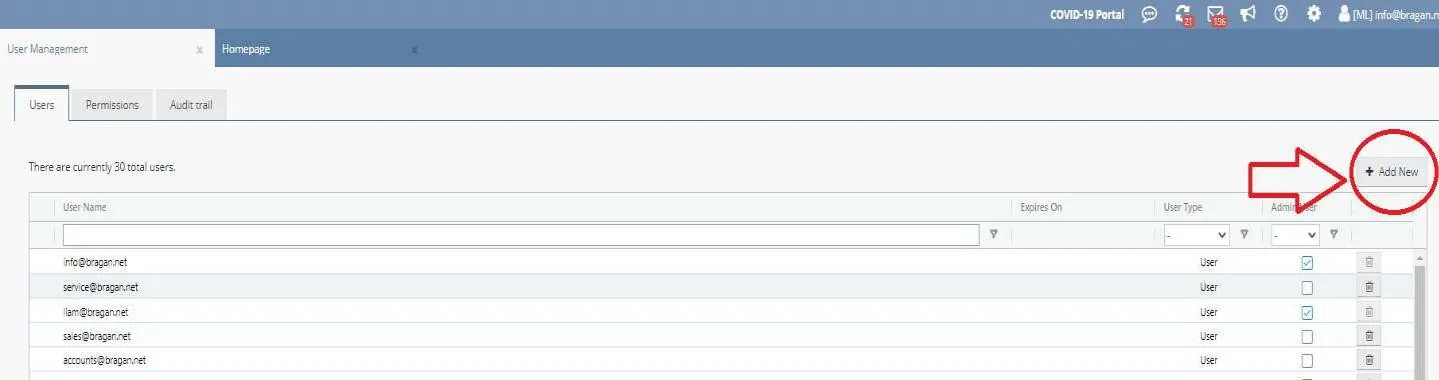
- On the User Management screen, click Add New.
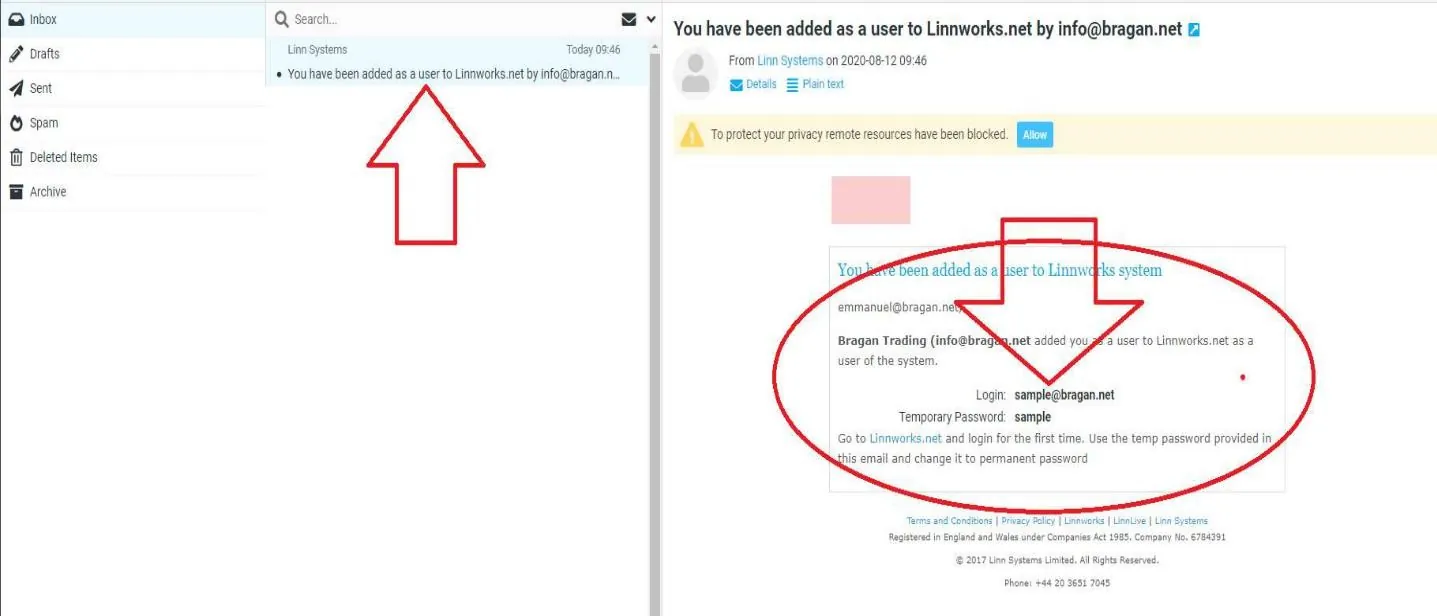
- Then Enter the Email Address we are going to register as a new user.
- An Email will be sent to the Newly Registered Email Address containing the credentials to use. Note: Advise the new user to change the temporary password given in the Email.
Notes#
This section is important so Adhoc points and issues can be logged. Also, Q&A can be logged for suggestions for potential issues encountered. Also, log important notes needed for this system. Additional Notes:
These credentials must never be shared to new employees. They should be able to access Linnworks using LastPass. Remember to send copy of credentials to Bragan Office Number Whatsapp.
Potential Issues:
1 - ISSUE ENCOUNTERED: Stuck on Loading RESOLUTION: Refresh Browser
2 - ISSUE ENCOUNTERED: Broken Links RESOLUTION: Get the external link as this will allow other people to access the SOP without the need for login credentials and avoid broken links.